How to Add Items to an Array Variable in Power Automate

An array variable holds a list that a flow builds as it goes. Create it once with Initialize variable, type Array and value [], then add to it with Append to array variable wherever you find something to keep, usually inside a loop. Read the whole list with variables('Name').
Microsoft's variables article describes the action: it appends a value as the last item in the array, and the value can have any type.
The example is Get Waiting Approvals, a flow of the Overtime Timesheet app. It goes through the departments and keeps the ID of each one the person running it approves.
Prerequisites
- A flow open in the designer. Variables in general are in How to Use Variables in Power Automate.
Step 1: Initialize the Variable as an Empty Array
Add Initialize variable at the top level of the flow. Microsoft's article says you can declare variables only at the global level, not within scopes, conditions, and loops. I named the action Initialize MyDepartmentIds and set:
| Field | Value |
|---|---|
| Name | MyDepartmentIds |
| Type | Array |
| Value | [] |
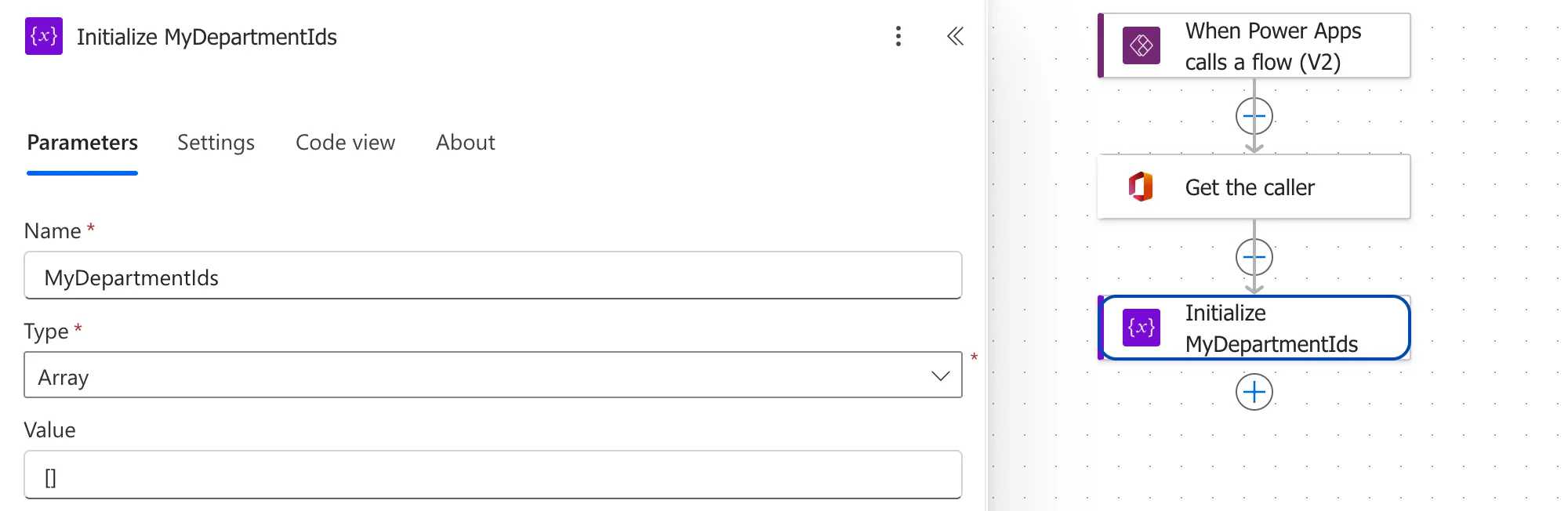
[] is an empty list. Value is optional, but the article recommends setting it so you always know the start value for your variable. Here, a person who approves nothing ends up with the empty list.
Step 2: Append Inside the Loop
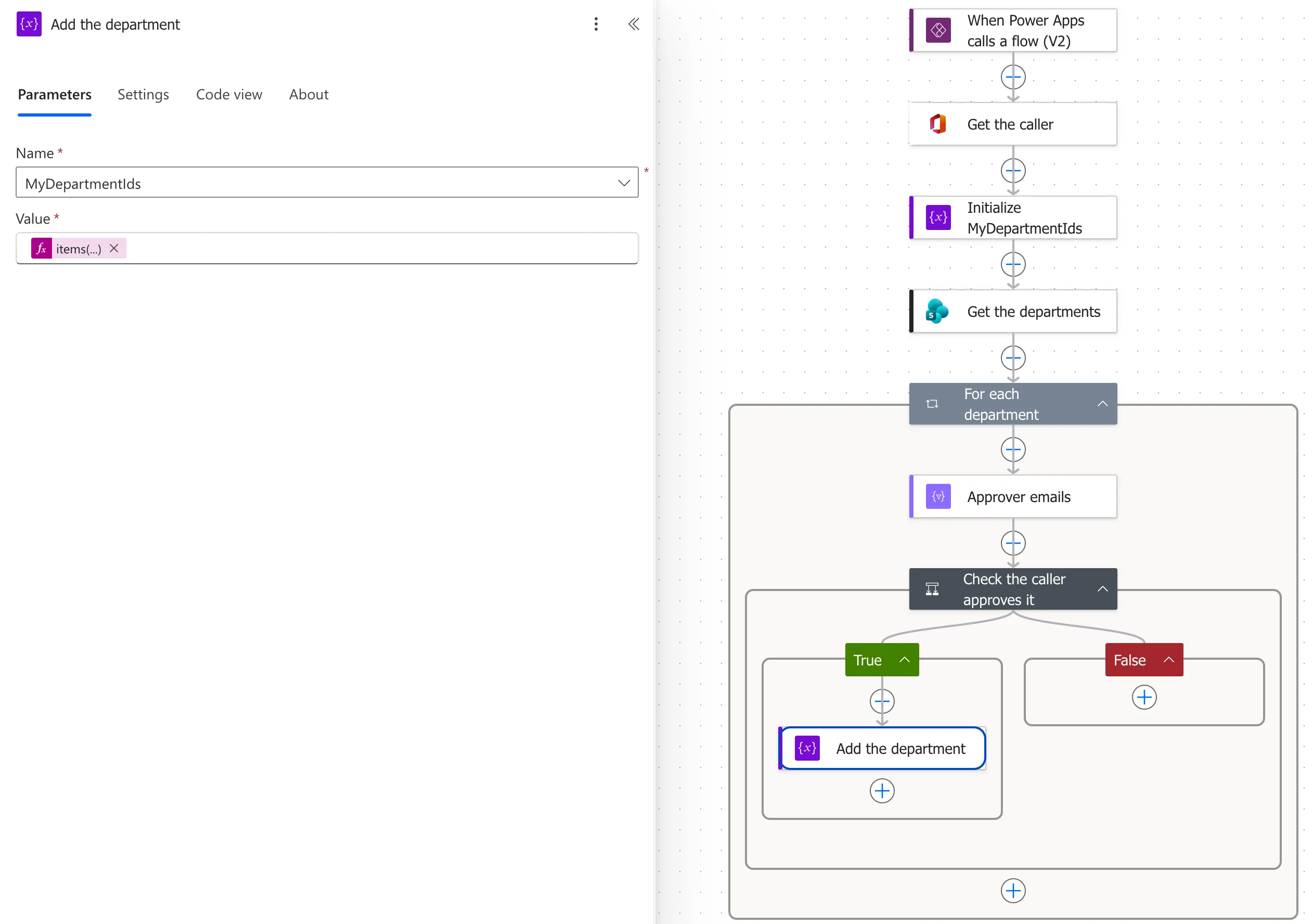
Where the flow finds a value to keep, add Append to array variable. In the example, it's in the True branch of a condition inside For each department. I named it Add the department:
- Name: pick MyDepartmentIds from the list.
- Value: the value to add. Here, the current department's ID, as an expression (How to Use the items() Function in Power Automate):
items('For_each_department')?['ID']
Step 3: Read the List After the Loop
After the loop, variables('MyDepartmentIds') is the whole list. The example uses it to keep only the overtime entries from those departments (How to Filter an Array by Two Conditions in Power Automate):
contains(variables('MyDepartmentIds'), int(string(item()?['DepartmentId'])))
The Result
For an approver of one department, Radiology, the variable held one ID after the loop: [2]. For someone who approves nothing, nothing is appended, and it stays [].
Keep the Loop Sequential
The same article warns: If you use variables in the apply to each loops, you must run the loop iterations sequentially if it's important for your loop variables to return predictable results. Loops run one at a time unless you turn on Concurrency control in the loop's settings, so leave it off for a loop that appends to a variable.
Common Mistakes
| Mistake | What happens | Do this instead |
|---|---|---|
| Putting Initialize variable inside a loop or condition | Variables can be declared only at the top level | Initialize it before the loop |
| Leaving Value empty | The start value isn't stated | Value [] |
| Concurrency on a loop that appends | Unpredictable results | Leave the loop sequential |
| Comparing a SharePoint number with the IDs | contains() can miss it | Fixed: contains() Returns False for a SharePoint Number in Power Automate |
Troubleshooting
| Symptom | Likely cause | Fix |
|---|---|---|
| The variable isn't in the Name list | It isn't initialized, or isn't an array | Initialize it as Array above the append |
| The array is empty after the loop | The condition was never true | Check the condition's inputs in the run |
| An item appears twice | The append runs on more than one path | Append only in the branch that should add |
FAQ
Should I use Select instead?
If you want one value from every item, yes: Select does it in one action. An array variable fits when only some items qualify, and deciding takes several steps, like the condition here.
How do I see what's in the variable during a run?
Open the run and select the Append to array variable action: its inputs show the value added on each pass (How to See a Flow's Run History in Power Automate).
Conclusion
Initialize an Array variable with [] at the top level, append to it with Append to array variable where the flow finds a value, and read the list with variables(). Keep the loop sequential.
