How to Add Instructions to Every Agent Run with an AIContextProvider in C#

An AIContextProvider lets a Microsoft Agent Framework agent add instructions at the start of every run, worked out at that moment. Its ProvideAIContextAsync returns an AIContext, and the agent adds that context's Instructions to its own for the run. Here it gives an agent today's date, something a model can't know by itself, and the same question shows the difference.
An agent's own instructions are fixed when you create it. Some of what a model needs changes all the time: the date, the signed-in user's name, the opening hours of today. A context provider fills that in, every run, without you passing it each time. Agent Framework's documentation: context providers run around each invocation to add context before execution and process data after execution.
Syntax
sealed class <ProviderName> : AIContextProvider
{
    protected override ValueTask<AIContext> ProvideAIContextAsync(
        InvokingContext context, CancellationToken cancellationToken) =>
        ValueTask.FromResult(new AIContext { Instructions = <instructions> });
}

AIAgent <agent> = <project>.AsAIAgent(new ChatClientAgentOptions
{
    ChatOptions = new ChatOptions { ModelId = "<model>", Instructions = "<agent instructions>" },
    AIContextProviders = [new <ProviderName>()],
});
| Part | What it is |
|---|---|
AIContextProvider | The base class for context providers, in Microsoft.Agents.AI |
ProvideAIContextAsync | The method the agent calls at the start of every run |
<instructions> | The text to add for this run, worked out now, such as today's date |
AIContext.Instructions | The reference: additional instructions to provide to the AI model for the current invocation |
<project> | The AIProjectClient of your Microsoft Foundry project, or another chat client |
<agent instructions> | The agent's own instructions, which apply to every run |
AIContextProviders | The providers the agent calls, in order |
The documentation says what the agent does with the result: it merges the messages, tools and instructions returned by ProvideAIContextAsync with the existing ones, and messages, tools and instructions are appended to existing ones. So the provider's text comes after the agent's own instructions, and doesn't replace them.
One rule shapes a provider: the same instance would be used for all sessions, so it shouldn't keep anything about one conversation in its fields. A date is the same for everyone, which makes it a simple first provider.
The Example
A small agent helps people plan their week, in one sentence. A model doesn't know today's date, so the app asks What day of the week is it today? twice: once of an agent without a provider, once of the same agent with TodayProvider, which adds the current date and time to every run. A second question, How many days are left until Saturday?, needs the date too.
Prerequisites
- A model deployment in a Microsoft Foundry project, and the Foundry User role on the Foundry resource for your account. The app calls the model as you.
- The .NET 10 SDK (
dotnet --versionprints a version that starts with10.0) and the Azure CLI, signed in withaz login.
Step 1: Create a Console App
dotnet new console -n DayHelper
cd DayHelper
dotnet add package Microsoft.Agents.AI.Foundry --version 1.28.0-preview.261106.1
dotnet add package Azure.Identity --version 1.21.0
Microsoft.Agents.AI.Foundry turns a model in a Foundry project into an agent and brings in Agent Framework, where AIContextProvider lives. It's a preview package: it's the one that ships with Agent Framework 1.28, whose core is generally available. Azure.Identity signs the app in with your Azure CLI sign-in.
Step 2: Write the Provider
Replace everything in Program.cs. The provider goes at the end of the file:
// Adds today's date and the time to the instructions of every run.
sealed class TodayProvider(TimeProvider time) : AIContextProvider
{
    protected override ValueTask<AIContext> ProvideAIContextAsync(
        InvokingContext context, CancellationToken cancellationToken)
    {
        DateTimeOffset now = time.GetUtcNow();
        string today = now.ToString("dddd, d MMMM yyyy, HH:mm", CultureInfo.InvariantCulture);
        return ValueTask.FromResult(new AIContext { Instructions = $"Right now it's {today} UTC." });
    }
}
TimeProvideris .NET's clock. Passing it in, instead of callingDateTimeOffset.UtcNowinside the provider, lets the app that creates the provider decide which clock it reads.CultureInfo.InvariantCulturewrites the day and month in English on every machine.ValueTask.FromResult: nothing here needs to wait, so the method returns a finished result. A provider that reads a database would beasyncinstead.
Step 3: Give It to an Agent
using System.Globalization;
using Azure.AI.Projects;
using Azure.Identity;
using Microsoft.Agents.AI;
using Microsoft.Extensions.AI;

AIProjectClient project = new(
    new Uri("https://foundry-devblogs-exp.services.ai.azure.com/api/projects/proj-devblogs-exp"),
    new AzureCliCredential());

// 1. An agent without the provider: it has no way to know today's date.
AIAgent plain = project.AsAIAgent(
    model: "gpt-5.6-luna", instructions: "You help people plan their week. Answer in one sentence.", name: "DayHelper");
Console.WriteLine($"Without the provider: {await plain.RunAsync("What day of the week is it today?")}");

// 2. The same agent with the provider: every run gets today's date in its instructions.
AIAgent withToday = project.AsAIAgent(new ChatClientAgentOptions
{
    Name = "DayHelper",
    ChatOptions = new ChatOptions
    {
        ModelId = "gpt-5.6-luna",
        Instructions = "You help people plan their week. Answer in one sentence.",
    },
    AIContextProviders = [new TodayProvider(TimeProvider.System)],
});
Console.WriteLine($"With the provider: {await withToday.RunAsync("What day of the week is it today?")}");
Console.WriteLine($"With the provider: {await withToday.RunAsync("How many days are left until Saturday?")}");
plainis created withAsAIAgent(model:, instructions:, name:), without a provider.withTodayis created fromChatClientAgentOptions, the overload that acceptsAIContextProviders. Its own instructions are the same asplain's.
Use your own Foundry project endpoint and model deployment.
Step 4: Run It
dotnet run
Without the provider: I can’t determine today’s day of the week without access to the current date.
With the provider: Today is Wednesday.
With the provider: There are 3 days left until Saturday.
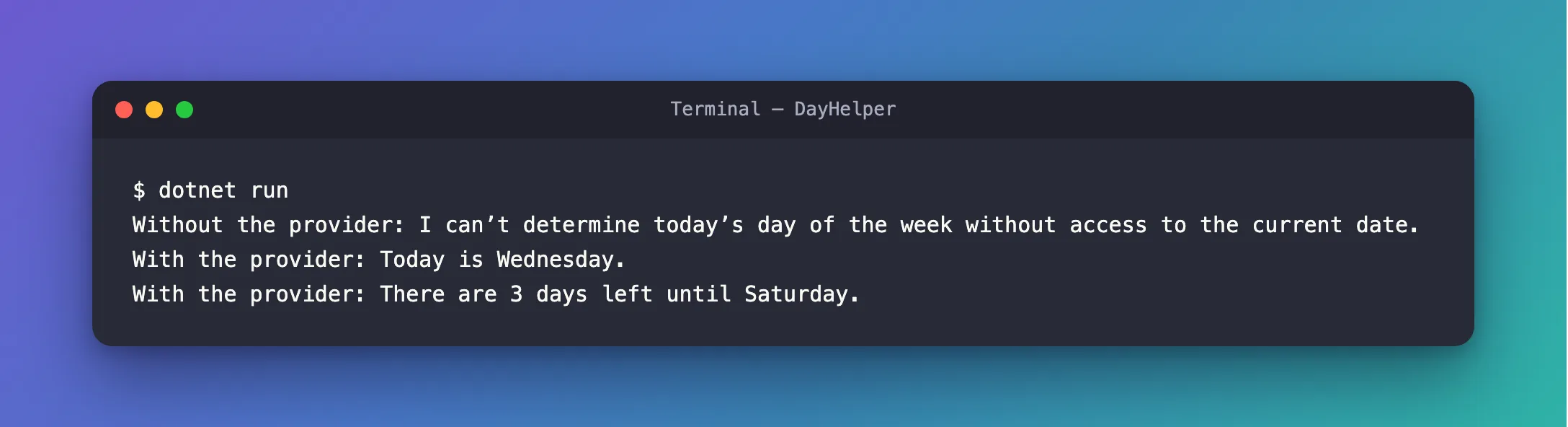
- Without the provider, the model says it can't know the day.
- With the provider, it answers Wednesday, the day I ran it, and works out three days until Saturday in the next run, because that run got the date too.
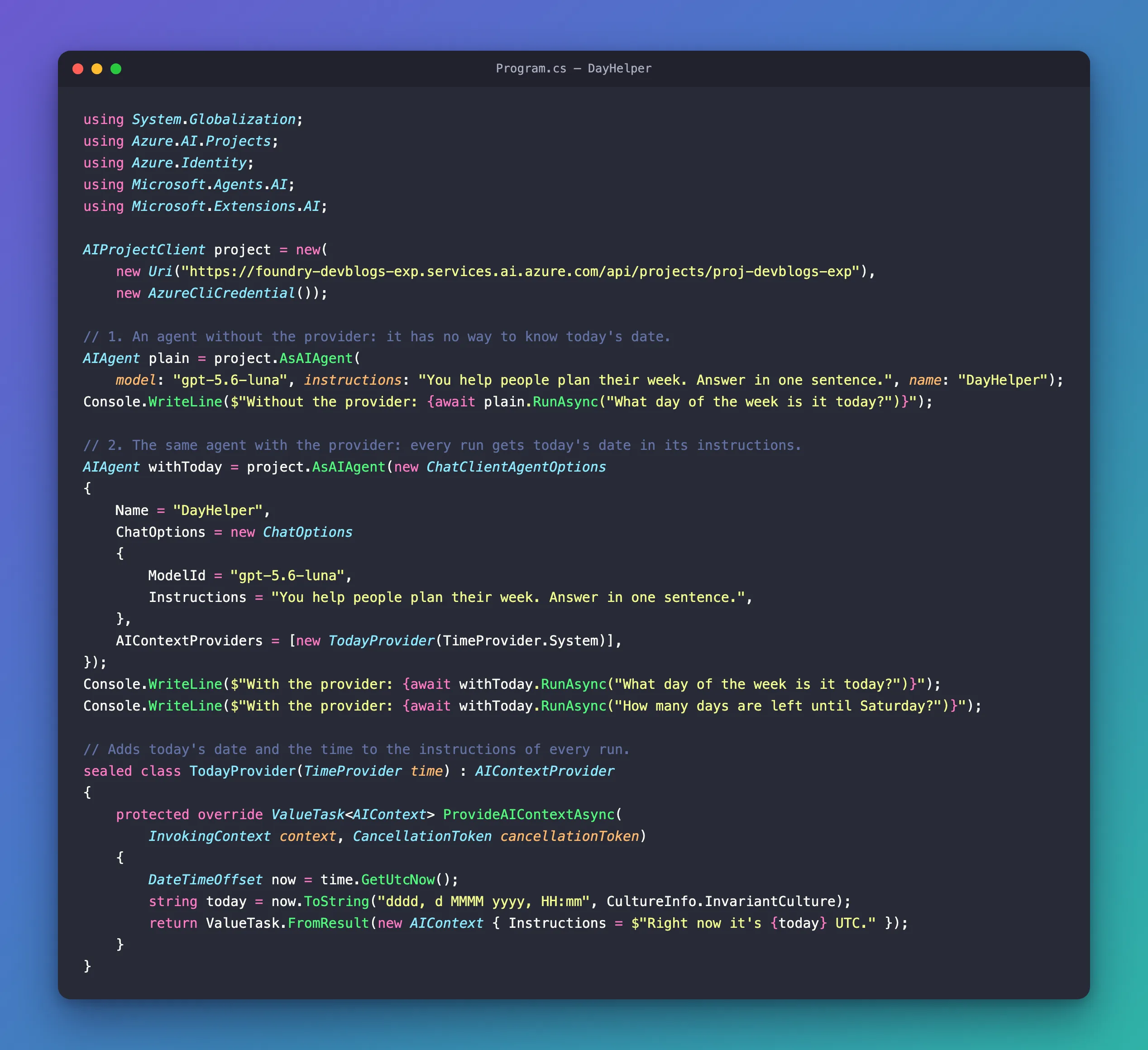
The Complete File
using System.Globalization;
using Azure.AI.Projects;
using Azure.Identity;
using Microsoft.Agents.AI;
using Microsoft.Extensions.AI;

AIProjectClient project = new(
    new Uri("https://foundry-devblogs-exp.services.ai.azure.com/api/projects/proj-devblogs-exp"),
    new AzureCliCredential());

// 1. An agent without the provider: it has no way to know today's date.
AIAgent plain = project.AsAIAgent(
    model: "gpt-5.6-luna", instructions: "You help people plan their week. Answer in one sentence.", name: "DayHelper");
Console.WriteLine($"Without the provider: {await plain.RunAsync("What day of the week is it today?")}");

// 2. The same agent with the provider: every run gets today's date in its instructions.
AIAgent withToday = project.AsAIAgent(new ChatClientAgentOptions
{
    Name = "DayHelper",
    ChatOptions = new ChatOptions
    {
        ModelId = "gpt-5.6-luna",
        Instructions = "You help people plan their week. Answer in one sentence.",
    },
    AIContextProviders = [new TodayProvider(TimeProvider.System)],
});
Console.WriteLine($"With the provider: {await withToday.RunAsync("What day of the week is it today?")}");
Console.WriteLine($"With the provider: {await withToday.RunAsync("How many days are left until Saturday?")}");

// Adds today's date and the time to the instructions of every run.
sealed class TodayProvider(TimeProvider time) : AIContextProvider
{
    protected override ValueTask<AIContext> ProvideAIContextAsync(
        InvokingContext context, CancellationToken cancellationToken)
    {
        DateTimeOffset now = time.GetUtcNow();
        string today = now.ToString("dddd, d MMMM yyyy, HH:mm", CultureInfo.InvariantCulture);
        return ValueTask.FromResult(new AIContext { Instructions = $"Right now it's {today} UTC." });
    }
}
Common Mistakes
| Mistake | What happens | Do this instead |
|---|---|---|
| Putting the date in the agent's own instructions | It's the date the agent was created, and goes stale | Add it in ProvideAIContextAsync, at the start of each run |
| Keeping one user's data in a field of the provider | One provider serves every conversation, so the data leaks into others | Read per-user data at the start of each run, from the session or a store |
Using AsAIAgent(model:, instructions:) and looking for a providers parameter | That overload has none | Use AsAIAgent(new ChatClientAgentOptions { ... }) |
FAQ
What's the difference from run options?
How to Add Instructions to One Microsoft Agent Framework Agent Run in C# passes extra instructions to one RunAsync call you choose. A context provider adds them to every run, without each call having to remember.
Can the provider add tools as well?
Yes, through AIContext.Tools: How to Add Tools to Every Agent Run with an AIContextProvider in C# shows it.
Conclusion
To give an agent instructions that change from run to run, derive a class from AIContextProvider, return them as AIContext.Instructions from ProvideAIContextAsync, and add the provider to ChatClientAgentOptions.AIContextProviders. The agent appends them to its own instructions at the start of every run: an agent that didn't know the day of the week knew it, and used it in the next question too.
Additional Resources
- Context Providers — what a context provider can add and when it runs.
- AIContext.Instructions — the property in the API reference.
