How to Add Command-Line Options to a Python Script with argparse

A script that reads its settings from the command line can be run in many ways without editing it. argparse, part of Python's standard library, turns a few lines of description into options, type checks, error messages and a --help page. This guide builds a small greeting script with an argument, an option and a flag, with real output from Python 3.15.2.
Syntax
import argparse

parser = argparse.ArgumentParser(description="<what the script does>")
parser.add_argument("<name>", help="<what it is>")
parser.add_argument("--<option>", type=<type>, default=<value>, help="<what it sets>")
parser.add_argument("--<flag>", action="store_true", help="<what it turns on>")
args = parser.parse_args()
| Part | What it means |
|---|---|
argparse.ArgumentParser(description=...) | The parser. The description is the "Text to display before the argument help" |
add_argument("<name>") | A positional argument: no dashes, and the user must give it |
add_argument("--<option>", type=..., default=...) | An option: optional, with a value after it. argparse reads values "as simple strings", and type converts them, such as type=int |
action="store_true" | A flag: no value after it. It's False unless the user types it, then True |
help="..." | The line shown for it on the --help page |
parser.parse_args() | Reads what the user typed and returns an object with one attribute per argument, such as args.name |
Dashes in an option's name become underscores in its attribute: --run-name is read as args.run_name.
Prerequisites
- Python 3, run through a uv project: see How to Run a Python Script with uv run.
argparsecomes with Python, so there's nothing to install. - A terminal in the project folder. The commands work the same in Terminal (macOS), PowerShell (Windows) and Linux shells.
Step 1: Write the Script
The example prints a greeting: who to greet is required, how many times is an option, and capital letters are a flag. Create greet.py:
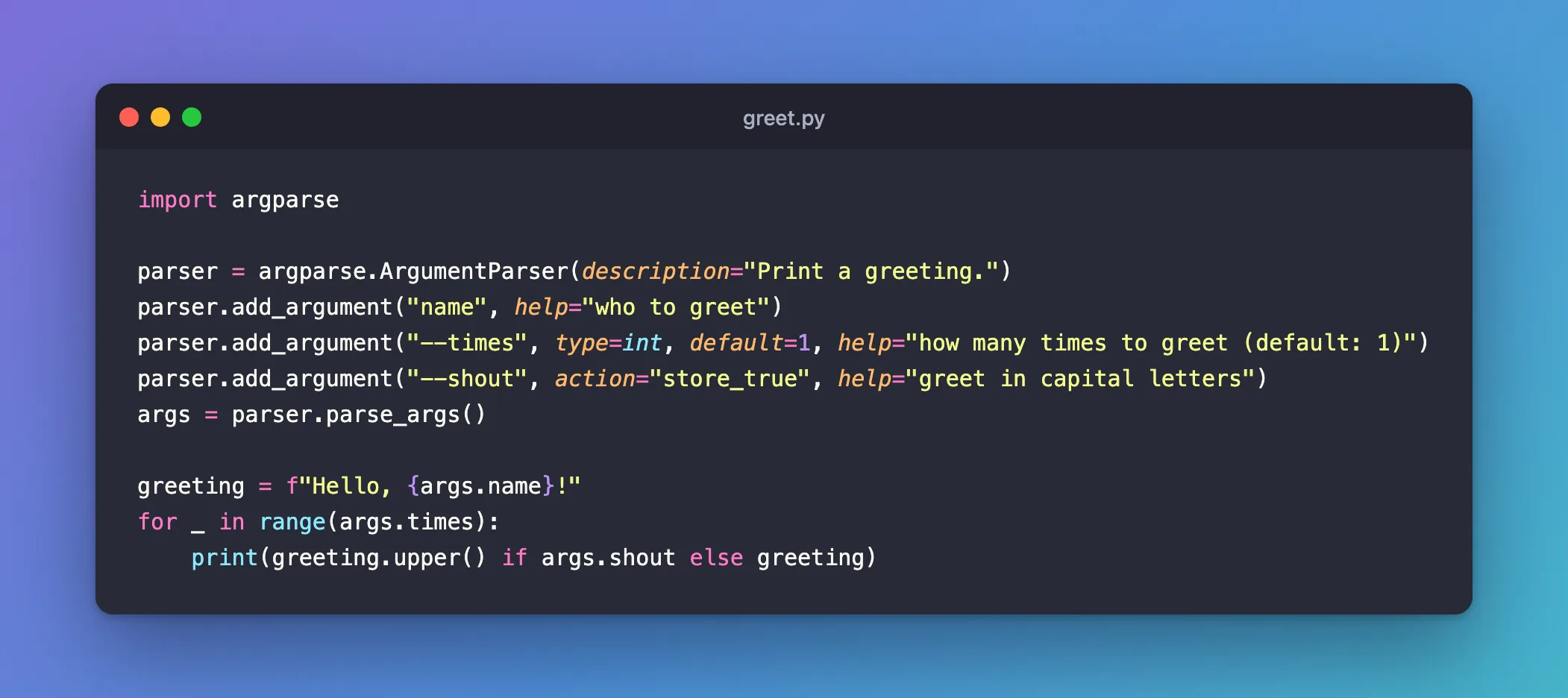
import argparse

parser = argparse.ArgumentParser(description="Print a greeting.")
parser.add_argument("name", help="who to greet")
parser.add_argument("--times", type=int, default=1, help="how many times to greet (default: 1)")
parser.add_argument("--shout", action="store_true", help="greet in capital letters")
args = parser.parse_args()

greeting = f"Hello, {args.name}!"
for _ in range(args.times):
    print(greeting.upper() if args.shout else greeting)
Step 2: See the Help Page
argparse writes it for you from the description and each help:
uv run python greet.py --help
usage: greet.py [-h] [--times TIMES] [--shout] name

Print a greeting.

positional arguments:
  name           who to greet

options:
  -h, --help     show this help message and exit
  --times TIMES  how many times to greet (default: 1)
  --shout        greet in capital letters
In the usage line, square brackets mark what's optional: name has none, so it's required.
Step 3: Run It with Options
uv run python greet.py Sam --times 2
Hello, Sam!
Hello, Sam!
--times 2 arrived as the text "2", and type=int turned it into the number 2. The flag needs no value:
uv run python greet.py Sam --shout
HELLO, SAM!
Step 4: See What Happens with Bad Input
Leave out the name:
uv run python greet.py
usage: greet.py [-h] [--times TIMES] [--shout] name
greet.py: error: the following arguments are required: name
Give --times a word instead of a number:
uv run python greet.py Sam --times two
usage: greet.py [-h] [--times TIMES] [--shout] name
greet.py: error: argument --times: invalid int value: 'two'
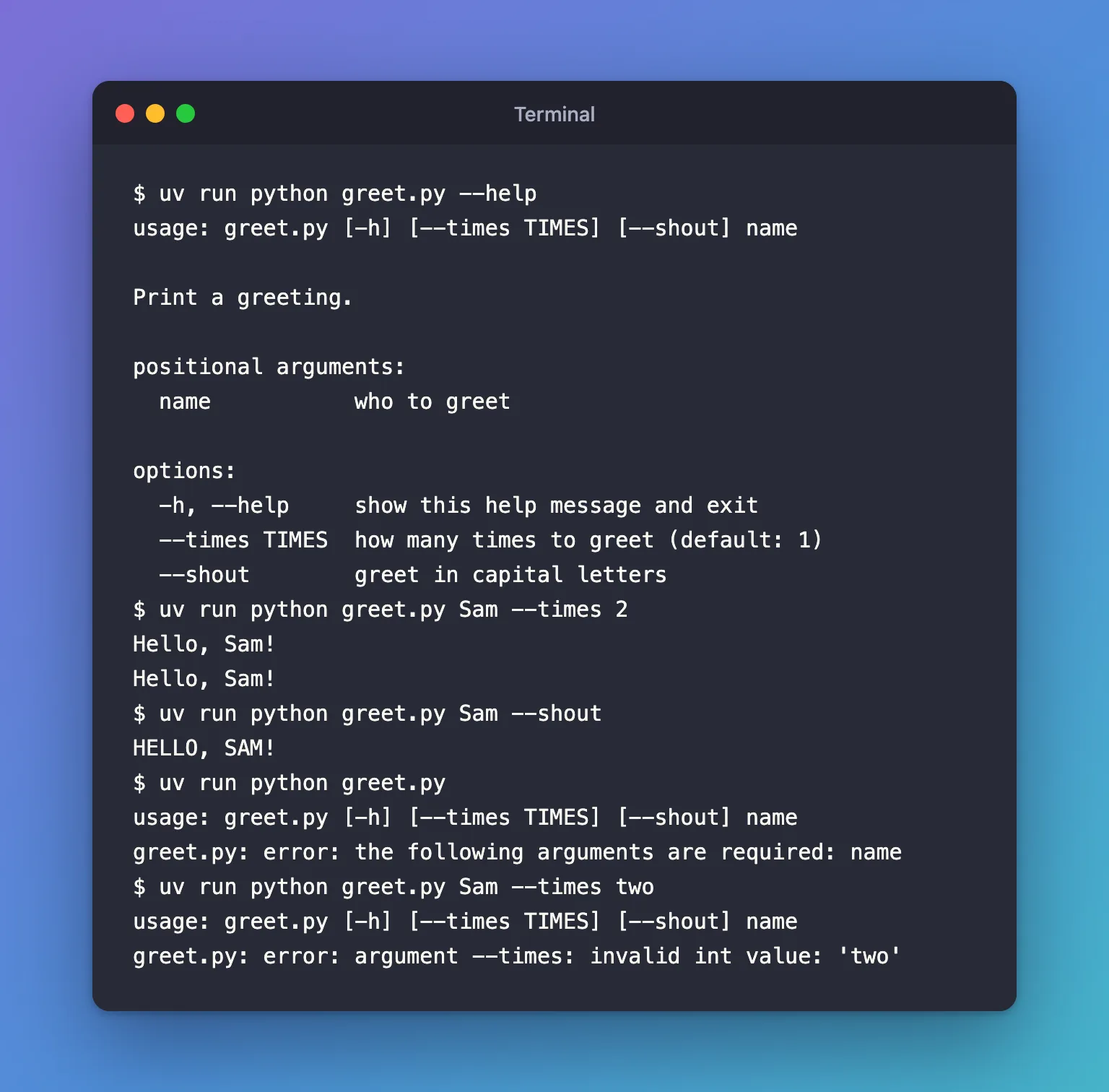
Python's documentation says that for an invalid argument list, argparse will "print a message to sys.stderr and exit with a status code of 2". The script never reaches your own code, so it can't run with a bad value. Here, the exit status after the missing name was 2.
Common Mistakes
| Mistake | What happens | Do this instead |
|---|---|---|
Leaving out type=int on a number option | args.times is the text "2", and range("2") fails | Give every number option a type |
Giving a flag a value, as in --shout yes | error: unrecognized arguments: yes, because a flag takes no value | Type the flag alone: --shout |
Reading args.run-name for a --run-name option | Python reads it as args.run minus name | Use args.run_name: dashes become underscores |
Checking values with if after the script has started work | Bad input fails halfway through | Check with type, or call parser.error("...") right after parse_args() |
Troubleshooting
| Symptom | Likely cause | Fix |
|---|---|---|
error: the following arguments are required: name | A positional argument is missing | Type it, or give it nargs="?" and a default if it shouldn't be required |
error: argument --times: invalid int value: 'two' | The value can't be converted by type | Type a whole number |
error: unrecognized arguments: ... | A word argparse doesn't expect, such as a value typed after a flag | Compare what you typed with --help |
FAQ
Why did a misspelled option still work?
Because argparse accepts any unambiguous start of a long option. --time is the start of --times and of nothing else, so this ran as --times 2:
uv run python greet.py Sam --time 2
Hello, Sam!
Hello, Sam!
Python's documentation describes the setting behind it, allow_abbrev: it "Allows long options to be abbreviated if the abbreviation is unambiguous (default: True)". To accept only the full names, create the parser with argparse.ArgumentParser(description="Print a greeting.", allow_abbrev=False).
What's the difference between an argument and an option?
An argument (positional) is identified by its position and is required. An option starts with --, can be left out, and falls back to its default.
Can I check a value's range, such as "1 or more"?
Yes: after parse_args(), test it and call parser.error("--times must be 1 or more"). argparse prints the usage line and your message, then exits with status 2, just like its own errors.
Should I use sys.argv instead?
sys.argv is the raw list of words. argparse reads the same list and adds the types, defaults, errors and help page for you.
Conclusion
argparse.ArgumentParser and three add_argument calls gave greet.py a required name, a --times option converted to a number, and a --shout flag, plus a --help page written from the descriptions. A missing name or a value that isn't a number stopped the script with a clear message and exit status 2, before any of its own code ran.
Additional Resources
- argparse — Python's reference for every option of
add_argumentandArgumentParser. - Argparse Tutorial — Python's own step-by-step introduction.
