How to Add an Input Example to an MLflow Model

An input example is a few rows of real input, saved with the model. Anyone who loads the model later sees exactly what it expects, MLflow infers the signature from it, and it writes a ready-made request body for the model's REST API. One argument to log_model does all three. This guide adds one, with real output and files from MLflow 3.18.0.
Syntax
mlflow.sklearn.log_model(sk_model, name="...", input_example=rows)
| Part | What it means |
|---|---|
input_example=rows | A few rows of valid input, such as X.head(3) |
With it, MLflow:
- saves the rows as
input_example.json, and the same rows as a REST API request asserving_input_example.json; - infers the model's signature from the rows, when you don't pass
signature=yourself.
MLflow's reference: "If an input example is provided when logging a model, a model signature will be automatically inferred and stored if not explicitly provided."
Prerequisites
- An MLflow tracking server at
http://127.0.0.1:8080. MLflow's tracking server guide shows how to start one. mlflowandscikit-learnin your project, for example withuv add mlflow scikit-learn pandas.
Step 1: Log a Model with an Input Example
The example logs a linear regression trained on scikit-learn's diabetes data, with its first three rows as the example, and prints the signature MLflow inferred:
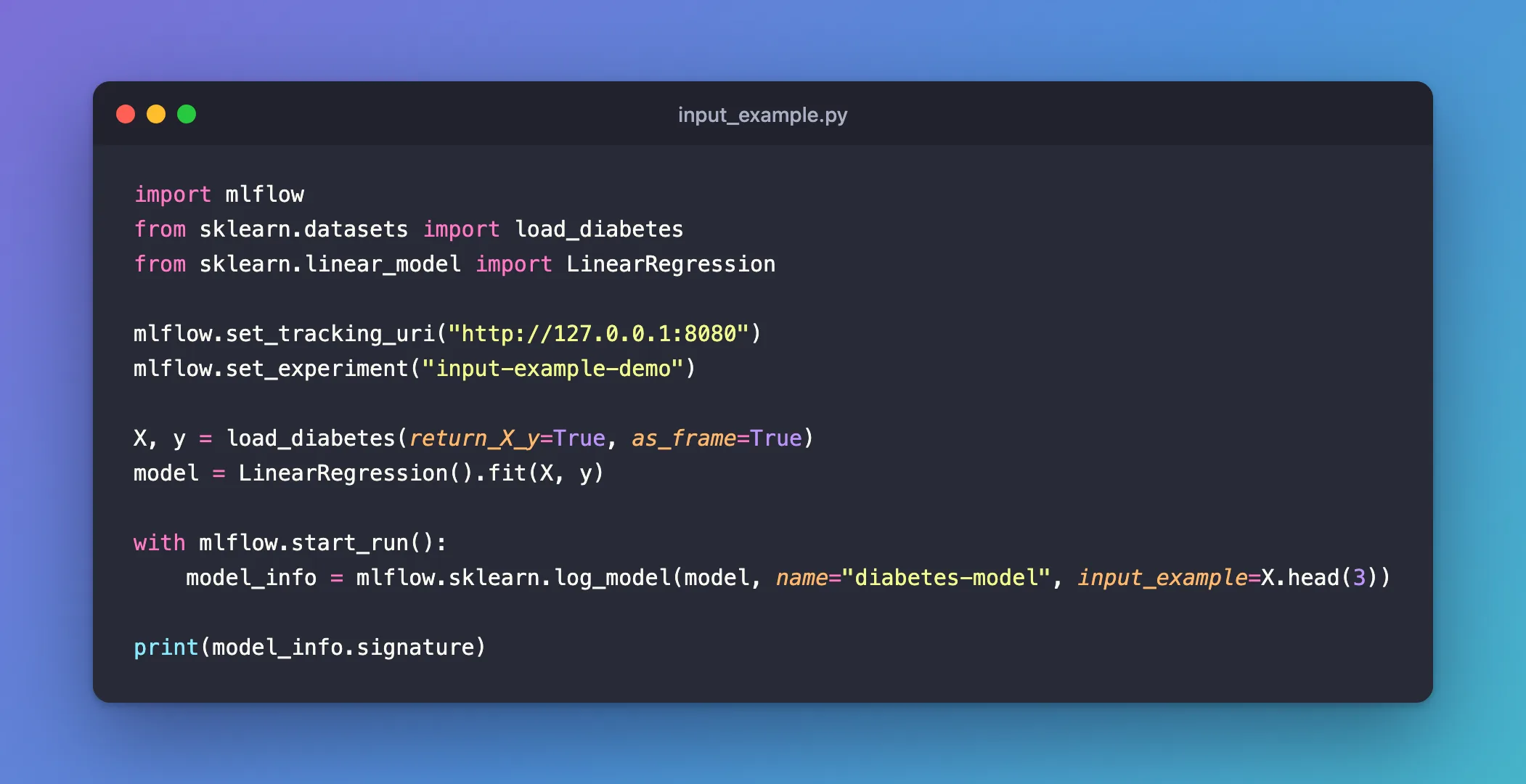
import mlflow
from sklearn.datasets import load_diabetes
from sklearn.linear_model import LinearRegression

mlflow.set_tracking_uri("http://127.0.0.1:8080")
mlflow.set_experiment("input-example-demo")

X, y = load_diabetes(return_X_y=True, as_frame=True)
model = LinearRegression().fit(X, y)

with mlflow.start_run():
    model_info = mlflow.sklearn.log_model(model, name="diabetes-model", input_example=X.head(3))

print(model_info.signature)
uv run python input_example.py
2026/11/21 14:12:09 INFO mlflow.tracking.fluent: Experiment with name 'input-example-demo' does not exist. Creating a new experiment.
2026/11/21 14:12:10 INFO mlflow.utils.uv_utils: Detected uv project: found uv.lock and pyproject.toml in /Users/you/source/mlflow-demo
2026/11/21 14:12:10 INFO mlflow.utils.uv_utils: Detected uv project: found uv.lock and pyproject.toml in /Users/you/source/mlflow-demo
2026/11/21 14:12:10 INFO mlflow.utils.environment: Detected uv project at /Users/you/source/mlflow-demo. Attempting to export requirements via 'uv export'.
2026/11/21 14:12:10 INFO mlflow.utils.uv_utils: Exported 91 dependencies via uv
2026/11/21 14:12:10 INFO mlflow.utils.environment: Successfully exported 91 requirements from uv project. Skipping package capture based inference.
🏃 View run classy-shrew-577 at: http://127.0.0.1:8080/#/experiments/6/runs/5cbb0f33406b46b0b45bc8a17000477d
🧪 View experiment at: http://127.0.0.1:8080/#/experiments/6
inputs:
  ['age': double (required), 'sex': double (required), 'bmi': double (required), 'bp': double (required), 's1': double (required), 's2': double (required), 's3': double (required), 's4': double (required), 's5': double (required), 's6': double (required)]
outputs:
  [double (required)]
params:
  None
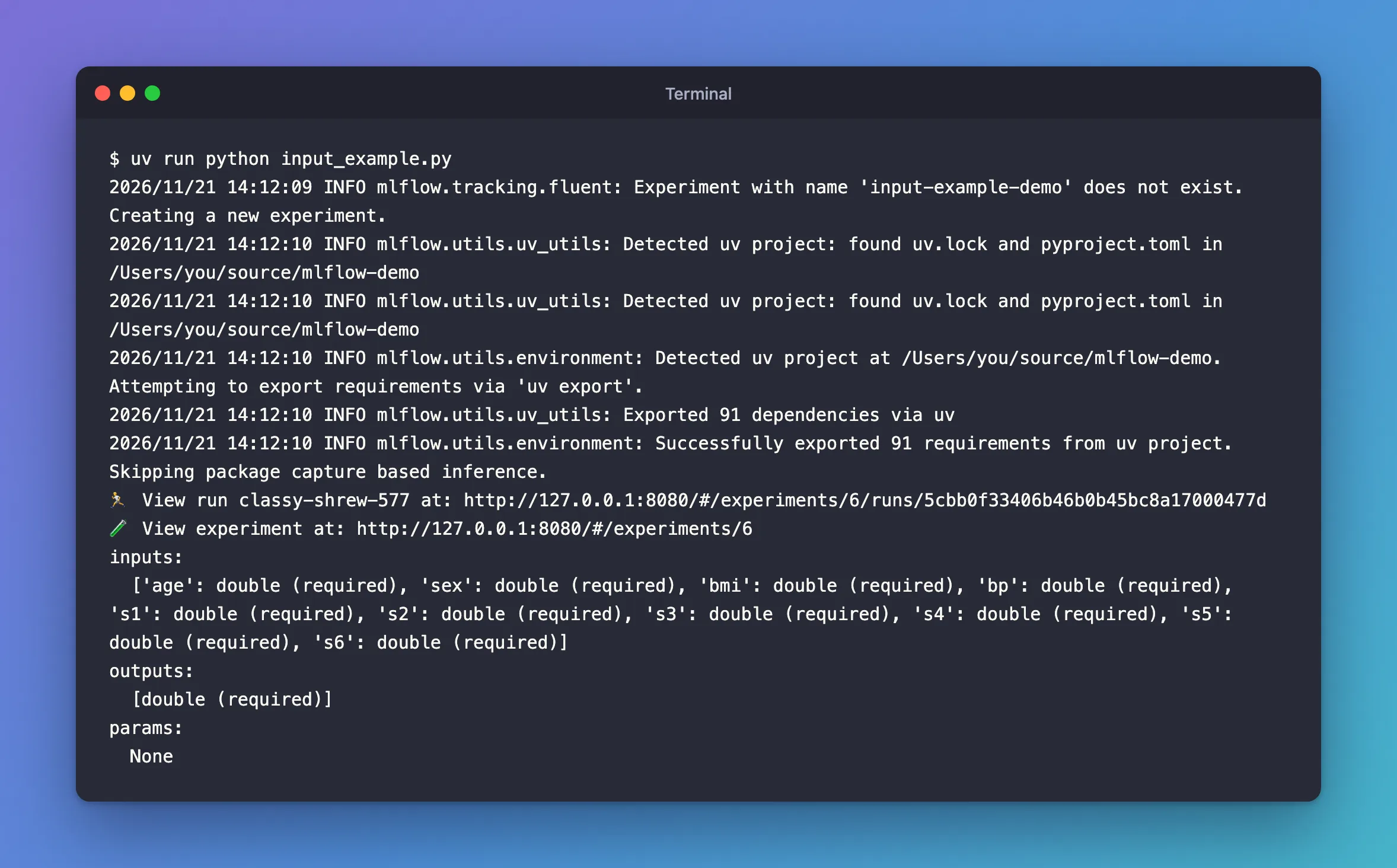
No signature= was passed, yet the model has one: the ten input columns, read from the example rows, and the output, read from the model's predictions for them.
Step 2: Open the Example Files
Open the model from the experiment's Models tab, then its Artifacts tab, and click input_example.json:
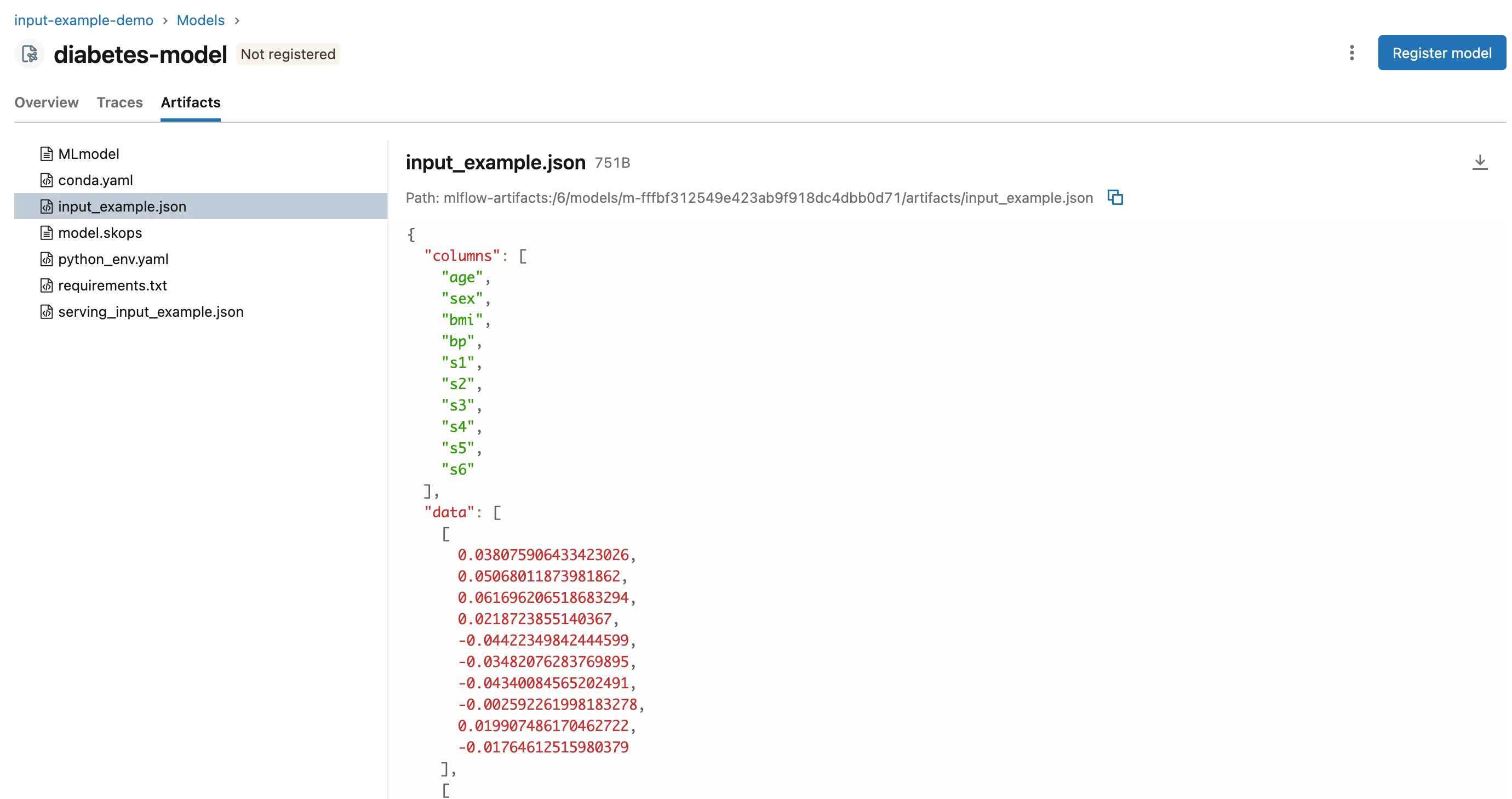
Two files are new, compared with a model logged without an example:
input_example.json: the three rows, as column names and rows of values (pandas' "split" layout).serving_input_example.json: the same rows wrapped as a request to the model's REST API, under adataframe_splitkey:
{
  "dataframe_split": {
    "columns": [
      "age",
      "sex",
      "bmi",
      "bp",
      "s1",
      "s2",
      "s3",
      "s4",
      "s5",
      "s6"
    ],
    "data": [
      [
        0.038075906433423026,
        0.05068011873981862,
        0.061696206518683294,
        0.0218723855140367,
        -0.04422349842444599,
        -0.03482076283769895,
        -0.04340084565202491,
MLmodel records both under saved_input_example_info. You can send serving_input_example.json as it is to a model served by MLflow, or test the model with it in a fresh environment, as in How to Test an MLflow Model in a Fresh Environment.
Common Mistakes
| Mistake | What happens | Do this instead |
|---|---|---|
| Passing the whole training set as the example | It's stored with the model, every row of it | A few rows, such as X.head(3) |
| Relying on the inferred signature for a model that returns probabilities | It's inferred from predict, not from the probabilities | Pass the signature yourself |
Troubleshooting
| Symptom | Likely cause | Fix |
|---|---|---|
UserWarning: Hint: Inferred schema contains integer column(s)... | Whole-number columns in the example, or whole-number predictions | Fixed: Hint: Inferred schema contains integer column(s) |
No input_example.json in the model's files | The model was logged without input_example | Log it again with one |
FAQ
What's the difference between the two files?
input_example.json is the rows; serving_input_example.json is a request body for the REST API, the rows inside dataframe_split.
Do I still need infer_signature?
Not when the example is enough to describe input and output. Pass signature= yourself when the model's output isn't what predict returns.
Conclusion
log_model(..., input_example=X.head(3)) saved three rows as input_example.json and a REST request as serving_input_example.json, and MLflow inferred the signature from them, with no infer_signature call in the script.
Additional Resources
- Model Signatures and Input Examples — what input examples are for.
- MLflow Models — the files a model is stored with.
