How to Add an API Permission to an App Registration in Microsoft Entra ID

An app that calls your API should say so in its own registration: which API, and which of its scopes. That's an API permission, listed on the app's API permissions page. This guide adds one for your own API, removes the permission every new registration starts with, and does the same with the Azure CLI.
What an API Permission Is
An app's API permissions are the permissions it declares it needs, each one a scope of some API. The Azure CLI's reference describes the list well: it specifies the resources that the application needs to access … This configuration of access to the required resources drives the consent experience. When an administrator grants consent for the whole organization from this page, for example, it's these permissions that get granted.
A declared permission is not yet a granted one. A permission becomes usable for a person when one of three things happens:
| How | Who decides |
|---|---|
| The person consents for themselves | Each person, if the scope allows it and your organization's settings do |
| An administrator grants consent for the whole organization | An administrator, once |
| The API pre-authorizes the app for the scope | The API's owner, on the API's registration |
The examples on this page give a single-page app registered as Dewiride Service Desk Chat the access_as_user scope of an API registered as Dewiride Service Desk API (How to Expose an API Scope in Microsoft Entra ID).
Prerequisites
- Permission to change the app's registration: you're listed under its Owners, or you have a role such as Cloud Application Administrator.
- For the Azure CLI route: the Azure CLI signed in to the tenant (
az login).
Step 1: Find Your API
In the Microsoft Entra admin center, open the app's registration, not the API's, under Entra ID > App registrations. Under Manage, select API permissions, then Add a permission.
The Request API permissions panel has tabs for Microsoft's APIs, APIs my organization uses and My APIs. Select APIs my organization uses and type your API's name into the filter:
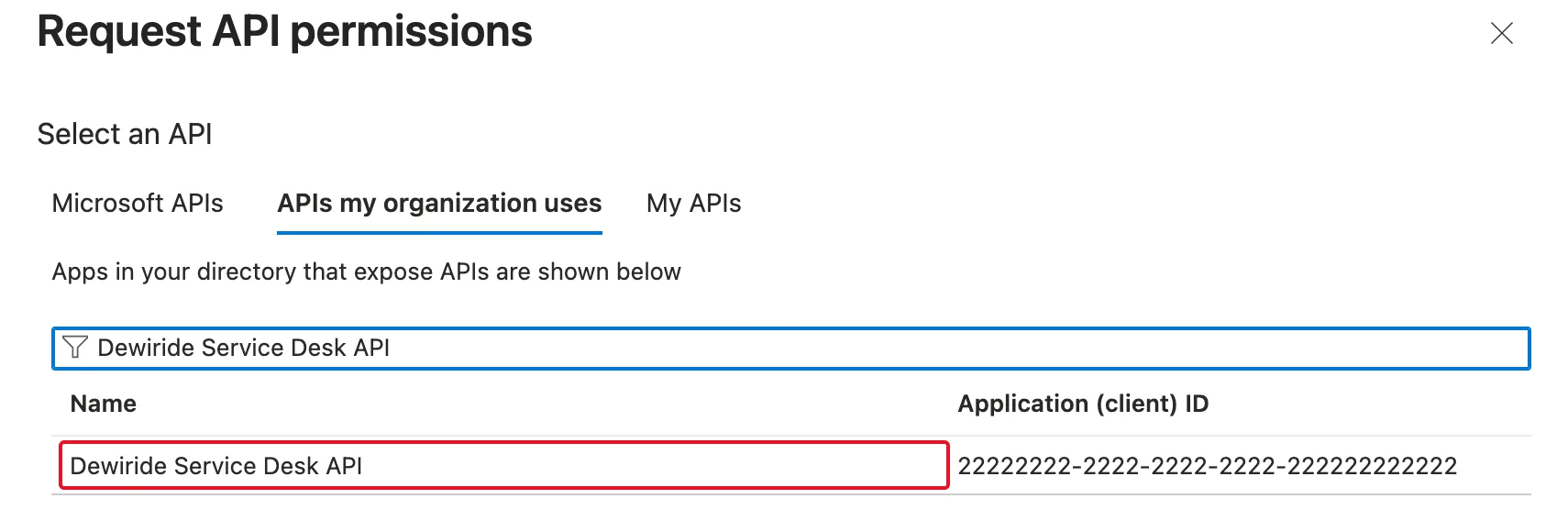
APIs my organization uses lists the APIs your organization has, Microsoft's and your own, so the filter matters. My APIs lists the APIs whose registrations you own. Select your API's row.
Step 2: Choose the Scope
The panel asks which kind of permission the app needs. Select Delegated permissions: the app calls the API as the signed-in person. Then select the scope:
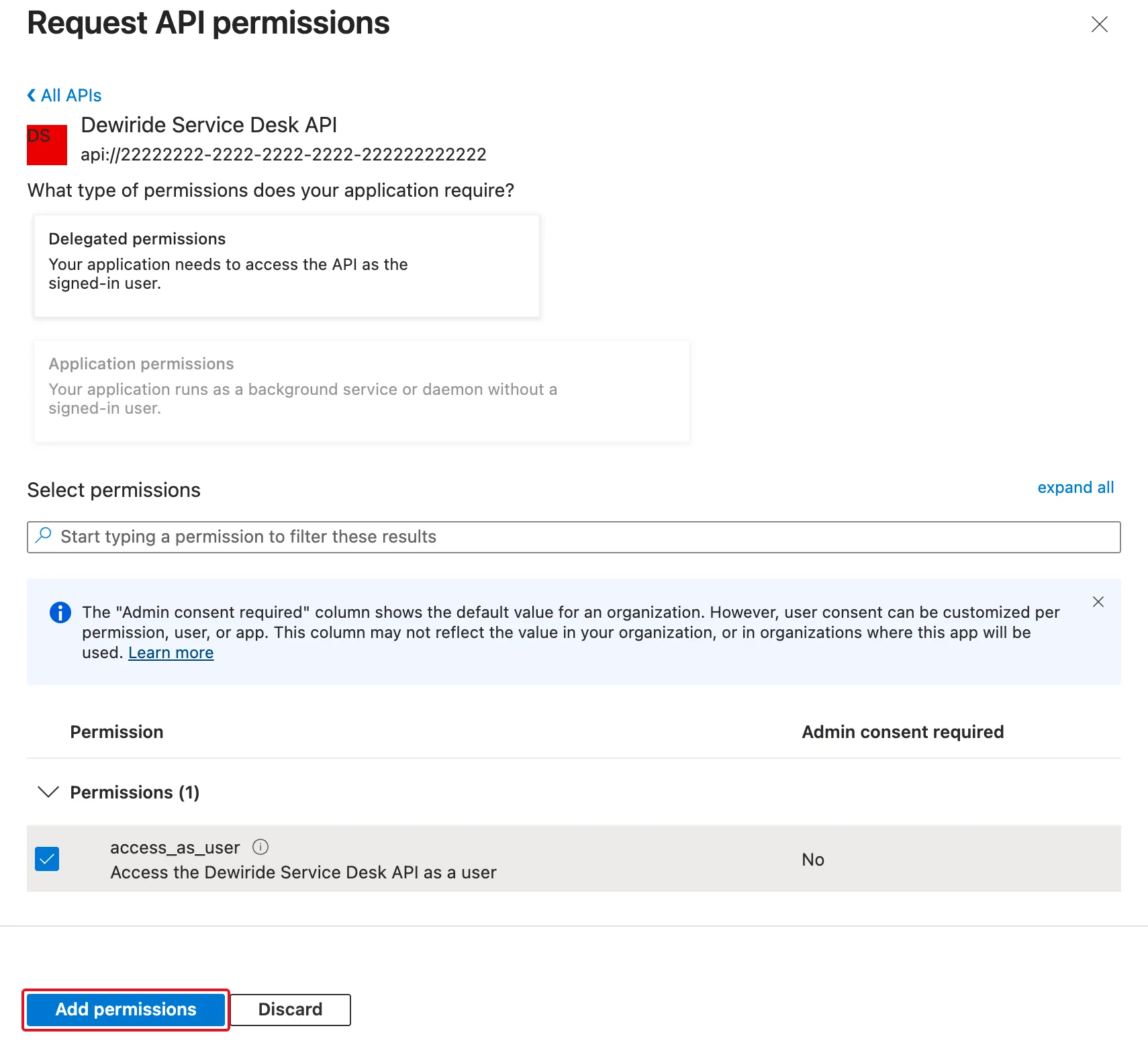
Admin consent required: No comes from the scope's Who can consent setting on the API: people can agree to it for themselves. Select Add permissions.
Step 3: Remove What the App Doesn't Use
Every registration made in the admin center starts with one permission already listed: Microsoft Graph > User.Read, which lets the app read the signed-in person's profile through Microsoft Graph. If your app never calls Microsoft Graph, it doesn't need it. Signing in doesn't either: Microsoft Graph's permission reference says You don't need to specify the User.Read permission to return an ID token with the v2.0 endpoint.
To remove it, select the … at the end of the User.Read row, then Remove permission:
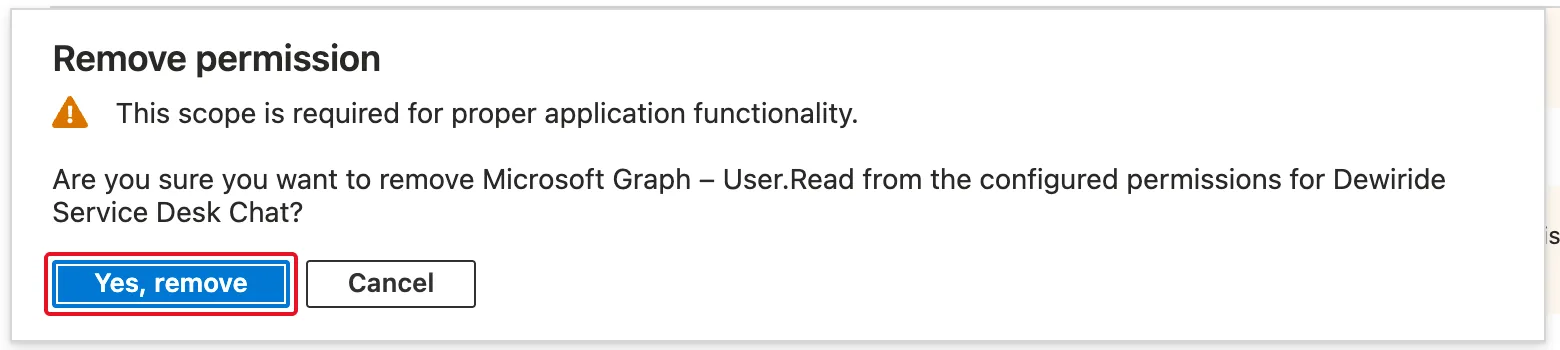
The dialog warns that This scope is required for proper application functionality. For an app that never calls Microsoft Graph, Graph's own documentation above is the more specific source. Select Yes, remove.
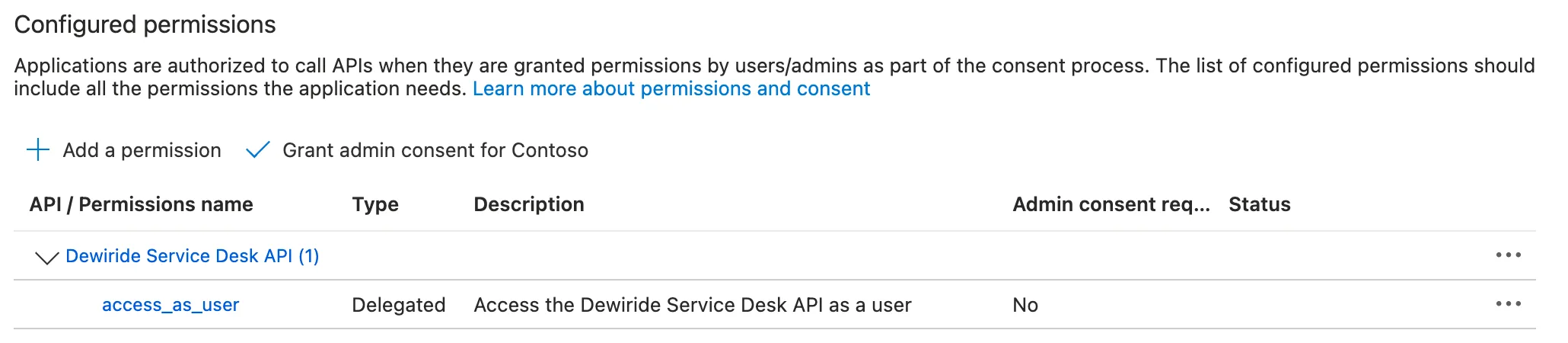
The app now asks for exactly one permission:
Step 4: Decide Who Consents
The page also offers Grant admin consent for your organization. You don't need it here. People can consent to access_as_user themselves, and when the API pre-authorizes the app, they're never asked at all (How to Pre-Authorize a Client Application for Your API in Microsoft Entra ID). Admin consent is for permissions marked Admins only, or when an organization doesn't let people consent for themselves.
Do It with the Azure CLI
az ad app permission add adds a permission. It needs three IDs: the app's client ID, the API's client ID and the scope's ID. The examples work on an app called My Single-Page App and an API called My Web API:
- macOS / Linux
- Windows (PowerShell)
SPA_APP_ID=$(az ad app list --display-name "My Single-Page App" --query "[0].appId" --output tsv)
API_APP_ID=$(az ad app list --display-name "My Web API" --query "[0].appId" --output tsv)
SCOPE_ID=$(az ad app show --id $API_APP_ID --query "api.oauth2PermissionScopes[?value=='access_as_user'].id" --output tsv)
az ad app permission add --id $SPA_APP_ID --api $API_APP_ID --api-permissions $SCOPE_ID=Scope
$spaAppId = az ad app list --display-name "My Single-Page App" --query "[0].appId" --output tsv
$apiAppId = az ad app list --display-name "My Web API" --query "[0].appId" --output tsv
$scopeId = az ad app show --id $apiAppId --query "api.oauth2PermissionScopes[?value=='access_as_user'].id" --output tsv
az ad app permission add --id $spaAppId --api $apiAppId --api-permissions "$scopeId=Scope"
| Option | What it means |
|---|---|
--id | The app that gets the permission |
--api | The API the permission belongs to |
--api-permissions | The scope's ID followed by =Scope, the CLI's word for a delegated permission. =Role would be an app role |
The command adds the permission and prints a warning:
WARNING: Invoking `az ad app permission grant --id 55555555-5555-5555-5555-555555555555 --api 44444444-4444-4444-4444-444444444444` is needed to make the change effective
That's the admin consent of Step 4 in command form: az ad app permission grant consents for all users unless told otherwise, its --consent-type being AllPrincipals by default. You don't need it when people consent for themselves or when the API pre-authorizes the app, so it wasn't run here. Check the result:
- macOS / Linux
- Windows (PowerShell)
az ad app permission list --id $SPA_APP_ID
az ad app permission list --id $spaAppId
[
  {
    "resourceAccess": [
      {
        "id": "66666666-6666-6666-6666-666666666666",
        "type": "Scope"
      }
    ],
    "resourceAppId": "44444444-4444-4444-4444-444444444444"
  }
]
resourceAppId is the API, and resourceAccess lists the scope by its ID. There's no User.Read to remove: before this command, az ad app permission list returned [] for the app, because a registration created with az ad app create starts with no permissions.
Common Mistakes
| Mistake | What happens | Do this instead |
|---|---|---|
| Adding the permission to the API's registration | The API lists a permission to itself, and the app still asks for nothing | Open the app's registration |
| Choosing Application permissions | That's for apps that run without a signed-in person, and needs an app role on the API | Delegated permissions when the app acts for a person |
| Granting admin consent out of habit | Everyone in the organization is consented, for a permission people could have consented to themselves | Grant it only for Admins only permissions, or when your organization requires it |
| Keeping User.Read without calling Microsoft Graph | The app declares more than it uses | Remove it |
Troubleshooting
| Symptom | Likely cause | Fix |
|---|---|---|
| The API isn't in My APIs | You don't own the API's registration | Use APIs my organization uses and filter by name |
| The API isn't in APIs my organization uses either | Microsoft's guide says an API isn't listed unless both registrations have an owner | Add an owner to each registration under Owners |
| No permission to choose under Delegated permissions | The API exposes no scope yet | Add a scope on the API's Expose an API page |
| People still see a consent screen | They consent once for the permissions the app asks for | Expected; or pre-authorize the app on the API to skip it |
FAQ
Does adding a permission let the app use it right away?
It lets the app ask for it. Each person then consents for themselves, or an administrator consents for everyone, unless the API pre-authorizes the app for that scope.
Do I have to list a permission before an app can ask for it?
No: an app can ask for a scope at sign-in that its registration doesn't list, and the consent screen shows what it asks for. A chat app that listed only access_as_user and asked just to sign someone in got a consent screen for View your basic profile and Maintain access to data you have given it access to, the sign-in permissions it asked for. List every permission anyway: the list documents what the app uses, and it's what an administrator's organization-wide consent covers.
How do I remove a permission I added?
Select the … at the end of its row on the API permissions page, then Remove permission, as for User.Read in Step 3.
Conclusion
An API permission declares that an app needs a scope of an API. On the app's API permissions page, add it under APIs my organization uses > your API > Delegated permissions, remove User.Read if the app doesn't call Microsoft Graph, and leave admin consent for permissions that need it. With the Azure CLI, az ad app permission add --api-permissions <scope ID>=Scope does the same; the warning it prints about az ad app permission grant is the admin consent you may not need.
Additional Resources
- Configure an application to expose a web API — the API side, including owners.
- az ad app permission —
add,list,grantanddelete. - Microsoft Graph permissions reference — what User.Read allows.
