How to Add a Security Group to a SharePoint Group with the REST API in Power Automate

SharePoint groups such as a site's Visitors can hold Microsoft Entra security groups, so everyone in the security group gets that SharePoint group's access. A flow adds one with a single REST request, using the security group's Object ID.
Syntax
The request goes through Send an HTTP request to SharePoint (How to Use Send an HTTP Request to SharePoint):
| Field | Value |
|---|---|
| Method | POST |
| Uri | _api/web/<SharePoint group>/users |
| Headers | Accept: application/json;odata=nometadata |
Content-Type: application/json;odata=verbose |
{
  "__metadata": { "type": "SP.User" },
  "LoginName": "c:0t.c|tenant|<group object ID>"
}
<SharePoint group>:associatedvisitorgroup,associatedmembergrouporassociatedownergroupfor the site's own Visitors, Members or Owners, which Microsoft's Webs REST API reference lists as the site's associated groups. For any other SharePoint group, usesitegroups/getbyname('<group name>').<group object ID>: the security group's Object ID in Microsoft Entra (How to Find a Group's Object ID in Microsoft Entra).
Microsoft's Users, groups, and roles REST API reference shows this request as Add a user to a group: a POST to a group's users with an SP.User and its LoginName. Its example adds a person; a security group works the same way with its own login name.
c:0t.c|tenant| is how SharePoint names a security group. Microsoft documents the name of a Microsoft 365 group, c:0o.c|federateddirectoryclaimprovider|<id>, in Modernize your sites: connect to a Microsoft 365 group, but I found no page that documents the one for security groups. c:0t.c|tenant|<Object ID> is the form SharePoint itself showed for every security group on my sites, in the site's users and in Check Permissions.
The Example
A security group in Microsoft Entra, Suggestions Team, joins the Visitors group of the root site contoso.sharepoint.com, so its members can read the site. The flow, Add a Group to Visitors, has two parts:
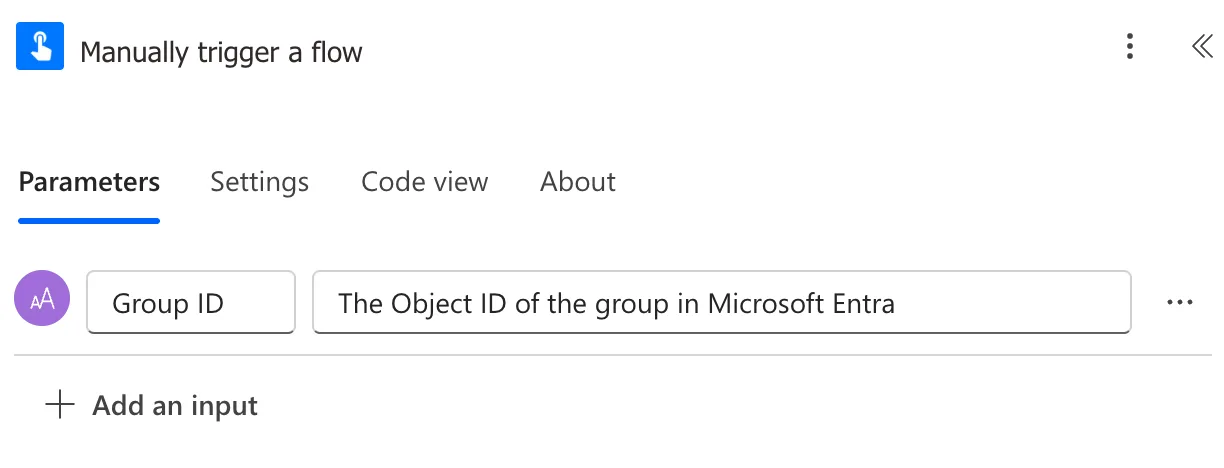
- Manually trigger a flow, with a text input Group ID.
- Add the group to Visitors, the POST.
Prerequisites
- Full Control of the site for the account the flow's SharePoint connection uses.
Step 1: Ask for the Group's Object ID
Create an instant flow with Manually trigger a flow (How to Create an Instant Cloud Flow Inside a Solution in Power Automate) and add a text input called Group ID, with the description The Object ID of the group in Microsoft Entra (How to Add a Text Input to a Manually Triggered Flow in Power Automate):
Step 2: Add the Group
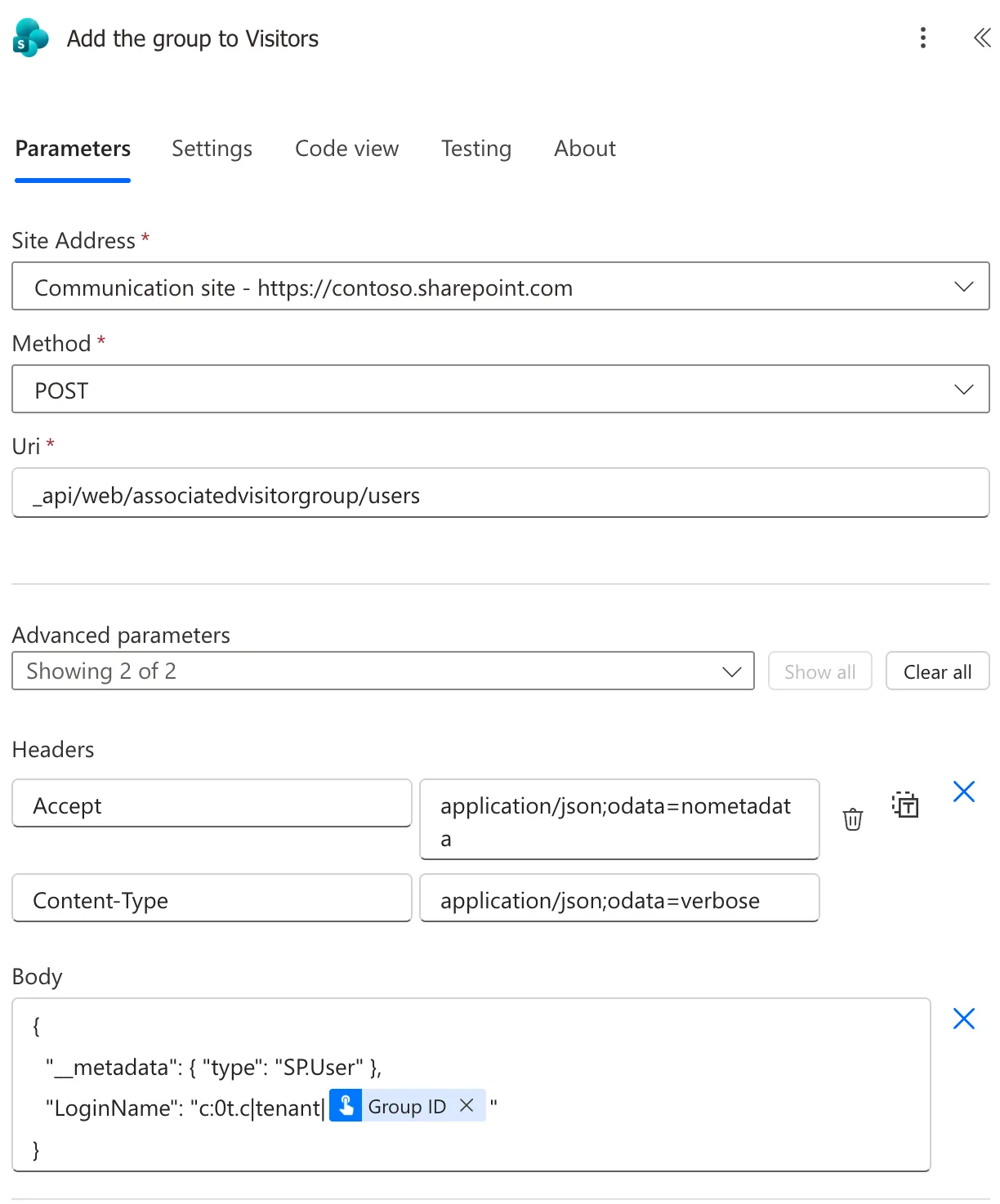
Add Send an HTTP request to SharePoint and rename it Add the group to Visitors:
| Field | Value |
|---|---|
| Site Address | Your site |
| Method | POST |
| Uri | _api/web/associatedvisitorgroup/users |
| Headers | Accept: application/json;odata=nometadata |
Content-Type: application/json;odata=verbose |
In Body, type the JSON and put the Group ID from the trigger's dynamic content right after tenant|:
{
  "__metadata": { "type": "SP.User" },
  "LoginName": "c:0t.c|tenant|@{triggerBody()?['text']}"
}
Step 3: Run the Flow
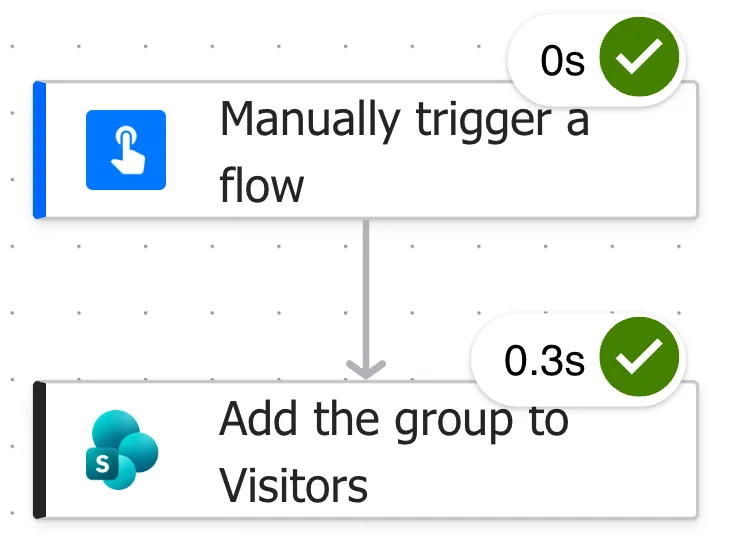
Save the flow and run it (How to Run an Instant Cloud Flow in Power Automate). Paste the security group's Object ID into Group ID and select Run flow:
The Result
Site settings > People and groups > Communication site Visitors lists Suggestions Team as a member:

The Visitors group has Read on the site, so the security group's members can now read it. Membership stays in Microsoft Entra: adding or removing someone there changes their access here, with no change in SharePoint.
Common Mistakes
| Mistake | What happens | Do this instead |
|---|---|---|
Using the group's name in LoginName | The login name is built from the Object ID | Use c:0t.c|tenant| and the Object ID |
Leaving out __metadata | The body doesn't say it describes an SP.User | Keep the __metadata line |
| Adding the group to Members by mistake | Its members can edit the site instead of reading it | Use associatedvisitorgroup for read-only access |
Troubleshooting
| Symptom | Likely cause | Fix |
|---|---|---|
| The POST fails | The Object ID is wrong or incomplete | Copy it again from Microsoft Entra |
| An access-denied error | The connection's account can't change the group | Use an account with Full Control |
| The group isn't listed | You're looking at another site's group | Open People and groups on the site in Site Address |
FAQ
What happens if I run the flow again?
The POST succeeds again and the group is still listed once. I saw this when the Overtime Timesheet setup flow ran twice with this request.
Can I add one person instead?
Yes. Use the person's login name, i:0#.f|membership|<email address>, the form Microsoft's EnsureUser example uses. A security group is easier to keep up to date.
Can I do this without a flow?
Yes. Sharing the site with Read adds a group to its Visitors: How to Give a Group Read-Only Access to a SharePoint Site.
Conclusion
POST {"__metadata": {"type": "SP.User"}, "LoginName": "c:0t.c|tenant|<group object ID>"} to _api/web/associatedvisitorgroup/users. The security group joins the site's Visitors, and everyone in it can read the site.
Additional Resources
- Users, groups, and roles REST API reference: Add a user to a group.
- Webs REST API reference:
AssociatedVisitorGroup,AssociatedMemberGroupandAssociatedOwnerGroup.
