How to Add a Link to an Email in Power Automate

An email from a flow often needs to point somewhere: a file, a report, a form. Send an email (V2) sends its Body as HTML, so a link is an HTML <a> tag, and the body editor's code view lets you type it exactly. The reader gets ordinary linked text.
The example emails me Read the Power Automate documentation., with Power Automate documentation linked to Microsoft's documentation.
Step 1: Add Send an email (V2)
In a flow with the trigger Manually trigger a flow, add Send an email (V2) from Office 365 Outlook (How to Send an Email in Power Automate). Fill To and Subject, here A link from Power Automate.
Step 2: Open the Body's Code View
In the Body editor's toolbar, select the code view button at the right, shown as </>:
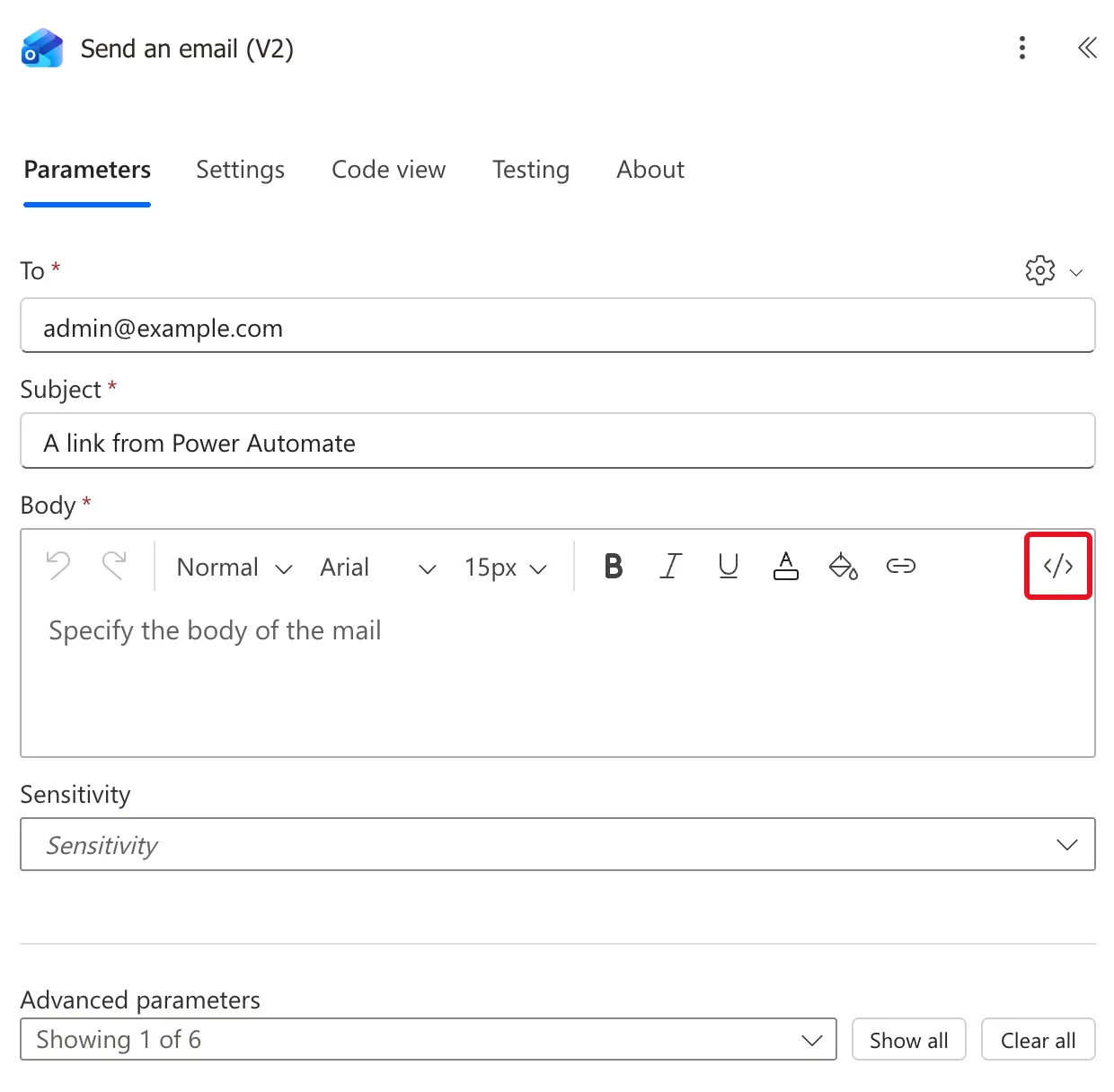
The body now shows HTML instead of formatted text.
Step 3: Type the Link
Type the paragraph with the link in it:
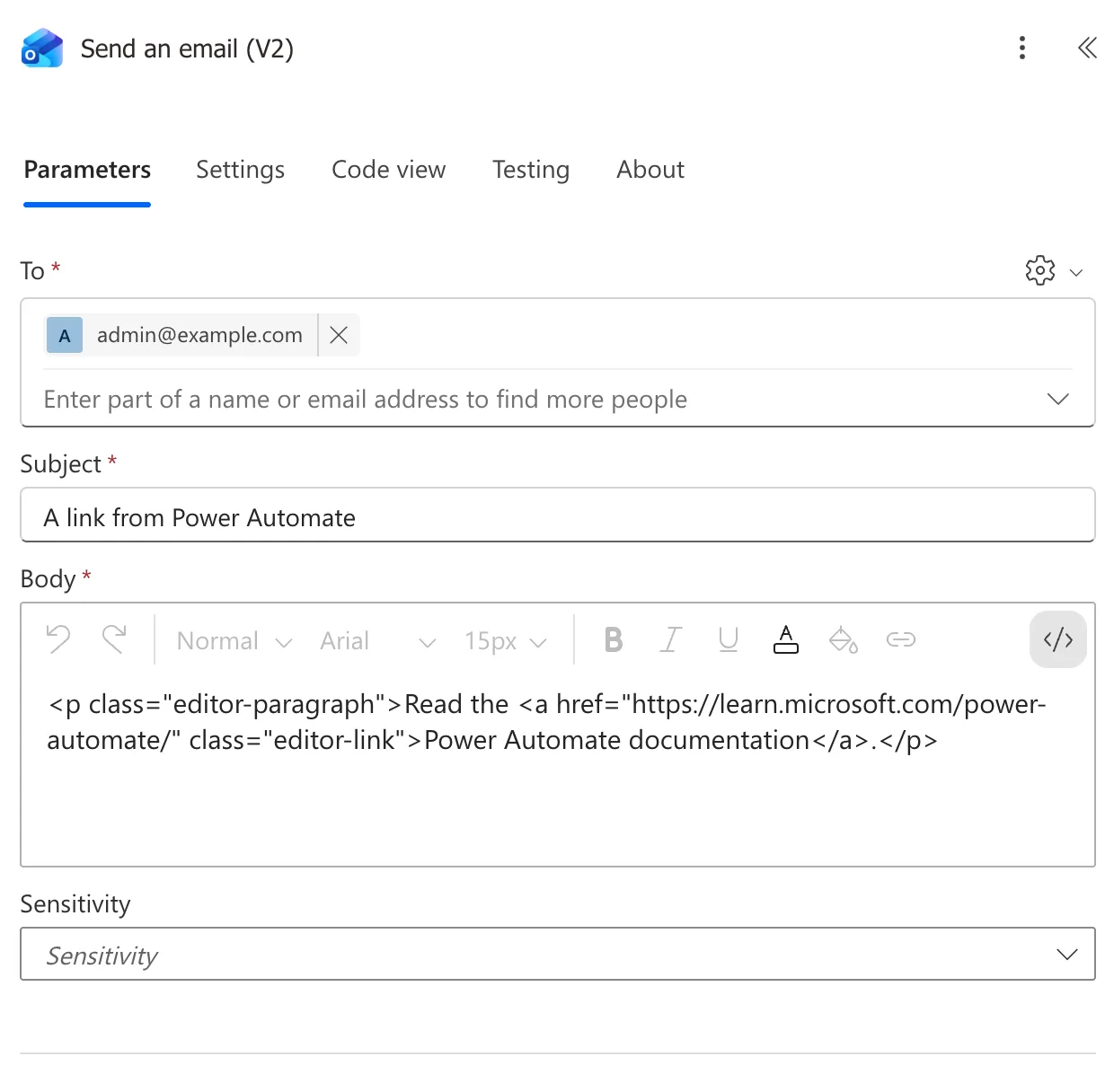
<p>Read the <a href="https://learn.microsoft.com/power-automate/">Power Automate documentation</a>.</p>
<p>...</p>is a paragraph.<a href="...">starts the link. The address the link opens goes between the quotes.Power Automate documentationis the text people see and select.</a>ends the link, so the full stop after it isn't part of it.
The editor added a class to each tag by itself, class="editor-paragraph" and class="editor-link"; the link works the same:
The Result
Save the flow and test it (How to Test a Cloud Flow Manually in Power Automate). In Outlook, the email says Read the Power Automate documentation. with the link underlined:

Common Mistakes
| Mistake | What happens | Do this instead |
|---|---|---|
| Typing the HTML in the normal editor | The tags are typed as text, not turned into a link | Type it in code view |
| A slip in the address between the quotes | The link opens the wrong page, or none | Copy the address from the browser's address bar |
Troubleshooting
| Symptom | Likely cause | Fix |
|---|---|---|
| The tags show up in the email | They were typed outside code view | Switch to code view and retype them |
| The link text is missing | Nothing between <a ...> and </a> | Put the text there |
| The address comes from the flow but the link is empty | The token holds nothing in that run | Check the token's value in the run |
FAQ
Can the link come from earlier in the flow?
Yes. In code view, put a token or an expression inside the quotes, such as <a href="@{outputs('File_link')}">the file</a>. To get a file's link, see How to Get a Link to a SharePoint File in Power Automate.
Is there a button for links?
The Body toolbar has a link button too. Code view shows exactly what the email will contain, which helps when the address comes from the flow.
Can I add more than one link?
Yes, one <a> tag for each, in the same or different paragraphs.
Conclusion
Switch the Body of Send an email (V2) to code view and write the link as <a href="address">text</a> inside a paragraph. The email arrives with that text as a clickable link.
