How to Add a Gem to a Ruby Project with bundle add

bundle add is the one command for giving a Ruby project a new gem. It writes the gem into the Gemfile, installs it with everything it needs, and records the exact versions in Gemfile.lock, so the project gets the same gems on every computer.
Syntax
bundle add <gem> [--version "<requirement>"] [--pessimistic | --strict]
| Part | What it does |
|---|---|
bundle add | Adds a gem to the Gemfile in the folder you're in and installs it. |
<gem> | The gem's name on RubyGems.org, such as kramdown. |
--version "<requirement>" | Optional. A version requirement, such as "~> 2.6". |
--pessimistic | Optional. Writes ~>, which allows newer versions up to the next major one. |
--strict | Optional. Writes =, which allows exactly one version. |
Without either option, Bundler 4 writes >=, which allows any newer version. Its own help says of the old --optimistic option: "Ignored (now default behavior)".
The Example
The example adds kramdown, a gem that converts Markdown into HTML, and uses it to turn a heading into HTML.
Prerequisites
- Ruby, which comes with Bundler. This guide uses Ruby 4.0.10 and Bundler 4.1.0.
Step 1: Create the Project
mkdir markdown-demo
cd markdown-demo
bundle init
How to Create a Gemfile with bundle init explains the last command. These commands, like the rest, are the same in zsh, bash and PowerShell.
Step 2: Add the Gem
bundle add kramdown
Fetching gem metadata from https://rubygems.org/...
Resolving dependencies...
Fetching gem metadata from https://rubygems.org/..
Fetching kramdown 2.6.1
Installing kramdown 2.6.1
Bundler looked the gem up on RubyGems.org, worked out what else it needs, and installed it. The Gemfile gained one line at the end:
# frozen_string_literal: true

source "https://rubygems.org"

# gem "rails"

gem "kramdown", ">= 2.6"
>= 2.6 accepts 2.6 or anything newer. A new file, Gemfile.lock, records what was actually installed: kramdown 2.6.1, and rexml 3.4.4, which kramdown needs and Ruby already comes with. Commit both files.
Step 3: Use the Gem
Create main.rb:
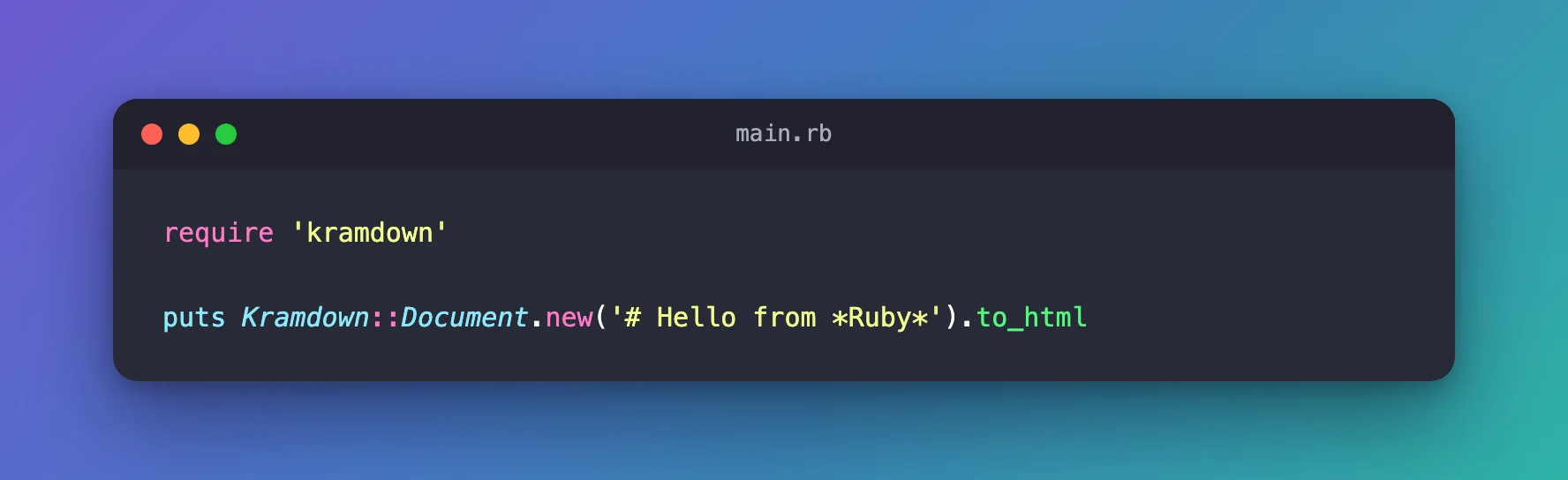
require 'kramdown'

puts Kramdown::Document.new('# Hello from *Ruby*').to_html
bundle exec ruby main.rb
<h1 id="hello-from-ruby">Hello from <em>Ruby</em></h1>
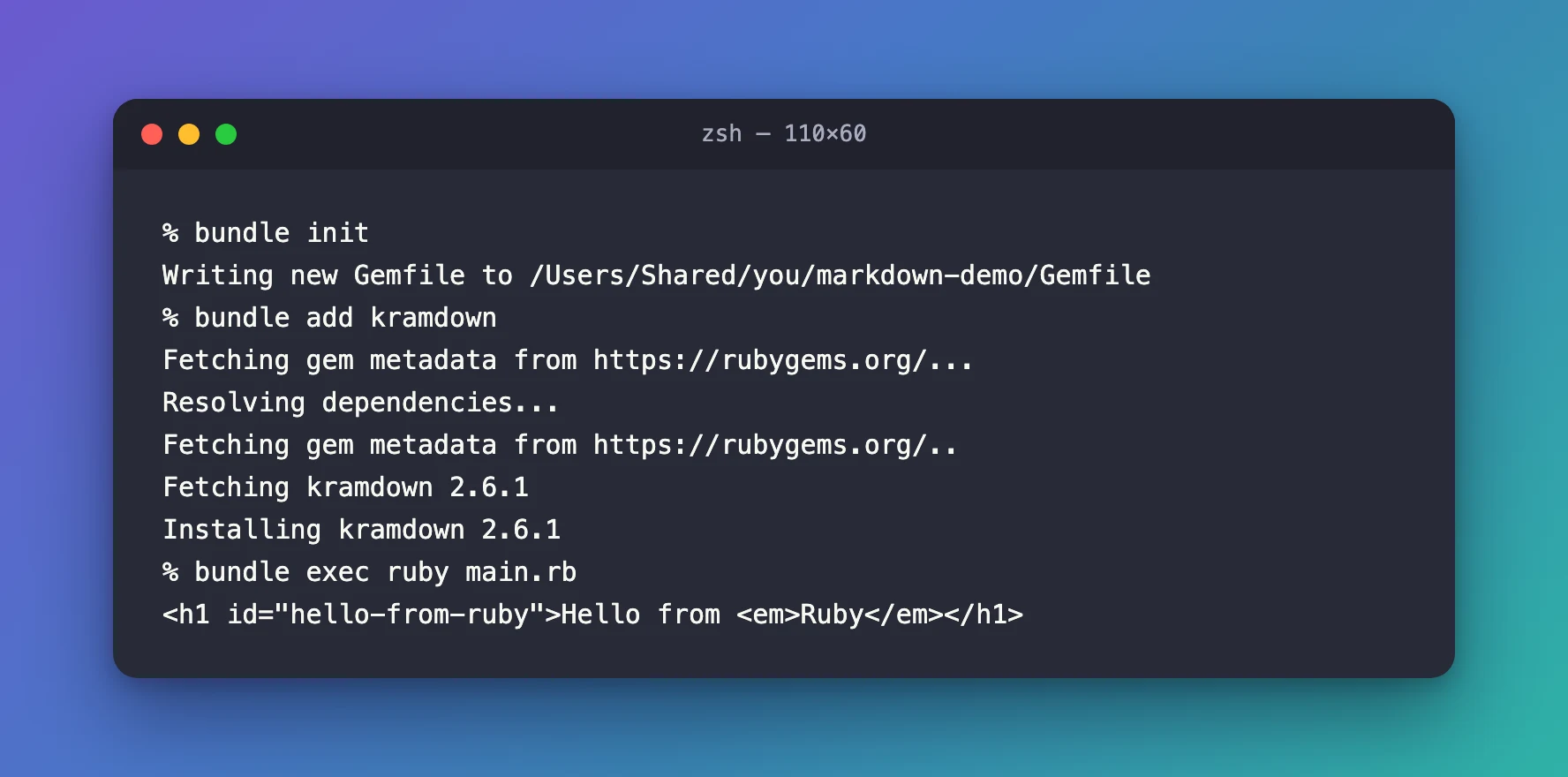
# Hello became an <h1> heading, and *Ruby* became <em>. How to Run a Ruby Script with bundle exec explains why the script runs through bundle exec.
Common Mistakes
| Mistake | What happens | Do this instead |
|---|---|---|
Installing the gem with gem install instead | The project doesn't record it, and bundle exec can't load it | Use bundle add |
Running bundle add outside the project folder | Bundler can't find a Gemfile | cd into the project first |
Expecting >= to protect you from breaking changes | A later install can pick a new major version | Use --pessimistic to write ~> instead |
Troubleshooting
| Symptom | Likely cause | Fix |
|---|---|---|
Could not find gem 'kramdwon' in rubygems repository https://rubygems.org/ or installed locally. | The gem's name is misspelled | Check the name on RubyGems.org |
cannot load such file -- bigdecimal (LoadError) when the code runs | The gem needs a former default gem it doesn't declare | bundle add bigdecimal |
FAQ
How do I install every gem a project lists?
Run bundle install in the project's folder. It installs the exact versions in Gemfile.lock.
How do I remove a gem?
bundle remove <gem> deletes its line from the Gemfile and updates Gemfile.lock.
Conclusion
bundle add <gem> writes the gem into the Gemfile, installs it with its dependencies and locks the versions in Gemfile.lock. Bundler 4 writes >= by default, and --pessimistic writes the stricter ~>.
Additional Resources
- bundle add, in Bundler's documentation.
- Gemfile, including every way to write a version requirement.
