How to Add a Function Tool to a Microsoft Agent Framework Agent in C#

An AI model can't read a clock, query your database or call your API: it can only ask. A function tool turns a C# method into something a Microsoft Agent Framework agent can ask for, and the agent runs the method for it. This guide adds one tool to a small console app and shows the difference with a real model: without the tool, the agent can't tell the time in Tokyo; with it, it can.
Syntax
AIFunctionFactory.Create(<method>, name: "<tool name>", description: "<what the tool does>")
| Part | What to put there |
|---|---|
<method> | The C# method the agent may call, such as a static method or a local function. Its parameters become the tool's parameters, which the model fills in |
name | Optional. The tool's name as the model sees it, such as get_current_time. Without it, the name comes from an [AIFunctionName] or [DisplayName] attribute on the method, or else from the method's own name |
description | Optional. What the tool does, written for the model. Without it, the description comes from a [Description] attribute on the method |
AIFunctionFactory.Create returns an AIFunction. The agent gets its tools through the tools argument of AsAIAgent:
AIAgent agent = <client>.AsAIAgent(model: "<deployment>", instructions: "<instructions>", tools: [<tool>, <another tool>]);
Microsoft's guide puts it in one sentence: You can turn any C# method into a function tool, by using the AIFunctionFactory.Create method to create an AIFunction instance from the method.
The Example
A console app asks an agent What time is it in Tokyo right now? The model behind the agent can't look at a clock, so the app gives it one: a method that reads the computer's clock and converts the time to any time zone.
Prerequisites
- A model deployment in a Microsoft Foundry project, and the Foundry User role on the Foundry resource for your account. The app calls the model as you.
- The .NET 10 SDK (
dotnet --versionprints a version that starts with10.0) and the Azure CLI, signed in withaz login.
Step 1: Create a Console App
Open a terminal in the folder where you keep your projects: VS Code's terminal, or View > Terminal in Visual Studio. Create a console app and move into it:
dotnet new console -n TimeAgent
cd TimeAgent
The template "Console App" was created successfully.

Processing post-creation actions...
Restoring /Users/you/source/TimeAgent/TimeAgent.csproj:
Restore succeeded.
Then add two packages:
dotnet add package Microsoft.Agents.AI.Foundry --version 1.28.0-preview.261106.1
dotnet add package Azure.Identity --version 1.21.0
| Package | What it gives the app |
|---|---|
Microsoft.Agents.AI.Foundry | AsAIAgent, which turns a model in a Foundry project into an agent. It brings Microsoft.Extensions.AI along, the library AIFunctionFactory comes from |
Azure.Identity | AzureCliCredential, which signs the app in to Foundry with your Azure CLI sign-in |
Microsoft Agent Framework 1.28.0 is generally available, but its Foundry package ships only as a preview of the same release, so it needs its exact --version. The project file now lists both packages:
<Project Sdk="Microsoft.NET.Sdk">

  <PropertyGroup>
    <OutputType>Exe</OutputType>
    <TargetFramework>net10.0</TargetFramework>
    <ImplicitUsings>enable</ImplicitUsings>
    <Nullable>enable</Nullable>
  </PropertyGroup>

  <ItemGroup>
    <PackageReference Include="Azure.Identity" Version="1.21.0" />
    <PackageReference Include="Microsoft.Agents.AI.Foundry" Version="1.28.0-preview.261106.1" />
  </ItemGroup>

</Project>
Open the project in your editor:
- VS Code
- Visual Studio
Select File > Open Folder and open the TimeAgent folder.
Select File > Open > Project/Solution and open TimeAgent.csproj.
Step 2: Ask the Agent Without a Tool
First, see what the agent answers on its own. Replace everything in Program.cs with:
using Azure.AI.Projects;
using Azure.Identity;
using Microsoft.Agents.AI;

AIAgent agent = new AIProjectClient(
        new Uri("https://foundry-devblogs-exp.services.ai.azure.com/api/projects/proj-devblogs-exp"),
        new AzureCliCredential())
    .AsAIAgent(
        model: "gpt-5.6-luna",
        instructions: "You are a helpful assistant. Answer in one sentence.");

Console.WriteLine(await agent.RunAsync("What time is it in Tokyo right now?"));
| Piece | What it does |
|---|---|
new AIProjectClient(new Uri(...), new AzureCliCredential()) | Connects to a Foundry project as the account you signed in to with az login. Put your own project's endpoint here; How to Create a Microsoft Foundry Resource and Deploy a Model shows where to find it |
.AsAIAgent(model: ..., instructions: ...) | Creates an agent that answers with your model deployment, here gpt-5.6-luna. Use the name of your deployment |
agent.RunAsync(...) | Sends one question and waits for the whole answer |
Run the app:
- VS Code
- Visual Studio
In the terminal, in the TimeAgent folder, run:
dotnet run
Press Ctrl+F5 (Debug > Start Without Debugging). The output appears in a console window.
I can’t access a live clock, but Tokyo uses Japan Standard Time (JST), UTC+9.
The model knows facts it learned in training, such as Tokyo's time zone, but nothing about the present moment.
Step 3: Write the Tool's Method
The tool is an ordinary C# method. Add this to the end of Program.cs:
[Description("Gets the current date and time in a time zone.")]
static string GetCurrentTime(
    [Description("An IANA time zone ID, such as Asia/Tokyo or Europe/London.")] string timeZoneId)
{
    Console.WriteLine($"(get_current_time was called with timeZoneId = {timeZoneId})");
    TimeZoneInfo timeZone = TimeZoneInfo.FindSystemTimeZoneById(timeZoneId);
    return TimeZoneInfo.ConvertTime(DateTimeOffset.UtcNow, timeZone).ToString("yyyy-MM-dd HH:mm zzz");
}
| Piece | What it does |
|---|---|
[Description("Gets the current date and time in a time zone.")] | Tells the model what the tool is for. The model reads this, not your code, to decide when to call it |
[Description("An IANA time zone ID, ...")] string timeZoneId | The one value the model fills in, with a description of what it should look like |
Console.WriteLine(...) | Prints a line every time the agent runs the tool, so you can see the call happen |
TimeZoneInfo.FindSystemTimeZoneById(timeZoneId) | Finds the time zone. Microsoft's reference says that starting with .NET 6, Windows systems also support IANA time zone identifiers, so Asia/Tokyo works on Windows, macOS and Linux |
return ...ToString("yyyy-MM-dd HH:mm zzz") | Returns the local date and time with its offset from UTC, such as +09:00 |
[Description] comes from System.ComponentModel; Step 4 adds the using for it.
Step 4: Give the Agent the Tool
Turn the method into a tool and hand it to the agent. Replace the code above the method with:
using System.ComponentModel;
using Azure.AI.Projects;
using Azure.Identity;
using Microsoft.Agents.AI;
using Microsoft.Extensions.AI;

// Turn the GetCurrentTime method below into a tool the model can call.
AIFunction getCurrentTime = AIFunctionFactory.Create(GetCurrentTime, name: "get_current_time");

// What the model receives about the tool: its name, its description and its parameters.
Console.WriteLine($"{getCurrentTime.Name}: {getCurrentTime.Description}");
Console.WriteLine(getCurrentTime.JsonSchema);

AIAgent agent = new AIProjectClient(
        new Uri("https://foundry-devblogs-exp.services.ai.azure.com/api/projects/proj-devblogs-exp"),
        new AzureCliCredential())
    .AsAIAgent(
        model: "gpt-5.6-luna",
        instructions: "You are a helpful assistant. Answer in one sentence.",
        tools: [getCurrentTime]);

Console.WriteLine(await agent.RunAsync("What time is it in Tokyo right now?"));
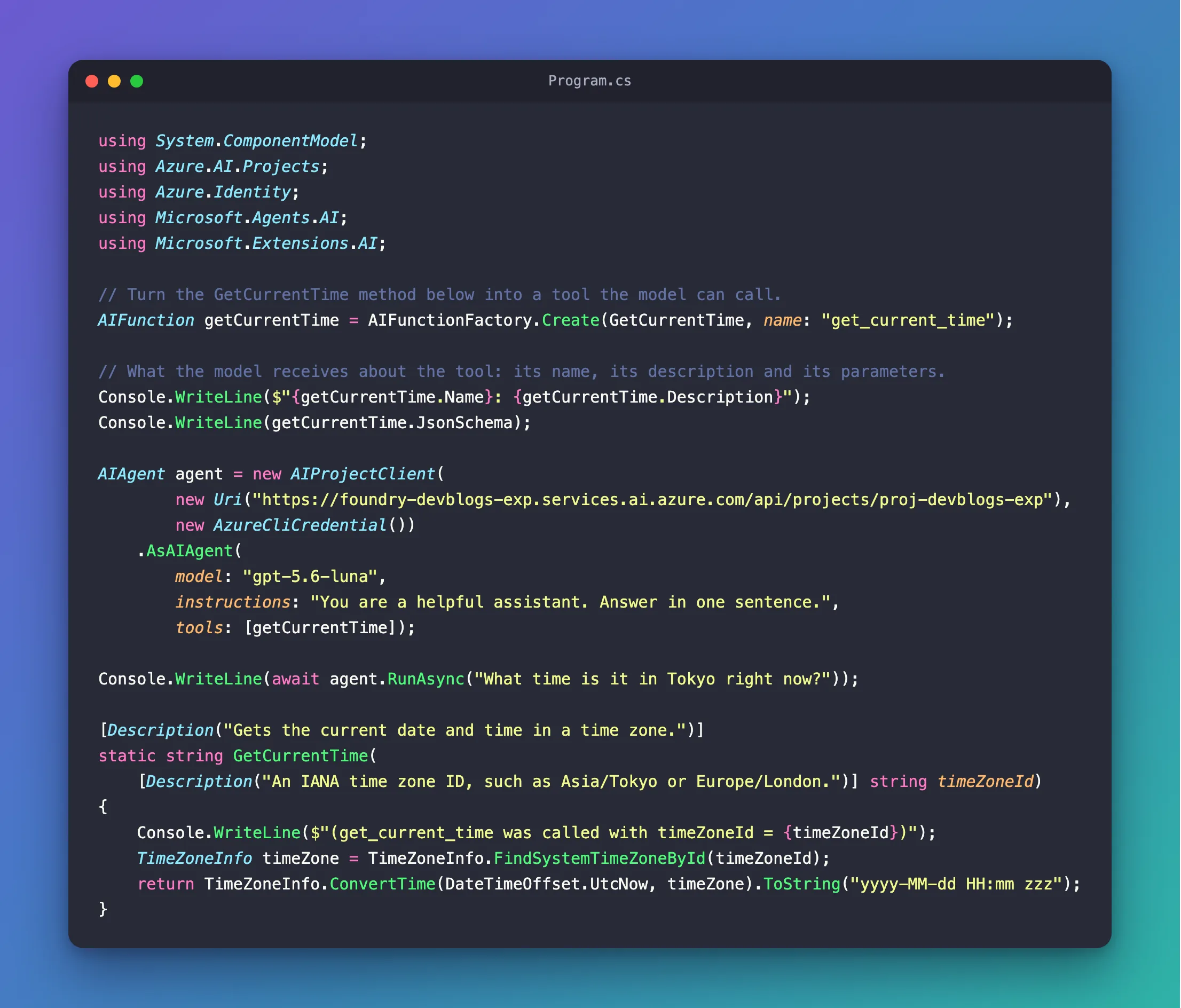
Three things are new:
AIFunctionFactory.Create(GetCurrentTime, name: "get_current_time")turns the method into anAIFunction. It reads the[Description]attributes and builds a JSON schema of the parameters from the method's signature.- The two
Console.WriteLinelines print what the model will receive about the tool: its name, its description and that JSON schema. tools: [getCurrentTime]gives the tool to the agent. From now on, every request to the model lists it.
The name: matters here. GetCurrentTime sits in a file with top-level statements, so C# compiles it as a local function with a generated name. Without name:, I checked: the tool is called _Main_g_GetCurrentTime_0_0. A short, plain name such as get_current_time tells the model what the tool does before it even reads the description.
The complete file:
using System.ComponentModel;
using Azure.AI.Projects;
using Azure.Identity;
using Microsoft.Agents.AI;
using Microsoft.Extensions.AI;

// Turn the GetCurrentTime method below into a tool the model can call.
AIFunction getCurrentTime = AIFunctionFactory.Create(GetCurrentTime, name: "get_current_time");

// What the model receives about the tool: its name, its description and its parameters.
Console.WriteLine($"{getCurrentTime.Name}: {getCurrentTime.Description}");
Console.WriteLine(getCurrentTime.JsonSchema);

AIAgent agent = new AIProjectClient(
        new Uri("https://foundry-devblogs-exp.services.ai.azure.com/api/projects/proj-devblogs-exp"),
        new AzureCliCredential())
    .AsAIAgent(
        model: "gpt-5.6-luna",
        instructions: "You are a helpful assistant. Answer in one sentence.",
        tools: [getCurrentTime]);

Console.WriteLine(await agent.RunAsync("What time is it in Tokyo right now?"));

[Description("Gets the current date and time in a time zone.")]
static string GetCurrentTime(
    [Description("An IANA time zone ID, such as Asia/Tokyo or Europe/London.")] string timeZoneId)
{
    Console.WriteLine($"(get_current_time was called with timeZoneId = {timeZoneId})");
    TimeZoneInfo timeZone = TimeZoneInfo.FindSystemTimeZoneById(timeZoneId);
    return TimeZoneInfo.ConvertTime(DateTimeOffset.UtcNow, timeZone).ToString("yyyy-MM-dd HH:mm zzz");
}
Step 5: Ask Again
Run the app again, with dotnet run or Ctrl+F5:
get_current_time: Gets the current date and time in a time zone.
{"type":"object","properties":{"timeZoneId":{"description":"An IANA time zone ID, such as Asia/Tokyo or Europe/London.","type":"string"}},"required":["timeZoneId"]}
(get_current_time was called with timeZoneId = Asia/Tokyo)
It’s 6:14 PM in Tokyo right now.
Line by line:
- The tool's name and description, exactly as the
[Description]attribute wrote it. - The JSON schema of its parameters: one
timeZoneId, a string, required, with the parameter's description. This, the name and the description are all the model knows about the tool. - The tool ran. The model chose to call it and wrote the argument itself:
Asia/Tokyo, the IANA ID for Tokyo in the question. - The answer, built from the tool's result. It was 09:14 UTC when I ran it; Tokyo is nine hours ahead, so 6:14 PM is right.
The agent did the work in between: it sent the question with the tool's description, received the model's request to call get_current_time, ran your method, sent the result back and returned the model's final answer.
What the Model Sees, and What It Doesn't
The model never sees your method's code. It sees the three things the app printed: the name, the description and the parameters' JSON schema. Some parameters don't appear there at all. The documentation that ships with AIFunctionFactory.Create says that a CancellationToken parameter is automatically bound to the CancellationToken passed into the invocation and is not included in the generated JSON schema. I checked: adding CancellationToken cancellationToken to GetCurrentTime leaves the schema with timeZoneId only.
Everything in that schema, the model fills in, and the same documentation is clear about what that means: the data supplied via an AIFunctionArguments's dictionary is supplied from an AI service and should be considered unvalidated and untrusted. Microsoft's tools overview adds a warning for tools that change things:
Tool calls and arguments are generated by the model. Validate and authorize them before application code performs side effects. Use approval and least-privileged execution for high-risk tools.
A time zone ID can do no harm. A tool that deletes a file or reads a customer's record needs to check its arguments, and anything the model shouldn't choose, such as which user is asking, belongs in your code, not in the tool's parameters.
When the Tool Fails
To see a failure, I changed the question to Call get_current_time with the time zone ID Mars/Olympus_Mons and tell me what happened.:
get_current_time: Gets the current date and time in a time zone.
{"type":"object","properties":{"timeZoneId":{"description":"An IANA time zone ID, such as Asia/Tokyo or Europe/London.","type":"string"}},"required":["timeZoneId"]}
(get_current_time was called with timeZoneId = Mars/Olympus_Mons)
The call failed because `Mars/Olympus_Mons` is not a recognized IANA time zone ID.
FindSystemTimeZoneById threw a TimeZoneNotFoundException, and the app didn't crash: the agent caught the exception and told the model the call failed. I printed the result the agent sent back to the model, and it was only Error: Function failed. The model worked out the rest from the obviously invented ID. That is the documented default: Microsoft's reference for FunctionInvokingChatClient.IncludeDetailedErrors, the setting behind it, says it is false by default, which prevents the underlying language model from disclosing raw exception details to the end user, since it doesn't receive that information. Exception messages can contain things the model shouldn't see, so leave it that way.
Common Mistakes
| Mistake | What happens | Do this instead |
|---|---|---|
Leaving out name: for a local function | The model sees the tool as _Main_g_GetCurrentTime_0_0 | Pass a short, plain name, such as get_current_time |
No [Description] on the method or its parameters | The model has only the names to decide when and how to call the tool | Describe what the tool does and what each parameter expects |
Forgetting tools: in AsAIAgent | The agent answers without the tool, as in Step 2 | Pass every tool in tools |
| A parameter for something the model mustn't choose, such as a user ID | Whatever the model writes there reaches your code | Take such values from your app, not from the model |
Troubleshooting
| Symptom | Likely cause | Fix |
|---|---|---|
| The answer says it can't access a live clock | The agent has no tool | Pass the tool in tools |
| The agent says the tool call failed | Your method threw an exception, here for a time zone ID the computer doesn't know | Check the argument the tool printed. On Windows, IANA IDs work only while .NET's NLS mode and globalization invariant mode are off |
NotSupportedException: JsonTypeInfo metadata for type ... was not provided by TypeInfoResolver of type 'Microsoft.Extensions.AI.AIJsonUtilities+JsonContext' | The code runs as a .NET 10 file-based app (dotnet run app.cs), which targets Native AOT, and the tool returns your own type | See Fixed: JsonTypeInfo metadata for type was not provided by TypeInfoResolver of type 'Microsoft.Extensions.AI.AIJsonUtilities+JsonContext' |
FAQ
Does the model run my code?
No. The model only asks for a call, with the arguments it chose. The agent runs your method in your process and sends the result back. Microsoft's guide to adding tools says function tools run in your process, giving you full control over the logic, security boundaries, and error handling.
Can a tool be async, or return an object instead of a string?
Yes. A method can return Task<T>, and the result can be any type. The documentation of AIFunctionFactory.Create says: Return values are serialized to JsonElement, and for a Task<T> the result's schema is derived from the unwrapped result type. The model then receives your object as JSON.
Can an agent have more than one tool?
Yes. Pass them all in tools, each with a clear name and description. The model decides which one fits the question, and it can ask for several in one turn.
Conclusion
A function tool is a C# method with a description. AIFunctionFactory.Create(method, name: "...") turns it into an AIFunction, [Description] attributes tell the model what it does and what each parameter means, and tools: [...] in AsAIAgent hands it to the agent. The model sees the name, the description and a JSON schema of the parameters, and asks for calls; the agent runs your code and keeps exception details away from the model. Treat every argument as untrusted input, because the model wrote it.
Additional Resources
- Using function tools with an agent — Microsoft Agent Framework's guide to function tools in C#.
- Tools overview — every kind of tool, and the warning about model-generated arguments.
- Access data in AI functions —
CancellationToken,IServiceProviderand other values a tool gets without the model. - AIFunctionFactory.Create — the method's reference: names, descriptions and serialization.
- FunctionInvokingChatClient.IncludeDetailedErrors — what the model receives when a tool throws.
- TimeZoneInfo.FindSystemTimeZoneById — Windows and IANA time zone IDs.
