How to Add a Dependency to a Go Module with go get

Go projects use other people's packages by importing them, and go get is how a module adds one: it downloads the package's module and records the version in go.mod. After that, go run and go build use it like any other package.
Syntax
go get <module-path>[@<version>]
| Part | What it does |
|---|---|
go get | Adds a module to the current module's requirements in go.mod, and downloads it. |
<module-path> | The module or package to add, such as github.com/google/uuid. |
@<version> | Optional. A version such as @v1.6.0, or @latest, which is also what you get without it. |
The Example
The example program prints a new random UUID, a 36-character unique identifier, using Google's uuid package.
Prerequisites
- Go. Check it with
go version. This guide uses Go 1.27.4.
Step 1: Create the Module and the Program
mkdir id-go
cd id-go
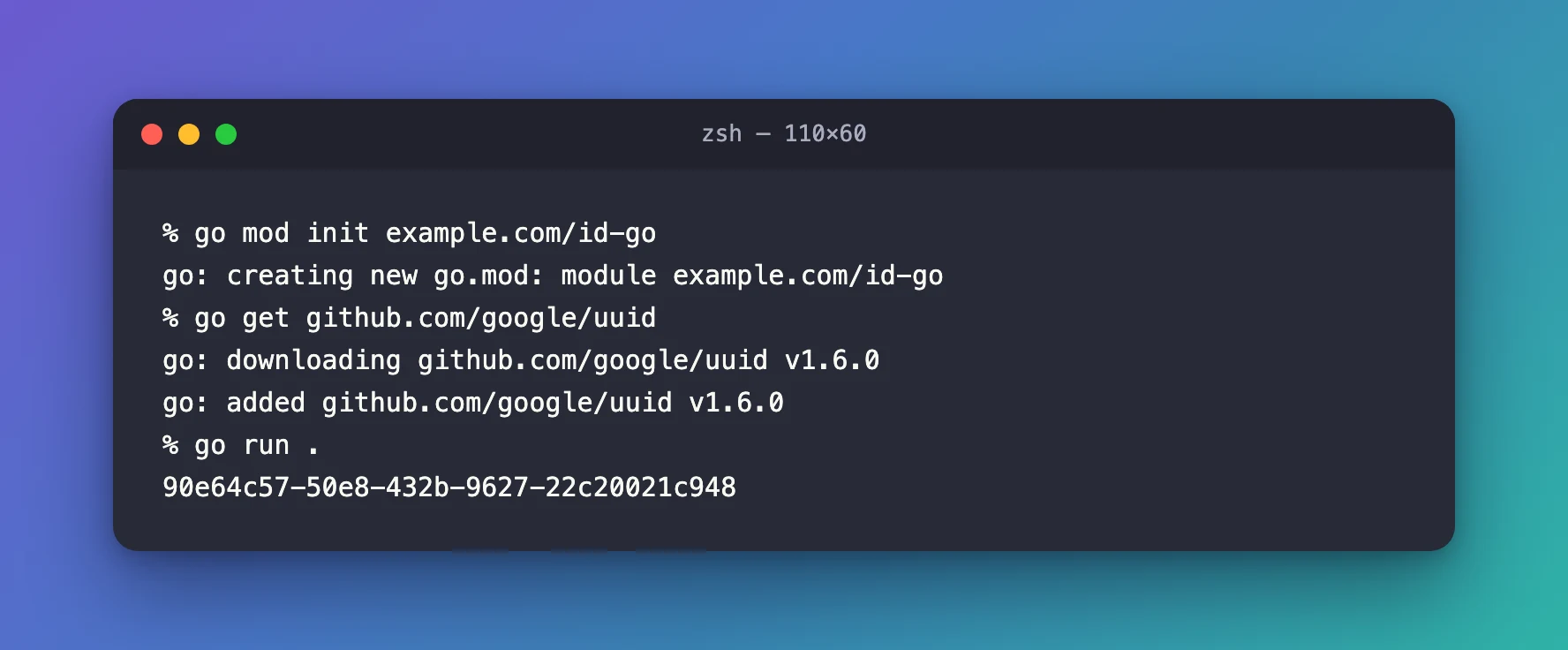
go mod init example.com/id-go
How to Create a Go Module with go mod init explains the last command. Create main.go, which imports the package by its path:
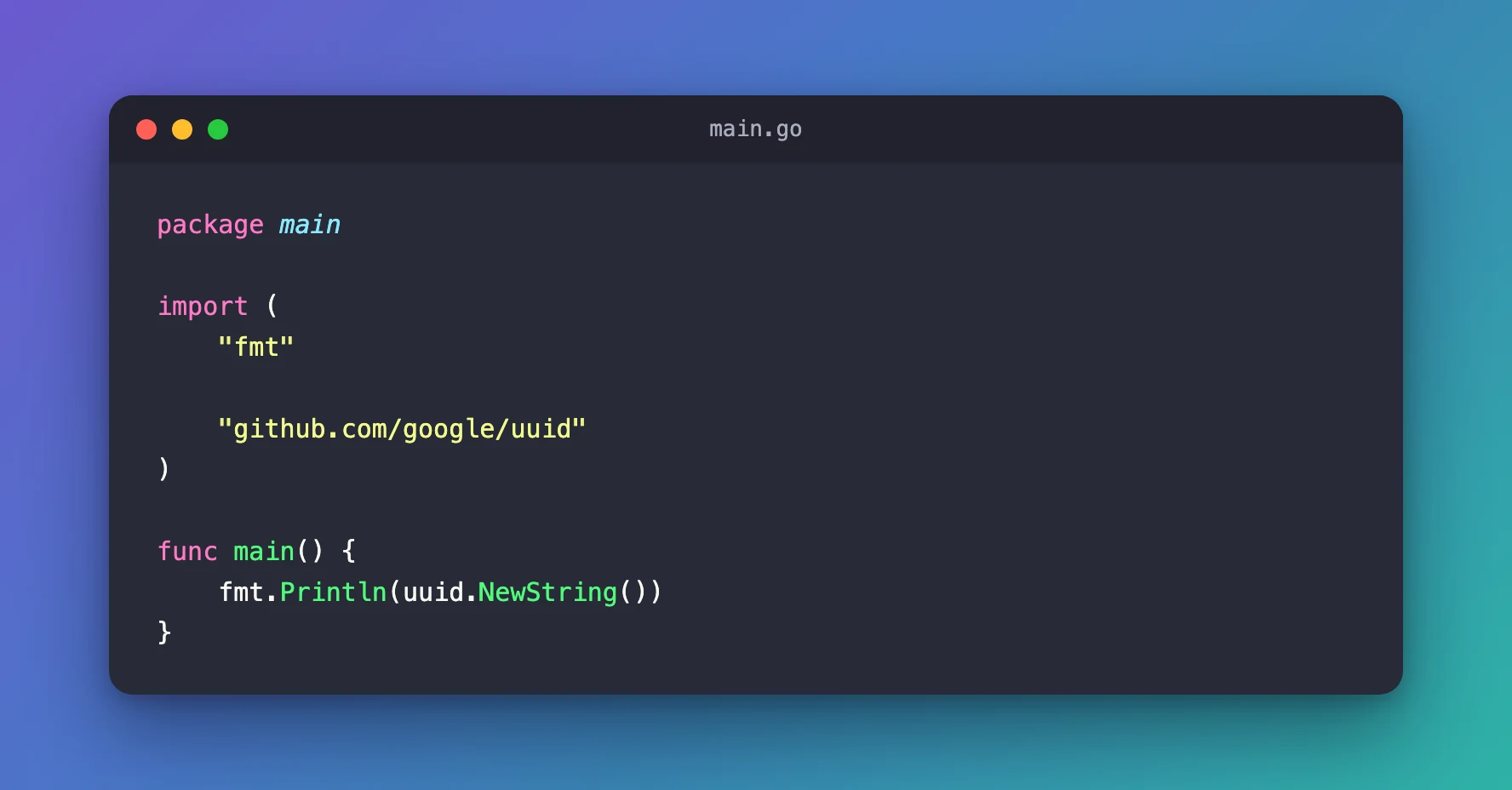
package main

import (
	"fmt"

	"github.com/google/uuid"
)

func main() {
	fmt.Println(uuid.NewString())
}
Step 2: Add the Package
go get github.com/google/uuid
go: downloading github.com/google/uuid v1.6.0
go: added github.com/google/uuid v1.6.0
Go downloaded version 1.6.0, the newest, and added it to the module. The command is the same in zsh, bash and PowerShell.
Step 3: Look at What Changed
go.mod now requires the package's module:
module example.com/id-go

go 1.27.4

require github.com/google/uuid v1.6.0 // indirect
And a new file, go.sum, holds a checksum for the downloaded code, so a later download that doesn't match is refused:
github.com/google/uuid v1.6.0 h1:NIvaJDMOsjHA8n1jAhLSgzrAzy1Hgr+hNrb57e+94F0=
github.com/google/uuid v1.6.0/go.mod h1:TIyPZe4MgqvfeYDBFedMoGGpEw/LqOeaOT+nhxU+yHo=
Commit both files with your code.
The // indirect comment says, in the words of the Go Modules Reference, "that no package from the required module is directly imported by any package in the main module". That's not true here, since main.go imports it, but go get doesn't look at your code to decide. go mod tidy does: run it, and the line becomes require github.com/google/uuid v1.6.0. Either way, the program builds the same.
Step 4: Run the Program
go run .
90e64c57-50e8-432b-9627-22c20021c948
Your UUID will differ: it's random each time.
Common Mistakes
| Mistake | What happens | Do this instead |
|---|---|---|
| Importing a package without adding it | go run stops and suggests go get | Run go get <module-path> |
Leaving go.sum out of Git | Others get a checksum error, or must download and trust the code again | Commit go.mod and go.sum |
Expecting // indirect to mean the package isn't used | It can appear on a package you import, right after go get | Run go mod tidy to set the comments right |
Troubleshooting
| Symptom | Likely cause | Fix |
|---|---|---|
no required module provides package github.com/google/uuid | The package isn't in go.mod | go get github.com/google/uuid |
// indirect next to a package your code imports | go get added it without looking at the code | go mod tidy |
FAQ
How do I add a specific version?
Put it after an @: go get github.com/google/uuid@v1.6.0. go get github.com/google/uuid@latest updates to the newest.
How do I remove a dependency?
Delete the imports that use it, then run go mod tidy, which removes requirements that no code needs.
Conclusion
go get <module-path> downloads a package's module and adds it to go.mod, with checksums in go.sum. After that, an import of the package works, and go mod tidy keeps the requirement lines in step with your code.
Additional Resources
- go get, in the Go Modules Reference.
- The require directive, including what
// indirectmeans. - go mod tidy, on keeping
go.modin step with the code.
