How to Add a Custom Metric to an MLflow Evaluation with make_metric

mlflow.models.evaluate logs the standard metrics, but a project often has a score of its own: the share of predictions close enough to be useful, a cost, a rate the business watches. make_metric turns a plain Python function into a metric the evaluation computes and logs with the others. This guide adds "the share of predictions within 50" to a regression model's evaluation, with real output from MLflow 3.18.0.
Syntax
from mlflow.models import make_metric


def metric_function(predictions, targets):
    return score


metric = make_metric(eval_fn=metric_function, greater_is_better=True, name="metric_name")
result = mlflow.models.evaluate(..., extra_metrics=[metric])
| Part | What it means |
|---|---|
metric_function | Your function. MLflow passes the model's predictions and the true values, as pandas Series, by these parameter names |
score | The metric's value: a number |
greater_is_better | True when a higher score is better. Quality gates use it to know which way to compare |
name | The metric's name in the results and on the run |
extra_metrics | A list of your metrics, computed after the built-in ones |
The reference for mlflow.models.make_metric calls it "A factory function to create an EvaluationMetric object", and gives the function's signature as eval_fn(predictions, targets, metrics, **kwargs); metrics holds the built-in metrics, for a score built from them. This is MLflow's classic evaluation; the evaluation guide points GenAI apps to mlflow.genai.evaluate() and its scorers instead.
Prerequisites
- An MLflow tracking server at
http://127.0.0.1:8080. MLflow's tracking server guide shows how to start one. mlflowandscikit-learnin your project, for example withuv add mlflow scikit-learn pandas.
Step 1: Write the Metric and Evaluate
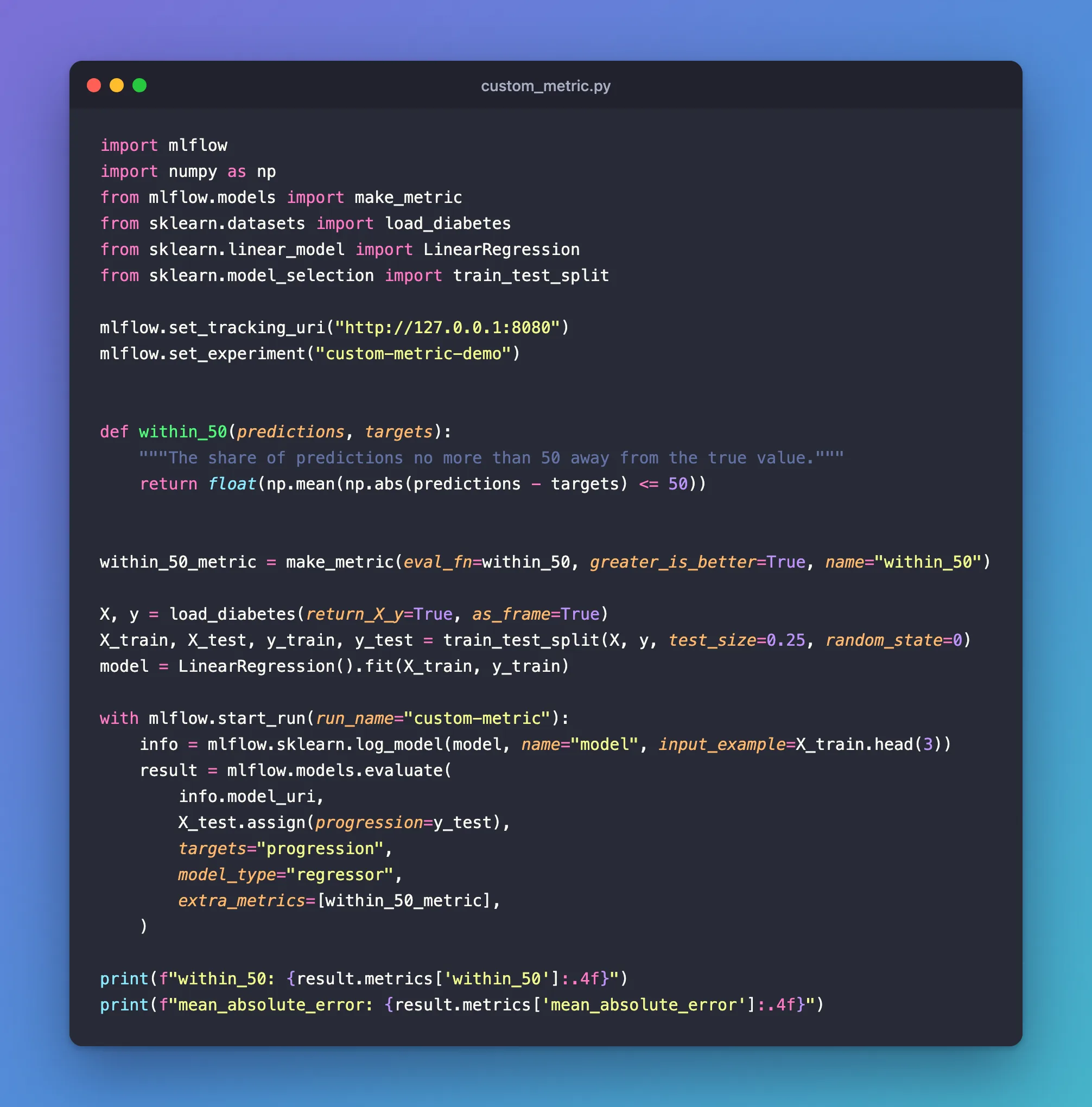
The model predicts how far each patient's diabetes progressed after a year, from scikit-learn's diabetes data. The custom metric, within_50, is the share of predictions no more than 50 points from the true value:
import mlflow
import numpy as np
from mlflow.models import make_metric
from sklearn.datasets import load_diabetes
from sklearn.linear_model import LinearRegression
from sklearn.model_selection import train_test_split

mlflow.set_tracking_uri("http://127.0.0.1:8080")
mlflow.set_experiment("custom-metric-demo")


def within_50(predictions, targets):
    """The share of predictions no more than 50 away from the true value."""
    return float(np.mean(np.abs(predictions - targets) <= 50))


within_50_metric = make_metric(eval_fn=within_50, greater_is_better=True, name="within_50")

X, y = load_diabetes(return_X_y=True, as_frame=True)
X_train, X_test, y_train, y_test = train_test_split(X, y, test_size=0.25, random_state=0)
model = LinearRegression().fit(X_train, y_train)

with mlflow.start_run(run_name="custom-metric"):
    info = mlflow.sklearn.log_model(model, name="model", input_example=X_train.head(3))
    result = mlflow.models.evaluate(
        info.model_uri,
        X_test.assign(progression=y_test),
        targets="progression",
        model_type="regressor",
        extra_metrics=[within_50_metric],
    )

print(f"within_50: {result.metrics['within_50']:.4f}")
print(f"mean_absolute_error: {result.metrics['mean_absolute_error']:.4f}")
uv run python custom_metric.py
2026/11/21 17:52:13 INFO mlflow.models.evaluation.default_evaluator: Testing metrics on first row...
2026/11/21 17:52:13 WARNING mlflow.models.evaluation.evaluators.shap: SHAP or matplotlib package is not installed, so model explainability insights will not be logged.
🏃 View run custom-metric at: http://127.0.0.1:8080/#/experiments/8/runs/199b2ce367fe4d2788f1638557fac140
🧪 View experiment at: http://127.0.0.1:8080/#/experiments/8
within_50: 0.6126
mean_absolute_error: 45.1206
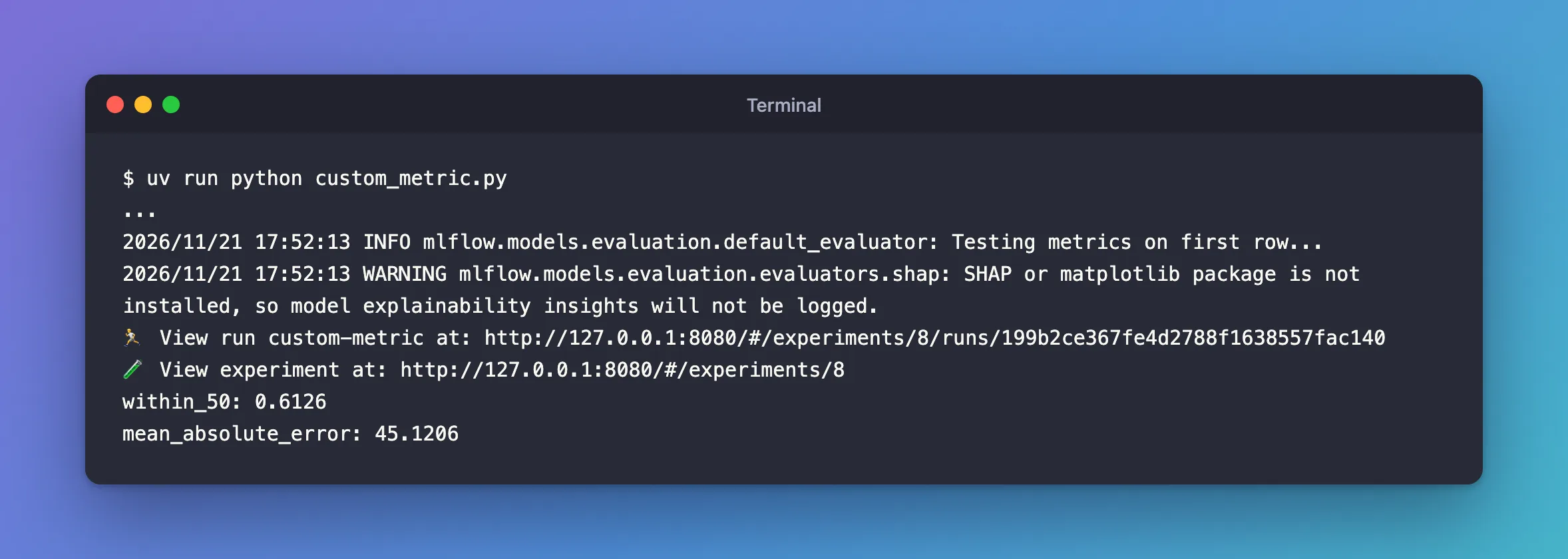
61% of the predictions were within 50 points, a number that says more to a doctor than the mean error of 45. The SHAP warning is unrelated: Fixed: SHAP or matplotlib package is not installed.
Testing metrics on first row... is MLflow trying every custom metric on one row before the real computation, so a broken function fails early. A metric that can't handle a single row, such as one built on a confusion matrix, warns there: Fixed: A single label was found in 'y_true' and 'y_pred' shows it and the fix.
Step 2: Find the Metric on the Run
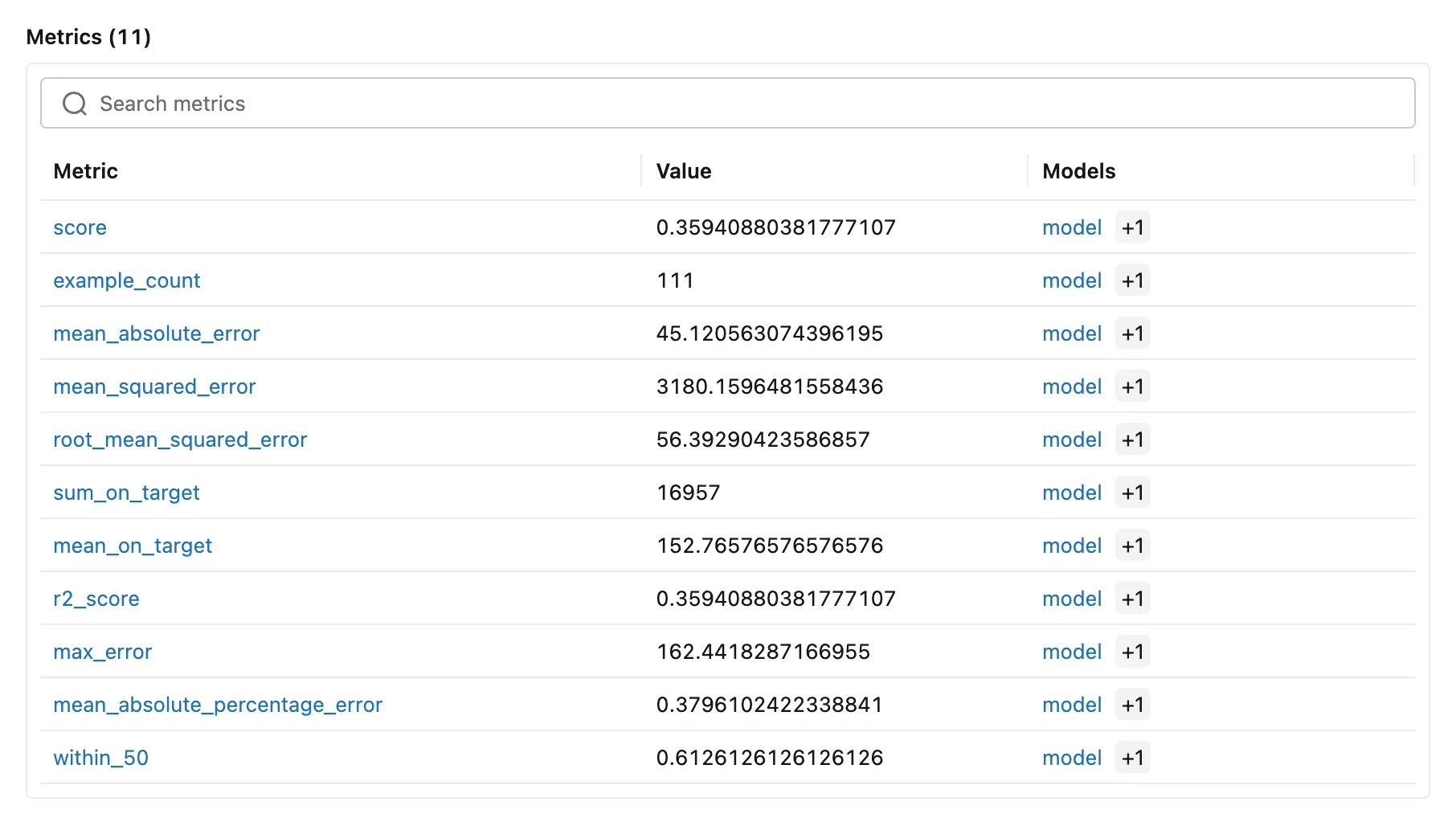
Open the run, custom-metric. Its Metrics table lists within_50 at the end, with the built-in metrics, linked to the model like them:
Common Mistakes
| Mistake | What happens | Do this instead |
|---|---|---|
Other parameter names than predictions and targets, such as y_pred, y_true | MLflow passes arguments by name, and a two-parameter function with other names gets the whole evaluation table and the built-in metrics instead | Name them predictions and targets |
greater_is_better the wrong way round | A quality gate compares the metric backwards | True for scores, False for errors and costs |
Troubleshooting
| Symptom | Likely cause | Fix |
|---|---|---|
A scikit-learn warning right after Testing metrics on first row... | The metric can't handle a single row | Fixed: A single label was found |
TypeError: unsupported format string passed to MetricValue.__format__ | Formatting a built-in metric from metrics as a number | Fixed: unsupported format string passed to MetricValue.format |
FAQ
Can a custom metric be used in a quality gate?
Yes: give MetricThreshold the metric's name, as for a built-in one: How to Set Minimum Scores for a Model with mlflow.validate_evaluation_results.
Can I add several?
Yes: extra_metrics is a list, so pass as many as you like.
Conclusion
A five-line function wrapped with make_metric added within_50 to the evaluation: 61% of the predictions within 50 points, logged on the run and linked to the model next to the built-in metrics.
Additional Resources
- mlflow.models.make_metric — the function's signature and options.
- MLflow model evaluation — custom metrics in the guide.
