FOR SHARE vs FOR UPDATE in MySQL

FOR UPDATE locks a row so only you can touch it. FOR SHARE locks it so nobody can change it, while others can hold the same lock with you. They look like small variations, and picking the wrong one can deadlock two sessions that seem to be doing nothing wrong.
Prerequisites
- MySQL, and two sessions, plus a root session to look at the locks. The examples use MySQL 9.7.4 in Docker, and the
mysqlclient from How to Connect to MySQL in a Docker Container. - An InnoDB table. The examples use
products.
The Difference in One Table
FOR UPDATE | FOR SHARE | |
|---|---|---|
| Lock it takes | Exclusive (X) | Shared (S) |
Another FOR SHARE on the row | Waits | Goes through |
Another FOR UPDATE on the row | Waits | Waits |
An UPDATE or DELETE by someone else | Waits | Waits |
A plain SELECT | Goes through | Goes through |
MySQL's locking reads page describes the second as: "Sets a shared mode lock on any rows that are read."
Step 1: Two Sessions Share a Lock
START TRANSACTION;
SELECT Id, QuantityOnHand FROM products WHERE Id = 3 FOR SHARE;
START TRANSACTION;
SELECT Id, QuantityOnHand FROM products WHERE Id = 3 FOR SHARE;
+----+----------------+
| Id | QuantityOnHand |
+----+----------------+
|  3 |             50 |
+----+----------------+
1 row in set (0.001 sec)
No waiting. From a root session, both locks are on the row, both granted:
SELECT THREAD_ID, LOCK_MODE, LOCK_STATUS, LOCK_DATA
FROM performance_schema.data_locks
WHERE LOCK_TYPE = 'RECORD';
+-----------+---------------+-------------+-----------+
| THREAD_ID | LOCK_MODE     | LOCK_STATUS | LOCK_DATA |
+-----------+---------------+-------------+-----------+
|       138 | S,REC_NOT_GAP | GRANTED     | 3         |
|       137 | S,REC_NOT_GAP | GRANTED     | 3         |
+-----------+---------------+-------------+-----------+
2 rows in set (0.001 sec)
S,REC_NOT_GAP means a shared lock on this row, and not on the gap beside it. Neither session can change the row while the other holds it, and that's what FOR SHARE is for: making sure a row stays as it is until you're done, while other readers carry on. Take a category that a new product is about to point at, which must not be deleted in the meantime.
Step 2: One Session Tries to Change It
UPDATE products SET QuantityOnHand = QuantityOnHand - 1 WHERE Id = 3;
It waits, and here's why:
+-----------+---------------+-------------+-----------+
| THREAD_ID | LOCK_MODE     | LOCK_STATUS | LOCK_DATA |
+-----------+---------------+-------------+-----------+
|       138 | S,REC_NOT_GAP | GRANTED     | 3         |
|       137 | S,REC_NOT_GAP | GRANTED     | 3         |
|       137 | X,REC_NOT_GAP | WAITING     | 3         |
+-----------+---------------+-------------+-----------+
3 rows in set (0.002 sec)
The session that wants to write has asked for X, and the other session's S stands in its way.
Step 3: The Other Session Tries Too
Now the second session does the same:
UPDATE products SET QuantityOnHand = QuantityOnHand - 1 WHERE Id = 3;
ERROR 1213 (40001): Deadlock found when trying to get lock; try restarting transaction
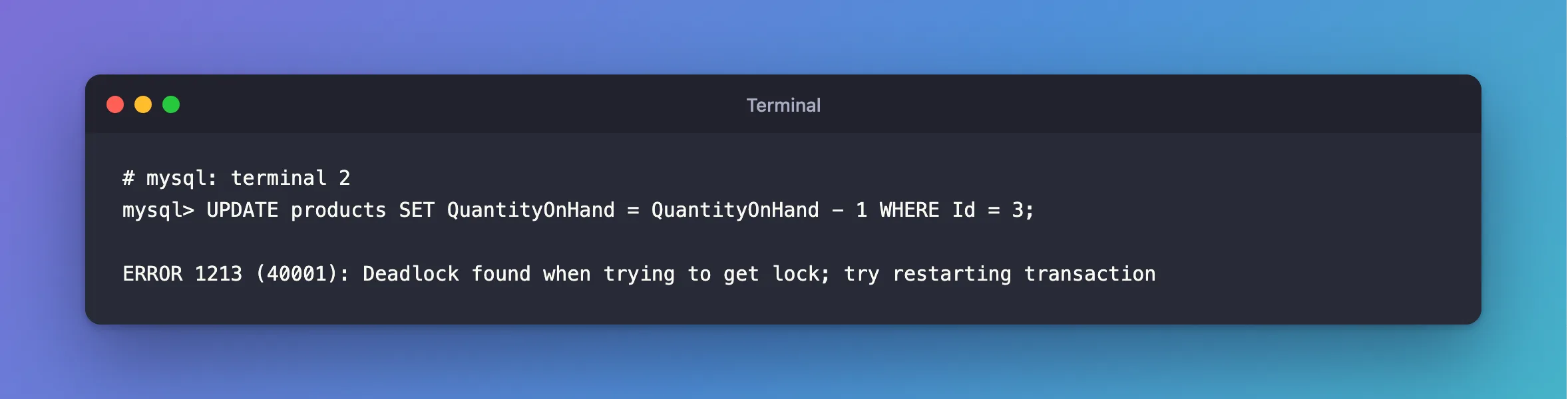
A deadlock, immediately. Each session holds an S lock and needs the other to let go of it before it can get X, and neither ever will. MySQL broke the tie by rolling the second one back, so the first one's UPDATE went through:
Query OK, 1 row affected (2.195 sec)
Rows matched: 1  Changed: 1  Warnings: 0
So if you're going to change the row, ask for FOR UPDATE from the start. Two sessions then simply take turns.
Common Mistakes
| Mistake | What happens | Do this instead |
|---|---|---|
FOR SHARE, then an UPDATE of the same row | Two sessions doing this deadlock | Use FOR UPDATE when you'll change it |
Assuming FOR SHARE stops others reading | Plain reads and other FOR SHARE reads carry on | That's its purpose |
| Holding it without a transaction | The lock ends with the statement | START TRANSACTION first |
Troubleshooting
| Symptom | Likely cause | Fix |
|---|---|---|
ERROR 1213 on an UPDATE soon after a FOR SHARE | Two sessions upgraded a shared lock | The fix |
An UPDATE waits although nobody is writing | Someone holds FOR SHARE | See who's blocking it |
An INSERT into a child table takes a shared lock on the parent | That's the foreign key check | Update the parent first |
FAQ
Is FOR SHARE the same as LOCK IN SHARE MODE?
Nearly. The page says FOR SHARE is a replacement for it, and that LOCK IN SHARE MODE "remains available for backward compatibility." Only FOR SHARE takes options such as NOWAIT and SKIP LOCKED.
Do foreign keys use these locks by themselves?
Yes. The locks page says that a statement that has to check a foreign key "sets shared record-level locks on the records that it looks at to check the constraint."
Conclusion
Use FOR SHARE to keep a row from changing while you work, when you won't change it yourself. Use FOR UPDATE when you will, because two shared locks that both try to become exclusive are a guaranteed deadlock.
Additional Resources
- Locking Reads — both clauses, with examples.
- InnoDB Locking — shared and exclusive locks.
