Fixed: "zsh: ===== not found" When a Word Starts with = in zsh

I printed a line of equals signs in zsh, the default shell on macOS, and got zsh: ===== not found instead. The same thing happens to [ "$a" == 1 ], as zsh: = not found. zsh reads a word that starts with = as the name of a command; quote the word, and the line prints.
What I Was Doing
In zsh 5.9 on macOS, I printed a separator line between the output of two commands:
echo ======
What I Expected
A line of six equals signs: ======.
What I Got
zsh: ===== not found
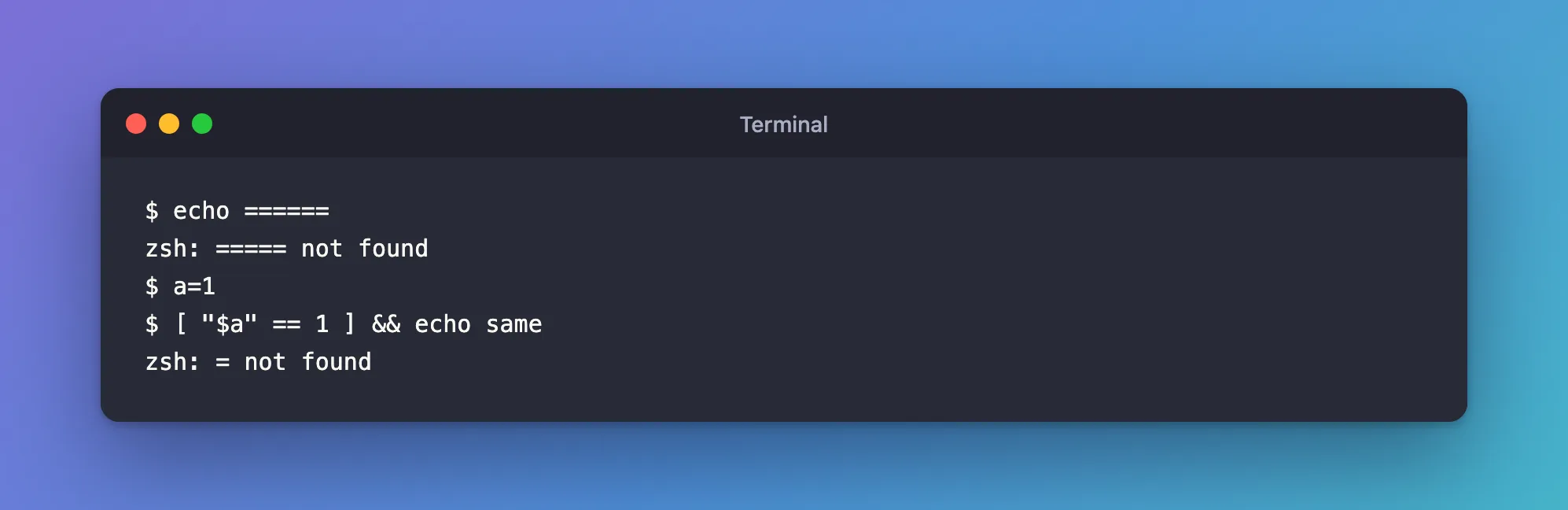
No equals signs, and five of them in the message, not six. echo never printed anything.
What I Checked
Whether it's zsh or echo. The same line in bash:
bash -c 'echo ======'
======
So the word was changed before echo ever saw it, and the shell did it.
What zsh does with a leading =. The zsh manual, man zshexpn, has a section called "= expansion": "If a word begins with an unquoted = and the EQUALS option is set, the remainder of the word is taken as the name of a command. If a command exists by that name, the word is replaced by the full pathname of the command." With a real command name, that's easy to see:
echo =ls
/bin/ls
=ls became the path of ls. For ======, the remainder is =====, five equals signs, and no command has that name: that's the "not found", and why the message shows one = fewer.
Whether the option is on. man zshoptions lists it as EQUALS <Z>, "Perform = filename expansion", and its legend explains the mark: options "set by default only in csh, ksh, sh, or zsh emulations are marked" with <C>, <K>, <S> or <Z>. <Z> means it's on in zsh unless you turn it off. In this shell:
[[ -o equals ]] && echo 'EQUALS is on'
EQUALS is on
The same error with ==. A comparison written the way many other languages write it:
a=1
[ "$a" == 1 ] && echo same
zsh: = not found
The word == starts with =, and the remainder, =, isn't a command either.
In a script. A file with the separator between two other lines:
echo "Build output"
echo ======
echo "Test output"
zsh separator.zsh
echo $?
Build output
separator.zsh:2: ===== not found
1
The message names the file and the line, and the script stopped there: Test output was never printed, and the exit code was 1.
Why It Happens
zsh expands every word of a command before it runs it. A word that starts with an unquoted = goes through = expansion, which the EQUALS option turns on and which is on by default in zsh: the rest of the word is looked up as a command name and replaced with that command's full path. ===== and = aren't commands, so zsh stops with "not found" before the command runs. bash has no such expansion, which is why the same line works there.
The Fix
Quote the word, or escape the first =. Quoting stops zsh from expanding the word at all, and a backslash makes the = an ordinary character:
echo '======'
echo \======
In a comparison, use = inside [ ], or use [[ ]]. The zsh manual's section on conditional expressions (man zshmisc) says string = pattern and string == pattern are "exactly equivalent. The = form is the traditional shell syntax (and hence the only one generally used with the test and [ builtins)". Inside [[ ]], == is part of the condition, not a separate word:
[ "$a" = 1 ] && echo same
[[ $a == 1 ]] && echo same
Or turn the option off for the current shell, with unsetopt equals. After that, echo ====== printed the line; setopt equals turned it back on and the error returned. It also turns off =ls-style expansion everywhere in that shell, so quoting is the better fix.
After the Fix
======
======
same
same
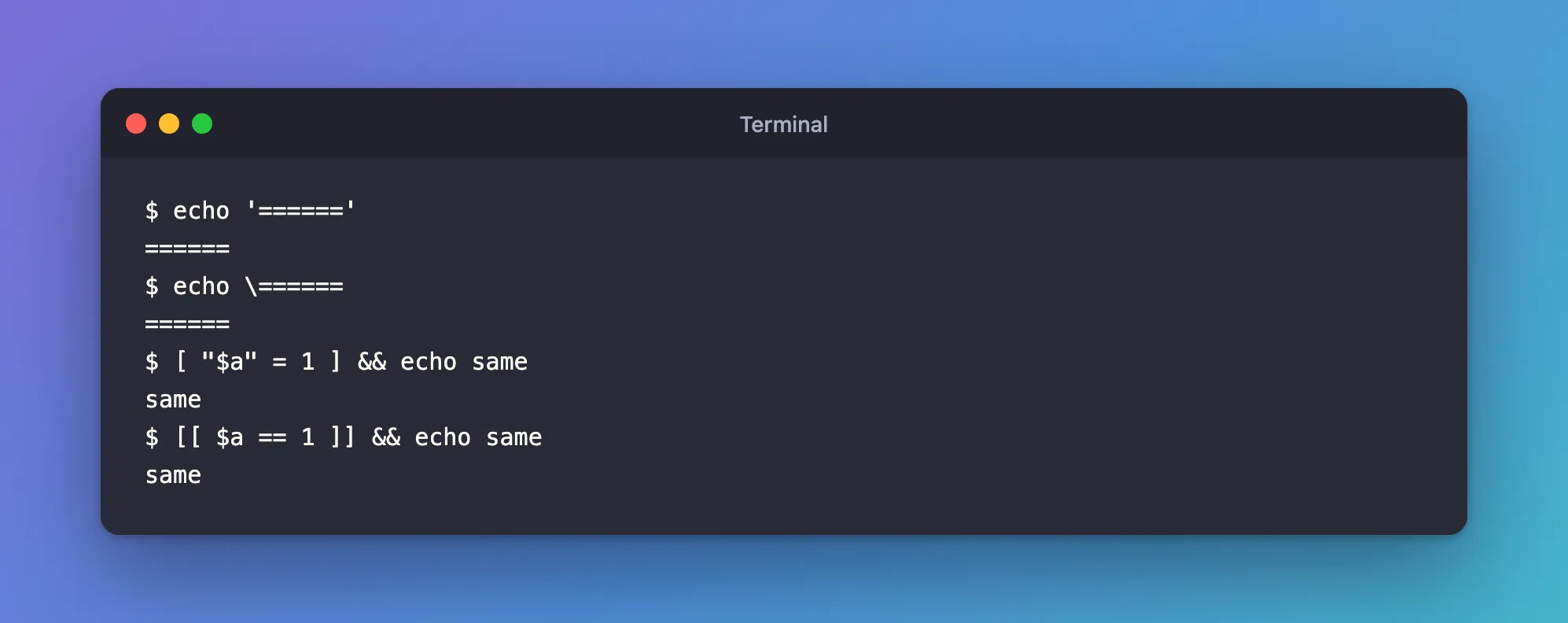
Both separators print, and both comparisons work. In separator.zsh, quoting line 2 the same way, echo '======', was all it needed:
Build output
======
Test output
Common Mistakes
| Mistake | What happens | Do this instead |
|---|---|---|
echo ====== as a separator in zsh | zsh: ===== not found | echo '======' |
[ "$a" == "$b" ] in zsh | zsh: = not found | [ "$a" = "$b" ], or [[ $a == $b ]] |
| Running a bash script with zsh | It stops at the first word that starts with = | Run it with bash, or quote those words |
unsetopt equals in .zshrc to make the error go away | Every shell loses =command expansion | Quote the word |
Troubleshooting
| Symptom | Likely cause | Fix |
|---|---|---|
zsh: ===== not found | A word starts with =, and zsh looked for a command named after the rest of it | Quote the word, or escape the = |
zsh: = not found | == written as a word, usually inside [ ] | Use = inside [ ], or [[ ]] |
script.zsh:2: ===== not found, and the script stops | The same expansion, in a script run by zsh | Quote the word in the script |
| The same line works in bash | bash has no = expansion | Nothing to fix in bash; quote it for zsh |
FAQ
What is = expansion for?
Finding a command's full path quickly: echo =ls printed /bin/ls.
Why is the message one = short?
The first = starts the expansion; the rest of the word, =====, is the command name zsh looked for, and that's what the message prints.
Does this happen in bash?
No. bash printed ====== for the same line. It's a zsh feature, on by default.
Conclusion
"zsh: ===== not found" and "zsh: = not found" come from zsh's = expansion: a word that starts with an unquoted = is taken as a command name, and when no command has that name, zsh stops before the command runs, and a script stops at that line. Quote the word, echo '======', or escape the =, and use = instead of == inside [ ], or [[ ]].
