Fixed: "zsh: no matches found" for a URL with a ? or a --include=*.cs Option

curl http://localhost:5190/demo/enum?status=placed and grep -rn 'class' src --include=*.cs both failed with zsh: no matches found, and neither program ever ran. Commands like these work in bash, and they appear that way in a lot of tutorials. In zsh, you have to quote them.
What I Was Doing
I was searching a project for a word, and calling an API, in zsh, the default shell on macOS:
grep -rn 'class' src --include=*.cs
curl -s http://localhost:5190/demo/enum?status=placed
What I Expected
Search results, and a response.
What I Got
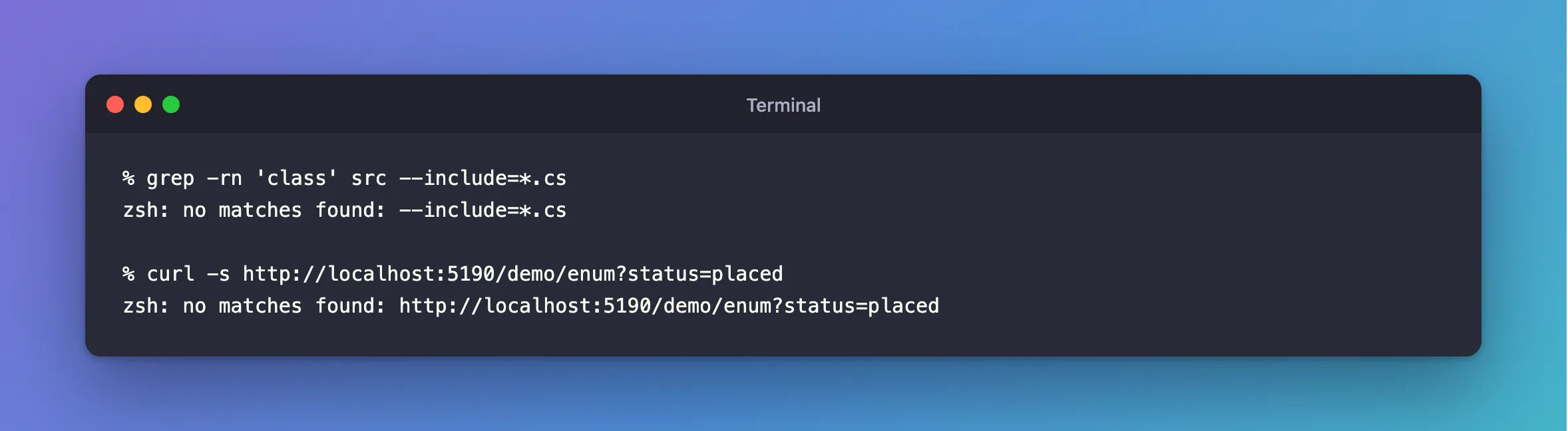
% grep -rn 'class' src --include=*.cs
zsh: no matches found: --include=*.cs
% curl -s http://localhost:5190/demo/enum?status=placed
zsh: no matches found: http://localhost:5190/demo/enum?status=placed
What I Checked
Who printed it. The message starts with zsh:. So neither grep nor curl was involved.
The same command in bash.
bash -c "grep -rn 'class' src --include=*.cs"
src/Sample.cs:1:class A {}
The docs. * and ? are file patterns, and the shells disagree on what to do when no file matches. The zsh manual says of its NOMATCH option, which is on by default: "If a pattern for filename generation has no matches, print an error, instead of leaving it unchanged in the argument list." The bash manual says: "If no matching filenames are found, and the shell option nullglob is disabled, the word is left unchanged."
Why It Happens
zsh looks at each word before running the command. --include=*.cs has a *, and a URL with a query string has a ?. So they're patterns, and no file has those names. zsh reports it and stops, where bash would pass them on as they are.
The Fix
Quote the word, which works in every shell:
grep -rn 'class' src --include='*.cs'
curl -s 'http://localhost:5190/demo/enum?status=placed'
There are two zsh-only alternatives. noglob turns patterns off for one command, and setopt nonomatch makes zsh act like bash from then on:
noglob grep -rn 'class' src --include=*.cs
After the Fix
% grep -rn 'class' src --include='*.cs'
src/Sample.cs:1:class A {}
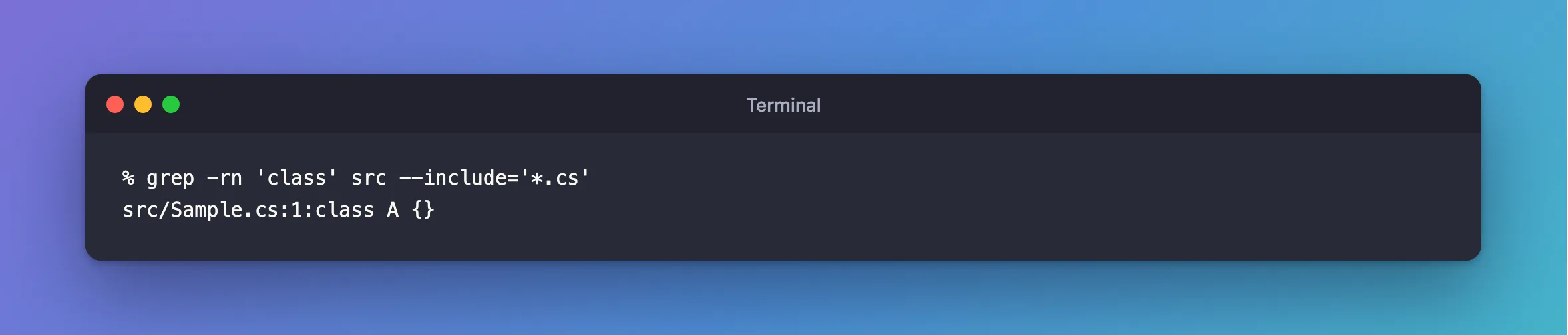
noglob and setopt nonomatch gave the same result.
Common Mistakes
| Mistake | What happens | Do this instead |
|---|---|---|
Putting setopt nonomatch in ~/.zshrc and forgetting | A real typo in a file pattern goes to the program | Quote what you mean |
| Quoting only part of a URL | A later ? or * still counts | Quote all of it |
Using double quotes around $ in a URL | The shell fills in variables | Use single quotes |
Troubleshooting
| Symptom | Likely cause | Fix |
|---|---|---|
| A file with that name exists, and the option gets the wrong value | The pattern matched it | Quote it |
zsh: ===== not found | A word starting with = | The fix |
The URL's & starts a background job | & means that to the shell | Quote it |
Conclusion
In zsh, an unquoted word with * or ? must match a file, or the command doesn't run. Quote URLs and patterns you mean for the program.
Additional Resources
- zsh Options —
NOMATCH. - zsh Precommand Modifiers —
noglob.
