Fixed: "zsh: illegal modifier" in git commit -m with an Exclamation Mark

I tried to commit a renamed script in the Conventional Commits format, with a ! to mark it as a breaking change, and zsh refused to run the command: zsh: illegal modifier:. Nothing was committed. The ! inside double quotes was the problem, and single quotes fix it.
What I Was Doing
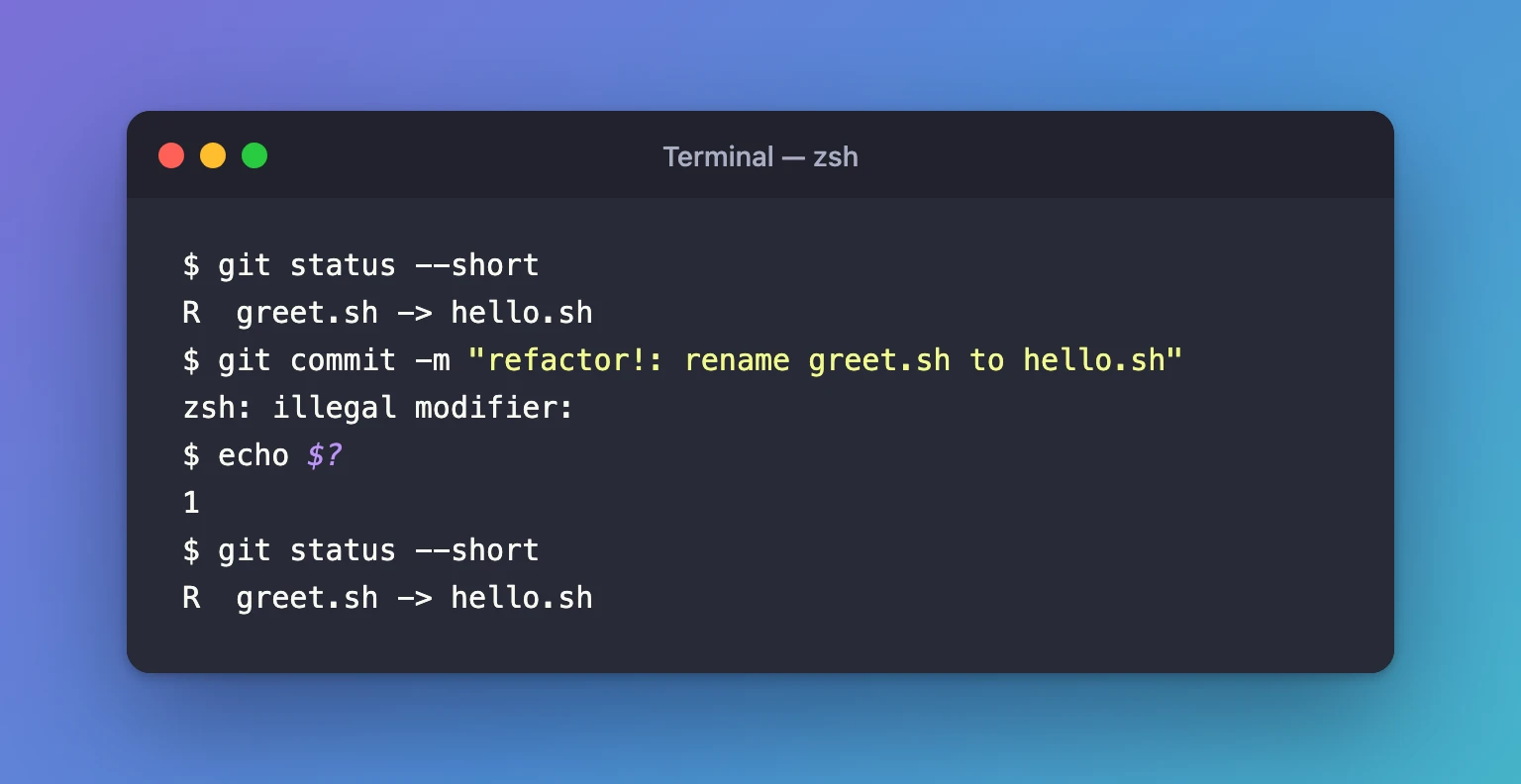
I was writing How to Write Git Conventional Commits (feat, fix and BREAKING CHANGE) and had reached the breaking change. In a practice repository, I had renamed a script, greet.sh, to hello.sh with git mv, and git status showed the rename staged:
git status --short
R greet.sh -> hello.sh
Renaming the script breaks anyone who runs the old name, so the commit needed the ! that marks a breaking change. I typed it in zsh, the default shell on macOS, with the message in double quotes:
git commit -m "refactor!: rename greet.sh to hello.sh"
What I Expected
A new commit, like any other git commit -m: a line that starts with [main and the commit's ID, followed by the message.
What I Got
zsh: illegal modifier:
No commit. The exit status was 1, and the rename was still waiting to be committed:
echo $?
git status --short
1
R  greet.sh -> hello.sh
What I Checked
Is it Git or zsh? The message starts with zsh:, so the shell complained before Git ever ran. echo with the same text fails the same way:
echo "refactor!: rename greet.sh to hello.sh"
zsh: illegal modifier:
Is it the quotes? The same text in single quotes prints as it is:
echo 'refactor!: rename greet.sh to hello.sh'
refactor!: rename greet.sh to hello.sh
What does zsh's documentation say? Its manual, in History Expansion, says a history expansion "begins with the first character of the histchars parameter, which is ‘!’ by default, and may occur anywhere on the command line, including inside double quotes (but not inside single quotes '...' or C-style quotes $'...' nor when escaped with a backslash)."
Why It Happens
History expansion lets you reuse words from earlier commands: !! repeats the last command, and !$ stands for its last word. zsh looks for ! everywhere on the line, double quotes included, before it runs anything.
In refactor!: rename, zsh reads the ! as a reference to the previous command, and the : after it as the start of a modifier, an instruction that edits the words it fetched. The character after the colon is a space, which isn't a modifier, so zsh stops with illegal modifier: followed by that space. It doesn't run the line at all, so Git never sees it.
The message changes with the history. In a zsh whose history is still empty, there's no previous command to refer to, and zsh stops earlier, with zsh: no such event: 0.
The Conventional Commits format puts the ! right before the colon on purpose: its specification says a breaking change in the header "MUST be indicated by a ! immediately before the :". So every breaking-change header typed in double quotes runs into this.
The Fix
Put the message in single quotes:
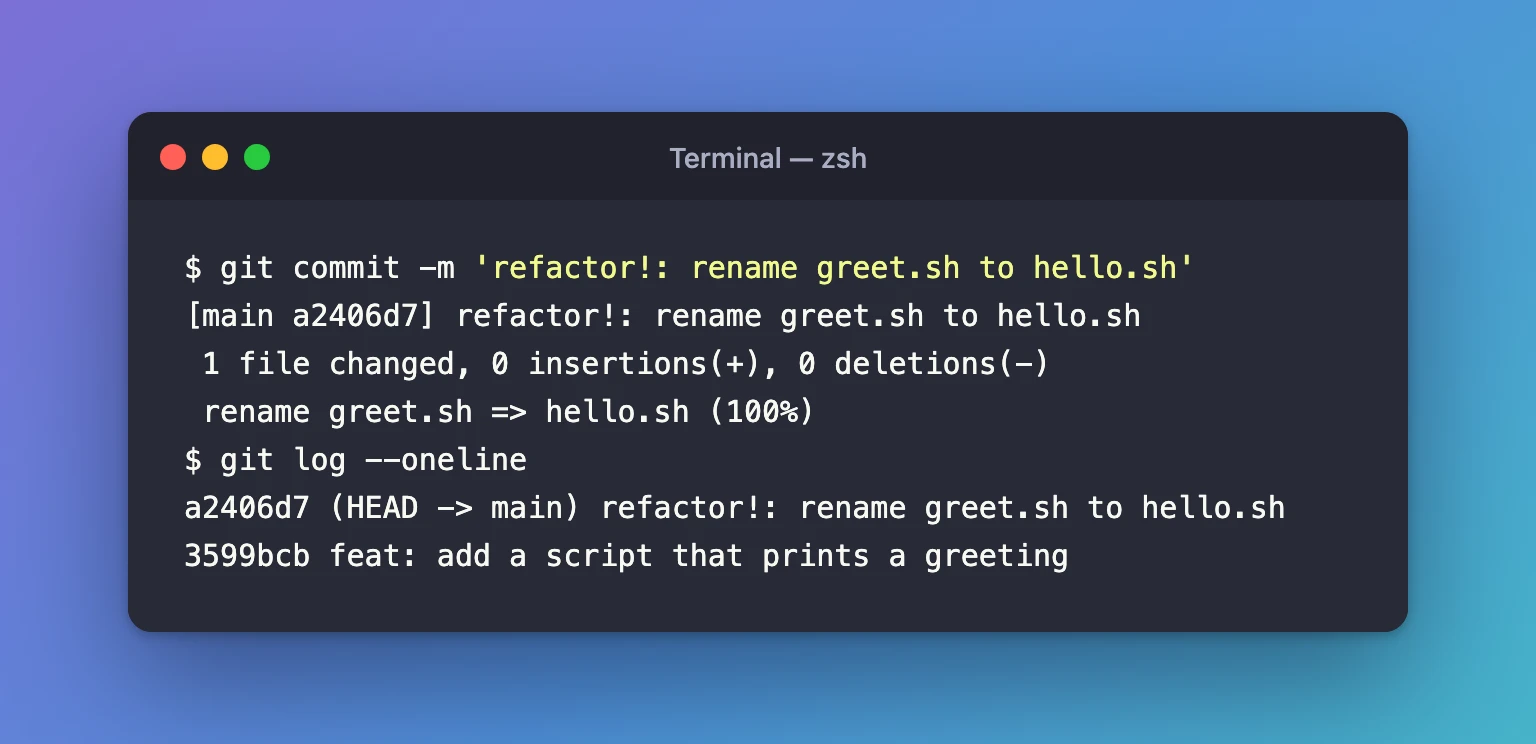
git commit -m 'refactor!: rename greet.sh to hello.sh'
zsh doesn't expand anything inside single quotes, so the ! reaches Git as it is. The same command works in bash and PowerShell, which makes single quotes the safest habit for commit messages.
Turn off history expansion instead
If you never use ! to repeat commands, you can turn the feature off. The zsh option behind it is BANG_HIST, which the manual describes as "Perform textual history expansion, csh-style, treating the character ‘!’ specially." setopt NO_BANG_HIST turns it off for the current terminal:
setopt NO_BANG_HIST
echo "refactor!: rename greet.sh to hello.sh"
refactor!: rename greet.sh to hello.sh
To keep it off in every new terminal, add the setopt NO_BANG_HIST line to the .zshrc file in your home folder.
After the Fix
[main a2406d7] refactor!: rename greet.sh to hello.sh
 1 file changed, 0 insertions(+), 0 deletions(-)
 rename greet.sh => hello.sh (100%)
git log --oneline shows the commit, with its !, on top of the history:
git log --oneline
a2406d7 (HEAD -> main) refactor!: rename greet.sh to hello.sh
3599bcb feat: add a script that prints a greeting
The Same Error in bash
bash, the usual shell on Linux, expands ! inside double quotes too. Its manual says history expansion "is enabled by default for interactive shells". The same command stops there with different words:
bash: : unrecognized history modifier
The space between bash: and the colon is the character bash couldn't use, just as in zsh. In a bash whose history is still empty, the message is bash: !: event not found instead; that's what macOS's bash 3.2 printed. The fix is the same: single quotes. set +H turns history expansion off for the current terminal, which is the option the bash manual names for it.
PowerShell has no history expansion, so the double-quoted command works there as it is.
Common Mistakes
| Mistake | What happens | Do this instead |
|---|---|---|
Removing the ! to make the error go away | The commit no longer says it's a breaking change, so release tools miss it | Keep the ! and use single quotes |
A backslash before the ! in bash | bash keeps the backslash, so the message says refactor\!: | Use single quotes, which work in every shell |
| Assuming the commit went through | The change stays staged and ends up in your next commit | Check git log --oneline after an error |
Troubleshooting
| Symptom | Likely cause | Fix |
|---|---|---|
zsh: illegal modifier: | A ! followed by : inside double quotes | Use single quotes |
zsh: no such event: 0 | The same, in a zsh whose history is empty | Use single quotes |
bash: : unrecognized history modifier | The same in bash | Use single quotes, or set +H |
bash: !: event not found | The same, in a bash whose history is empty | Use single quotes, or set +H |
FAQ
Does this happen in shell scripts?
No. By default, history expansion only happens in an interactive shell, where you type commands. The same echo with double quotes printed the text unchanged when I ran it with zsh -c, from a zsh script file and with bash -c.
Can I escape the ! with a backslash instead?
In zsh, yes: "refactor\!: rename greet.sh to hello.sh" printed refactor!: rename greet.sh to hello.sh, without the backslash. In bash, the backslash stays in the text (bash 3.2 on macOS printed refactor\!: rename greet.sh to hello.sh), so it would end up in your commit message. Single quotes avoid both cases.
Why doesn't PowerShell show this error?
PowerShell doesn't have history expansion. git commit -m "refactor!: …" with double quotes worked in PowerShell 7.6, and so did the same command with single quotes.
Conclusion
zsh: illegal modifier: came from zsh, not Git: a ! inside double quotes starts history expansion, and the : after it asked for a modifier that doesn't exist. Single quotes stop the expansion, so the breaking-change header reaches Git as typed, in zsh, bash and PowerShell alike.
Additional Resources
- zsh: History Expansion: event designators, word designators and modifiers.
- zsh: Options: the
BANG_HISToption. - Bash Reference Manual: History Expansion: how bash handles
!, andset +H. - Conventional Commits 1.0.0: where the
!for breaking changes comes from.
