Fixed: "Your target project 'Dewiride.Inventory.Api' doesn't match your migrations assembly 'Dewiride.Inventory.Data'" in EF Core

Your target project 'Dewiride.Inventory.Api' doesn't match your migrations assembly 'Dewiride.Inventory.Data'. Either change your target project or change your migrations assembly. dotnet ef built the solution, then refused to write the migration, because it would have put the files in a project where EF Core would never look for them. The message offers two fixes; one of them moves your migrations to the web project, and it's usually not the one you want.
What I Was Doing
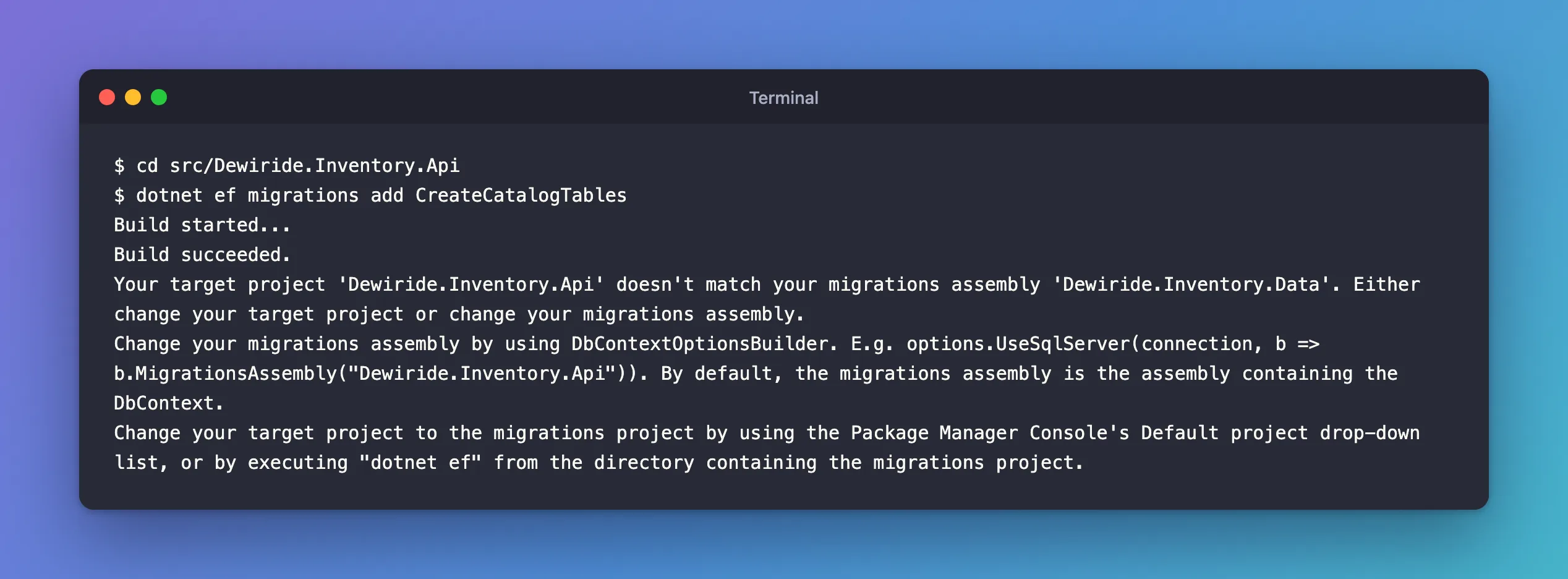
In a .NET 10 solution, the web API references a class library that holds the EF Core DbContext. The API registers the DbContext in Program.cs, and it has the Microsoft.EntityFrameworkCore.Design package that dotnet ef needs. So I ran the command from the API's folder, the way single-project tutorials do:
dotnet ef migrations add CreateCatalogTables
What I Expected
A new migration.
What I Got
Build started...
Build succeeded.
Your target project 'Dewiride.Inventory.Api' doesn't match your migrations assembly 'Dewiride.Inventory.Data'. Either change your target project or change your migrations assembly.
Change your migrations assembly by using DbContextOptionsBuilder. E.g. options.UseSqlServer(connection, b => b.MigrationsAssembly("Dewiride.Inventory.Api")). By default, the migrations assembly is the assembly containing the DbContext.
Change your target project to the migrations project by using the Package Manager Console's Default project drop-down list, or by executing "dotnet ef" from the directory containing the migrations project.
What I Checked
The two names in the message.
- The target project,
Dewiride.Inventory.Api, is wheredotnet efwould write the migration files. EF Core's tools reference says the target project is "where the commands add or remove files. By default, the project in the current directory is the target project." I was in the API's folder. - The migrations assembly,
Dewiride.Inventory.Data, is where EF Core looks for migrations at run time. The message gives the rule: "By default, the migrations assembly is the assembly containing the DbContext." TheDbContextis in the class library.
Whether every command fails. From the same folder, a command that only reads migrations worked:
dotnet ef migrations list --no-connect
20261103044948_StoreMovementTypeAsString
20261103045135_AddMovementHistoryIndex
Pending status not shown. Unable to determine which migrations have been applied. This can happen when your project uses a version of Entity Framework Core lower than 5.0.0 or when an error occurs while accessing the database.
(I ran this later, once the solution had migrations; --no-connect lists them without asking the database.) So the API is a fine startup project: the tools can build it, run its startup code and find the migrations in the library. Only the target, where new files are written, was wrong.
Why It Happens
Run from the API's folder with no options, the API was the target project, while the migrations assembly, where EF Core looks for migrations at run time, is the class library that holds the DbContext. Writing the files into the API while EF Core reads migrations from the library would create migrations that nothing ever applies, so the tools refuse.
The Fix
The message offers two fixes:
- "Change your migrations assembly" with
MigrationsAssembly("Dewiride.Inventory.Api"): the migrations would live in the web project. - "Change your target project to the migrations project": write the files into the class library, next to the
DbContext.
The second keeps the data layer in one project: the DbContext, its entities, its configuration and its migrations, so any other app that uses the library gets the same migrations. Name the library as the target and the API as the startup project, from the solution folder:
dotnet ef migrations add CreateCatalogTables --project src/Dewiride.Inventory.Data --startup-project src/Dewiride.Inventory.Api
The message's "executing "dotnet ef" from the directory containing the migrations project" is the same fix from another folder: in src/Dewiride.Inventory.Data, the target is found by default, and --startup-project ../Dewiride.Inventory.Api names the API.
After the Fix
Build started...
Build succeeded.
Done. To undo this action, use 'ef migrations remove'
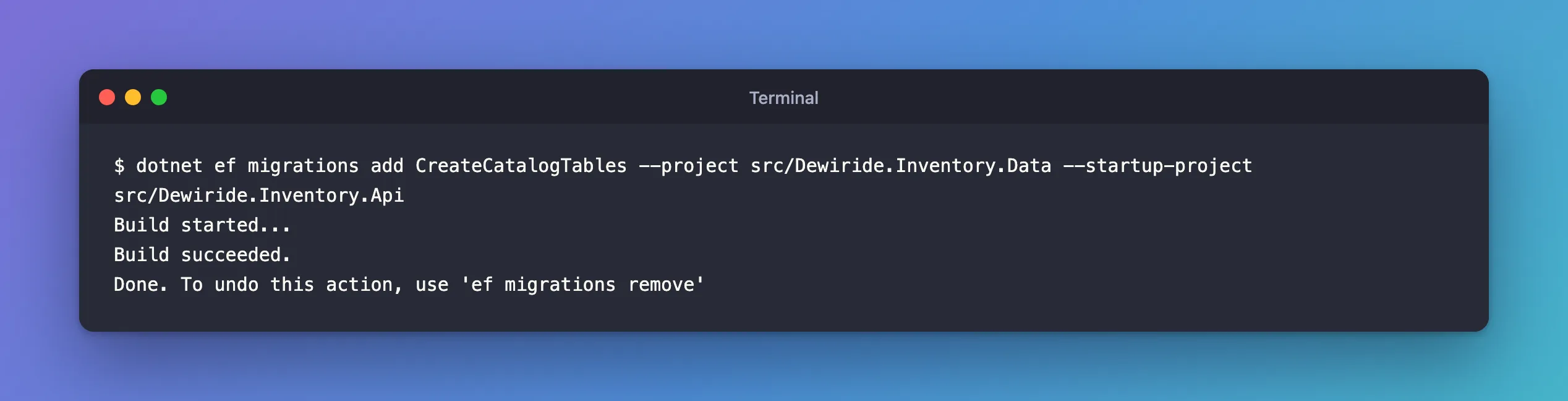
The migration went into src/Dewiride.Inventory.Data/Migrations/, inside the migrations assembly, where EF Core finds it.
When MigrationsAssembly Is the Right Choice
Moving migrations out of the DbContext's assembly is a supported design, described in Using a Separate Migrations Project: "You can store migrations in a different project from the one containing your DbContext." Teams do it, for example, to keep migrations for different database providers apart. Then you configure MigrationsAssembly on purpose, in the provider's options, and point --project at that migrations project. Don't do it only because the error suggested it first.
Common Mistakes
| Mistake | What happens | Do this instead |
|---|---|---|
Accepting MigrationsAssembly("…Api") to make the error go away | Migrations end up in the web project, away from the DbContext | Name the class library with --project |
Copying the message's UseSqlServer example into a MySQL app | It's only an example; the provider method here is UseMySQL | Configure MigrationsAssembly in your own provider's options, if at all |
| Running from the class library's folder with no options | The next error: the library becomes the startup project without the Design package | Add --startup-project |
Troubleshooting
| Symptom | Likely cause | Fix |
|---|---|---|
Your target project … doesn't match your migrations assembly … | The command ran in the app's folder, so the app is the target project | Pass --project with the project that holds the DbContext |
migrations list works in the same folder, migrations add doesn't | Listing needs only a startup project; adding needs the right target | Name the target with --project |
| Your migrations live in a separate project by design | EF Core still looks for them in the DbContext's assembly | Configure MigrationsAssembly in your provider's options |
FAQ
Why did the same command work in a tutorial with one project?
With one project, the DbContext, the migrations and the startup code are all in it, so the target project and the migrations assembly are the same. The error only appears when they're in different projects.
Do database update and migrations remove need the same options?
Use the same two options for every dotnet ef command in this solution. It's simpler than remembering which commands care about the target project.
Conclusion
"Your target project … doesn't match your migrations assembly …" means dotnet ef would write migrations into one project while EF Core reads them from another, by default the one with the DbContext. In a solution with the DbContext in a class library, make the library the target with --project, keep the web app as the --startup-project, and leave MigrationsAssembly for when you really want migrations in a separate project.
Additional Resources
- EF Core tools reference (.NET CLI): Target project and startup project
- Using a Separate Migrations Project
