Fixed: "Your startup project 'Dewiride.Inventory.Data' doesn't reference Microsoft.EntityFrameworkCore.Design" in dotnet ef

Your startup project 'Dewiride.Inventory.Data' doesn't reference Microsoft.EntityFrameworkCore.Design. This package is required for the Entity Framework Core Tools to work. Ensure your startup project is correct, install the package, and try again. The message offers two fixes, in one sentence. In a solution where the DbContext lives in a class library, the first one is usually right: the tools were using the wrong startup project.
What I Was Doing
In a .NET 10 solution with a web API and a class library for the EF Core DbContext, dotnet ef had just told me "No project was found" in the solution folder. So I named the class library, where the migrations belong:
dotnet ef migrations add CreateCatalogTables --project src/Dewiride.Inventory.Data
What I Expected
A migration in the class library.
What I Got
Build started...
Build succeeded.
Your startup project 'Dewiride.Inventory.Data' doesn't reference Microsoft.EntityFrameworkCore.Design. This package is required for the Entity Framework Core Tools to work. Ensure your startup project is correct, install the package, and try again.
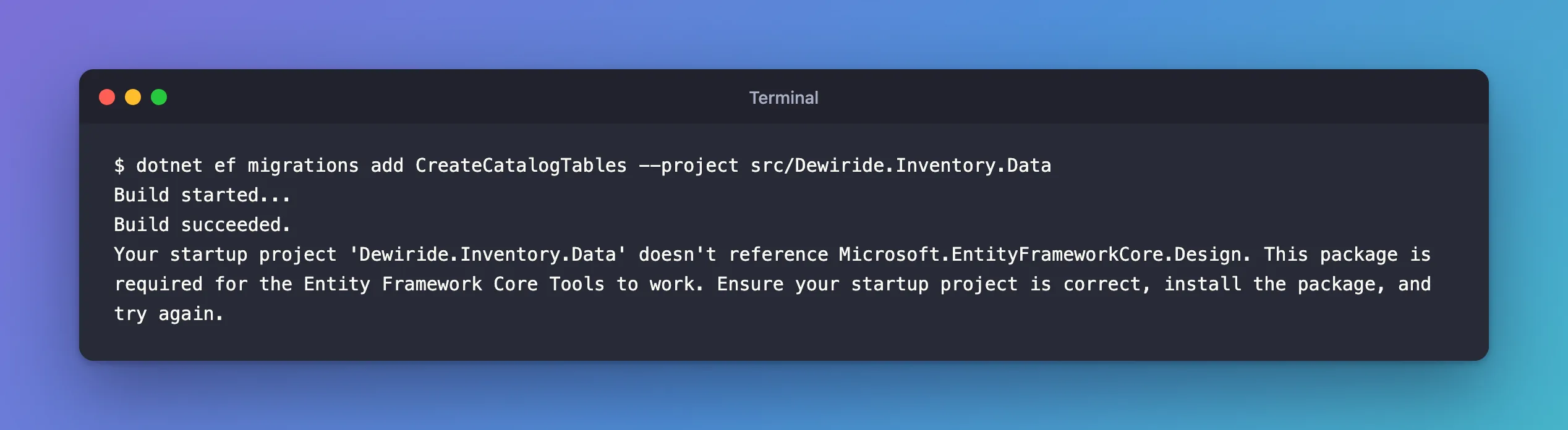
The build succeeded; the tools stopped afterwards.
What I Checked
Which project the tools used as the startup project. The message names it: Dewiride.Inventory.Data, the class library. I had named it only as the target project. The current folder, the solution folder, has no project, and with no --startup-project the tools used the target project for both roles.
Which project has the package. dotnet package list shows a project's NuGet packages:
dotnet package list --project src/Dewiride.Inventory.Api
dotnet package list --project src/Dewiride.Inventory.Data
Project 'Dewiride.Inventory.Api' has the following package references
   [net10.0]:
   Top-level Package                                                        Requested   Resolved
   > Microsoft.AspNetCore.OpenApi                                           10.0.14     10.0.14
   > Microsoft.EntityFrameworkCore.Design                                   10.0.14     10.0.14
   > Microsoft.Extensions.Diagnostics.HealthChecks.EntityFrameworkCore      10.0.14     10.0.14

Project 'Dewiride.Inventory.Data' has the following package references
   [net10.0]:
   Top-level Package                                           Requested   Resolved
   > Microsoft.EntityFrameworkCore.Relational                  10.0.14     10.0.14
   > Microsoft.Extensions.Options.ConfigurationExtensions      10.0.14     10.0.14
   > Microsoft.Extensions.Options.DataAnnotations              10.0.14     10.0.14
   > MySql.EntityFrameworkCore                                 10.0.12     10.0.12
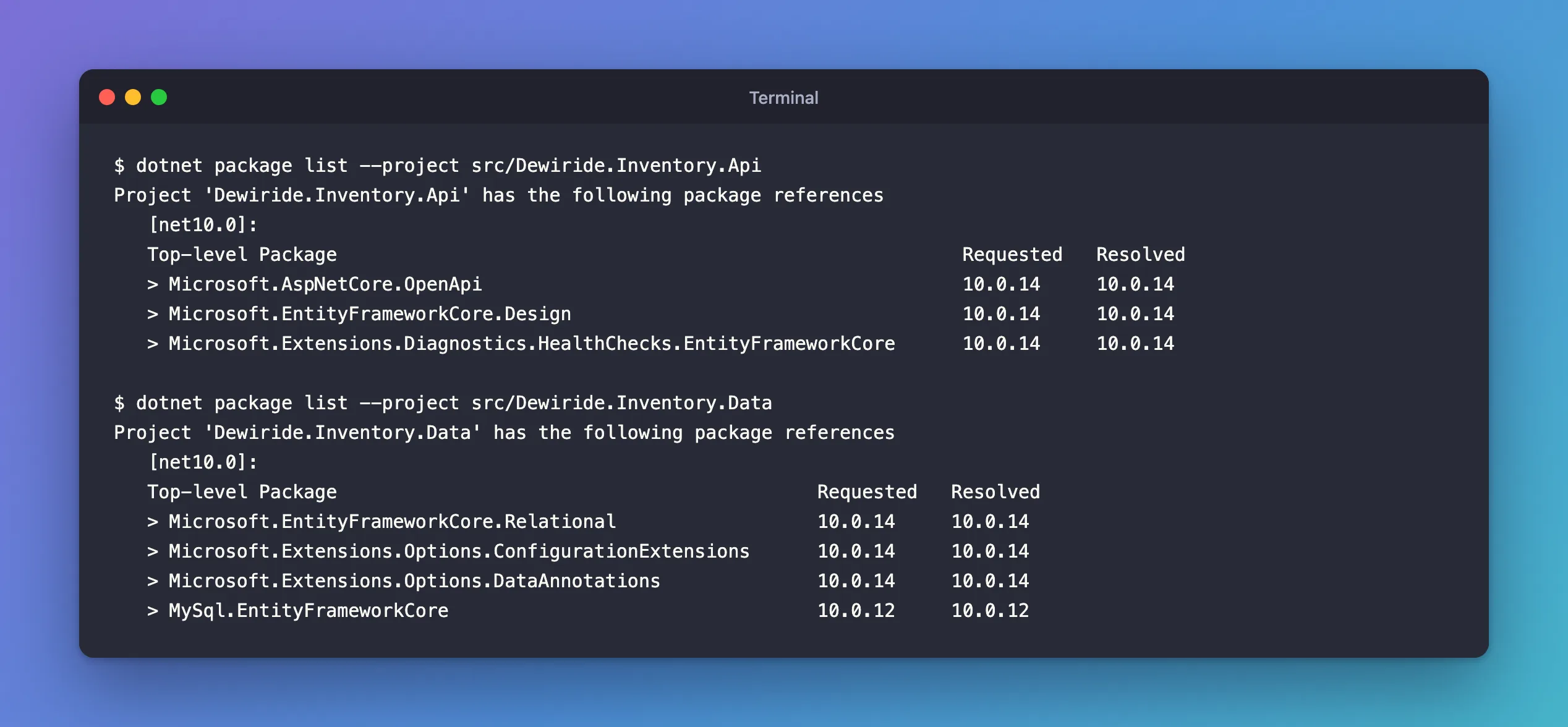
The Design package was where it belonged, in the API. The library doesn't get it through the API's reference either, and couldn't: the reference goes the other way, from the API to the library.
What the documentation says about the startup project. The tools reference: "The startup project is the one that the tools build and run. The tools have to execute application code at design time to get information about the project, such as the database connection string and the configuration of the model." In this solution, that application code is the API's Program.cs, which registers the DbContext and its connection string. The class library has no such code to run.
Why the package must be in the startup project itself. The installation section says: "Before you can use the tools on a specific project, you'll need to add the Microsoft.EntityFrameworkCore.Design package to it." And EF Core's design-time services page explains why a reference elsewhere doesn't help: "Microsoft.EntityFrameworkCore.Design is a DevelopmentDependency package. This means that the dependency won't flow transitively into other projects". The tools load the startup project's output and call into the Design package's code from there.
Why It Happens
Without --startup-project, the tools used the target project, the class library, for both roles. The startup project is the one they build and run, and it must reference Microsoft.EntityFrameworkCore.Design itself. The library doesn't, and it has no code that sets up the DbContext either: that code and the package are both in the API.
The Fix
"Ensure your startup project is correct" was the fix: name the API as the startup project.
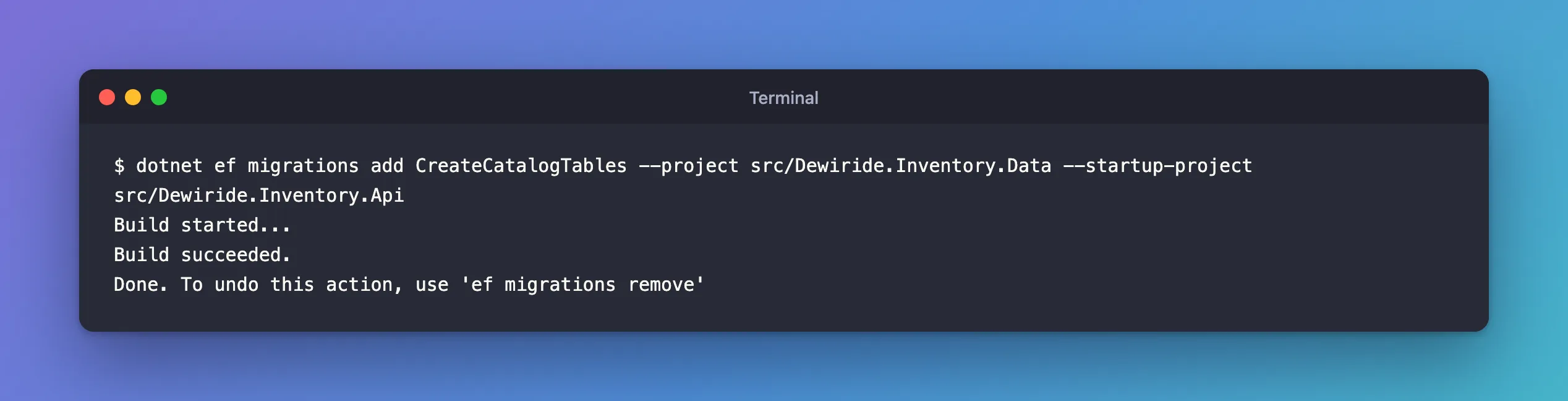
dotnet ef migrations add CreateCatalogTables --project src/Dewiride.Inventory.Data --startup-project src/Dewiride.Inventory.Api
--project src/Dewiride.Inventory.Data: the target project, where the migration files go.--startup-project src/Dewiride.Inventory.Api: the project the tools build and run, with the Design package and the code that configures theDbContext.
After the Fix
Build started...
Build succeeded.
Done. To undo this action, use 'ef migrations remove'
When Installing the Package Is the Right Fix
The message's other suggestion, "install the package", is right when the startup project is correct but doesn't have it yet: for example, the first time you use dotnet ef with a new web API. Then add it to that project:
dotnet package add Microsoft.EntityFrameworkCore.Design --version 10.0.14 --project src/Dewiride.Inventory.Api
Use the same version as your other EF Core packages; the EF Core installation page says: "Always use the version of the tools package that matches the major version of the runtime packages." With Central Package Management, as in this solution, dotnet package add writes the version into Directory.Packages.props: adding the MySQL provider the same way printed "PackageVersion added to central package management file".
Adding it to the class library instead would get you past this message, but not to a working command: the library still has no application code that sets up the DbContext and its connection string, and that's what the tools run the startup project for.
Common Mistakes
| Mistake | What happens | Do this instead |
|---|---|---|
| Installing the Design package in the class library | The library becomes a valid startup project on paper, but it has no code that configures the DbContext | Use the app as the startup project |
| Expecting the API's Design reference to reach the library | It doesn't flow to other projects | Name the API with --startup-project |
| A Design package version that doesn't match EF Core | Mismatched EF Core packages in one app | Keep all EF Core packages on one version |
Troubleshooting
| Symptom | Likely cause | Fix |
|---|---|---|
| The message names your class library | No --startup-project, so the library is the startup project too | Add --startup-project with the app project |
| The message names your app project | The app doesn't have the Design package yet | Add Microsoft.EntityFrameworkCore.Design to the app, at your EF Core version |
No project was found | The current folder has no project | Pass --project and --startup-project |
FAQ
Do I need the Design package in production?
No. It's used by the tools at design time. EF Core's NuGet packages page says: "By default, the Microsoft.EntityFrameworkCore.Design package is installed in such a way that it will not be deployed with your application."
What is the difference between Microsoft.EntityFrameworkCore.Design and Microsoft.EntityFrameworkCore.Tools?
Design is what dotnet ef needs in the startup project. Tools is for the Package Manager Console in Visual Studio, whose commands, such as Add-Migration, use the same design-time code.
Conclusion
"Your startup project … doesn't reference Microsoft.EntityFrameworkCore.Design" names the project the tools tried to run. If that's your class library, the startup project is wrong: pass the app with --startup-project, and keep --project pointing at the library. If it's the right project, add the Design package to it, in the same version as the rest of EF Core.
Additional Resources
- EF Core tools reference (.NET CLI) — installing the tools, target and startup projects.
- Design-time services: Referencing Microsoft.EntityFrameworkCore.Design
