Fixed: "You must install or update .NET to run this application" (Framework 'Microsoft.NETCore.App', version '8.0.0')

I created a C# agent project with the Microsoft 365 Agents Toolkit CLI, built it without a single warning, and ran it. It stopped before running a line of my code: You must install or update .NET to run this application. The project targeted .NET 8, my machine had only .NET 10, and .NET 8 was already out of support.
What I Was Doing
I was trying out the Toolkit's C# templates for the Microsoft 365 Agents Toolkit CLI page of the Microsoft 365 Agents SDK course. On macOS, I created Microsoft's weather agent in C# with atk new:
atk new -c weather-agent -l csharp -n WeatherTemplate -i false --llm-service llm-service-azure-openai --azure-openai-endpoint https://foundry-devblogs-exp.openai.azure.com/ --azure-openai-deployment-name gpt-5.6-luna
dotnet build succeeded. Then I started it with dotnet run in the project folder.
What I Expected
The agent to start and print its Now listening on: http://localhost:… line.
What I Got
Using launch settings from /Users/you/source/WeatherTemplate/Properties/launchSettings.json...
Building...
You must install or update .NET to run this application.

App: /Users/you/source/WeatherTemplate/bin/Debug/net8.0/WeatherTemplate
Architecture: arm64
Framework: 'Microsoft.NETCore.App', version '8.0.0' (arm64)
.NET location: /usr/local/share/dotnet

The following frameworks were found:
  10.0.15 at [/usr/local/share/dotnet/shared/Microsoft.NETCore.App]

Learn more:
https://aka.ms/dotnet/app-launch-failed

To install missing framework, download:
https://aka.ms/dotnet-core-applaunch?framework=Microsoft.NETCore.App&framework_version=8.0.0&arch=arm64&rid=osx-arm64&os=osx.26
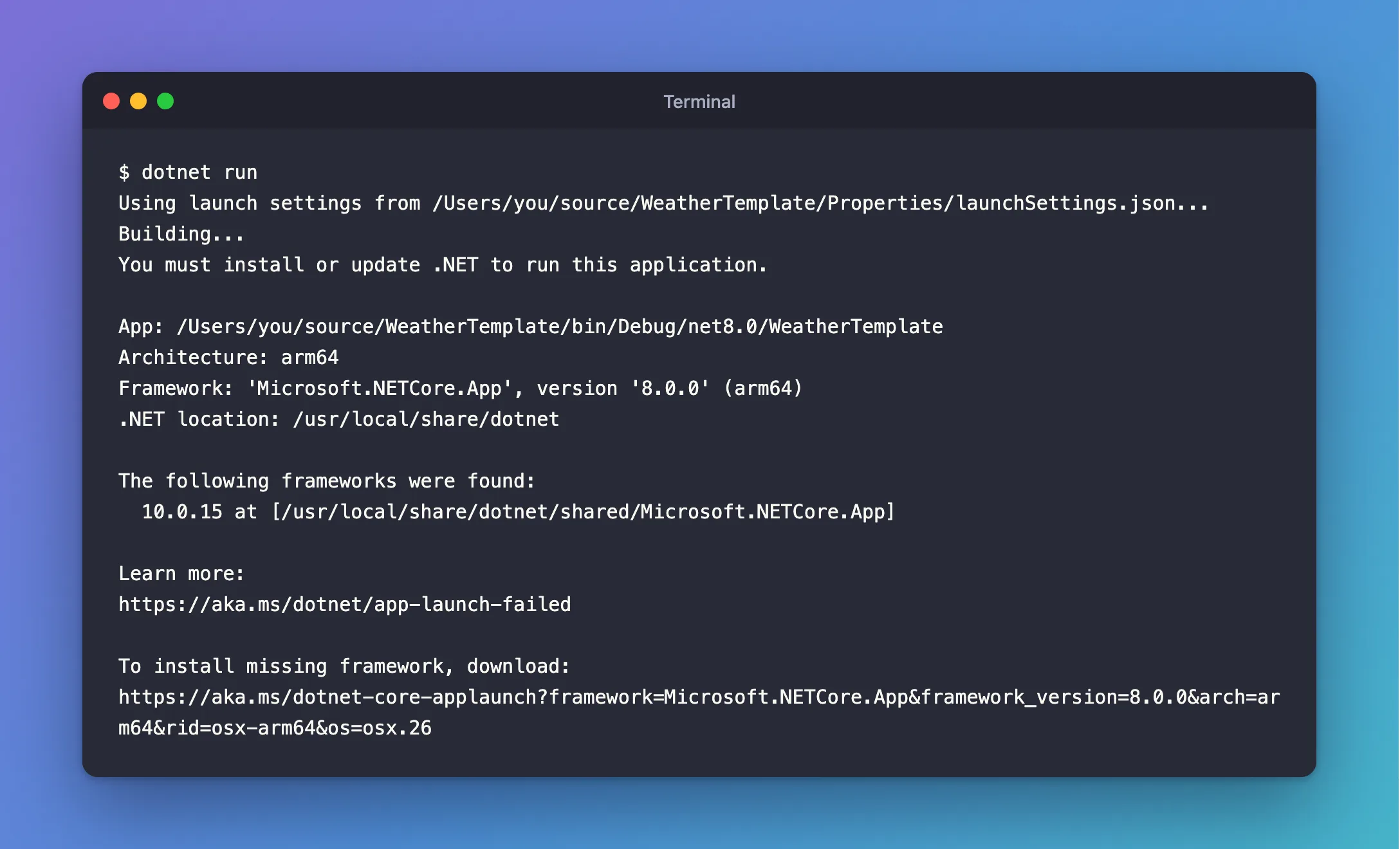
The build had worked because the .NET 10 SDK can still build for older versions of .NET. Running needs the matching runtime, and I had only the .NET 10 runtime.
What I Checked
The message's own lines. Framework: 'Microsoft.NETCore.App', version '8.0.0' is what the app asked for; The following frameworks were found: 10.0.15 is what the machine had. The path bin/Debug/net8.0/ gave away why: the project targets .NET 8.
The project file. The template had written:
<TargetFramework>net8.0</TargetFramework>
Microsoft's documentation. The link in the message, https://aka.ms/dotnet/app-launch-failed, leads to Troubleshoot app launch failures on Microsoft Learn. For Required framework not found, it offers two fixes: install a compatible runtime, or, if the application targets a lower version than one you have installed, configure roll-forward behavior so it runs on the newer one. It adds a warning about the second: Since using this option lets the application run on a different framework version than the one for which it was designed, it may result in unintended behavior.
.NET 8's support status. Microsoft's official .NET release information lists .NET 8 as end of life: its support ended on November 10, 2026. .NET 10 is the current long-term support release.
Why It Happens
A .NET app is built for one target framework, set by <TargetFramework> in its project file, and by default it only runs on that major version of the runtime, or a newer minor or patch version of it. The Agents Toolkit's C# templates target net8.0. On a machine that has only .NET 10, nothing satisfies 8.0, so the app refuses to start.
The Fix
Both documented options work, but for a project you own, the clean fix is a third one: retarget it to the runtime you have. Installing the .NET 8 runtime would bring back a version that no longer gets security updates, and roll-forward runs the app on a version it was never built for. Changing the target framework rebuilds it properly for .NET 10.
Open the project file and change one line:
<TargetFramework>net10.0</TargetFramework>
Then build again:
dotnet build
After the Fix
Restore complete (0.3s)
  WeatherTemplate net10.0 succeeded (0.3s) → bin/Debug/net10.0/WeatherTemplate.dll

Build succeeded in 0.9s
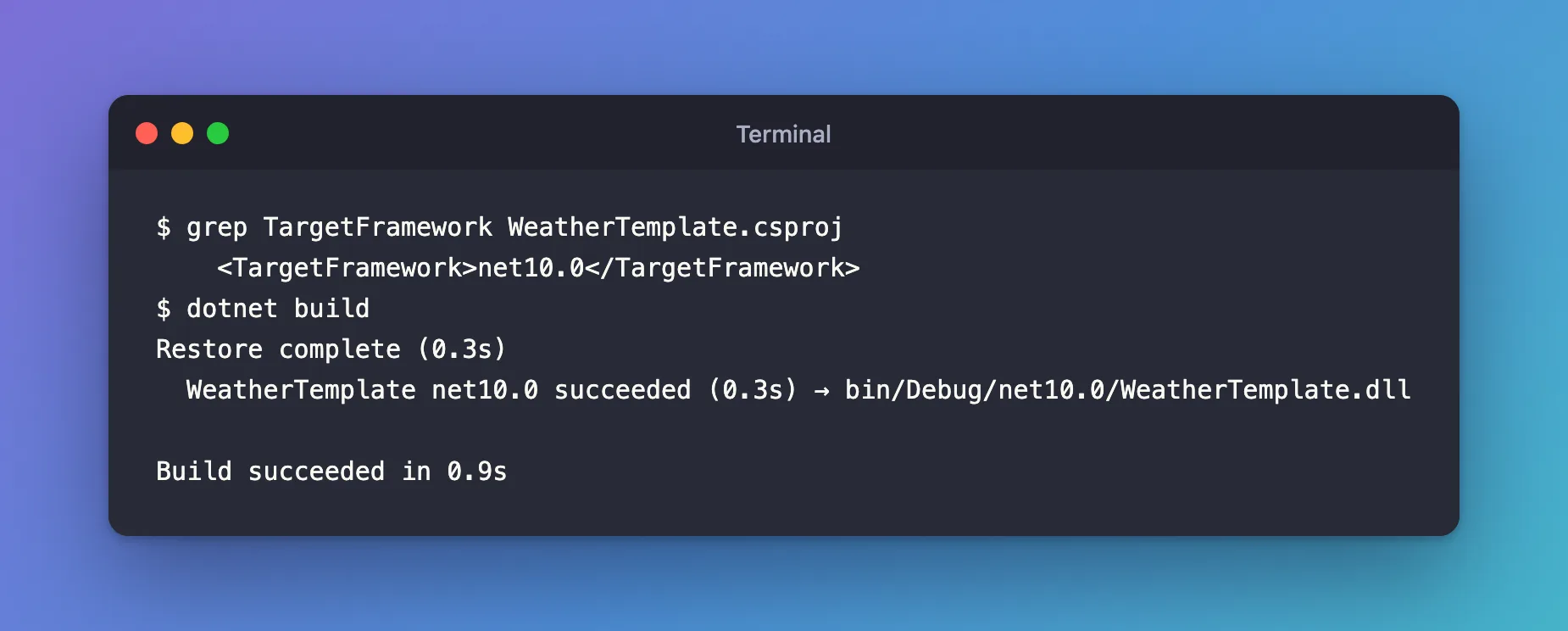
The output now lands in bin/Debug/net10.0/, and dotnet run no longer stops at the runtime check: it runs the app's own Program.cs. In this template that's where the next stop came, for a reason of its own — it needs an Azure OpenAI API key in appsettings.json before it starts — but the .NET problem was gone.
Common Mistakes
| Mistake | What happens | Do this instead |
|---|---|---|
| Installing the .NET 8 runtime to make the error go away | The app runs on a version that gets no security updates | Retarget to net10.0 |
Setting DOTNET_ROLL_FORWARD=Major permanently | Every app on the machine may run on a version it wasn't built for | Retarget the project you own |
Changing only launchSettings.json | Nothing changes: the target is in the project file | Edit <TargetFramework> in the .csproj |
Troubleshooting
| Symptom | Likely cause | Fix |
|---|---|---|
| The build fails after retargeting | A package that doesn't support .NET 10 | Update that package to its newest version |
Still bin/Debug/net8.0 in the output | The file wasn't saved, or there are several <TargetFramework> lines | Check the .csproj and build again |
Framework: 'Microsoft.AspNetCore.App' instead | The same problem for the ASP.NET Core runtime | The same fix |
FAQ
Why does the build work if the runtime is missing?
Building needs the SDK and the targeting pack for that version, which the .NET 10 SDK can download for older targets. Running needs the runtime itself.
Will the Agents Toolkit templates move to .NET 10?
That's up to Microsoft. Until then, retarget each new C# project after you create it.
Is roll-forward ever the right choice?
For an app you can't rebuild, yes: Microsoft documents it for exactly that. For your own project, retargeting is cleaner.
Conclusion
You must install or update .NET to run this application means the app targets a .NET version the machine doesn't have. For a project you own, change <TargetFramework> to the current LTS release, net10.0, and rebuild; don't bring back a runtime that's out of support.
Additional Resources
- Troubleshoot app launch failures — the page the error links to.
- Select the .NET version to use — how target frameworks and roll-forward work.
- .NET and .NET Core support policy — release types and end-of-support dates.
