Fixed: "xargs: command line cannot be assembled, too long" on macOS

xargs stopped partway through a list with xargs: command line cannot be assembled, too long. The command was only about 250 characters, and the system allows over a million. The limit that matters here is a much smaller one, and it applies only with -I.
What I Was Doing
I was checking that a list of image addresses all worked, with several curls at a time, on macOS. paths.txt holds one path per line:
cat paths.txt | xargs -P 4 -I{} sh -c "curl -s -o /dev/null -w '%{http_code} {}\n' https://strdewiridedevblogsprod.blob.core.windows.net/images/{}"
What I Expected
A status for every line.
What I Got
xargs: command line cannot be assembled, too long
200 blog/programming/csharp/fixes/2026/fixed-too-many-connections-02-fixed.webp
200 blog/programming/csharp/fixes/2026/fixed-too-many-connections-01-error.webp
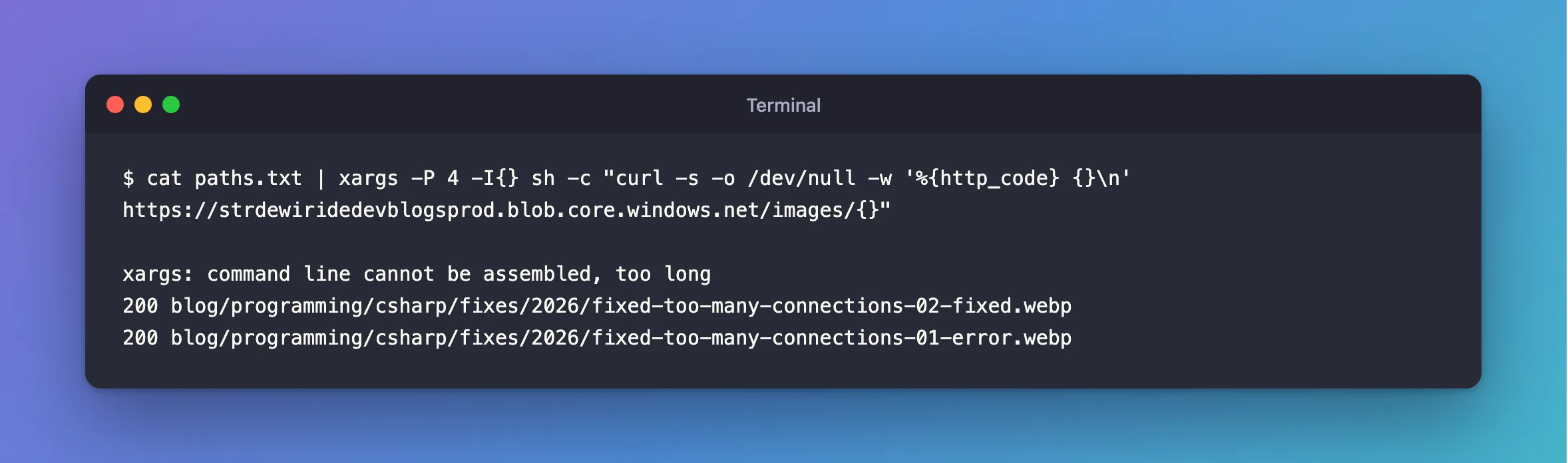
Two lines worked. The exit code was 1.
What I Checked
The system's limit on a command line.
getconf ARG_MAX
1048576
A million bytes, so it isn't that.
The length of the argument. With {} filled in, the text after sh -c was this many bytes for the first line:
253
That line's path has 75 characters, and the third has 77. So the third one goes over 255.
The man page. man xargs on macOS says of -I: "The resulting arguments, after replacement is done, will not be allowed to grow beyond replsize (or 255 if no -S flag is specified) bytes".
Why It Happens
With -I, xargs fills {} into your arguments, and each finished argument has a limit of its own, 255 bytes by default on macOS. My whole sh -c string is one argument, and {} appears in it twice.
The Fix
There are two ways. The first raises the limit, with -S:
cat paths.txt | xargs -S 2048 -P 4 -I{} sh -c "curl -s -o /dev/null -w '%{http_code} {}\n' https://strdewiridedevblogsprod.blob.core.windows.net/images/{}"
The second is better. Keep the script fixed, and pass the line to it as its own argument, so the script doesn't change at all:
cat paths.txt | xargs -P 4 -I{} sh -c 'curl -s -o /dev/null -w "%{http_code} $1\n" "$0/$1"' https://strdewiridedevblogsprod.blob.core.windows.net/images {}
With sh -c, $0 and $1 are the words after the script. Each argument is now short, and a line with a quote in it can't turn into a command either.
After the Fix
200 fixed-already-in-transaction-01-error.webp
200 fixed-too-many-connections-01-error.webp
200 fixed-too-many-connections-02-fixed.webp
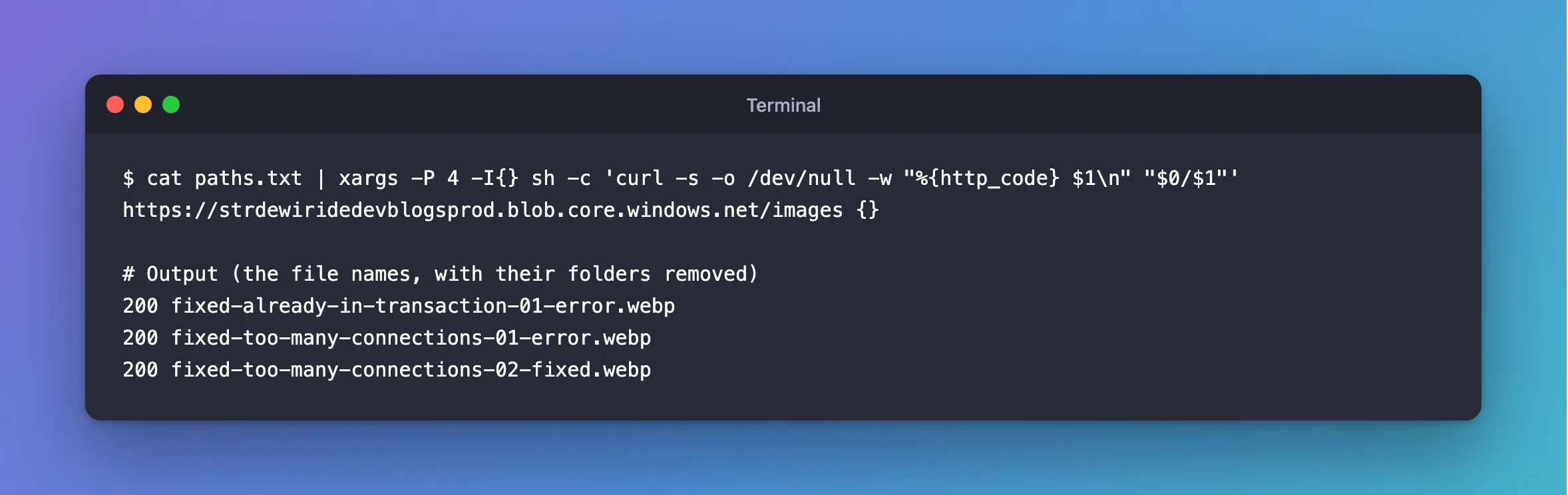
-S 2048 gave the same three lines.
Common Mistakes
| Mistake | What happens | Do this instead |
|---|---|---|
Looking at ARG_MAX | It's far bigger, and not the limit here | Count one argument |
| Assuming every line failed | Lines before the long one have already run | Read what did print |
Filling {} inside sh -c "..." | A line with a quote breaks out of the string | Pass it as $1 |
Troubleshooting
| Symptom | Likely cause | Fix |
|---|---|---|
| It works for short lines only | This limit | Use -S, or $1 |
-S isn't recognised | Another xargs, such as GNU's | Pass it as $1, which works in both |
| The line's end is cut off, with no error | A different problem | Check for spaces or quotes in the input |
Conclusion
On macOS, xargs -I limits each finished argument to 255 bytes by default. Raise that with -S, or better, keep {} out of the script and pass it as an argument of its own.
Additional Resources
man xargs, on your own Mac — the-Iand-Soptions.- sh -c in POSIX — how the words after the script become
$0and$1.
