Fixed: warning Unable to find a project to restore!

dotnet restore said Restore succeeded, with one warning: Unable to find a project to restore!. Nothing had been restored. I had run it in a folder whose solution file didn't list any projects yet, so that's what it restored: nothing. Pointing it at the project, or adding the project to the solution first, fixes it.
What I Was Doing
I was building the solution from How to Create a .NET C# Web API Solution with a Class Library with .NET SDK 10.0.403. I'd just created the Web API project and fixed its NU1008 error, and the template had told me to run dotnet restore. So, in the solution folder, I did:
dotnet restore
What I Expected
Restore complete, with the Web API project's packages downloaded.
What I Got
Restore succeeded with 1 warning(s) in 0.0s
    /usr/local/share/dotnet/sdk/10.0.403/NuGet.targets(198,5): warning Unable to find a project to restore!

Build succeeded with 1 warning(s) in 0.1s
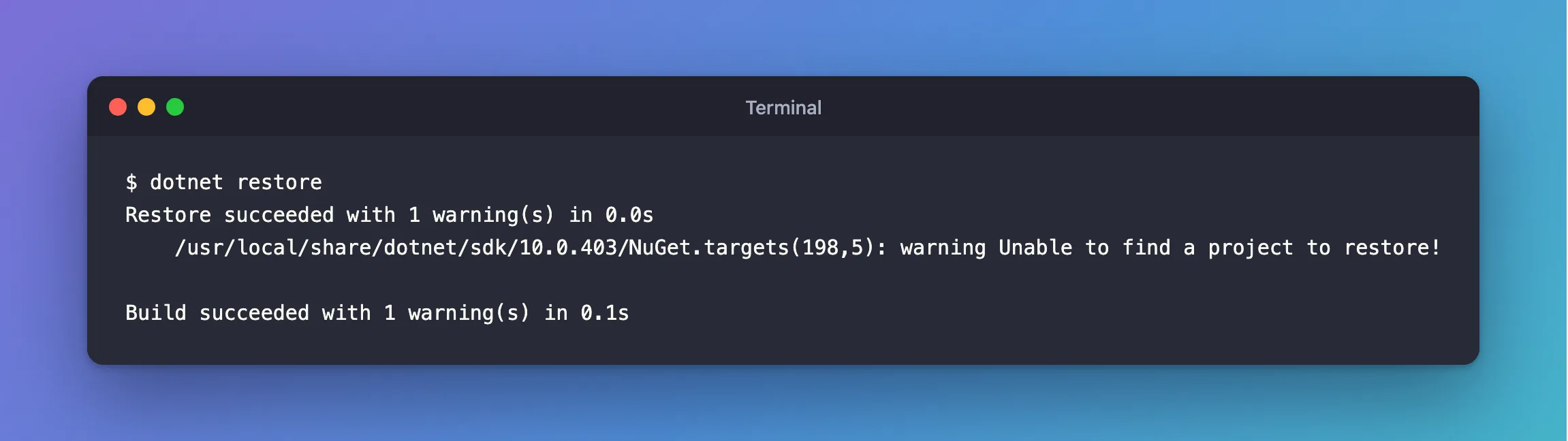
"Succeeded" in 0.0 seconds, with nothing to show for it. The warning comes from NuGet.targets, part of the .NET SDK, not from my project.
What I Checked
dotnet restore without a path works on whatever is in the current folder, so I asked the solution what it contains:
dotnet sln list
No projects found in the solution.
The solution file was still empty, exactly as dotnet new sln had created it:
<Solution>
</Solution>
The project existed on disk, under src/Dewiride.Inventory.Api, but I hadn't added it to the solution yet. That came two steps later in my plan.
Why It Happens
Microsoft's dotnet restore documentation explains the argument: it's "The project or solution or C# (file-based app) file to operate on. If a file isn't specified, MSBuild searches the current directory for a project or solution." My solution folder holds a solution file and no project file, so restore used the solution, which listed no projects.
The documentation doesn't list this exact warning. Its wording matches what I found: there was no project to restore, because the solution was empty.
The Fix
There are two ways, and both are right; they just suit different moments.
Restore the project by its path. This works immediately, whatever the solution contains:
dotnet restore src/Dewiride.Inventory.Api
Restore complete (1.0s)

Build succeeded in 1.3s
Or add the projects to the solution, then restore it. This is what you want anyway, so that dotnet build and dotnet restore in the solution folder cover every project:
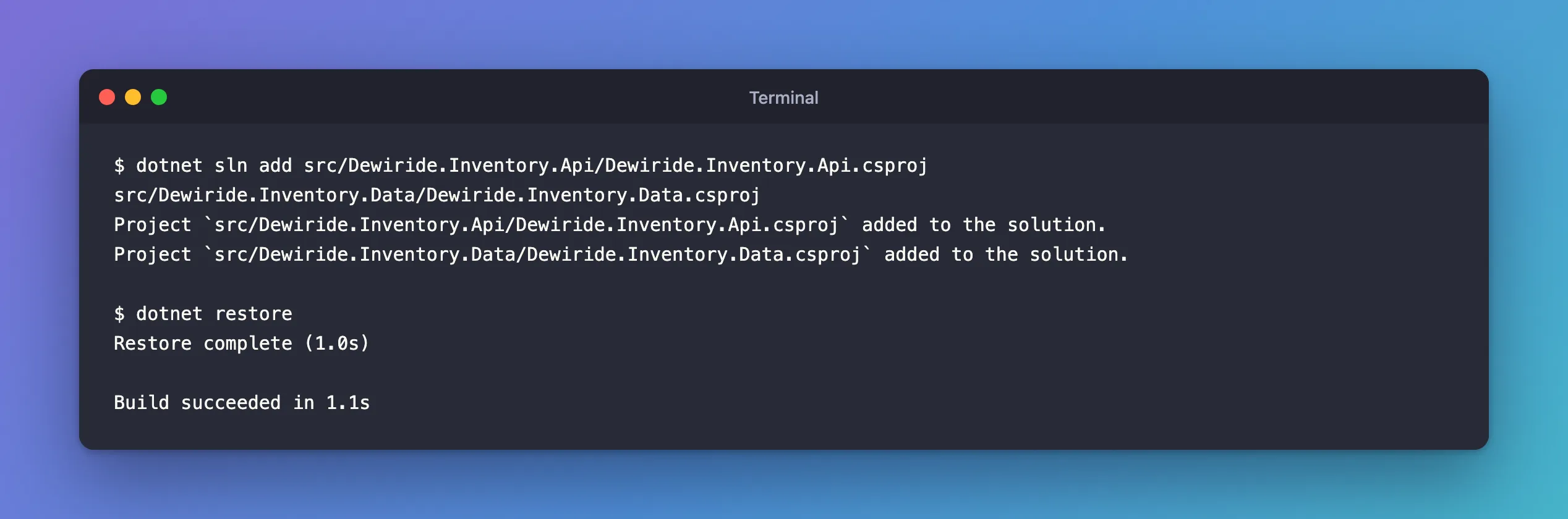
dotnet sln add src/Dewiride.Inventory.Api/Dewiride.Inventory.Api.csproj src/Dewiride.Inventory.Data/Dewiride.Inventory.Data.csproj
dotnet restore
After the Fix
With both projects in the solution, the same command as before restores them:
dotnet restore
Restore complete (1.0s)

Build succeeded in 1.1s
Common Mistakes
| Mistake | What happens | Do this instead |
|---|---|---|
| Reading "Restore succeeded" and moving on | The next build fails, or restores late, because nothing was restored | Read the warning line |
Running dotnet restore in a folder with both a solution and a project file | error MSB1011: Specify which project or solution file to use because this folder contains more than one project or solution file. | Pass the file you mean |
| Creating projects without adding them to the solution | Root-level dotnet build and dotnet restore skip them | Run dotnet sln add for every project |
Troubleshooting
| Symptom | Likely cause | Fix |
|---|---|---|
Unable to find a project to restore! | The solution lists no projects | Restore by path, or dotnet sln add the projects |
error MSB1003: Specify a project or solution file. The current working directory does not contain a project or solution file. | The folder has neither a project nor a solution | cd into the right folder, or pass the file's path |
dotnet sln list says No projects found in the solution. | The projects were never added | dotnet sln add them |
FAQ
Is it harmful?
No. Nothing was restored, and nothing broke. The next dotnet build or dotnet run of the project restores it on its own, because those commands run restore automatically.
Do I need to run dotnet restore at all?
Rarely. The documentation lists dotnet new, dotnet build, dotnet run and others as commands that restore implicitly. An explicit dotnet restore is useful after fixing a restore error, or in build pipelines.
Conclusion
warning Unable to find a project to restore! meant the solution I restored was empty. Restore the project by its path, or add the projects with dotnet sln add, and dotnet restore does its job.
Additional Resources
- dotnet restore — the command, its arguments and when it runs implicitly.
- dotnet sln — adding projects to a solution.
