Fixed: "User has exceeded the 'max_user_connections' resource" with MySql.Data

User 'inventory_app' has exceeded the 'max_user_connections' resource (current value: 5) means the account has reached a limit on connections, and the pool tried to open one more. One account limit and one pool setting need to agree, and until they do, some requests fail.
What I Was Doing
I had set a limit on an account, as a ceiling:
ALTER USER 'inventory_app'@'%' WITH MAX_USER_CONNECTIONS 5;
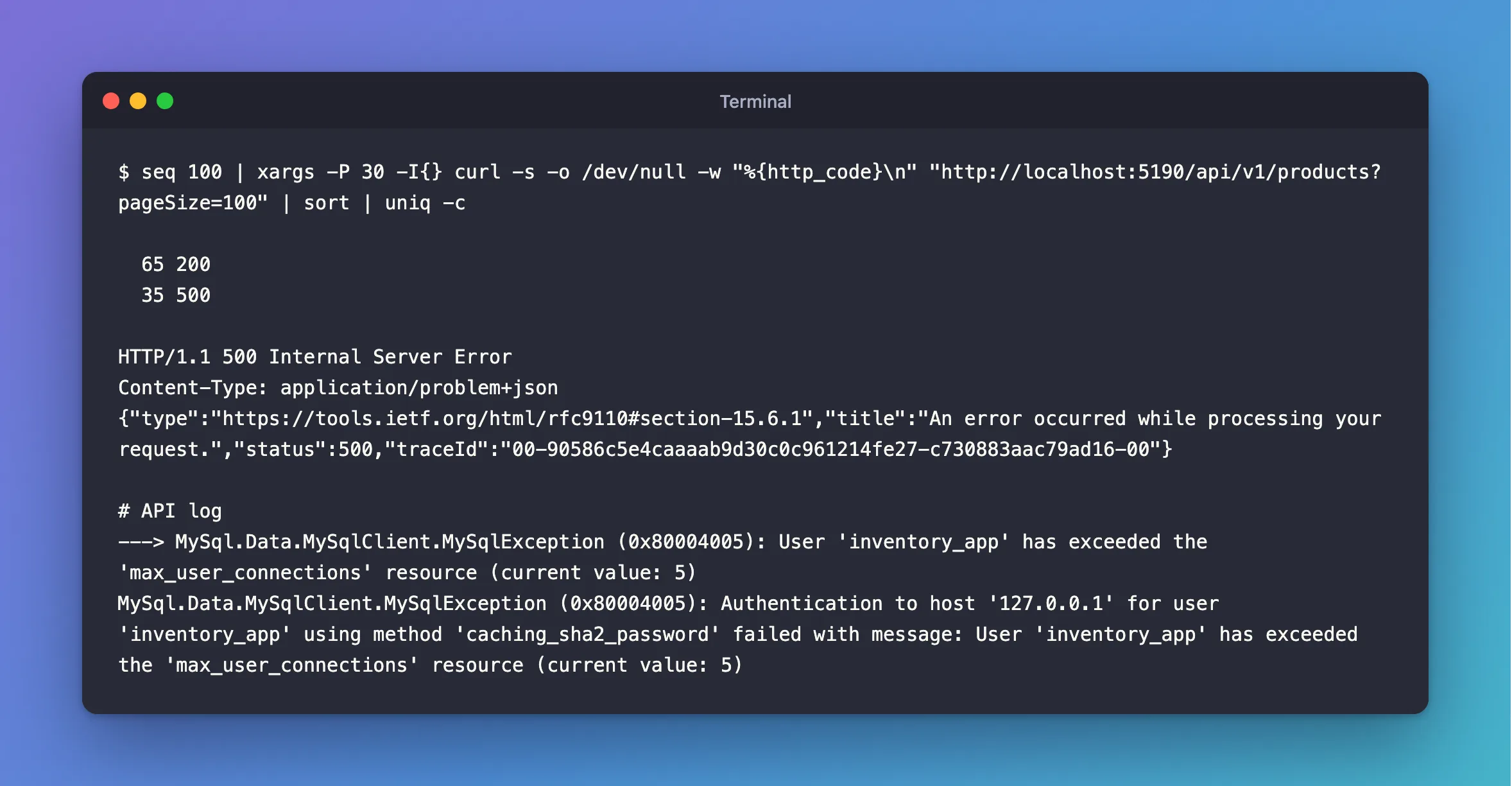
The API, on EF Core 10.0.14 and MySql.Data 26.10.0, still had the default Maximum Pool Size of 100. I sent it 100 requests, 30 at a time:
seq 100 | xargs -P 30 -I{} curl -s -o /dev/null -w "%{http_code}\n" "http://localhost:5190/api/v1/products?pageSize=100" | sort | uniq -c
What I Expected
Some waiting, while requests shared the connections.
What I Got
  65 200
  35 500
HTTP/1.1 500 Internal Server Error
Content-Type: application/problem+json
{"type":"https://tools.ietf.org/html/rfc9110#section-15.6.1","title":"An error occurred while processing your request.","status":500,"traceId":"00-90586c5e4caaaab9d30c0c961214fe27-c730883aac79ad16-00"}
---> MySql.Data.MySqlClient.MySqlException (0x80004005): User 'inventory_app' has exceeded the 'max_user_connections' resource (current value: 5)
MySql.Data.MySqlClient.MySqlException (0x80004005): Authentication to host '127.0.0.1' for user 'inventory_app' using method 'caching_sha2_password' failed with message: User 'inventory_app' has exceeded the 'max_user_connections' resource (current value: 5)
What I Checked
The limit on the account:
SELECT user, host, max_user_connections FROM mysql.user WHERE user = 'inventory_app';
+---------------+------+----------------------+
| user          | host | max_user_connections |
+---------------+------+----------------------+
| inventory_app | %    |                    5 |
+---------------+------+----------------------+
A value of 0 would mean no limit of its own. There's also a server-wide max_user_connections variable, which some shared hosts set.
The pool's size. It only waits at Maximum Pool Size. Below that, it opens another connection and the server refuses, so requests fail instead of waiting.
The error number. It's 1226, and the retry strategy in this API didn't have it on its list, so it became a 500.
Why It Happens
The driver doesn't know about the account's limit. With a pool of 100 and a limit of 5, it keeps trying to open connections the server will refuse. The limit is across everything using that account, not only this copy of the app.
The Fix
Make the pool smaller than the limit. With several copies of the app, or any other program using the account, divide the limit between them:
…;Maximum Pool Size=5
If your API checks readiness through EF Core with Oracle's provider, leave room for that as well, because it uses a second pool.
Treat 1226 as temporary, so that a retry can get a connection a moment later, and a client that still can't gets a 503 with Retry-After. If you use a custom execution strategy, add it:
1226 or // The account is at its MAX_USER_CONNECTIONS limit.
How to Write a Custom Execution Strategy in EF Core for MySQL shows the whole class.
Or raise the limit, if the server has room:
ALTER USER 'inventory_app'@'%' WITH MAX_USER_CONNECTIONS 60;
After the Fix
With Maximum Pool Size=5, a concurrency limit in front of it, and the same 100 requests:
seq 100 | xargs -P 30 -I{} curl -s -o /dev/null -w "%{http_code}\n" "http://localhost:5190/api/v1/products?pageSize=100" | sort | uniq -c
100 200
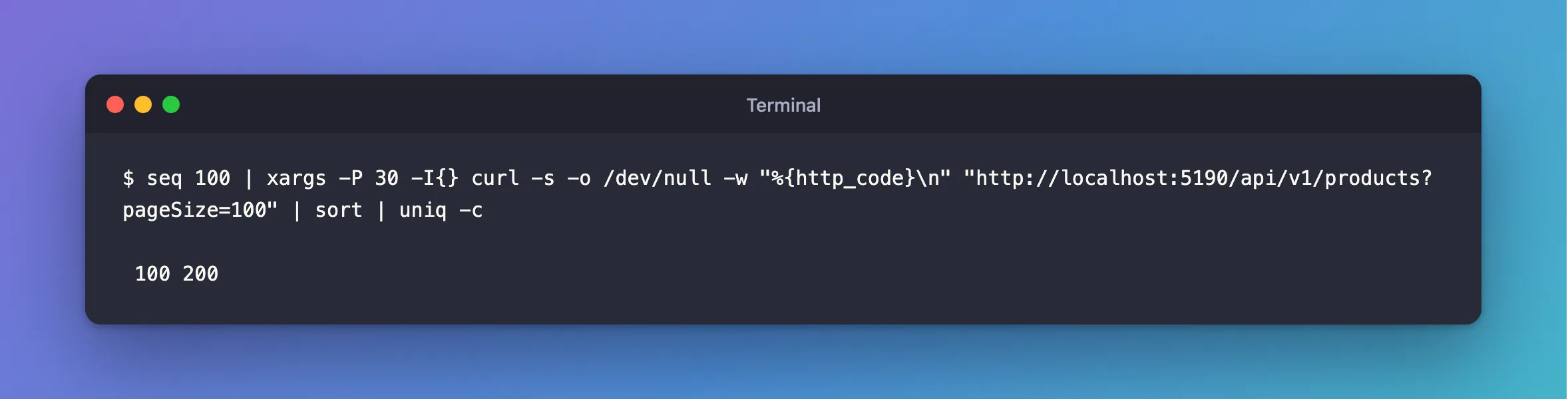
Without the concurrency limit, a small pool under a burst can end the whole process, so use both.
Common Mistakes
| Mistake | What happens | Do this instead |
|---|---|---|
| A limit on the account and no change to the pool | 500s under load | Set Maximum Pool Size below the limit |
| Counting one copy of the app | The total goes over | Multiply by the number of copies |
Raising the limit without checking max_connections | The server's limit is next | Check both |
Troubleshooting
| Symptom | Likely cause | Fix |
|---|---|---|
The account has 0, and the error still comes | The global max_user_connections | SHOW VARIABLES LIKE 'max_user_connections' |
Too many connections | The server's limit | The fix |
Timeout expired … from the pool | The pool itself is full | The fix |
Conclusion
This error means the pool's size is above the account's limit. Bring the two into line, and treat error 1226 as temporary.
Additional Resources
- Setting Account Resource Limits —
MAX_USER_CONNECTIONS. - Connector/NET Connection Options —
Maximum Pool Size.
