Fixed: "Update Your Manifest to Include supportsChannelFeatures=tier1" When Uploading a Teams App

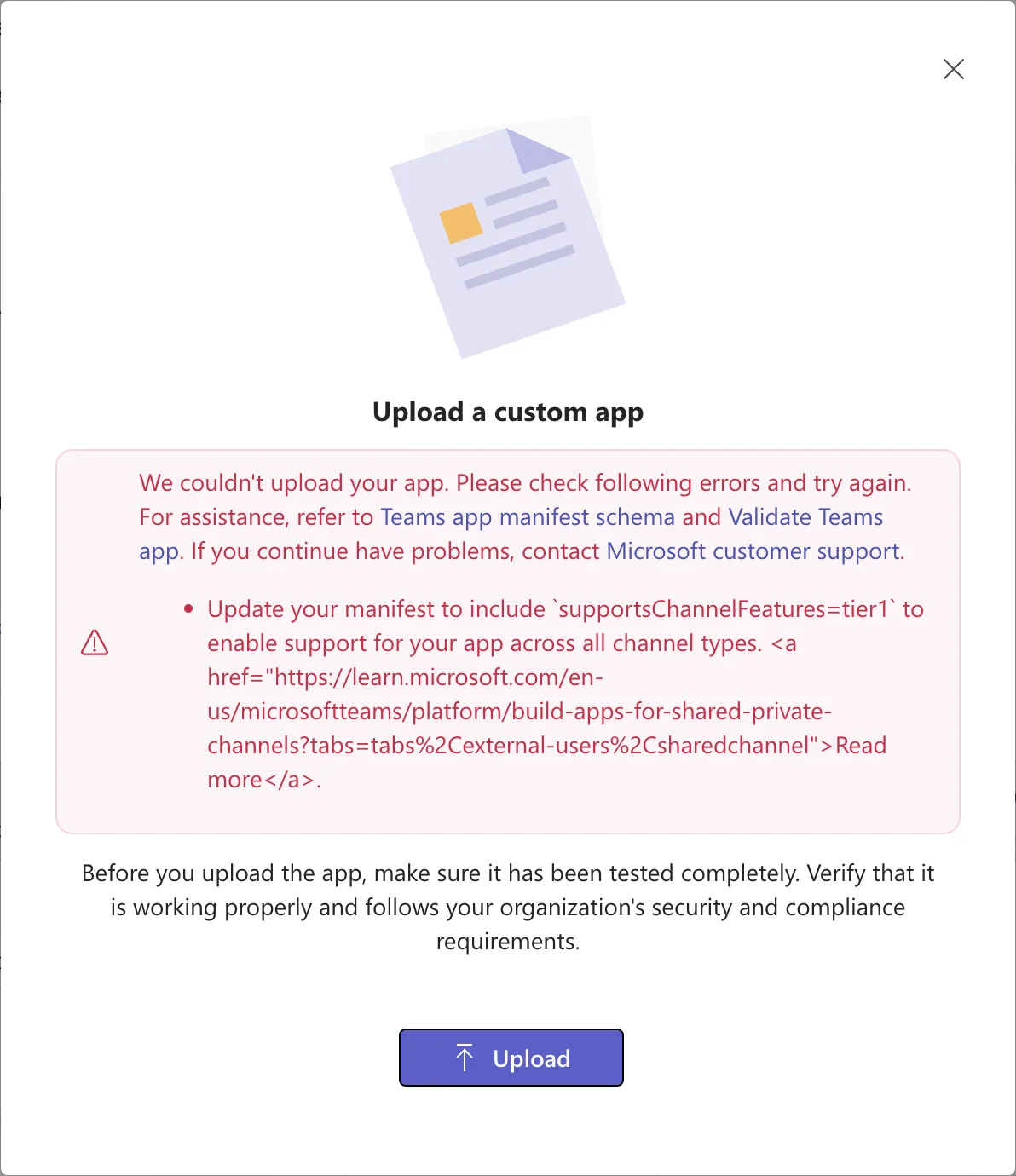
The Teams admin center wouldn't take the Teams app package Power Apps made for my canvas app: Update your manifest to include supportsChannelFeatures=tier1 to enable support for your app across all channel types. The package's manifest was version 1.8. Moving it to version 1.30, adding that property and fixing two more schema errors let it upload.
What I Was Doing
I was publishing a canvas app, Overtime Timesheet, to my organization's Teams app catalog (Part 16 of the Overtime Timesheet series). In Power Apps, I'd downloaded the app's Teams package with Download app (How to Download a Canvas App as a Teams App Package in Power Apps), which saved Overtime Timesheet.zip.
In the Teams admin center, I went to Teams apps > Manage apps > Actions > Upload new app, selected Upload and chose that file (How to Upload a Custom App in the Teams Admin Center).
What I Expected
A New app added message: Microsoft's custom apps article describes the upload as choosing the app package that the developer provided to you, and the package came straight from Power Apps.
What I Got
The Upload a custom app dialog stayed open with a red box:
We couldn't upload your app. Please check following errors and try again. For assistance, refer to Teams app manifest schema and Validate Teams app. If you continue have problems, contact Microsoft customer support.
- Update your manifest to include
supportsChannelFeatures=tier1to enable support for your app across all channel types.
The Read more link at its end showed as raw HTML, an <a href="…"> tag around the words Read more, pointing to Microsoft's article on apps for shared and private channels:
What I Checked
What's in the package. A Teams app package is a .zip file with three files: manifest.json, which describes the app to Teams, and two icons, color.png and outline.png. Power Apps' manifest is a single long line. These are the parts of it that matter here, laid out on separate lines, with the app's ID replaced:
{
  "$schema": "https://developer.microsoft.com/en-us/json-schemas/teams/v1.8/MicrosoftTeams.schema.json",
  "manifestVersion": "1.8",
  "packageName": "com.microsoft.powerapps.00000000-0000-0000-0000-000000000000",
  "accentColor": "#00B0F0",
  "configurableTabs": [
    {
      "scopes": ["team", "groupchat"]
    }
  ]
}
The manifest is version 1.8 and has no supportsChannelFeatures.
What the property is. Microsoft's article Agents and tab apps for shared and private channels, the one behind Read more, says to use supportsChannelFeatures in app manifest v1.25 and later. An app that doesn't depend on channel membership, Teams files, data across channels or the type of user only needs to:
- Add
supportsChannelFeatures:tier1to your app manifest - Verify expected behavior, and test your app across channels
A Power Apps app fits that description: it shows the app in a tab and does nothing with channel members or files. The property doesn't exist in version 1.8, so the manifest had to move to a newer version. The app manifest schema reference lists 1.30 as the newest generally available version, so I used that.
The rest of the 1.30 schema. I changed the two version lines and added the property, then checked the manifest against the 1.30 schema file, https://developer.microsoft.com/json-schemas/teams/v1.30/MicrosoftTeams.schema.json, with a JSON Schema validator. It found two more problems that the upload would have hit next:
Additional properties are not allowed ('packageName' was unexpected)
'groupchat' is not one of ['team', 'groupChat']
Version 1.30 has no packageName, and it spells the group chat scope groupChat, with a capital C.
Where else it's checked. Adding an app as a personal app with Power Apps' Add to Teams button worked without any change (How to Add a Canvas App to Microsoft Teams from Power Apps). Only the admin center's upload asked for the property.
Why It Happens
Power Apps builds the Teams package with manifest version 1.8 and a tab for teams and group chats. The Teams admin center's upload asks for supportsChannelFeatures, which only exists from manifest version 1.25. The Microsoft article doesn't say when the admin center started to require it.
The Fix
Change five things in manifest.json, and zip the three files again:
| What | In the package | Change it to |
|---|---|---|
$schema | The 1.8 schema address | The 1.30 schema address, as in the commands below |
manifestVersion | 1.8 | 1.30 |
packageName | com.microsoft.powerapps. and the app's ID | Removed |
The tab's scopes | team, groupchat | team, groupChat |
supportsChannelFeatures | Not there | tier1 |
I did it with the commands below, in the folder where the package was. On a Mac, jq, a tool for editing JSON, comes with macOS; check with jq --version. On Windows, use PowerShell 7.
1. Unzip the package into a folder of its own.
- bash / zsh
- PowerShell
mkdir "Overtime Timesheet"
cd "Overtime Timesheet"
unzip "../Overtime Timesheet.zip"
Archive:  ../Overtime Timesheet.zip
  inflating: manifest.json
  inflating: color.png
  inflating: outline.png
Expand-Archive -Path ".\Overtime Timesheet.zip" -DestinationPath ".\Overtime Timesheet"
Expand-Archive creates the folder and prints nothing.
2. Make the five changes. Each line of the jq filter, or each PowerShell line, makes one change from the table. The PowerShell commands read the manifest into an object with ConvertFrom-Json and write it back with ConvertTo-Json; -Depth 10 keeps the tabs' nested settings, which ConvertTo-Json would otherwise cut at two levels.
- bash / zsh
- PowerShell
jq '."$schema" = "https://developer.microsoft.com/json-schemas/teams/v1.30/MicrosoftTeams.schema.json"
  | .manifestVersion = "1.30"
  | del(.packageName)
  | .configurableTabs[0].scopes = ["team", "groupChat"]
  | .supportsChannelFeatures = "tier1"' manifest.json > manifest.edited.json
mv manifest.edited.json manifest.json
jq writes to a new file: sending its output straight to manifest.json would empty the file before jq read it. mv then puts the new file in the old one's place. Both print nothing.
$manifestPath = ".\Overtime Timesheet\manifest.json"
$manifest = Get-Content -Path $manifestPath -Raw | ConvertFrom-Json
$manifest.'$schema' = "https://developer.microsoft.com/json-schemas/teams/v1.30/MicrosoftTeams.schema.json"
$manifest.manifestVersion = "1.30"
$manifest.PSObject.Properties.Remove("packageName")
$manifest.configurableTabs[0].scopes = @("team", "groupChat")
$manifest | Add-Member -NotePropertyName supportsChannelFeatures -NotePropertyValue "tier1"
$manifest | ConvertTo-Json -Depth 10 | Set-Content -Path $manifestPath
'$schema' is in single quotes so PowerShell doesn't read $schema as a variable. The commands print nothing.
3. Zip the three files. They have to be at the top of the .zip, not inside a folder.
- bash / zsh
- PowerShell
zip "../Overtime Timesheet 1.30.zip" manifest.json color.png outline.png
  adding: manifest.json (deflated 61%)
  adding: color.png (deflated 14%)
  adding: outline.png (deflated 13%)
Compress-Archive -Path ".\Overtime Timesheet\*" -DestinationPath ".\Overtime Timesheet 1.30.zip"
The \* takes the folder's files, not the folder itself, so they land at the top of the .zip.
Both ways gave the same manifest. Checked against the 1.30 schema again, it had no errors. For how these commands work in general, see How to Edit the Manifest in a Teams App Package.
Microsoft's article asks you to test an app across channel types after adding tier1. I added the app only as a personal app, so I haven't tested its tab in channels.
After the Fix
I uploaded Overtime Timesheet 1.30.zip the same way. This time the admin center added it:
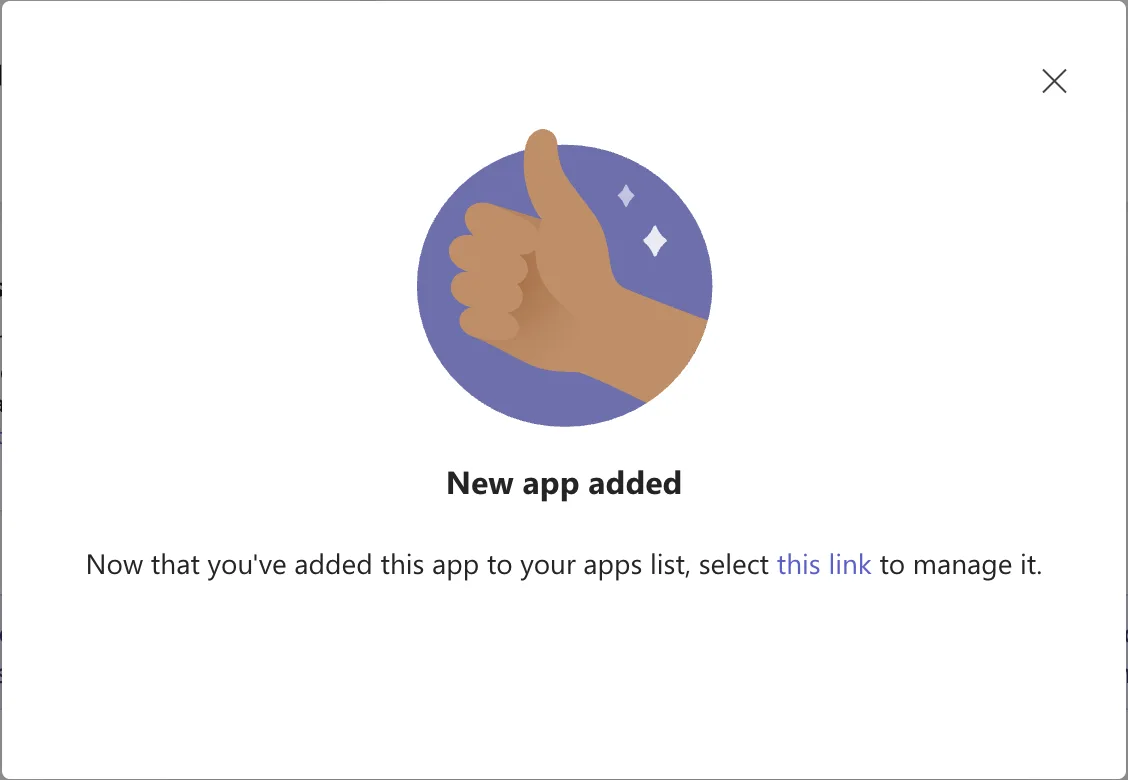
The app's page showed it as Overtime Timesheet, by PowerApps, version 1.0.0.
Common Mistakes
| Mistake | What happens | Do this instead |
|---|---|---|
Adding only supportsChannelFeatures to the 1.8 manifest | The property belongs to manifest 1.25 and later | Change manifestVersion and $schema too |
Moving to 1.30 without removing packageName | The 1.30 schema doesn't allow it | Remove it |
Leaving groupchat in lower case | The 1.30 schema allows only team and groupChat | groupChat |
| Zipping the folder instead of its files | The files sit inside a folder in the .zip | Zip the three files themselves |
Troubleshooting
| Symptom | Likely cause | Fix |
|---|---|---|
| The same error after editing | The old .zip was uploaded | Upload the new one |
jq: command not found | jq isn't installed | Install it, or use the PowerShell tab |
| A new error naming a property | The manifest doesn't match the 1.30 schema | Check it against the schema, as above |
FAQ
Does adding supportsChannelFeatures change the app?
Not for a personal app: it opens the same Power Apps app as before. Microsoft's article says the property declares support for channel features, and to test the app across channels.
Could I validate the package in Teams instead?
Microsoft's upload article suggests uploading the package to the Developer Portal's validation and checking the manifest against the latest schema. I used a JSON Schema validator on my computer.
Conclusion
Power Apps' Teams package uses manifest version 1.8, and the Teams admin center's upload asks for supportsChannelFeatures, from version 1.25. Unzip the package, move the manifest to 1.30, remove packageName, spell the scope groupChat, add "supportsChannelFeatures": "tier1", and zip the three files again. The upload then works.
Additional Resources
- Agents and tab apps for shared and private channels
- App manifest schema reference
- Manage custom apps in Microsoft Teams admin center
