Fixed: "Unused Data Sources" in the Power Apps App Checker

The App checker's Data source category shows a count, with the warning Unused data sources: This data source is not used in the app. Removing it will improve performance. It's telling the truth: no formula reads that data source yet. Whether to remove it depends on whether you're going to use it.
The Warning
In the example, the Career Development Plan app had three data sources after Part 3: Office365Users and two SharePoint lists, RoleCompetencies and CompetencyResponses. The Home screen of Part 4 used only Office 365 Users. The App checker (stethoscope icon, right edge of Studio) showed Data source (2):
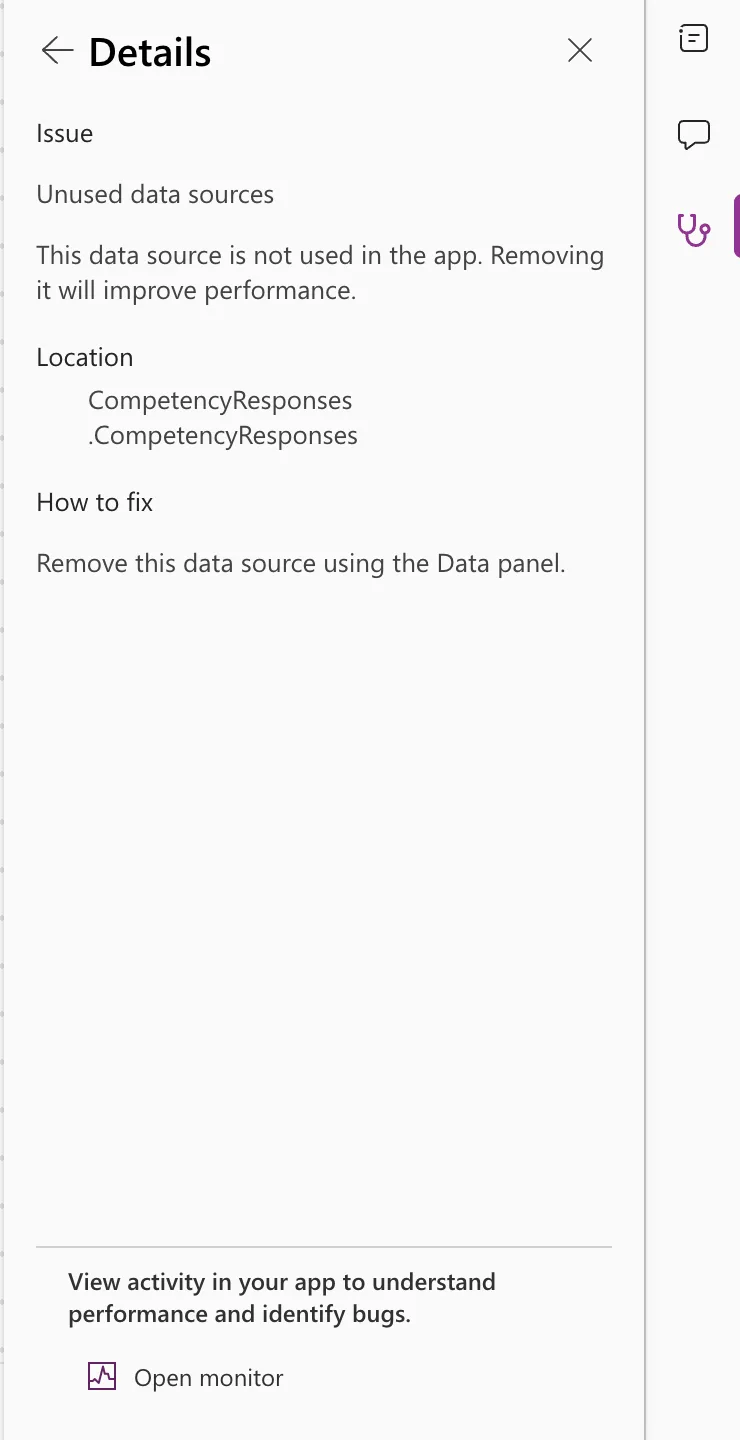
Unused data sources
This data source is not used in the app. Removing it will improve performance.
Location: CompetencyResponses (and RoleCompetencies)
How to fix: Remove this data source using the Data panel.
Why It Happens
The checker looks for data sources that no formula refers to. Adding a data source and building the screens that use it in separate steps, as a series does, leaves a gap where the warning is correct.
The Fix: Remove It, or Use It
- If you'll never use it, remove it as the checker says, from the Data pane.
- If a later screen will use it, keep it. The warning goes away once a formula uses the data source.
In the example, both lists were kept, because the next screen needed them. Part 5 added a screen whose OnVisible reads both:
Filter(RoleCompetencies, JobTitle = MyJobTitle && IsActive)
Filter(CompetencyResponses, EmployeeId = MyProfile.id)
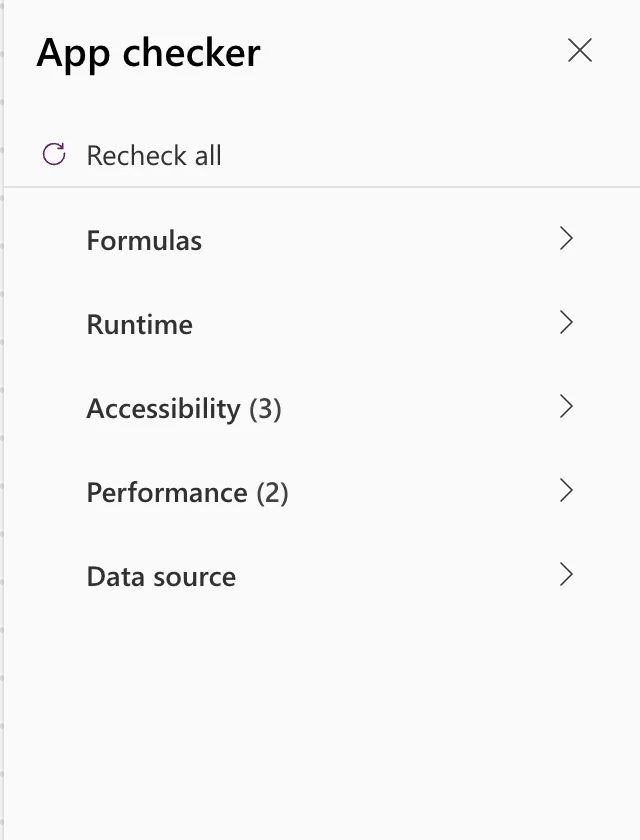
After Recheck all, Data source showed no count:
Common Mistakes
| Mistake | What happens | Do this instead |
|---|---|---|
| Removing a data source you'll need later | You have to add it again, with any environment variable choices | Keep it until the screen that uses it is built |
| Leaving a data source you'll never use | A warning that hides new ones | Remove it |
Troubleshooting
| Symptom | Likely cause | Fix |
|---|---|---|
| The warning stays after using the data source | The checker hasn't rerun | Select Recheck all, and give it time to finish |
FAQ
Does an unused data source slow the app?
The checker says removing it improves performance. If you keep one on purpose, it's only until you use it.
Is it an error?
No, a warning. The app works either way.
Conclusion
This data source is not used in the app is accurate: nothing reads it yet. Remove it if you'll never need it; otherwise keep it, use it, and select Recheck all.
Additional Resources
- Review a canvas app for accessibility and other issues: how the App checker lists and rechecks issues.
