Fixed: Unknown lifecycle phase ".args=Ada" When Running Maven in PowerShell

A Maven command with a -D property, such as mvn exec:java -Dexec.args=Ada, works in zsh and bash. In PowerShell it fails with [ERROR] Unknown lifecycle phase ".args=Ada", because PowerShell breaks the argument in two at its first period before Maven ever sees it. Putting the whole argument in quotes fixes it.
What I Was Doing
I was writing How to Run a Java Program with Maven (exec:java) and checking every command in PowerShell 7.6 as well as zsh. The example's program greets the name it receives, and Maven passes it arguments through the exec.args property, which is set on the command line with -D:
mvn -q compile exec:java -Dexec.args=Ada
What I Expected
The greeting, as zsh printed it for the same command:
Hello, Ada! Maven ran this with exec:java.
What I Got
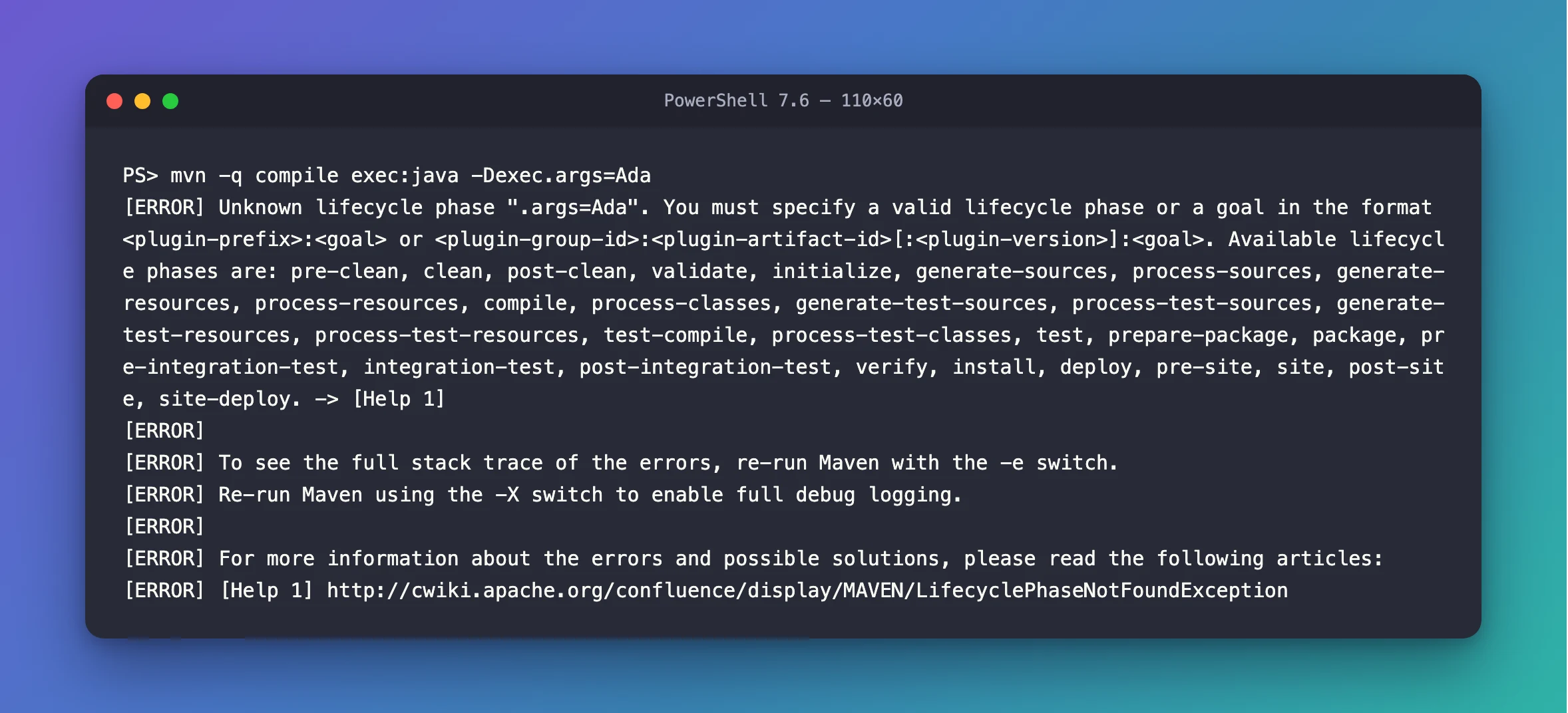
[ERROR] Unknown lifecycle phase ".args=Ada". You must specify a valid lifecycle phase or a goal in the format <plugin-prefix>:<goal> or <plugin-group-id>:<plugin-artifact-id>[:<plugin-version>]:<goal>. Available lifecycle phases are: pre-clean, clean, post-clean, validate, initialize, generate-sources, process-sources, generate-resources, process-resources, compile, process-classes, generate-test-sources, process-test-sources, generate-test-resources, process-test-resources, test-compile, process-test-classes, test, prepare-package, package, pre-integration-test, integration-test, post-integration-test, verify, install, deploy, pre-site, site, post-site, site-deploy. -> [Help 1]
[ERROR]
[ERROR] To see the full stack trace of the errors, re-run Maven with the -e switch.
[ERROR] Re-run Maven using the -X switch to enable full debug logging.
[ERROR]
[ERROR] For more information about the errors and possible solutions, please read the following articles:
[ERROR] [Help 1] http://cwiki.apache.org/confluence/display/MAVEN/LifecyclePhaseNotFoundException
What I Checked
What Maven complained about. It called .args=Ada a lifecycle phase. Maven treats a bare word on its command line as a phase or a goal, such as compile, so .args=Ada reached Maven as a word on its own, cut off from -Dexec.
What PowerShell passes to a program. /bin/echo prints its arguments back with a space between them, which shows exactly what PowerShell hands over:
/bin/echo -Dexec.args=Ada
/bin/echo "-Dexec.args=Ada"
-Dexec .args=Ada
-Dexec.args=Ada
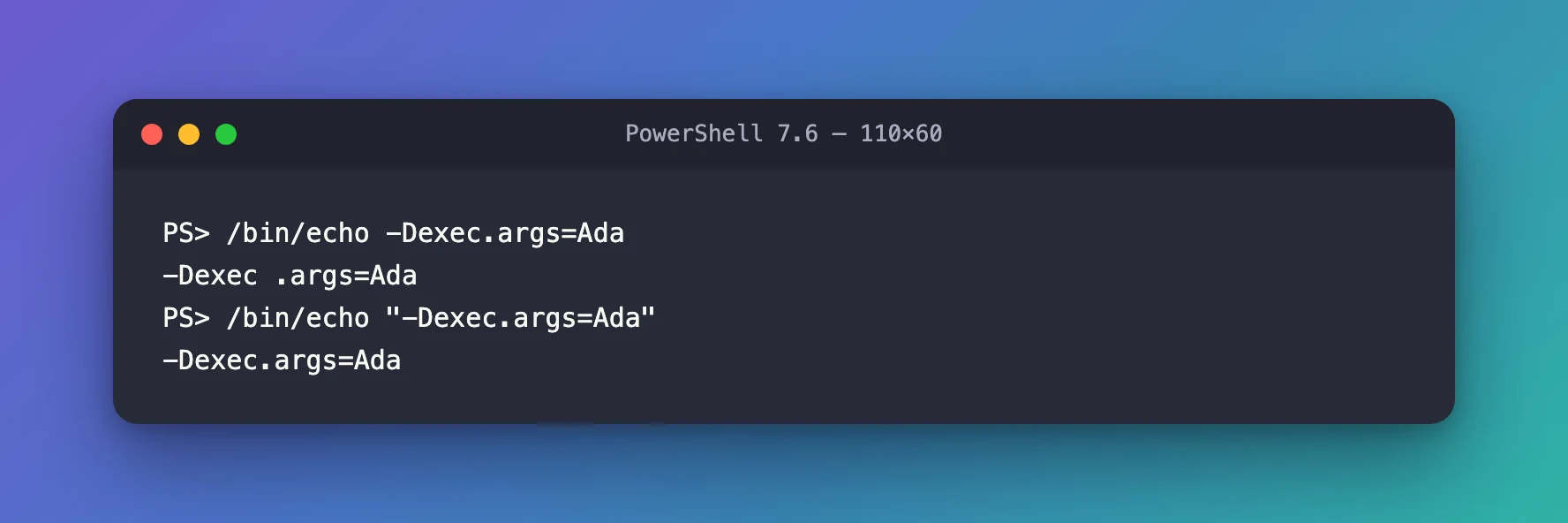
Unquoted, the argument arrived as two: -Dexec and .args=Ada. In quotes, it arrived whole.
PowerShell's issue tracker. This is PowerShell issue 6291, open since 2018 and titled "an unquoted argument that starts with a "-" (hyphen) is broken in two at the first "." (period)". The PowerShell committee reviewed it and wrote: "we believe the treatment of the period as an argument separator is a bug that should be fixed." A pull request that fixes it, PowerShell pull request 26522, was still open when I checked, so PowerShell 7.6 still splits these arguments.
Why It Happens
PowerShell parses every command line itself before it starts a program, and only then passes the arguments on. Microsoft's documentation describes this in about_Parsing: "When running native commands from PowerShell, the arguments are first parsed by PowerShell." For an unquoted word that starts with - and contains a ., that parsing ends the first argument at the period. zsh and bash don't do that, which is why the same command works there.
The Fix
Put the whole argument, -D included, in quotes:
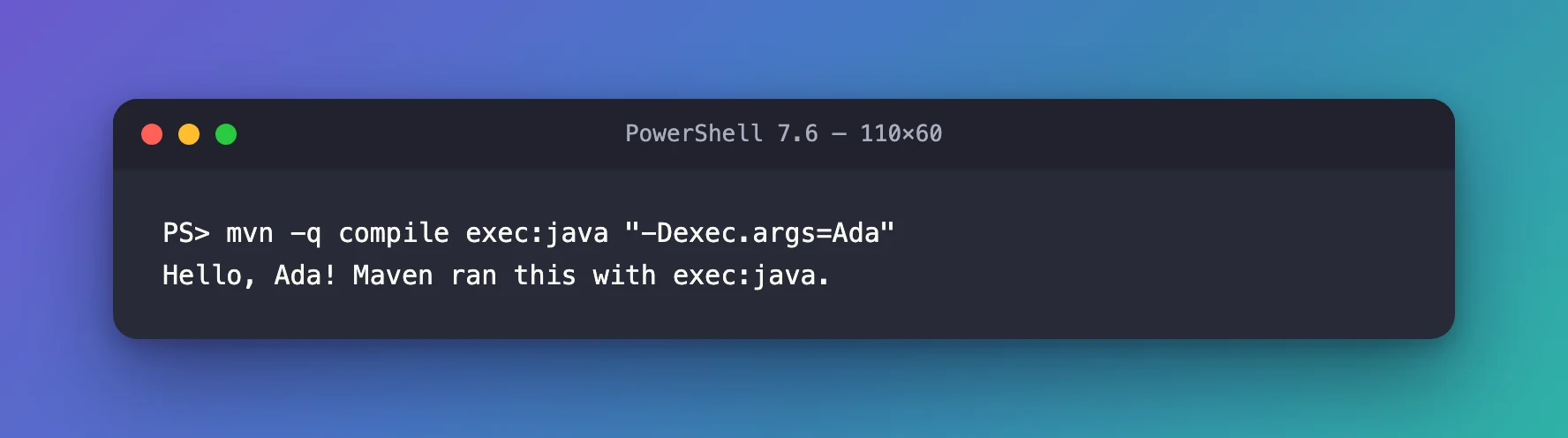
mvn -q compile exec:java "-Dexec.args=Ada"
The quotes are only for the shell: PowerShell removes them and passes -Dexec.args=Ada as one argument. The same line works in zsh and bash, so you can write it this way everywhere.
After the Fix
Hello, Ada! Maven ran this with exec:java.
Common Mistakes
| Mistake | What happens | Do this instead |
|---|---|---|
Quoting only the value: -Dexec.args="Ada" | PowerShell still splits the argument at the period | Quote the whole argument: "-Dexec.args=Ada" |
Assuming only exec.args is affected | Every -D property with a . in its name breaks the same way, such as -Dexec.mainClass=… | Quote every such argument |
Troubleshooting
| Symptom | Likely cause | Fix |
|---|---|---|
[ERROR] Unknown lifecycle phase ".<something>" in PowerShell | An unquoted -D argument was split at its first period | Quote the whole argument |
| The same command works in zsh or bash | Only PowerShell splits the argument | Quote it, and it works in all three |
FAQ
Does this only happen with Maven?
No. It happens with any program you run from PowerShell, whenever an unquoted argument starts with - and contains a .. /bin/echo showed it above.
Is there a way to avoid the quotes in Maven?
Yes, for settings that don't change between runs: put them in pom.xml. The exec-maven-plugin configuration can name the main class, for example, so the command needs no -D at all.
Conclusion
Unknown lifecycle phase ".args=Ada" in PowerShell means PowerShell split -Dexec.args=Ada at its first period and Maven received two arguments. It's a known PowerShell bug, issue 6291, and quoting the whole argument, "-Dexec.args=Ada", fixes it in PowerShell and works in every other shell too.
Additional Resources
- PowerShell issue 6291, the bug report.
- about_Parsing: passing arguments to native commands, on how PowerShell parses arguments for other programs.
- exec:java, the Maven goal and its
exec.argsproperty.
