Fixed: "Unknown column 'p.Version' in 'field list'" with EF Core and MySQL

Right after I added a property to an EF Core entity, every request that touched that table answered 500, and the log said MySqlException: Unknown column 'p.Version' in 'field list'. The code built without a problem, because the C# was fine. The table simply didn't have that column yet: changing the class doesn't change the database until a migration does.
What I Was Doing
I was adding a Version property to the Product entity of a .NET 10 Web API, using EF Core 10, Oracle's MySql.EntityFrameworkCore provider and MySQL 9.7:
public int Version { get; set; }
builder.Property(p => p.Version)
    .IsConcurrencyToken();
dotnet build succeeded with no warnings. I started the API and asked for the product list:
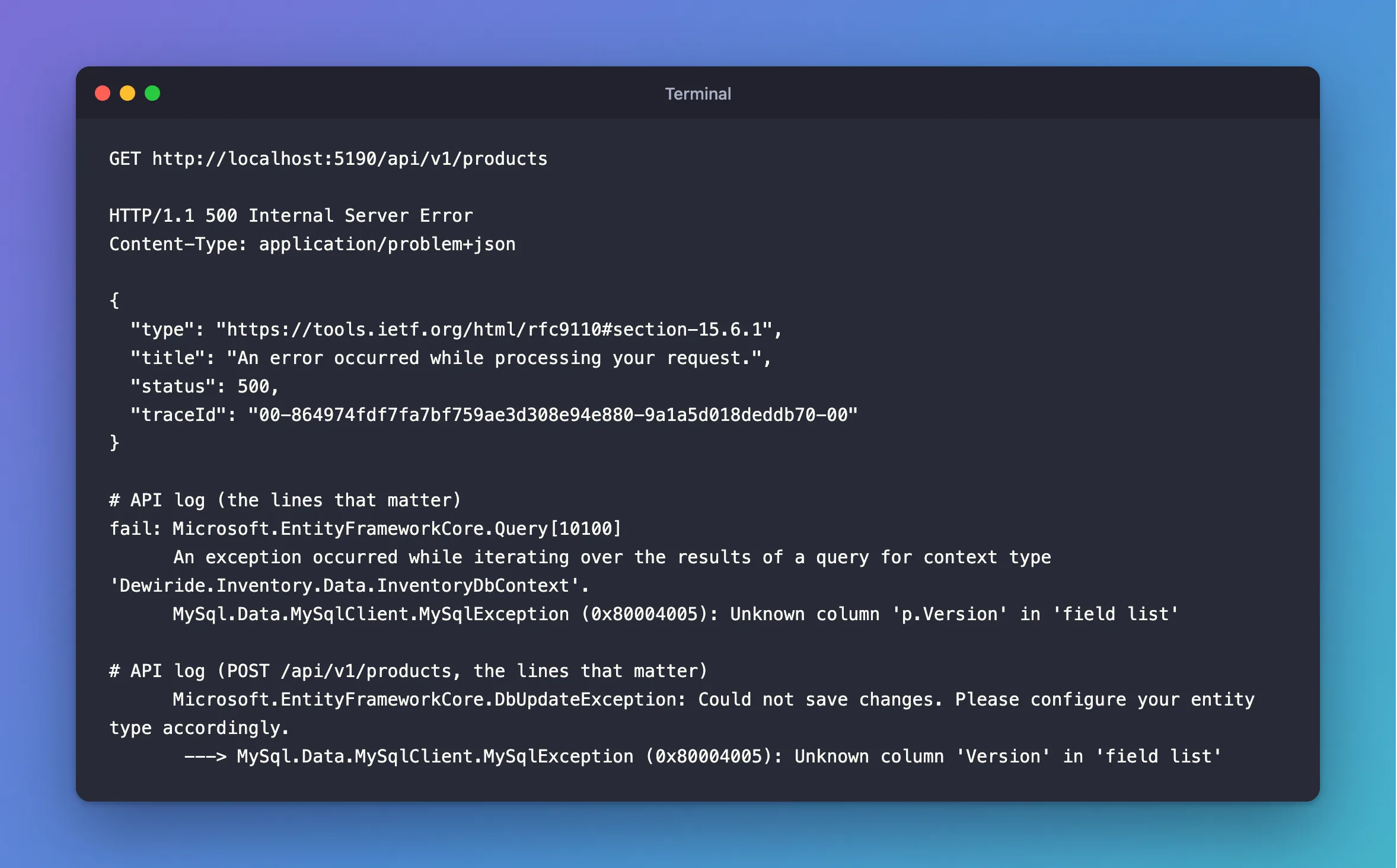
GET http://localhost:5190/api/v1/products
What I Expected
200 OK, with a list of products that each include a version.
What I Got
HTTP/1.1 500 Internal Server Error
Content-Type: application/problem+json

{
  "type": "https://tools.ietf.org/html/rfc9110#section-15.6.1",
  "title": "An error occurred while processing your request.",
  "status": 500,
  "traceId": "00-864974fdf7fa7bf759ae3d308e94e880-9a1a5d018deddb70-00"
}
fail: Microsoft.EntityFrameworkCore.Query[10100]
      An exception occurred while iterating over the results of a query for context type 'Dewiride.Inventory.Data.InventoryDbContext'.
      MySql.Data.MySqlClient.MySqlException (0x80004005): Unknown column 'p.Version' in 'field list'
Saving failed the same way, with the DbUpdateException wrapper that EF Core puts around failed saves:
      Microsoft.EntityFrameworkCore.DbUpdateException: Could not save changes. Please configure your entity type accordingly.
       ---> MySql.Data.MySqlClient.MySqlException (0x80004005): Unknown column 'Version' in 'field list'
What I Checked
What MySQL says the message means. The MySQL 9.7 error reference lists it as "Error number: 1054; Symbol: ER_BAD_FIELD_ERROR; SQLSTATE: 42S22", with the message Unknown column '%s' in '%s'. field list is MySQL's name for the list of columns after SELECT, and p is the alias EF Core gave the table: FROM products AS p.
Whether the column exists. From the mysql client, DESCRIBE products listed every column except that one:
+----------------+---------------+------+-----+---------+----------------+
| Field          | Type          | Null | Key | Default | Extra          |
+----------------+---------------+------+-----+---------+----------------+
| Id             | int           | NO   | PRI | NULL    | auto_increment |
| Sku            | varchar(32)   | NO   | UNI | NULL    |                |
| Name           | varchar(200)  | NO   |     | NULL    |                |
| Description    | longtext      | YES  |     | NULL    |                |
| CategoryId     | int           | NO   | MUL | NULL    |                |
| UnitPrice      | decimal(12,2) | NO   |     | NULL    |                |
| QuantityOnHand | int           | NO   |     | NULL    |                |
| ReorderLevel   | int           | NO   |     | NULL    |                |
| IsArchived     | tinyint(1)    | NO   |     | NULL    |                |
| ArchivedAtUtc  | datetime(6)   | YES  |     | NULL    |                |
| CreatedAtUtc   | datetime(6)   | NO   |     | NULL    |                |
| UpdatedAtUtc   | datetime(6)   | NO   |     | NULL    |                |
+----------------+---------------+------+-----+---------+----------------+
Whether EF Core knew. EF Core's tools can compare the model with the last migration, without touching the database:
dotnet ef migrations has-pending-model-changes --project src/Dewiride.Inventory.Data --startup-project src/Dewiride.Inventory.Api
Changes have been made to the model since the last migration. Add a new migration.
That's the whole story: the model had moved on, and no migration said so.
Why It Happens
EF Core builds its SQL from the C# model, not from the table. Once Product has a Version property, every query for a whole product asks for a Version column, and every INSERT writes one. MySQL has never heard of it, so it refuses the statement. The build can't catch this, because the compiler only sees C#.
EF Core's Migrations Overview describes the step that was missing: "When a data model change is introduced, the developer uses EF Core tools to add a corresponding migration describing the updates necessary to keep the database schema in sync."
The Fix
Add a migration for the change, then apply it. Stop the API first:
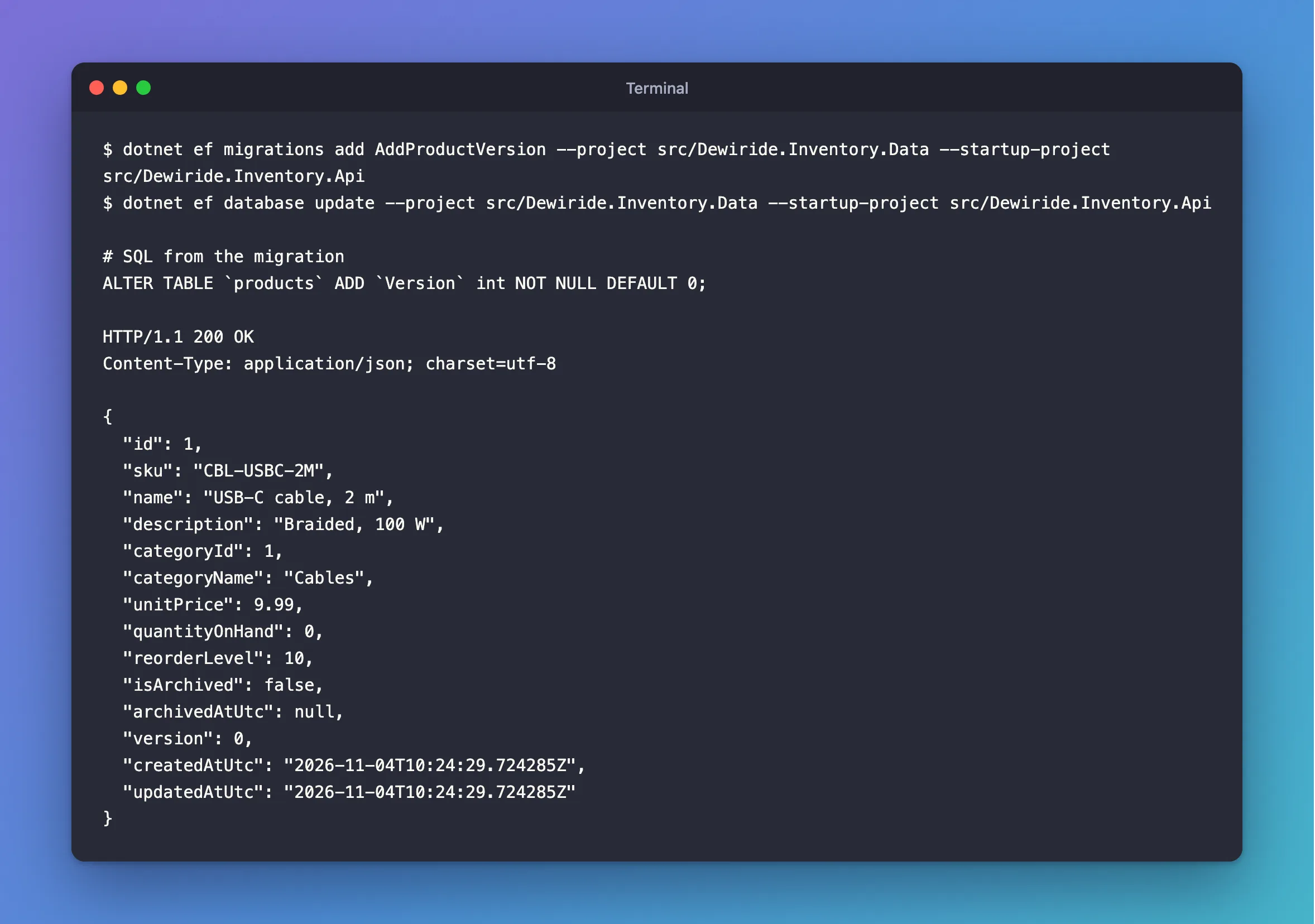
dotnet ef migrations add AddProductVersion --project src/Dewiride.Inventory.Data --startup-project src/Dewiride.Inventory.Api
dotnet ef database update --project src/Dewiride.Inventory.Data --startup-project src/Dewiride.Inventory.Api
The first command writes the migration. The second one runs this SQL:
ALTER TABLE `products` ADD `Version` int NOT NULL DEFAULT 0;
DEFAULT 0 gives every existing row a value, so the rows already in the table stay valid.
After the Fix
The same request, after restarting the API:
HTTP/1.1 200 OK
Content-Type: application/json; charset=utf-8

{
  "id": 1,
  "sku": "CBL-USBC-2M",
  "name": "USB-C cable, 2 m",
  "description": "Braided, 100 W",
  "categoryId": 1,
  "categoryName": "Cables",
  "unitPrice": 9.99,
  "quantityOnHand": 0,
  "reorderLevel": 10,
  "isArchived": false,
  "archivedAtUtc": null,
  "version": 0,
  "createdAtUtc": "2026-11-04T10:24:29.724285Z",
  "updatedAtUtc": "2026-11-04T10:24:29.724285Z"
}
And the tools agree that nothing is left:
No changes have been made to the model since the last migration.
Common Mistakes
| Mistake | What happens | Do this instead |
|---|---|---|
Adding the column by hand with ALTER TABLE | The next migration tries to add it again and fails | Let a migration add it, so the history stays right |
| Applying the migration to one database only | The error comes back on every other copy | Apply it everywhere the code runs, before the code |
Marking the property [NotMapped] to stop the error | The error goes, and the data never gets saved | Add the column, unless the property really isn't stored |
| Deploying the code before the migration | Every request to that table fails until the migration runs | Apply the migration first |
Troubleshooting
| Symptom | Likely cause | Fix |
|---|---|---|
Unknown column 'p.Version' in 'field list' on reads | The model has a property that the table lacks | Add and apply a migration |
Unknown column 'Version' in 'field list' inside DbUpdateException on saves | The same, on an INSERT or UPDATE | The same |
has-pending-model-changes says there are no changes, yet the column is missing | A migration exists, but it wasn't applied to this database | Run dotnet ef database update |
dotnet ef database update prints No migrations were applied while the column is missing | The tools ran on an old build | See the pending changes post |
FAQ
Why didn't the build catch it?
The compiler checks C# against C#. Whether a table has a column is something only MySQL knows, and only when the statement runs.
Why does the message say p.Version one time and Version another?
Reads use a table alias, FROM products AS p, so the column appears as p.Version. INSERT statements have no alias.
Can a check catch this before it happens?
Yes. dotnet ef migrations has-pending-model-changes exits with an error when a migration is missing, so it fits in a build pipeline. How to Check for Pending Model Changes in EF Core shows it.
Conclusion
"Unknown column 'p.Version' in 'field list'" with EF Core means the C# model is ahead of the MySQL table. has-pending-model-changes confirms it in one command. Add a migration with dotnet ef migrations add, apply it with dotnet ef database update, and the column exists. Never add the column by hand, or the migration history stops matching the database.
Additional Resources
- Migrations Overview — how the model and the database stay in step.
- MySQL 9.7 Server Error Message Reference — error 1054.
