Fixed: "Unauthorized tunnel creation access: Anonymous does not have 'create' access scope for The default tunnel domain"

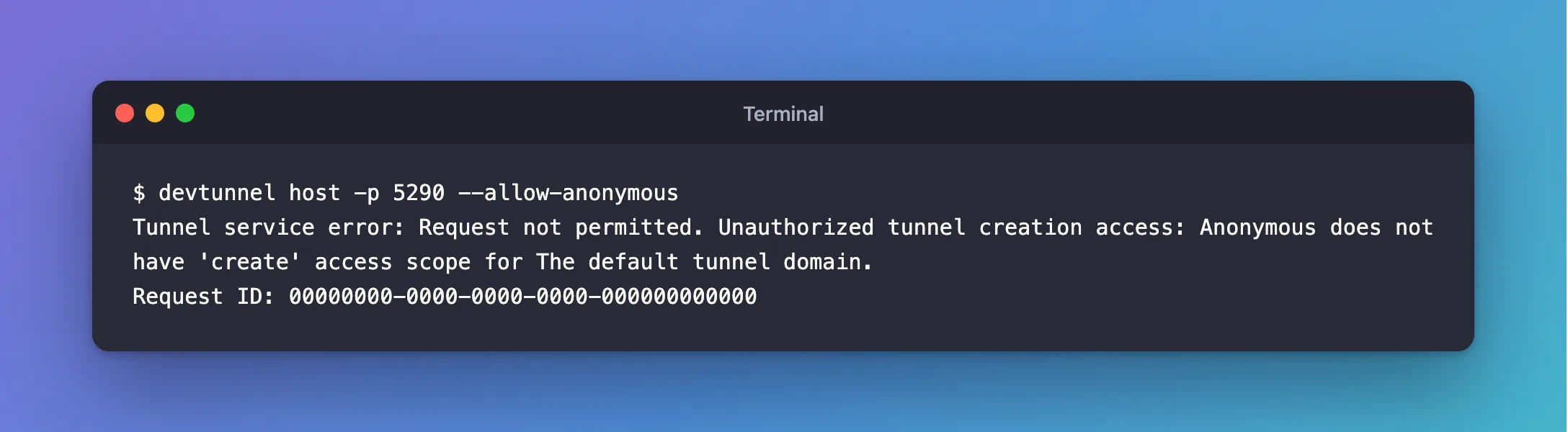
The first time I ran devtunnel host on a new Mac, it didn't print a URL. It stopped with Tunnel service error: Request not permitted. Unauthorized tunnel creation access: Anonymous does not have 'create' access scope for The default tunnel domain. The dev tunnels CLI wasn't signed in to any account, and the tunnel service doesn't create tunnels for anonymous callers. One sign-in fixes it.
What I Was Doing
I wanted to reach a small ASP.NET Core app on my Mac from the internet. It was the empty web template, answering Hello World! on http://localhost:5290. Dev tunnels give a local port a public HTTPS address, so I installed the devtunnel CLI and hosted the port straight away, with anonymous access so that anyone with the link could open it:
devtunnel host -p 5290 --allow-anonymous
What I Expected
A public URL such as https://<id>-5290.<region>.devtunnels.ms, and a line saying the tunnel was ready to accept connections.
What I Got
The command ended at once, with exit code 3:
Tunnel service error: Request not permitted. Unauthorized tunnel creation access: Anonymous does not have 'create' access scope for The default tunnel domain.
Request ID: 00000000-0000-0000-0000-000000000000
What I Checked
Who the CLI thought I was. devtunnel user show prints the signed-in account:
devtunnel user show
Not logged in.
What the documentation says about anonymous hosting. Microsoft's dev tunnels quickstart is direct about it: To start a dev tunnel, you first need to log in with either a Microsoft Entra ID, Microsoft, or GitHub account. Dev tunnels doesn't support hosting tunnels anonymously.
What --allow-anonymous controls. The CLI reference describes devtunnel host -p 3000 --allow-anonymous as Host a temporary dev tunnel and enable anonymous client access. The option is about the people who connect to the tunnel. It doesn't let the host itself be anonymous.
Why It Happens
devtunnel host -p creates a new tunnel in your account before it hosts it. With nobody signed in, the CLI sends that request as Anonymous, and the tunnel service refuses to create a tunnel without an owner. The error comes from the service, which is why it carries a request ID.
The Fix
Sign in once, then host again. devtunnel user login opens your browser to sign in. On a machine without a browser, or where you'd rather type a code, add -d for the device code flow, which is what I used:
devtunnel user login -d
To sign in, use a web browser to open the page https://login.microsoft.com/device and enter the code A1B2C3D4E to authenticate.
Logged in as user@example.com using Microsoft.
I opened the page, entered the code, picked my work account and approved the sign-in. The CLI printed Logged in as … as soon as the browser finished.
After the Fix
The same command now creates and hosts the tunnel:
devtunnel host -p 5290 --allow-anonymous
Connection to host tunnel relay restored.
Hosting port: 5290
Connect via browser: https://8918ntqv-5290.inc1.devtunnels.ms
Inspect network activity: https://8918ntqv-5290-inspect.inc1.devtunnels.ms

Ready to accept connections for tunnel: spiffy-river-6hn3q90.inc1
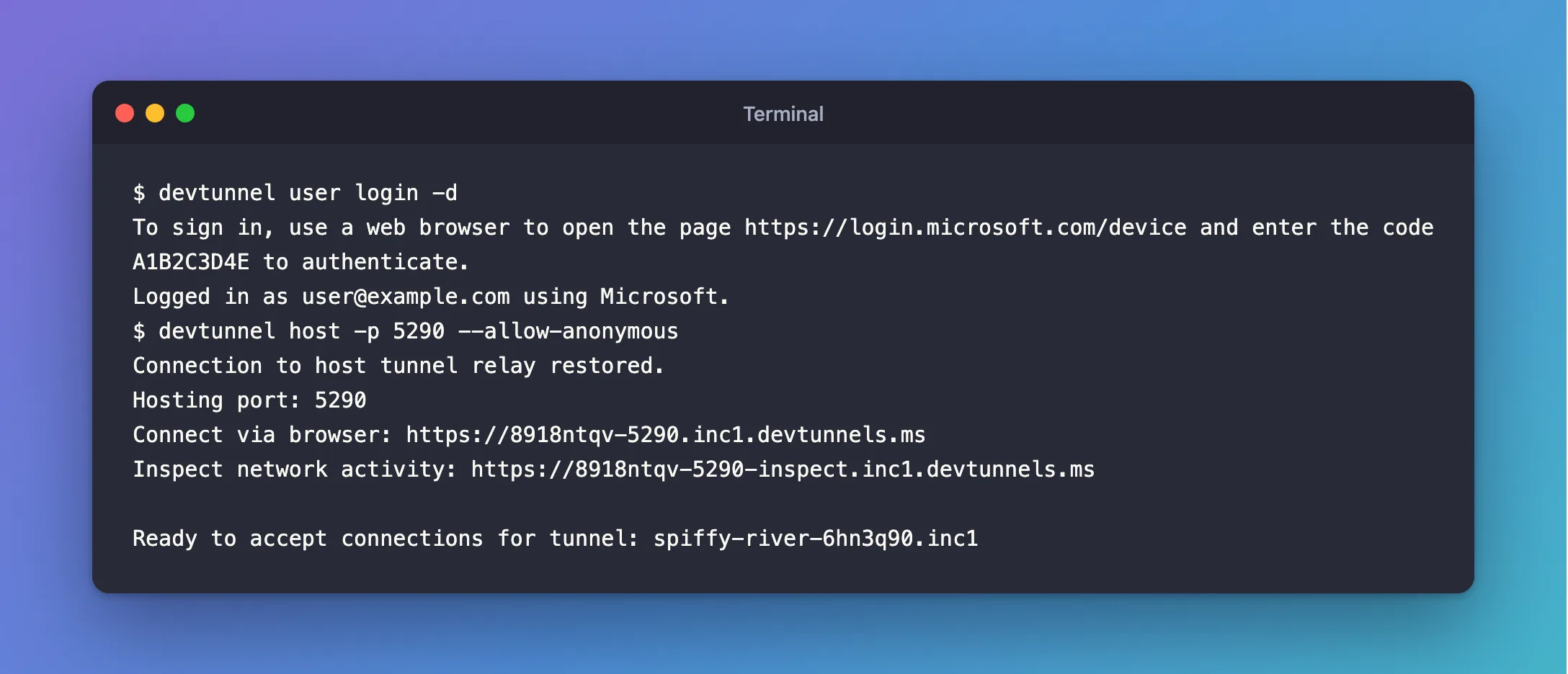
Opening the browser URL showed Hello World! from the app on my Mac. To stop hosting, press Ctrl+C in that terminal.
Common Mistakes
| Mistake | What happens | Do this instead |
|---|---|---|
Adding --allow-anonymous to get around the error | The same error: the option only lets anonymous visitors connect | Sign in with devtunnel user login |
| Signing out after every session | Every new session starts with this error again | Stay signed in while you work; sign out when you're done |
Troubleshooting
| Symptom | Likely cause | Fix |
|---|---|---|
Not logged in. from devtunnel user show | No account in the CLI's cache | devtunnel user login |
| The error comes back days later | The cached sign-in has expired | Sign in again |
FAQ
How long does the sign-in last?
Microsoft's CLI reference says the login token is cached in the system secure key chain, and is valid for several days before expiration. devtunnel user logout clears it.
Which accounts can host a tunnel?
A Microsoft Entra ID account, a Microsoft account or a GitHub account. devtunnel user login -g signs in with GitHub.
Does --allow-anonymous make my tunnel public?
Yes, for anyone who has the URL. Without it, only the account that hosts the tunnel can connect, after signing in in the browser. Use anonymous access only for something that checks who's calling, such as an agent that validates tokens.
Conclusion
Anonymous does not have 'create' access scope means the devtunnel CLI isn't signed in. Hosting needs an owner, and --allow-anonymous only opens the tunnel to visitors. Run devtunnel user login (add -d for a device code), then host again.
Additional Resources
- Create and host a dev tunnel — installing the CLI, signing in and hosting.
- Dev tunnels CLI commands —
devtunnel user login,hostand every option.
