Fixed: "Unable to retrieve project metadata. Ensure it's an SDK-style project." in dotnet ef

In a freshly cloned .NET project, dotnet ef stopped with Unable to retrieve project metadata. Ensure it's an SDK-style project. It's an SDK-style project, and the message sent me looking in the wrong place. The real clue is the line above it, NETSDK1004: Assets file … not found: nobody had run a restore in this copy yet.
What I Was Doing
I cloned a .NET 10 solution into a new folder and restored its local tools, because the solution pins dotnet-ef in a tool manifest:
dotnet tool restore
Restore was successful.
Then I asked the EF Core tools which migrations the project has:
dotnet ef migrations list --project src/Dewiride.Inventory.Data --startup-project src/Dewiride.Inventory.Api
What I Expected
Build started..., Build succeeded., and a list of migrations.
What I Got
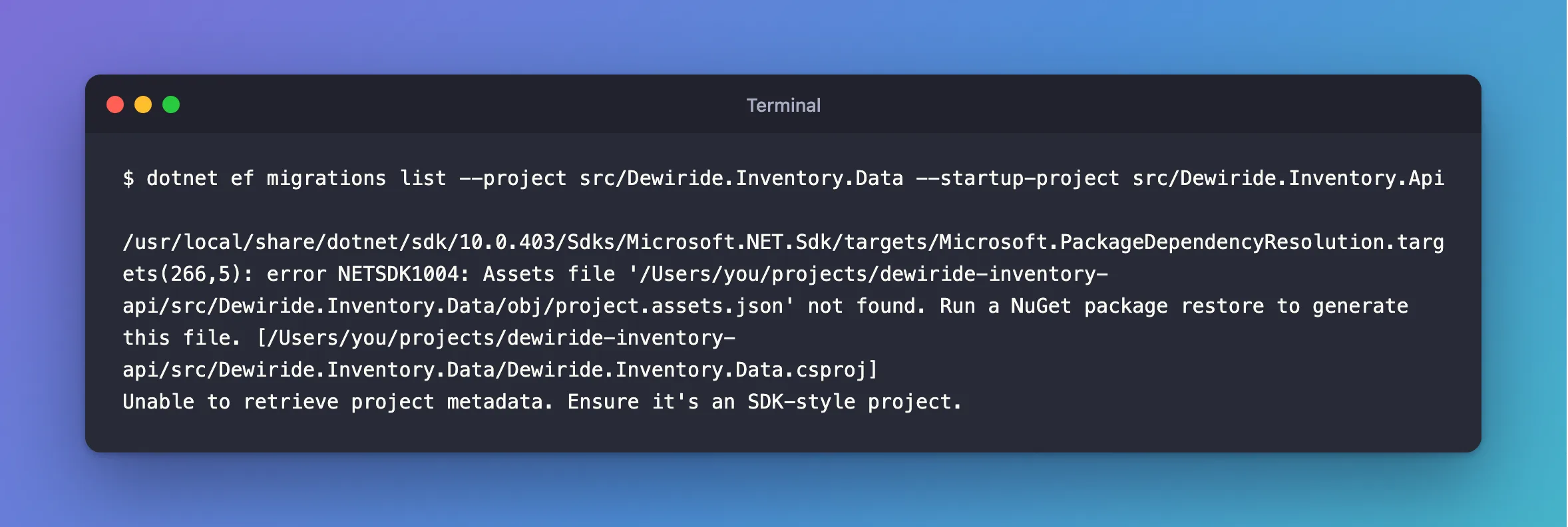
/usr/local/share/dotnet/sdk/10.0.403/Sdks/Microsoft.NET.Sdk/targets/Microsoft.PackageDependencyResolution.targets(266,5): error NETSDK1004: Assets file '/Users/you/projects/dewiride-inventory-api/src/Dewiride.Inventory.Data/obj/project.assets.json' not found. Run a NuGet package restore to generate this file. [/Users/you/projects/dewiride-inventory-api/src/Dewiride.Inventory.Data/Dewiride.Inventory.Data.csproj]
Unable to retrieve project metadata. Ensure it's an SDK-style project.
What I Checked
Whether it's an SDK-style project. The first line of the .csproj says so:
<Project Sdk="Microsoft.NET.Sdk">
What the first error means. Microsoft's NETSDK1004 page explains: "NuGet writes a file named project.assets.json in the obj folder, and the .NET SDK uses it to get information about packages to pass into the compiler." And the error itself gives the fix: "Run a NuGet package restore to generate this file."
Whether the file exists. It didn't, and neither did the folder. obj is listed in .gitignore, so a fresh clone never has it:
ls src/Dewiride.Inventory.Data/obj
ls: src/Dewiride.Inventory.Data/obj: No such file or directory
dotnet build would have restored by itself, which is why this rarely shows up in normal work. dotnet tool restore restores only the tools, not the projects.
Why It Happens
Before it builds anything, dotnet ef asks MSBuild for facts about your project, such as its output path and target framework. That step needs obj/project.assets.json, which a restore creates. Without it, MSBuild stops with NETSDK1004, and the tools report that as "Unable to retrieve project metadata". Their guess about SDK-style projects is about older project files, which aren't the problem here.
The Fix
Restore the solution first:
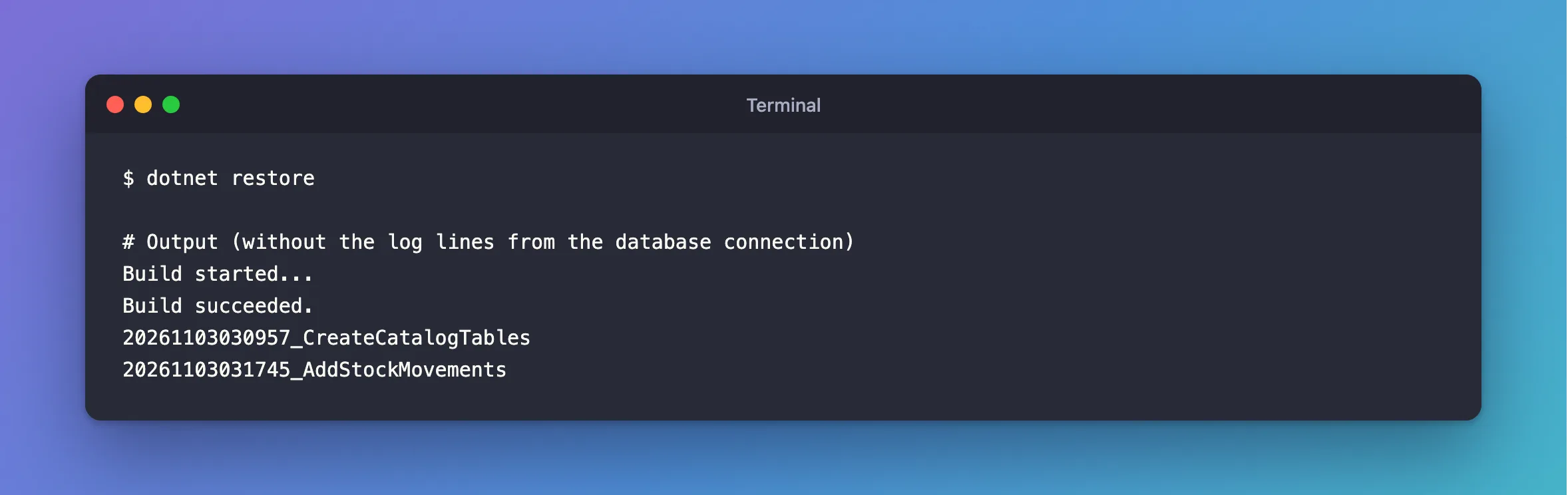
dotnet restore
dotnet build works too, since it restores before it compiles.
After the Fix
The same command:
Build started...
Build succeeded.
20261103030957_CreateCatalogTables
20261103031745_AddStockMovements
The tools built the project and listed its migrations.
Common Mistakes
| Mistake | What happens | Do this instead |
|---|---|---|
Editing the .csproj because the message mentions SDK-style | Nothing improves | Read the NETSDK1004 line first |
Assuming dotnet tool restore restores everything | Only the tools are restored | Run dotnet restore as well |
Committing obj so the file is always there | Machine-specific paths end up in Git | Keep obj in .gitignore |
Using --no-build on a fresh clone | Nothing has been built or restored | Run dotnet build once first |
Troubleshooting
| Symptom | Likely cause | Fix |
|---|---|---|
NETSDK1004: Assets file … not found before the metadata message | The project was never restored | Run dotnet restore |
| The same error after a restore | The --project path points at another project, or the restore failed | Check the restore's output and the path |
Could not execute because the specified command or file was not found | The tool itself isn't restored | Run dotnet tool restore |
The metadata message with no NETSDK1004 line | The project file really can't be evaluated | Run dotnet build and read its error |
FAQ
Do I have to do this every time?
Only once per copy of the code, and again after someone changes the packages. After that, dotnet ef builds and restores as it normally does.
Why did it work on my other machine?
That copy had already been built, so its obj folder existed.
Conclusion
"Unable to retrieve project metadata. Ensure it's an SDK-style project." on a fresh clone doesn't mean your project file is wrong. The line above it, NETSDK1004, says project.assets.json is missing, because obj isn't in Git and nothing has run a restore. Run dotnet restore once, and dotnet ef works.
Additional Resources
- NETSDK1004: Assets file not found — the error and its causes.
- dotnet restore — what it does and when it runs by itself.
