Fixed: "Unable to connect to any of the specified MySQL hosts" in .NET C#

Unable to connect to any of the specified MySQL hosts is MySql.Data's message when it can't reach MySQL at all: it never got as far as checking a user name or password. The inner exception tells you more. I got it twice in a .NET C# program that connects to MySQL in Docker, for two different reasons, and four quick checks tell them apart.
What I Was Doing
I was connecting to MySQL from a small one-file C# program that opens a MySqlConnection with MySql.Data 26.10.0 and prints the server version. MySQL 9.7 ran in Docker, published on 127.0.0.1:3306. Two runs failed:
- A connection string with
Port=3307instead of 3306. - The right connection string, while the MySQL container was stopped.
dotnet run test-connection.cs
What I Expected
A connected session: Connected as inventory_app@% to MySQL 9.7.4.
What I Got
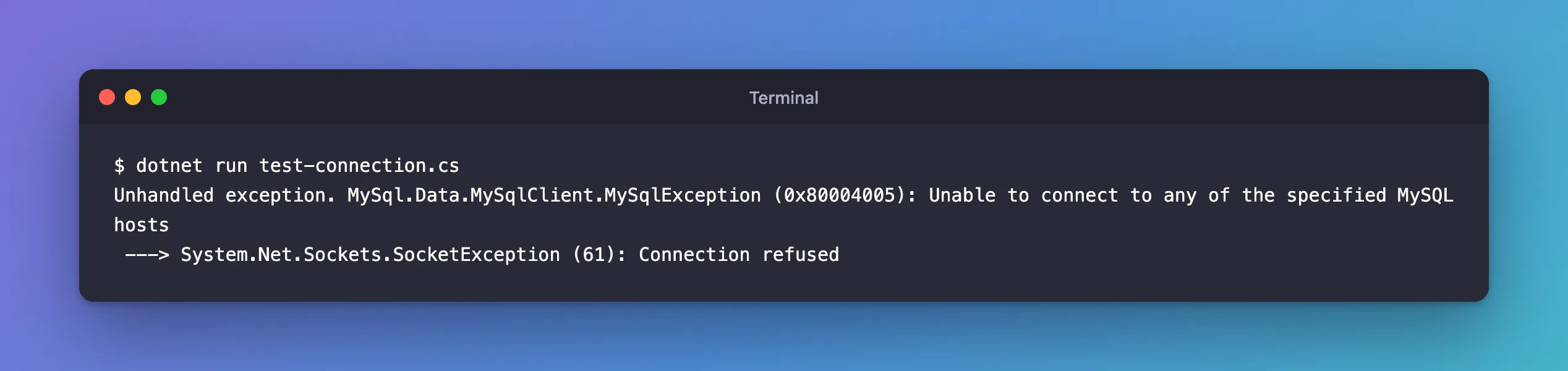
The same error both times:
Unhandled exception. MySql.Data.MySqlClient.MySqlException (0x80004005): Unable to connect to any of the specified MySQL hosts
 ---> System.Net.Sockets.SocketException (61): Connection refused
What I Checked
The inner exception first. SocketException (61): Connection refused means the computer at that address answered, and said no program was listening on that port. That rules out a wrong password, a missing database or a TLS problem: MySQL was never reached. Oracle's Connector/NET guide groups connection failures under error number 0, "Cannot connect to server", separate from 1045, "Invalid user name, user password, or both".
Then, from the outside in:
1. Is MySQL running?
docker compose ps --format "table {{.Service}}\t{{.Status}}\t{{.Ports}}"
SERVICE   STATUS                    PORTS
mysql     Up 13 seconds (healthy)   127.0.0.1:3306->3306/tcp
During the second failure, this listed nothing: the container was stopped. The manual's connection problems page starts with exactly this: "Make sure that the server is running. If it is not, clients cannot connect to it."
2. Which address and port is it published on? The PORTS column says 127.0.0.1:3306->3306/tcp: reachable on this computer's address 127.0.0.1, port 3306. Compare that with Server= and Port= in your connection string. The first failure was this one: Port=3307.
3. Does anything answer on that port? Test the port itself, without .NET:
- macOS / Linux
- PowerShell 7
nc -vz 127.0.0.1 3306
nc -vz 127.0.0.1 3307
Connection to 127.0.0.1 port 3306 [tcp/mysql] succeeded!
nc: connectx to 127.0.0.1 port 3307 (tcp) failed: Connection refused
Test-Connection -TargetName 127.0.0.1 -TcpPort 3306
Test-Connection -TargetName 127.0.0.1 -TcpPort 3307
True
False
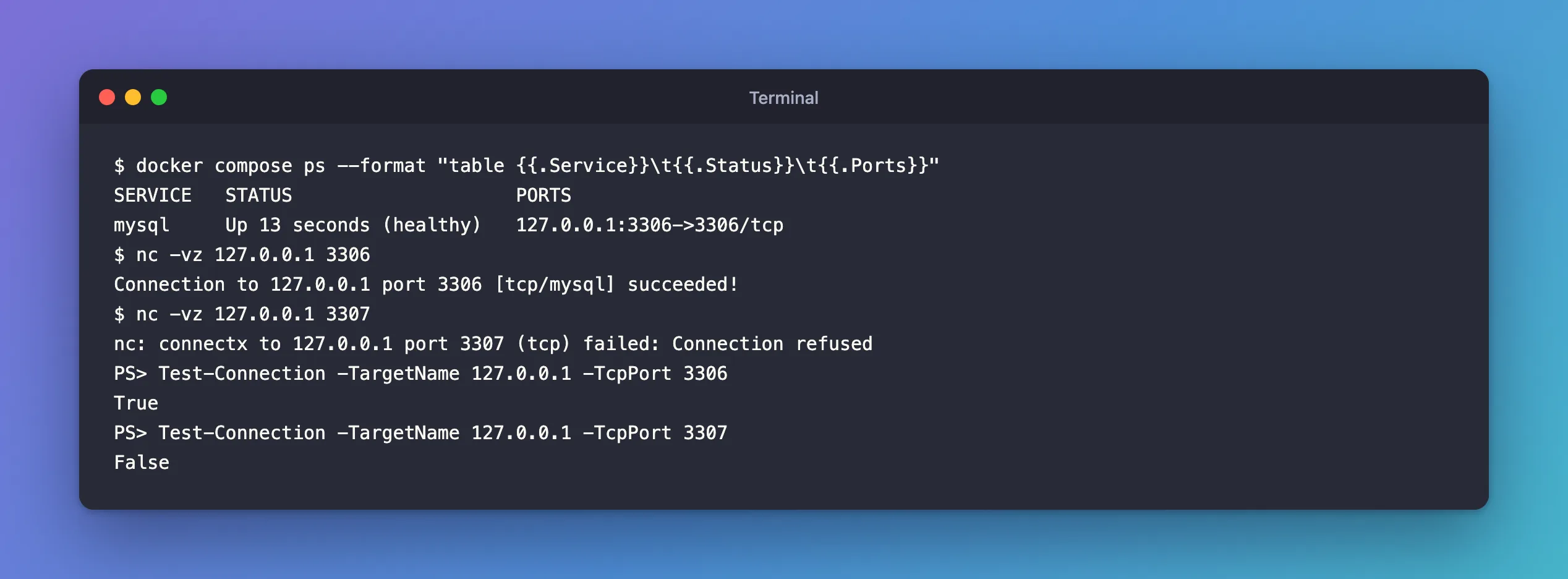
Port 3306 answers; 3307 refuses, which is exactly what the .NET program saw.
4. Is the app looking at the same address? If your app runs in a container too, 127.0.0.1 means that container, not your computer. Use the Compose service name, such as Server=mysql, from another container in the same project.
Why It Happens
MySql.Data tries each host in Server= and gives up when none accepts a connection. Oracle's guide describes the loop: "If the attempted connection to a selected target is unsuccessful, Connector/NET selects a new target from the list until no more hosts are available." With one host, "any of the specified hosts" means that one. The message itself isn't in Oracle's documentation; the inner exception is the part to read.
The MySQL manual lists the usual causes, all network-level: the server isn't running, the client uses "a TCP/IP port, named pipe, or Unix socket file different from the one on which the server is listening", the server listens only locally, or a firewall blocks the port.
The Fix
Fix whichever check failed:
| Check that failed | Fix |
|---|---|
| 1. MySQL isn't running | docker compose start (or docker compose up -d), and wait for healthy |
| 2. Port or address differs | Correct Server= and Port= in the connection string |
| 3. Nothing answers on the right port | Check the ports: mapping in compose.yaml and that no other program holds the port |
| 4. The app runs in a container | Use the service name, such as Server=mysql, instead of 127.0.0.1 |
In my two cases: Port=3307 became Port=3306, and the stopped container was started again.
After the Fix
Connected as inventory_app@% to MySQL 9.7.4
TLS: TLSv1.2
Common Mistakes
| Mistake | What happens | Do this instead |
|---|---|---|
| Changing the password first | Nothing changes: the server was never reached | Read the inner exception |
Server=localhost inside a container | It points at the app's own container | Use the Compose service name |
| Assuming the container is up because Docker Desktop is | The service may have stopped or failed | docker compose ps |
Publishing MySQL on 0.0.0.0 to "fix" access | Anyone on your network can reach the database | Keep 127.0.0.1 for local development |
Troubleshooting
| Inner exception | Meaning | Where to look |
|---|---|---|
SocketException (61): Connection refused | Nothing listens at that address and port | Checks 1 to 3 |
| A timeout after about 15 seconds | Packets are dropped, often by a firewall | The network path; Connection Timeout is 15 seconds by default |
Access denied for user … | The server was reached; the account was rejected | User, password and host part of the account |
The timeout row comes from Oracle's options reference, where Connection Timeout has "Default: 15", in seconds.
FAQ
Does EF Core show the same error?
Yes. Oracle's EF Core provider connects through MySql.Data, so the message is the same, usually inside an EF Core exception. A health check that uses the database simply reports "Unhealthy" without the reason, so check the logs.
Why does the message say "hosts", plural?
Server= can list several hosts separated by commas, and MySql.Data tries each one. The message covers both cases.
Conclusion
Unable to connect to any of the specified MySQL hosts means MySql.Data never reached MySQL, so credentials aren't the problem. Read the inner exception: Connection refused means nothing listens at that address and port. Check that MySQL is running (docker compose ps), compare the published port with Server= and Port=, test the port with nc or Test-Connection, and remember that 127.0.0.1 inside a container means the container itself.
Additional Resources
- Problems Connecting to MySQL — the usual causes, from the server's side.
- Connector/NET: Handling Connection Errors — the driver's error numbers.
