Fixed: "typescript-eslint does not support TS 7.0." in a Next.js App

After I updated a new Next.js app to TypeScript 7.0.2, npm run lint stopped with typescript-eslint does not support TS 7.0. TypeScript 7.0 ships without the compiler API that typescript-eslint reads code with. The TypeScript team's own fix is two npm aliases: TypeScript 6's API for ESLint, and TypeScript 7's tsc for everything else.
What I Was Doing
I was setting up the chat app for Part 5 of the Microsoft Agent Framework series. I first created it with create-next-app's ESLint option, --eslint. The template pins TypeScript to ^5, and the series uses the newest release of everything, so I updated TypeScript to 7.0.2:
npm install --save-dev --save-exact typescript@7.0.2
npm warn ERESOLVE overriding peer dependency
npm warn ERESOLVE overriding peer dependency
npm warn ERESOLVE overriding peer dependency
npm warn ERESOLVE overriding peer dependency
npm warn ERESOLVE overriding peer dependency
npm warn ERESOLVE overriding peer dependency
npm warn ERESOLVE overriding peer dependency
npm warn ERESOLVE overriding peer dependency

added 14 packages, removed 13 packages, changed 1 package, and audited 347 packages in 8s

142 packages are looking for funding
  run `npm fund` for details

7 moderate severity vulnerabilities

To address all issues, run:
  npm audit fix

Run `npm audit` for details.
The install worked, with eight warnings about peer dependencies. The seven vulnerabilities were already there before the update (Fixed: npm audit reports 7 moderate severity vulnerabilities in a new Next.js app). Then I ran the linter:
npm run lint
What I Expected
The same result as before the update: ESLint checking the project, with no problems in a fresh app.
What I Got
npm notice run agent-chat-ui@0.1.0 lint
npm notice run eslint
typescript-eslint does not support TS 7.0.
Please see https://devblogs.microsoft.com/typescript/announcing-typescript-7-0/#running-side-by-side-with-typescript-6.0 to run typescript-eslint using the TS 6 API.
See also https://github.com/typescript-eslint/typescript-eslint/issues/10940 for tracking typescript-eslint's support for TS >=7.1

Oops! Something went wrong! :(

ESLint: 9.39.5

Error: typescript-eslint does not support TS 7.0.
    at Object.<anonymous> (…/agent-chat-ui/node_modules/eslint-config-next/node_modules/typescript-eslint/dist/index.js:52:11)
    at Module._compile (node:internal/modules/cjs/loader:1968:14)
    …
ESLint didn't check a single file.
What I Checked
The peer dependency. typescript-eslint is the part of Next.js's ESLint setup that reads TypeScript code; eslint-config-next installs it. Its package.json, in version 8.72.2, lists the TypeScript versions it works with:
"peerDependencies": {
  "eslint": "^8.57.0 || ^9.0.0 || ^10.0.0",
  "typescript": ">=4.8.4 <6.1.0"
}
TypeScript 7.0.2 is outside that range. The eight ERESOLVE overriding peer dependency warnings during the install were npm saying so.
The link in the message. It leads to the section Running Side-by-Side with TypeScript 6.0 of Microsoft's Announcing TypeScript 7.0. It says: While TypeScript 7.0 is here, it does not ship with an API. For tools such as typescript-eslint, the TypeScript team published a compatibility package, @typescript/typescript6, which provides the TypeScript 6.0 API and a tsc6 command. Because typescript-eslint imports typescript directly, the post recommends installing it under the name typescript with an npm alias, and installing TypeScript 7 under another name so that tsc stays version 7.
Why It Happens
TypeScript 7.0 is a rewrite of the compiler in native code, and 7.0 has no JavaScript API yet; the announcement expects a new one in 7.1. typescript-eslint doesn't run the tsc command: it loads typescript as a library and calls that API. With TypeScript 7.0 installed under the name typescript, there is no API to call, so typescript-eslint stops with this message. Next.js's own type check in next build runs the tsc command, so it isn't affected.
The Fix
Install the two aliases from the announcement. typescript@npm:@typescript/typescript6@6.0.2 installs the compatibility package under the name typescript; @typescript/native@npm:typescript@7.0.2 installs TypeScript 7 under the name @typescript/native:
npm install --save-dev --save-exact typescript@npm:@typescript/typescript6@6.0.2 @typescript/native@npm:typescript@7.0.2
added 2 packages, changed 1 package, and audited 349 packages in 2s

142 packages are looking for funding
  run `npm fund` for details

7 moderate severity vulnerabilities

To address all issues, run:
  npm audit fix

Run `npm audit` for details.
package.json now records both:
"devDependencies": {
  "@types/node": "^20",
  "@types/react": "^19",
  "@types/react-dom": "^19",
  "@typescript/native": "npm:typescript@7.0.2",
  "eslint": "^9",
  "eslint-config-next": "16.4.6",
  "typescript": "npm:@typescript/typescript6@6.0.2"
}
The compatibility package brings the TypeScript 6 compiler with it: version 6.0.2 of @typescript/typescript6 depends on typescript@^6, which installed 6.0.3.
After the Fix
npm run lint
npm notice run agent-chat-ui@0.1.0 lint
npm notice run eslint
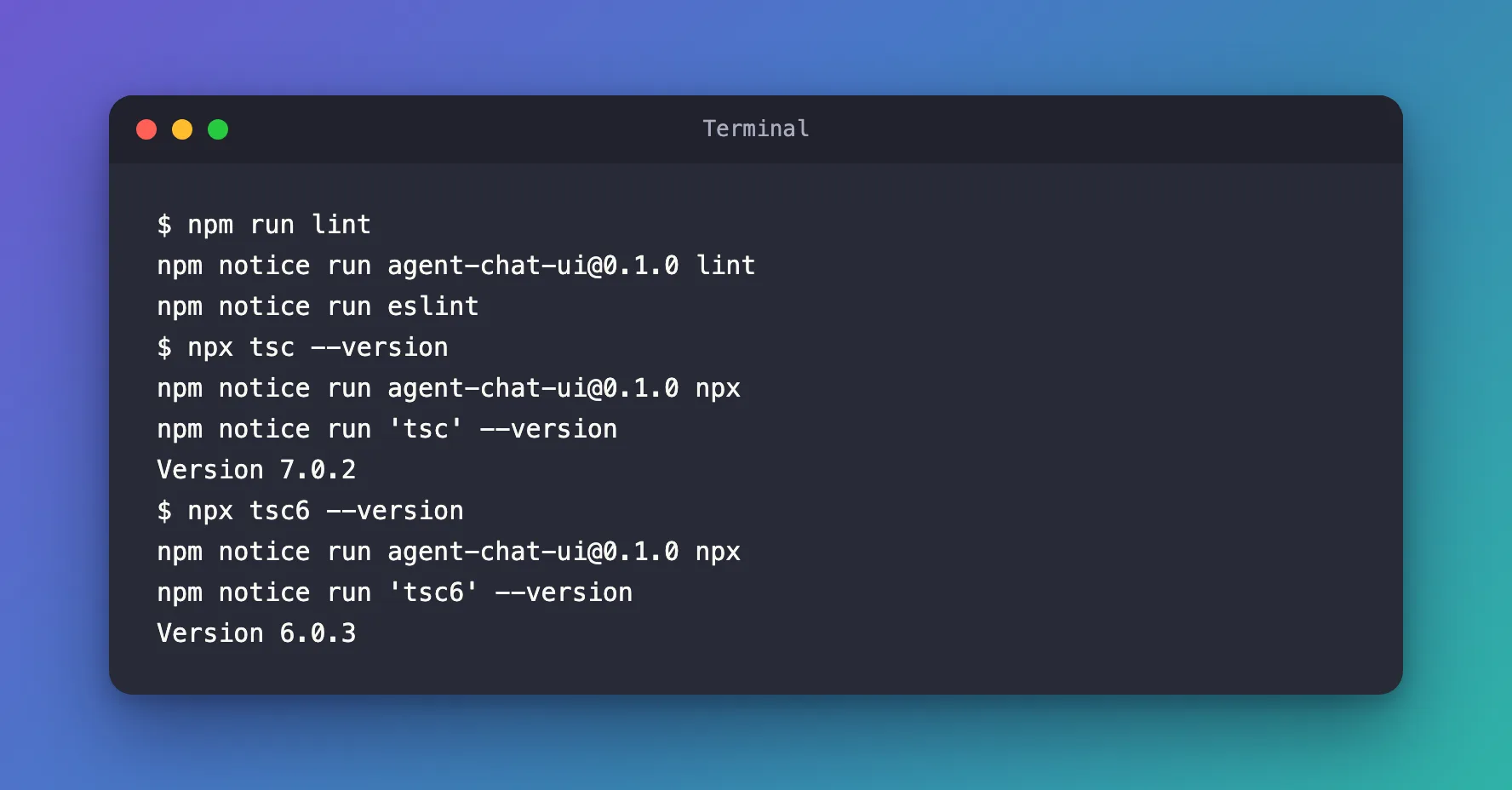
ESLint ran and found nothing to report. The two compilers sit side by side:
npx tsc --version
npx tsc6 --version
npm notice run agent-chat-ui@0.1.0 npx
npm notice run 'tsc' --version
Version 7.0.2
npm notice run agent-chat-ui@0.1.0 npx
npm notice run 'tsc6' --version
Version 6.0.3
npm run build also passed, with ✓ Finished TypeScript in 1166ms: Next.js's type check ran with TypeScript 7.
For the series, I used create-next-app's Biome option instead of ESLint. Biome doesn't depend on TypeScript's API, so TypeScript 7.0.2 works there without aliases (Part 5).
Common Mistakes
| Mistake | What happens | Do this instead |
|---|---|---|
Installing @typescript/typescript6 under its own name | typescript-eslint still imports typescript and finds TypeScript 7 | Install it with the alias typescript@npm:@typescript/typescript6@6.0.2 |
Leaving out the @typescript/native alias | Only tsc6 is left, and npx tsc no longer runs TypeScript 7 | Add @typescript/native@npm:typescript@7.0.2 |
Ignoring ERESOLVE overriding peer dependency | The incompatibility shows up later, when you lint | Read which peer range a warning is about before you continue |
Troubleshooting
| Symptom | Likely cause | Fix |
|---|---|---|
| typescript-eslint does not support TS 7.0. | TypeScript 7 is installed under the name typescript | Install the two aliases |
npx tsc --version prints 6.x | The @typescript/native alias is missing | Add the alias, then run npx tsc --version again |
npm run build fails with type errors after the change | The code has real type errors that TypeScript 7 reports | Fix the errors it lists |
FAQ
When can I drop the aliases?
When typescript-eslint supports a TypeScript version with an API. The message links its tracking issue for TypeScript 7.1 and later.
Does Next.js itself work with TypeScript 7.0?
Yes. next build ran its type check with TypeScript 7.0.2 and passed.
Can I stay on TypeScript 6 instead?
You can, but TypeScript 7.0.2 is the newest release. The aliases give you TypeScript 7's compiler for the build and keep ESLint working.
Conclusion
typescript-eslint does not support TS 7.0. means a tool is asking TypeScript 7.0 for an API it doesn't have yet. Install typescript@npm:@typescript/typescript6@6.0.2 and @typescript/native@npm:typescript@7.0.2, as the TypeScript team recommends: ESLint gets TypeScript 6's API, and tsc stays TypeScript 7.
Additional Resources
- Announcing TypeScript 7.0: Running Side-by-Side with TypeScript 6.0 — the aliases and why they are needed.
- typescript-eslint issue 10940 — support for TypeScript 7.1 and later.
- npm: package.json dependencies — how
npm:aliases work.
