Fixed: TriggerInputSchemaMismatch "String … Does Not Validate Against Format 'date'" When Power Apps Runs a Flow

A canvas app passed a date to a flow's Date input, and the call failed with TriggerInputSchemaMismatch: String '01/11/2026' does not validate against format 'date'. Power Apps had turned the date into text in the user's own format, and the flow's input only accepts yyyy-mm-dd. Sending the date as Text(date, "yyyy-mm-dd") fixed it.
What I Was Doing
I was building the Reports screen of the Overtime Timesheet app. Its flow, Get Overtime Report, starts with the When Power Apps calls a flow (V2) trigger and has one input: a Date called Month, whose key in the flow is date (How to Add an Input to the Power Apps (V2) Trigger in Power Automate).
The screen keeps the month it shows in a context variable, locMonthRS, a Date: the first day of the month. Its Refresh button ran the flow with that variable and turned the answer into a table (How to Run a Flow and Use Its Result in Power Apps and How to Handle a Failed Flow Call in Power Apps):
UpdateContext({ locIsLoadingRS: true });
With(
    { response: IfError(GetOvertimeReport.Run(locMonthRS), Blank()) },
    If(
        IsBlank(response),
        UpdateContext({ locLoadFailedRS: true });
        Notify("The report couldn't be loaded. Select Refresh to try again.", NotificationType.Error),
        UpdateContext({
            locLoadFailedRS: false,
            locScopeRS: response.scope,
            locRowsRS: ForAll(
                ParseJSON(response.entries),
                {
                    Employee: Text(ThisRecord.employee),
                    Email: Lower(Text(ThisRecord.email)),
                    Department: Text(ThisRecord.department),
                    Hours: Value(ThisRecord.hours)
                }
            )
        })
    )
);
UpdateContext({ locIsLoadingRS: false })
Studio showed no formula errors, and the flow worked when I tested it in the designer with Month set to 2026-11-01.
What I Expected
The month's report: the scope line, the totals, and the people with approved overtime.
What I Got
The app's own failure message, in the banner and on the screen. In Preview, every Refresh gave the same:

The message hides the real error from people using the app, which is what it's for (How to Handle a Failed Flow Call in Power Apps). Finding the cause took three checks.
What I Checked
The flow's run history. The flow's details page listed one run: my test in the designer. None of the app's calls had started a run (How to See a Flow's Run History in Power Automate):
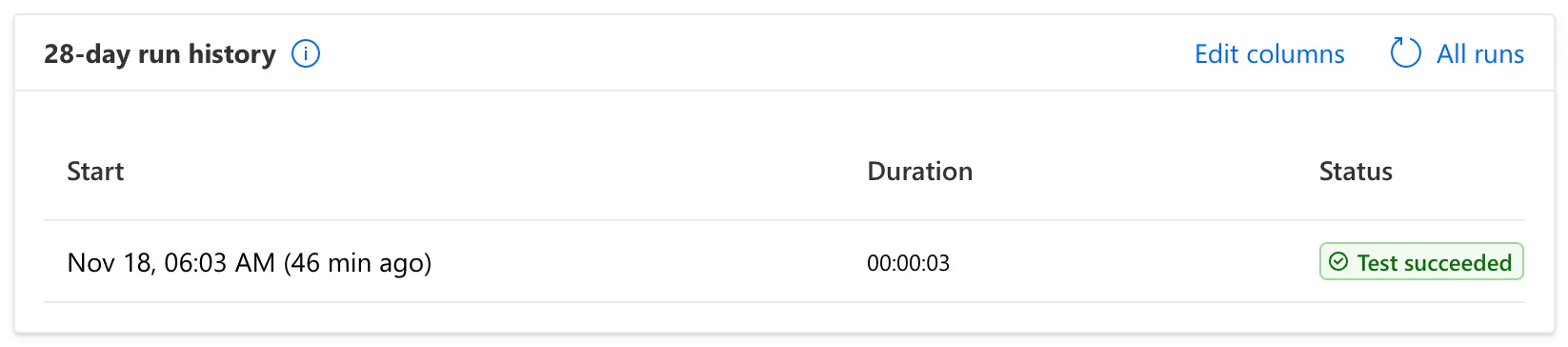
So the call was refused before the flow started.
The error itself. Inside IfError's replacement, FirstError describes the error that was caught (How to Handle Errors in Power Apps with IfError). For a moment I gave Refresh a formula that only runs the flow and shows FirstError.Message. A Timeout of 0 keeps the banner open until it's closed, so the message can be read in full (How to Show a Notification in Power Apps with Notify):
IfError(
    GetOvertimeReport.Run(locMonthRS),
    Notify(FirstError.Message, NotificationType.Error, 0)
)
Selecting Refresh in Preview showed the whole error:

The parts that matter, with the escaped quotes written out:
code:    TriggerInputSchemaMismatch
message: The input body for trigger 'manual' of type 'Request' did not match its schema definition.
         Error details: 'String '01/11/2026' does not validate against format 'date'.'
The app had sent the month as the text 01/11/2026, the first of November written the way the UK writes dates. The temporary formula shows raw details to whoever selects the button, so it went back to the loader straight after.
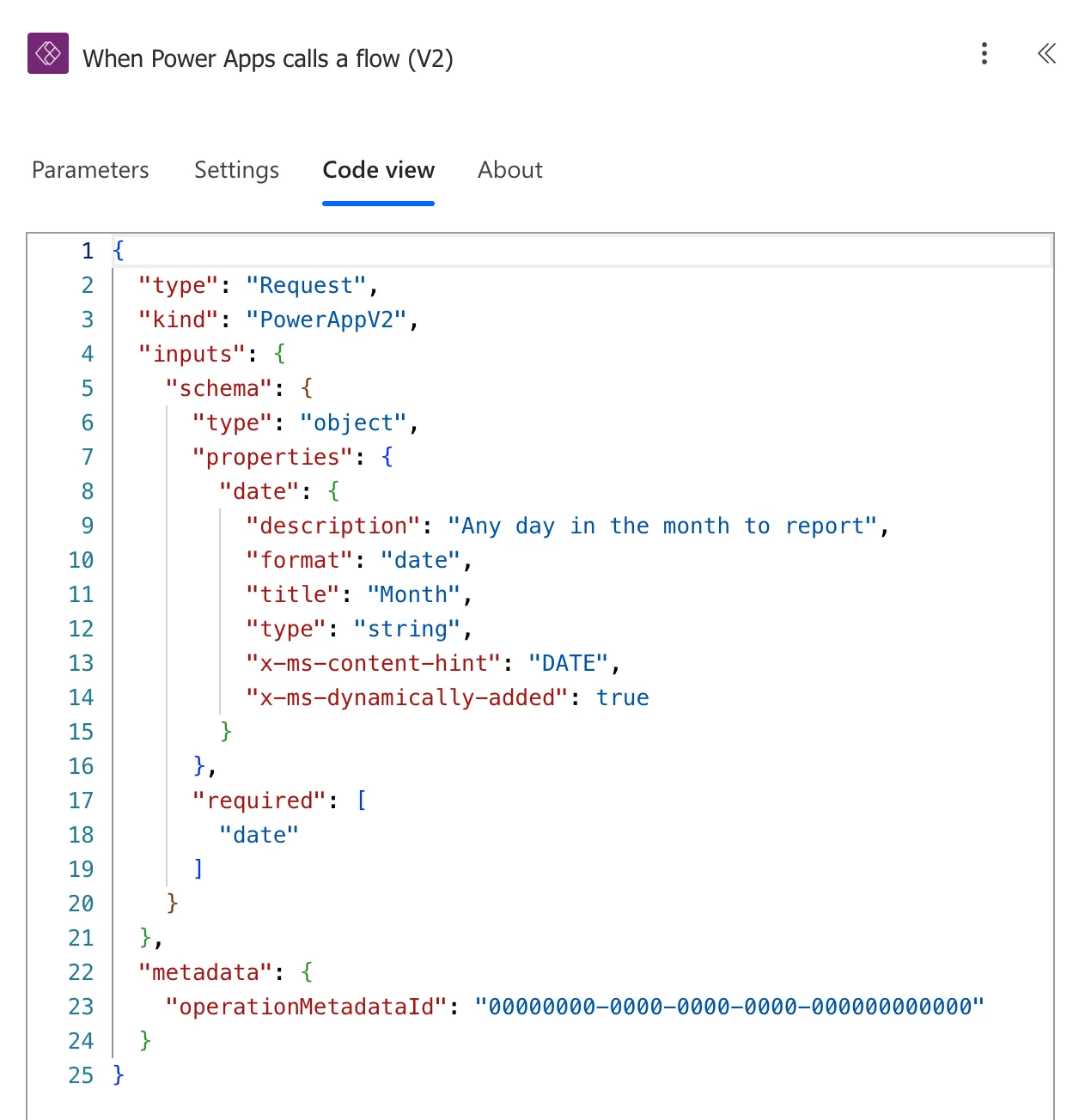
The trigger's input. In the flow, the trigger's Code view shows what the Month input accepts: a string with "format": "date":
When the input was added, its description box said which form that is: Please enter or select a date (YYYY-MM-DD):
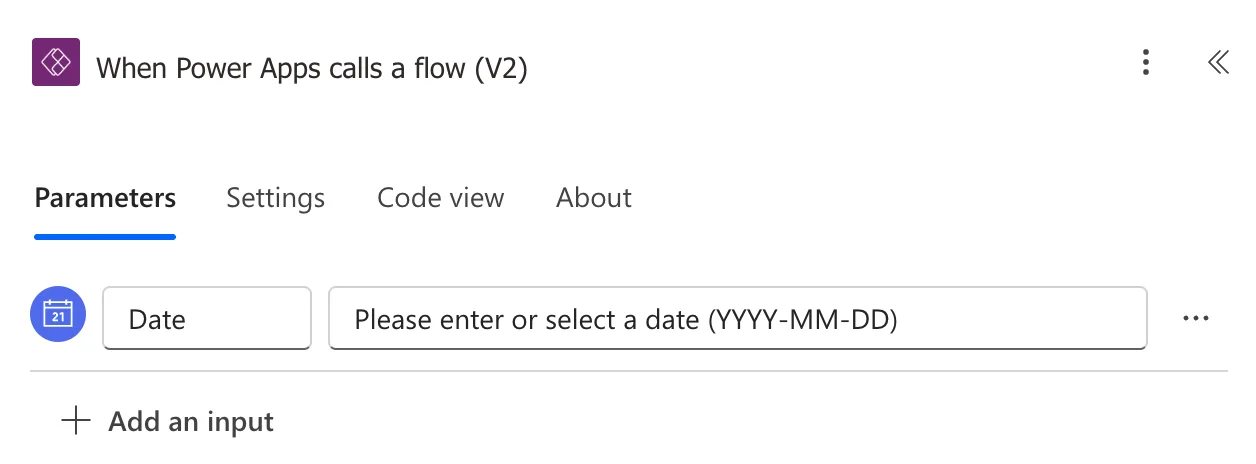
Microsoft's Customize or format date and time values in a flow uses the same input with 2023-10-22. My designer test had sent 2026-11-01, the same form, and worked.
What Microsoft documents about the app's side. I found no page on Microsoft Learn that says how Power Apps writes a Date for this kind of input. Studio's hint for GetOvertimeReport.Run( shows only the input's key and title, Run(date) and Month, not its type. The Text function reference describes the same kind of conversion. Without a format, a date becomes text in a default format that follows the user's language. With a format, you choose the placeholders, and Microsoft's modern date picker reference shows "yyyy-mm-dd" giving 2024-01-15.
Why It Happens
The trigger checks each request against its schema before a run starts. Its Month input is a string in date format: a date written as yyyy-mm-dd, as its description box said.
Power Apps sent locMonthRS as text in the user's own date format. The capture browser ran in English (United Kingdom), so the first of November 2026 went as 01/11/2026. That isn't yyyy-mm-dd, so the trigger refused the request, no run started, and Run failed. The Text function's examples for English (United States) write dates as 4/7/2020, so a user there would send a date in that form instead. That isn't yyyy-mm-dd either.
The Fix
Send the date as text in the format the input expects. Text(locMonthRS, "yyyy-mm-dd") writes the year, the month and the day with leading zeros, joined by hyphens. In a custom format, mm between yyyy and dd is the month: it means minutes only right after h/hh or right before ss (How to Format a Date in Power Apps with Text and How to Send a Date to a Flow from Power Apps).
Only the call changes:
GetOvertimeReport.Run(Text(locMonthRS, "yyyy-mm-dd"))
The whole formula:
UpdateContext({ locIsLoadingRS: true });
With(
    { response: IfError(GetOvertimeReport.Run(Text(locMonthRS, "yyyy-mm-dd")), Blank()) },
    If(
        IsBlank(response),
        UpdateContext({ locLoadFailedRS: true });
        Notify("The report couldn't be loaded. Select Refresh to try again.", NotificationType.Error),
        UpdateContext({
            locLoadFailedRS: false,
            locScopeRS: response.scope,
            locRowsRS: ForAll(
                ParseJSON(response.entries),
                {
                    Employee: Text(ThisRecord.employee),
                    Email: Lower(Text(ThisRecord.email)),
                    Department: Text(ThisRecord.department),
                    Hours: Value(ThisRecord.hours)
                }
            )
        })
    )
);
UpdateContext({ locIsLoadingRS: false })
Studio accepted the text for the flow's input with no formula errors. The flow's input stays a Date, so the trigger still turns away anything that isn't a date, before the flow does any work.
After the Fix
Refresh in Preview loaded the report. As the app's maker, I approve one department, Finance, which had no approved overtime that month:

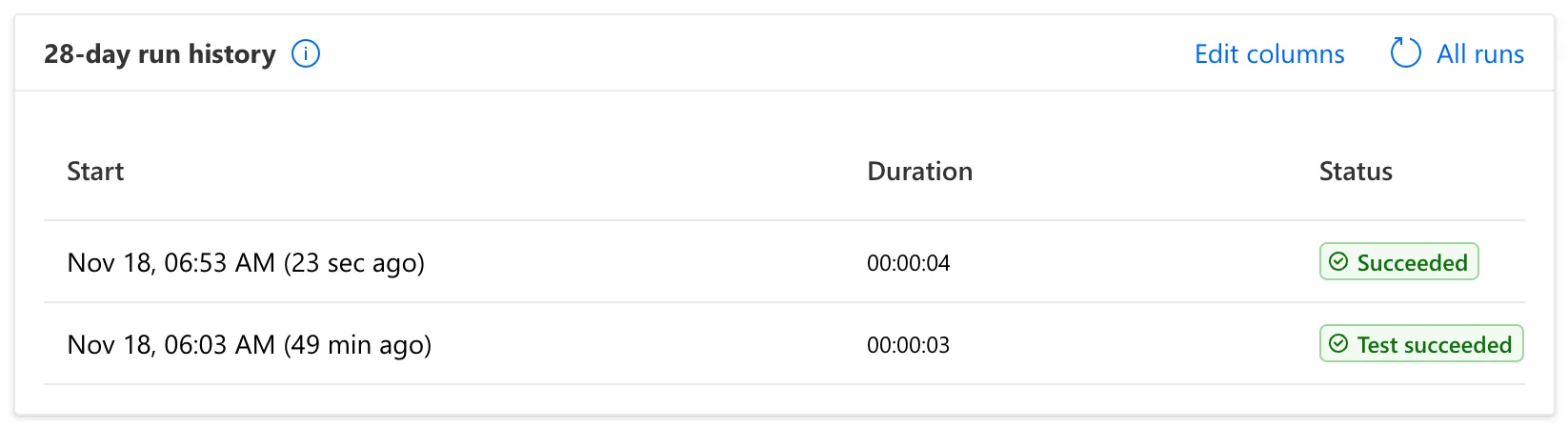
This time the flow's run history had the run, Succeeded, above the earlier test:
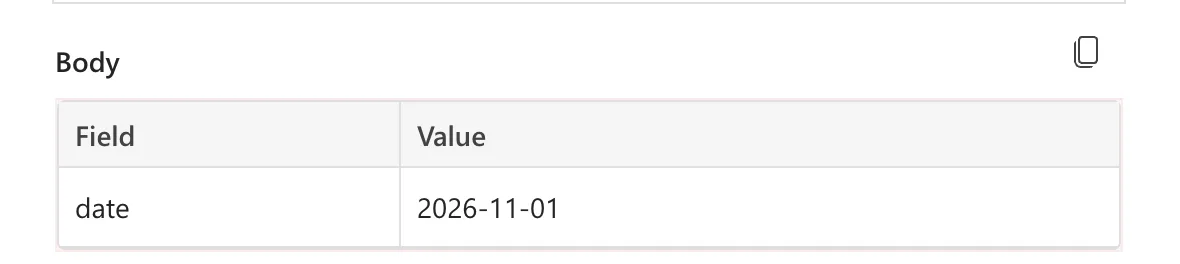
In a later run, started from the app by a payroll user, the trigger's outputs show what the app sent:
Common Mistakes
| Mistake | What happens | Do this instead |
|---|---|---|
| Passing a Date variable straight to a Date input | The date goes as the user's own short date, and the trigger refuses it | Text(date, "yyyy-mm-dd") |
| Testing only in the designer | The designer's Run flow sends yyyy-mm-dd, so the problem only shows from the app | Test the call from the app |
| Leaving a FirstError.Message banner in the app | Users see raw errors | Use it to read the error, then put the plain message back |
| Changing the input to Text to make the error go away | Any text gets through, and a wrong date fails later, inside the flow | Keep the Date input and send yyyy-mm-dd |
Troubleshooting
| Symptom | Likely cause | Fix |
|---|---|---|
| does not validate against format 'date' | A date sent in another form | Send Text(date, "yyyy-mm-dd") |
| No run in the flow's history | The trigger refused the call before a run started | Read FirstError.Message, as above |
| The app shows only your own failure message | IfError replaced the error, as designed | Show FirstError.Message for a moment |
| Works for some users, fails for others | Different date formats for different languages | Format the date explicitly for every user |
FAQ
Why doesn't the failed call appear in the run history?
The trigger checks the request before the flow runs, and this request didn't pass. Nothing ran, so there's nothing in the history. That also means a bad date can't half-run a flow.
Where did the format 01/11/2026 come from?
From the language Power Apps used for the user: the capture browser ran in English (United Kingdom), where the first of November is 01/11/2026. The Text function says that without a language tag, text uses the language of the user running the app.
Should the flow's input be a Text input instead?
No. The Date input documents what the flow expects and checks it at the door: a wrong value fails at once, with an error that says why. A Text input would accept anything, and the flow would fail later, or not at all and give a wrong answer.
Is the time of day sent too?
No. "yyyy-mm-dd" writes only the date. The flow uses it to pick a month with formatDateTime(..., 'yyyy-MM') (How to Format a Date in Power Automate with formatDateTime).
Conclusion
A flow's Date input accepts only yyyy-mm-dd, and a Date from Power Apps arrives in the user's own format unless you format it. When a call fails with TriggerInputSchemaMismatch … does not validate against format 'date', send Text(yourDate, "yyyy-mm-dd"). To read an error the app hides, show FirstError.Message in a banner with a Timeout of 0 for a moment.
Additional Resources
- Text function: converting dates to text, the placeholders and the user's language
- Customize or format date and time values in a flow: the Date input of an instant flow
- Error handling in Power Fx: IfError and FirstError
- Notify function: the Timeout argument
- Use Power Automate pane: adding and running flows in a canvas app
Related
- How to Send a Date to a Flow from Power Apps
- How to Add an Input to the Power Apps (V2) Trigger in Power Automate
- How to Handle a Failed Flow Call in Power Apps
- Fixed: IfError Doesn't Catch a Flow's Run Failed Error in Power Apps
- Build an Overtime Timesheet App in Power Apps — Part 11: Build the Reports Screen
