Fixed: Tool not found in cache during tools/call. Mcp-Param-* headers will not be sent

Calling an MCP server's tool by name with the MCP C# SDK logged Tool 'microsoft_docs_search' not found in cache during tools/call. Mcp-Param-* headers will not be sent. Call AddKnownTools or ListToolsAsync to populate the cache. The call still worked. The client didn't know the tool yet, so it couldn't check whether the server wanted some of its arguments copied into HTTP headers. Listing the tools first, and calling the tool from that list, fixed it.
What I Was Doing
I was calling a tool of the Microsoft Learn MCP server straight from C#, without an AI model in between: its search tool, microsoft_docs_search, with a question. The program is a .NET 10 console app with the official MCP C# SDK, ModelContextProtocol.Core 2.4.0, and Microsoft.Extensions.Logging.Console 10.0.15 to show the SDK's log messages:
dotnet new console -n McpCacheDemo
cd McpCacheDemo
dotnet add package ModelContextProtocol.Core --version 2.4.0
dotnet add package Microsoft.Extensions.Logging.Console --version 10.0.15
The client knows the server's protocol version, 2025-06-18, which keeps another warning out of the way (Fixed: Request failed for method 'server/discover'). Then it calls the tool by name with CallToolAsync:
using Microsoft.Extensions.Logging;
using ModelContextProtocol.Client;
using ModelContextProtocol.Protocol;

// Show the MCP SDK's log messages in the console, the way an ASP.NET Core app does.
using ILoggerFactory loggerFactory = LoggerFactory.Create(logging => logging.AddConsole());

// Connect to the Microsoft Learn MCP server.
await using McpClient client = await McpClient.CreateAsync(
    new HttpClientTransport(new HttpClientTransportOptions
    {
        Endpoint = new Uri("https://learn.microsoft.com/api/mcp"),
        TransportMode = HttpTransportMode.StreamableHttp,
        Name = "Microsoft Learn",
    }),
    new McpClientOptions { ProtocolVersion = "2025-06-18" },
    loggerFactory);

// Search Microsoft's documentation with the server's search tool.
CallToolResult result = await client.CallToolAsync(
    "microsoft_docs_search",
    new Dictionary<string, object?> { ["query"] = "What is .NET Aspire?" });

Console.WriteLine($"The search returned {result.Content.Count} content block(s).");
What I Expected
The connection lines from the SDK, then The search returned 1 content block(s)., with no warning.
What I Got
dotnet run
info: ModelContextProtocol.Client.McpClient[1434756563]
      Client (McpCacheDemo 1.0.0.0) client received server '{"name":"Microsoft Learn MCP Server","version":"1.0.0"}' capabilities: '{"logging":{},"prompts":{"listChanged":true},"resources":{"listChanged":true},"tools":{"listChanged":true}}'.
info: ModelContextProtocol.Client.McpClient[1017245113]
      Client (McpCacheDemo 1.0.0.0) client created and connected.
warn: ModelContextProtocol.Client.McpClient[1456959501]
      Tool 'microsoft_docs_search' not found in cache during tools/call. Mcp-Param-* headers will not be sent. Call AddKnownTools or ListToolsAsync to populate the cache.
The search returned 1 content block(s).
info: ModelContextProtocol.Client.McpClient[2103773711]
      Microsoft Learn message processing canceled.
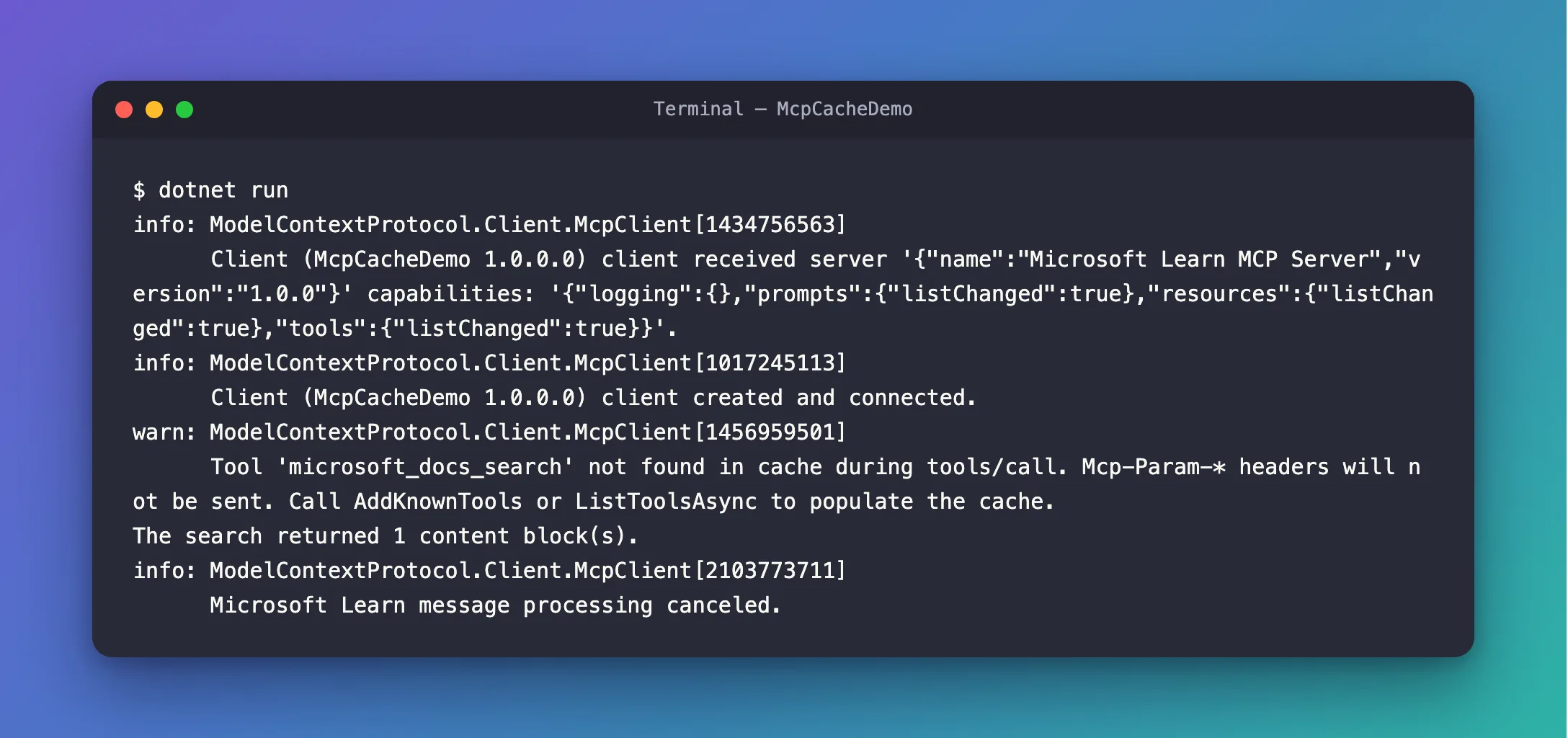
The search worked: it returned its one block of results. The warning appeared right before it.
What I Checked
1. Which cache. The warning names two ways to fill it: AddKnownTools and ListToolsAsync. My program called neither. It connected and called a tool by name, so the client had never seen the tool's definition, which is what ListToolsAsync gets from the server.
2. What Mcp-Param-* headers are. The SDK's page on tools has a section about them, Custom HTTP headers from tool parameters: When using the Streamable HTTP transport, tool parameters can be mirrored as HTTP headers so that network infrastructure (load balancers, proxies, gateways) can make routing decisions without parsing the JSON-RPC request body. A server marks such a parameter in the tool's schema with an x-mcp-header property, and Clients read this annotation and automatically add the corresponding Mcp-Param-{Name} header on outgoing tools/call requests.
3. Why the cache matters. The same page: By default, Mcp-Param-* headers are sent only for tools discovered via ListToolsAsync. Without the definition, the client can't know whether any parameter should be copied into a header, so it warns and sends none.
4. Whether this server needs those headers. No. Its search tool takes one parameter, query, and its schema has no x-mcp-header. And the page adds that Header validation is enforced only for protocol versions that support the HTTP Standardization feature (2026-07-28 and later), while this connection uses 2025-06-18. Here the warning changes nothing. With a server that does use these headers, the call would go out without them, and that server checks them.
Why It Happens
CallToolAsync can call any tool by name, including one the client has never seen. To add the right Mcp-Param-* headers, though, the client needs the tool's definition, and it only has the definitions it got from ListToolsAsync or that you gave it with AddKnownTools. Calling first and listing never leaves the client without them, and the SDK says so in the log.
The Fix
Ask the server for its tools first, then call the tool from that list. That's also the pattern in the SDK's own documentation: Call a tool by finding it in the list, with the tool's CallAsync method:
using Microsoft.Extensions.Logging;
using ModelContextProtocol.Client;
using ModelContextProtocol.Protocol;

// Show the MCP SDK's log messages in the console, the way an ASP.NET Core app does.
using ILoggerFactory loggerFactory = LoggerFactory.Create(logging => logging.AddConsole());

// Connect to the Microsoft Learn MCP server.
await using McpClient client = await McpClient.CreateAsync(
    new HttpClientTransport(new HttpClientTransportOptions
    {
        Endpoint = new Uri("https://learn.microsoft.com/api/mcp"),
        TransportMode = HttpTransportMode.StreamableHttp,
        Name = "Microsoft Learn",
    }),
    new McpClientOptions { ProtocolVersion = "2025-06-18" },
    loggerFactory);

// Ask the server for its tools, and take the search tool from that list.
IList<McpClientTool> tools = await client.ListToolsAsync();
McpClientTool search = tools.Single(tool => tool.Name == "microsoft_docs_search");

// Search Microsoft's documentation with it.
CallToolResult result = await search.CallAsync(
    new Dictionary<string, object?> { ["query"] = "What is .NET Aspire?" });

Console.WriteLine($"The search returned {result.Content.Count} content block(s).");
ListToolsAsyncsendstools/list, returns the server's tools, and keeps their definitions in the client's cache.Singlepicks the tool with that name, and fails loudly if the server doesn't have it, instead of calling a tool that isn't there.CallAsynccalls that tool with your arguments, asCallToolAsyncdid.
After the Fix
info: ModelContextProtocol.Client.McpClient[1434756563]
      Client (McpCacheDemo 1.0.0.0) client received server '{"name":"Microsoft Learn MCP Server","version":"1.0.0"}' capabilities: '{"logging":{},"prompts":{"listChanged":true},"resources":{"listChanged":true},"tools":{"listChanged":true}}'.
info: ModelContextProtocol.Client.McpClient[1017245113]
      Client (McpCacheDemo 1.0.0.0) client created and connected.
The search returned 1 content block(s).
info: ModelContextProtocol.Client.McpClient[2103773711]
      Microsoft Learn message processing canceled.
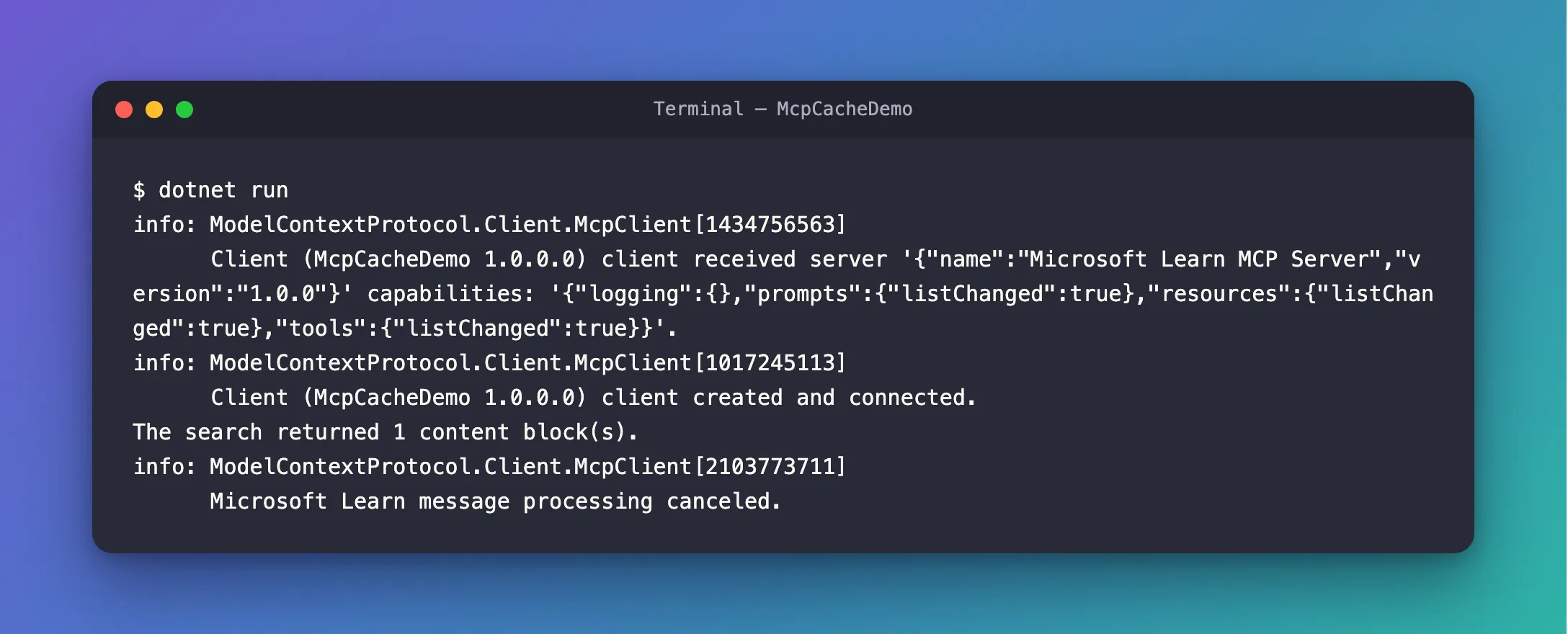
The same result, without the warning.
Common Mistakes
| Mistake | What happens | Do this instead |
|---|---|---|
Calling CallToolAsync right after connecting | The warning, and no Mcp-Param-* headers for tools that need them | List the tools first |
Raising the log level of ModelContextProtocol to Error to hide it | The calls still go without headers, and every other warning from the SDK disappears too | Fill the cache instead |
FAQ
When should I use AddKnownTools instead?
When you already have the tool's definition and want to save the tools/list request, for example from a previous session. The SDK's page shows it: build the Tool, pass it to client.AddKnownTools, then call it by name. Microsoft Learn's best practices argue the other way for its own server: Fetch the tool list at runtime, because its tools can change.
Does an AI agent that uses the server's tools see this warning?
Not when it gets its tools from ListToolsAsync, which is how Microsoft Agent Framework's documentation hands MCP tools to an agent. Those tools come from the list, so the cache is already filled when the model calls them.
Conclusion
Tool '…' not found in cache during tools/call. Mcp-Param-* headers will not be sent. means the client called a tool it didn't know yet. Without the tool's definition, it can't add the Mcp-Param-* headers that some servers use for routing. Listing the server's tools first, and calling the tool from that list, fills the cache and stops the warning.
Additional Resources
- MCP C# SDK: Tools — calling tools from a client,
Mcp-Param-*headers andAddKnownTools. - McpClient —
ListToolsAsync,CallToolAsyncand the known-tools methods. - Best practices for using the Microsoft Learn MCP Server — why to list the server's tools at runtime.
