Fixed: "Too many connections" from "Authentication to host failed" with MySql.Data

Authentication to host '127.0.0.1' for user 'inventory_app' using method 'caching_sha2_password' failed with message: Too many connections looks like a login problem, and I went to check the password first. The password was fine. The second half of the message is the real error: MySQL had no connections left to give.
What I Was Doing
My .NET C# Web API uses EF Core 10.0.14 and MySql.Data 26.10.0, and I sent it an ordinary request:
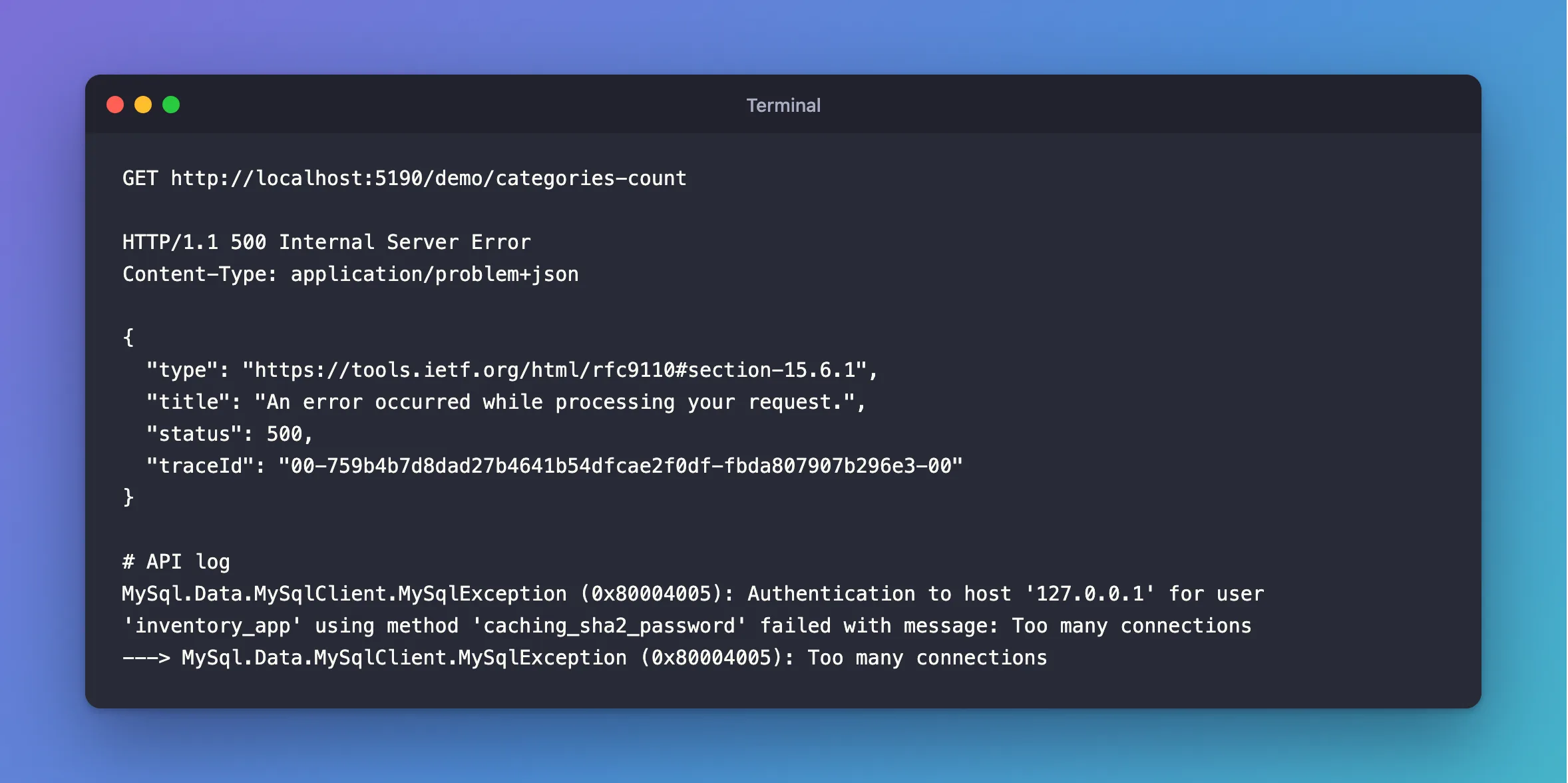
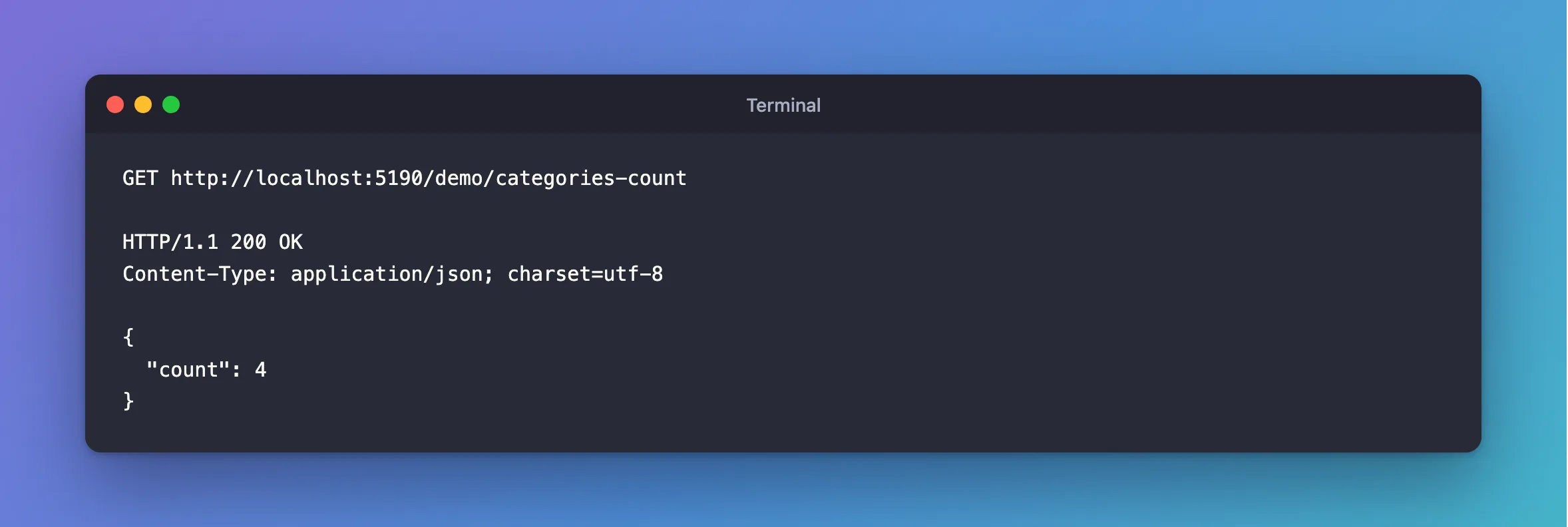
GET http://localhost:5190/demo/categories-count
What I Expected
A count.
What I Got
HTTP/1.1 500 Internal Server Error
Content-Type: application/problem+json

{
  "type": "https://tools.ietf.org/html/rfc9110#section-15.6.1",
  "title": "An error occurred while processing your request.",
  "status": 500,
  "traceId": "00-759b4b7d8dad27b4641b54dfcae2f0df-fbda807907b296e3-00"
}
MySql.Data.MySqlClient.MySqlException (0x80004005): Authentication to host '127.0.0.1' for user 'inventory_app' using method 'caching_sha2_password' failed with message: Too many connections
---> MySql.Data.MySqlClient.MySqlException (0x80004005): Too many connections
What I Checked
The password. Other requests with the same connection string had worked, and the inner exception is Too many connections, with no mention of a password.
The limit and who's using it, in a session that was already open:
SHOW VARIABLES LIKE 'max_connections';
SHOW STATUS LIKE 'Threads_connected';
SELECT PROCESSLIST_ID AS id, PROCESSLIST_USER AS user, PROCESSLIST_COMMAND AS command,
       PROCESSLIST_TIME AS seconds, LEFT(PROCESSLIST_INFO,30) AS statement
FROM performance_schema.threads
WHERE PROCESSLIST_USER IN ('root','inventory_app');
+-----------------+-------+
| Variable_name   | Value |
+-----------------+-------+
| max_connections | 2     |
+-----------------+-------+
+-------------------+-------+
| Variable_name     | Value |
+-------------------+-------+
| Threads_connected | 2     |
+-------------------+-------+
+------+---------------+---------+---------+--------------------------------+
| id   | user          | command | seconds | statement                      |
+------+---------------+---------+---------+--------------------------------+
|   19 | inventory_app | Query   |       2 | SELECT SLEEP(14)               |
|   18 | root          | Query   |       0 | SELECT PROCESSLIST_ID AS id, P |
+------+---------------+---------+---------+--------------------------------+
The server's max_connections was 2, and 2 connections were open. That's it: every connection counts, however idle.
Why It Happens
MySQL refuses the connection while the client is logging in, and the driver reports any failure at that stage as an authentication failure. So the message mentions authentication, caching_sha2_password and a host, and none of them is the cause. ERROR 1040 has the server's side of this.
It's easier to reach than you'd think. The default max_connections is 151, and the driver's default Maximum Pool Size is 100, so two copies of an API can ask for more than the server allows.
The Fix
Look at who holds the connections first, with the query above. If it's your app, with many idle connections, that's a pool doing its job, so look at the sizes. If they're stuck, fix that.
Keep the sizes in step: instances of the app × Maximum Pool Size should be below max_connections.
Raise the limit if the server can take it. In a session that's already open, or as an account with CONNECTION_ADMIN, which gets one extra connection:
SET GLOBAL max_connections = 151;
SET GLOBAL lasts until MySQL restarts. SET PERSIST keeps it.
After the Fix
HTTP/1.1 200 OK
Content-Type: application/json; charset=utf-8

{
  "count": 4
}
Common Mistakes
| Mistake | What happens | Do this instead |
|---|---|---|
| Resetting the password | It wasn't the password | Read the end of the message |
| Raising the limit first | Stuck connections use up the new limit too | See who holds them |
| Setting a pool size above the server's limit | The server refuses before the pool fills | Keep them in step |
Troubleshooting
| Symptom | Likely cause | Fix |
|---|---|---|
Timeout expired ... prior to obtaining a connection from the pool | The pool's limit, not the server's | The fix |
Access denied for user | A real login problem | The fix |
| The root session can't connect either | The extra connection is taken | Stop some clients or the app, then connect |
Conclusion
Authentication to host failed with message: Too many connections is MySQL's connection limit, reported during login. Check who's connected, keep pool sizes below max_connections, and raise the limit only if the server has room.
Additional Resources
- Too many connections — the limit, and the extra connection.
- Connector/NET Connection Options —
Maximum Pool Size.
