Fixed: "TLS protocols TLSv1 and TLSv1.1 are no longer supported" with MySql.Data

TLS protocols TLSv1 and TLSv1.1 are no longer supported is a clear message, and it comes before any connection is attempted: TlsVersion in your connection string names a version the driver has dropped. Change it to what's accepted.
What I Was Doing
I was trying every value of TlsVersion on MySql.Data 26.10.0 and .NET 10, including an old one:
…;SslMode=Required;TlsVersion=TLSv1.1
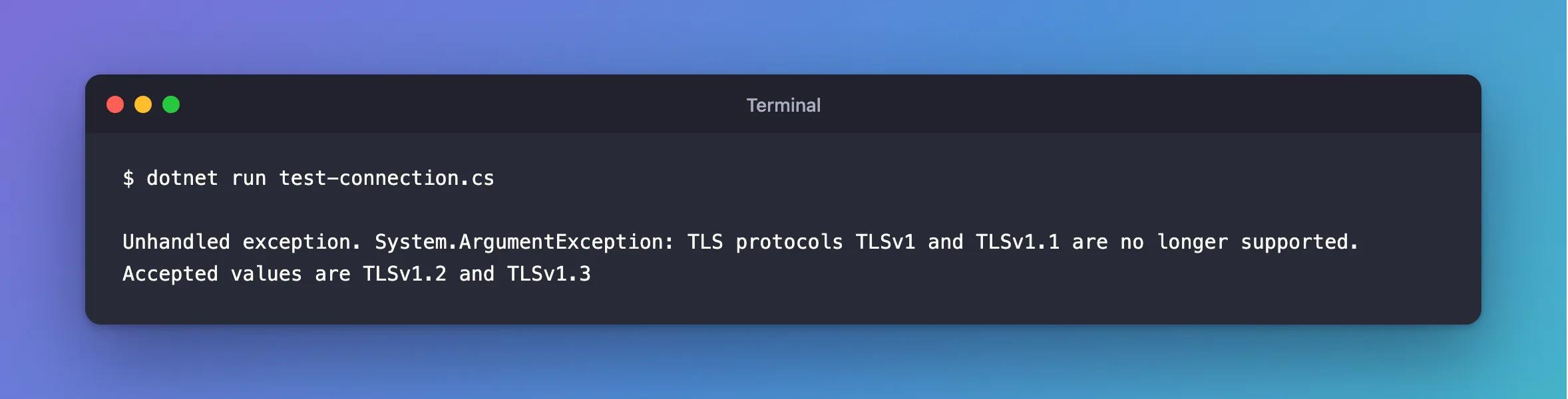
dotnet run test-connection.cs
What I Expected
A refusal from the server, which doesn't allow TLS 1.1 either.
What I Got
Unhandled exception. System.ArgumentException: TLS protocols TLSv1 and TLSv1.1 are no longer supported. Accepted values are TLSv1.2 and TLSv1.3
What I Checked
How quickly it failed: in 22 milliseconds, against about 200 for a real connection. The driver rejected the string without contacting the server.
Oracle's documentation lists two values, TLSv1.3 and TLSv1.2, and it says "An error is reported when a value other than those listed is assigned."
Why It Happens
TLS 1.0 and 1.1 are retired, and this driver refuses to offer them. The check is in the connection string parser, so it fails as soon as the string is read.
The Fix
Use a version from the list. In most cases, name both:
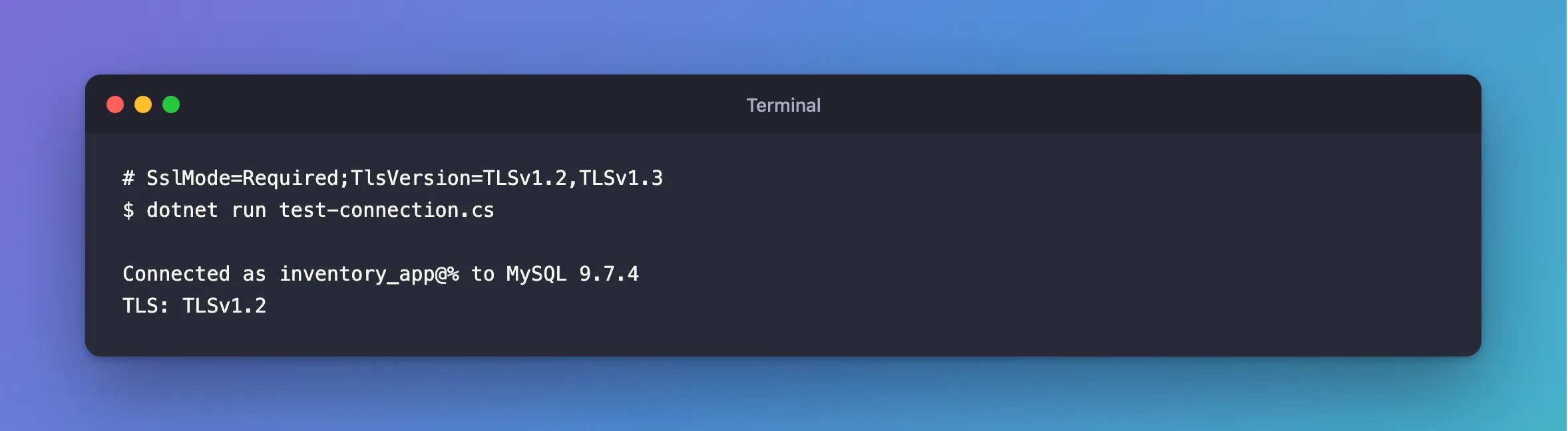
…;SslMode=Required;TlsVersion=TLSv1.2,TLSv1.3
If the option came from an old guide or a copied string, you can also remove it, and the driver uses TLS 1.2.
If your server really is too old for TLS 1.2, this driver can't talk to it over TLS. Upgrade the server: MySQL 9.7's own list is TLS 1.2 and 1.3 too.
After the Fix
dotnet run test-connection.cs
Connected as inventory_app@% to MySQL 9.7.4
TLS: TLSv1.2
Common Mistakes
| Mistake | What happens | Do this instead |
|---|---|---|
| Keeping an old value "for compatibility" | It stops every connection | Remove it |
Troubleshooting
| Symptom | Likely cause | Fix |
|---|---|---|
The requested security protocol is not supported | TLSv1.3 alone, on macOS | The fix |
Cannot determine the frame size… | No version in common with the server | The fix |
Conclusion
TlsVersion accepts TLSv1.2 and TLSv1.3, and nothing older. Name those, or remove the option.
Additional Resources
- Connector/NET Connection Options —
tlsversion. - Encrypted Connection TLS Protocols and Ciphers — what the server accepts.
