Fixed: "This User Does Not Have Access to the Dataset or Report" in Power BI

Viewing a Power BI report as a member of a row-level security role showed This user does not have access to the dataset or report. The person was in the role, but not in the workspace. Adding them to the workspace as a Viewer removed the message.
What I Was Doing
I was testing a row-level security role, Own expenses, which shows each person their own expense claims (How to Add Row-Level Security Roles in Power BI in the Browser). I had added one member, Aisha Khan (How to Add Members to a Row-Level Security Role in Power BI). On the model's Security page I chose Test as role, then Now viewing as > Select person > Aisha Khan (How to Test Row-Level Security in Power BI). The View as panel listed her Assigned roles as Own expenses, and her Effective permission as None.
What I Expected
The report as Aisha would see it: her two travel claims.
What I Got
A red message under the header:

Below it, the report still showed what the role allows her, her two claims of 165.50:
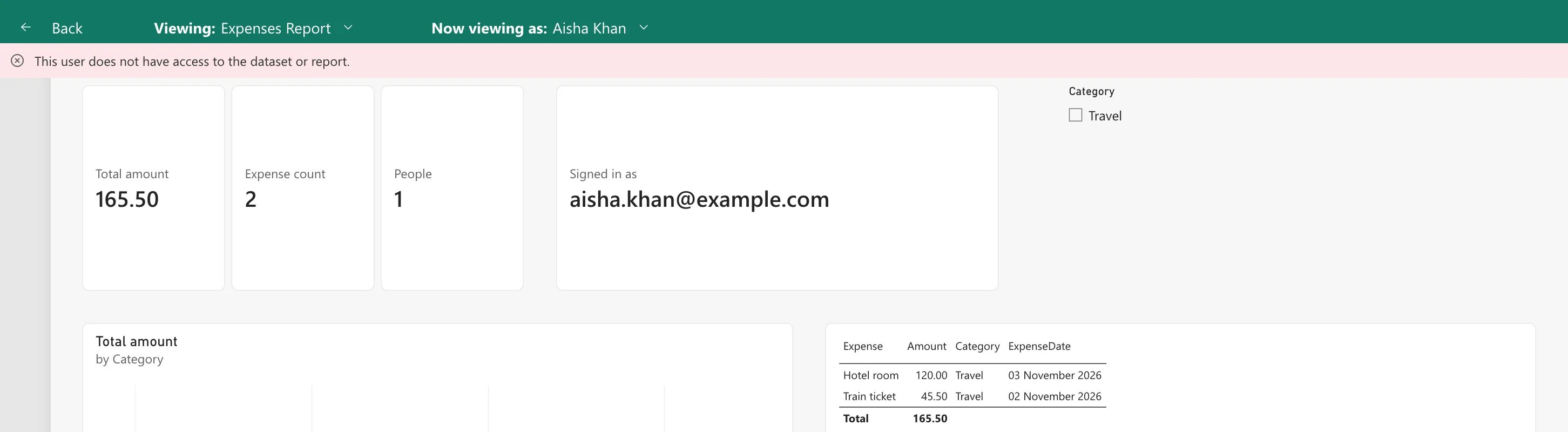
So the role worked; the message was about something else.
What I Checked
Her access. Effective permission None in the View as panel, and the workspace's Manage access list didn't include her: only the workspace's Admin was there.
The documentation. Microsoft's row-level security article says users with access to a workspace have access to semantic models in that workspace, and that RLS only restricts data access for users with Viewer permissions. A role decides which rows someone sees; it doesn't give them access to the report.
Why It Happens
Role membership and access are separate. Aisha was in the role, so the test could apply its rule, but she had no permission on the workspace, its report or its semantic model, so in real use she couldn't have opened the report at all. The message says so.
The Fix
Give the person access to the workspace as a Viewer: Manage access > Add people or groups, pick the person, keep Viewer, and Add (How to Give Someone Viewer Access to a Power BI Workspace). Use the Viewer role: RLS applies only to Viewers.
After the Fix
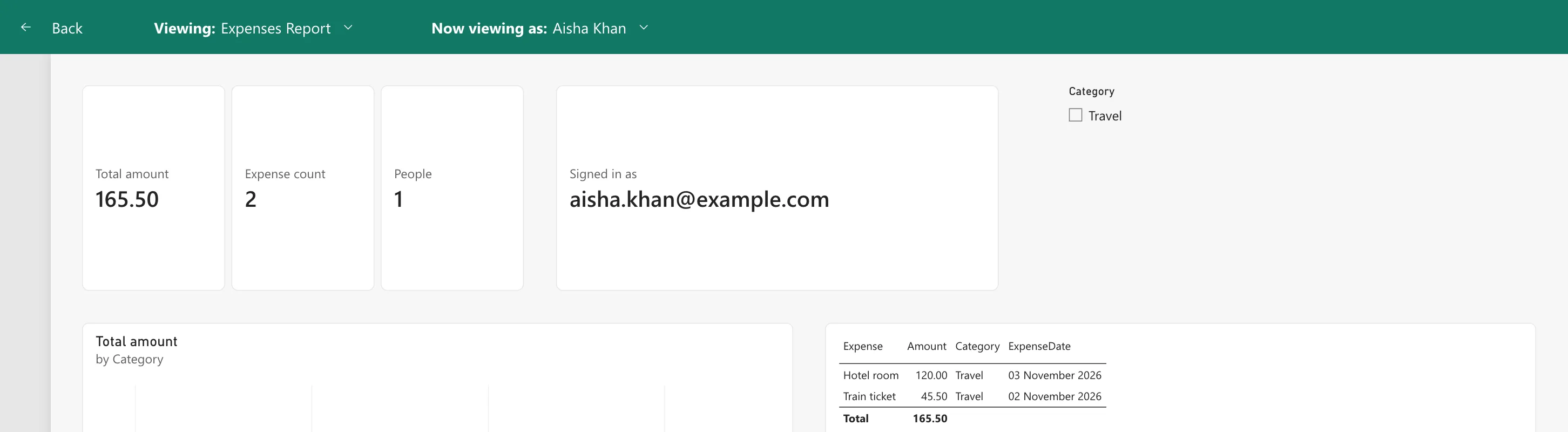
Viewing as Aisha again, the message was gone, with the same two claims:
Common Mistakes
| Mistake | What happens | Do this instead |
|---|---|---|
| Adding people to roles only | They can't open the report | Also make them Viewers |
| Making them Members or Contributors | RLS doesn't apply to them | Viewer |
| Testing people before giving them access | The message hides whether the setup is ready | Give access first, then test |
Troubleshooting
| Symptom | Likely cause | Fix |
|---|---|---|
| This user does not have access to the dataset or report | The person has no access to the workspace or report | Add them as a Viewer |
| Effective permission None | The same | Add them as a Viewer |
| This user is not configured for any row-level security roles | The person has access but no role (Fixed: "This User Is Not Configured for Any Row-Level Security Roles" in Power BI) | Add them to a role |
FAQ
Why did the report show her data despite the message?
The test applies the role's rule as her, so it shows the rows the role allows. The message adds that, in real use, she couldn't open the report.
Could I share just the report instead?
Sharing the report also gives access; this example used the workspace's Viewer role, which suits a group of readers.
Conclusion
This user does not have access to the dataset or report appeared because Aisha was in a role but not in the workspace. Adding her as a Viewer removed the message, and the role still showed her own two claims.
