Fixed: "There's Something Wrong with the Pasted Code" in Power Apps Studio

In Power Apps Studio, copying a control puts its code on the clipboard, and pasting creates a control from that code. If you copy anything else in between, such as a formula, the paste fails with There's something wrong with the pasted code. Check the code and try again. The fix is to copy the control again right before you paste it.
What I Was Doing
In the Career Development Plan app, every screen that shows SharePoint data got a Refresh button in its header (Part 8). I built the button once, on the My Plan screen, and then copied it to the other screens' headers (How to Copy and Paste Controls Between Screens). For each screen:
- Paste the button on the header container (... → Paste).
- Rename the copy.
- Paste that screen's formula into the copy's OnSelect.
The first screen worked.
What I Expected
Pasting on the next screen's header would create another copy of the button.
What I Got
Studio showed an error instead, and no copy:
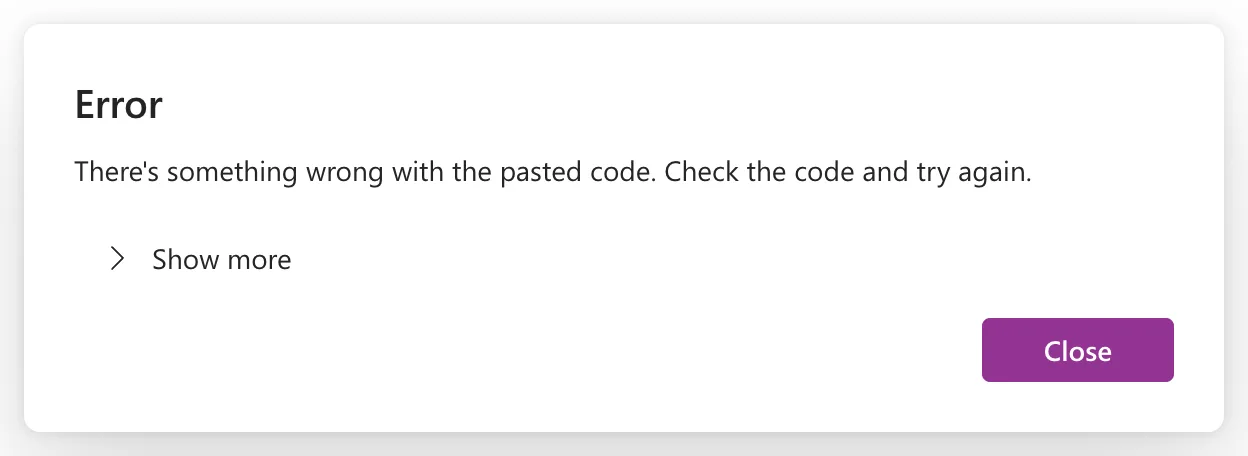
Show more opened the details:
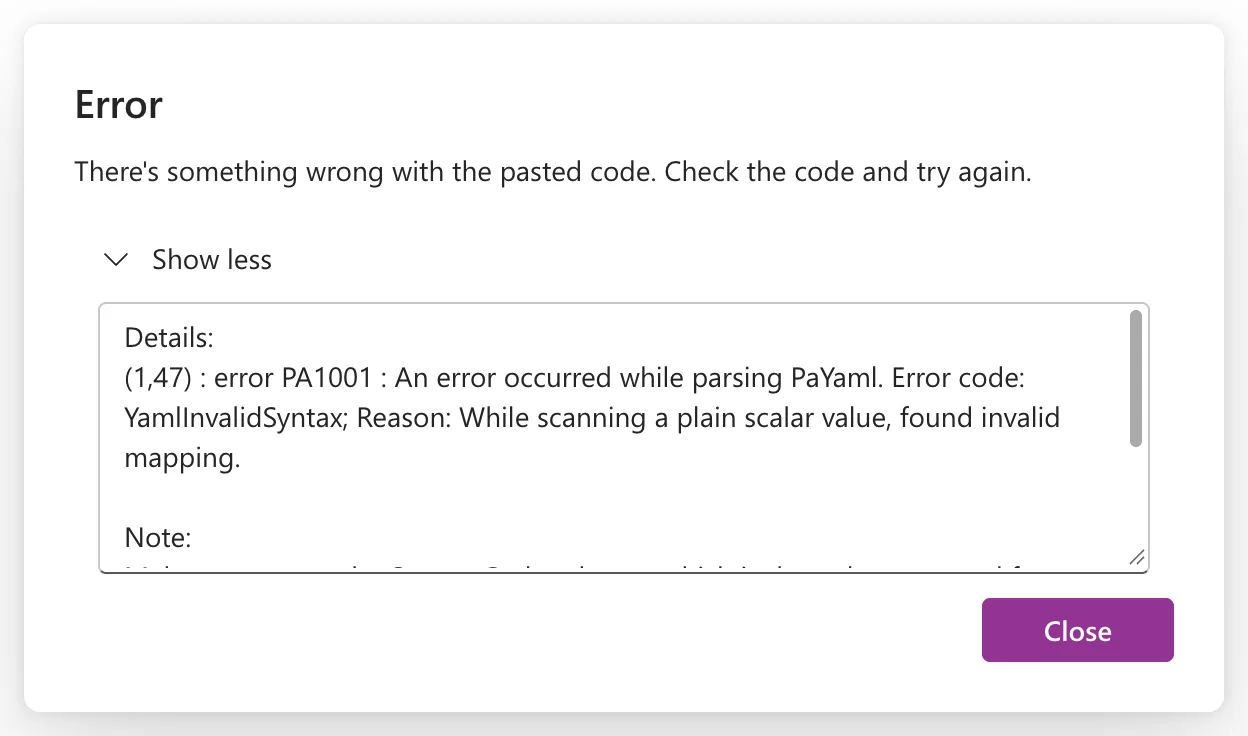
(1,47) : error PA1001 : An error occurred while parsing PaYaml. Error code: YamlInvalidSyntax; Reason: While scanning a plain scalar value, found invalid mapping.

Note:
Make sure to use the Source Code schema, which is the only supported format. To learn more: https://go.microsoft.com/fwlink/?linkid=2299600
The details box also ends with a session ID, which isn't needed here.
What I Checked
The details talk about parsing PaYaml, so Studio was reading the paste as code. I looked at what I'd copied last. After pasting the first copy, I'd copied the first screen's formula and pasted it into OnSelect. The clipboard held that formula, not the button.
Why It Happens
Microsoft's code view article explains how copy and paste work in Studio (Use code view for canvas app controls):
- Copying a control copies its code, in YAML.
- Pasting creates a new control from that code, and Studio validates the code first. Microsoft says to use the YAML format that Studio generates.
- Pasting goes through the browser's clipboard.
So the paste didn't paste "the last control I copied". It pasted whatever was on the clipboard, and a Power Fx formula isn't valid control code. The Source Code schema in the note is the current format of that code (View source code files for canvas apps).
The Fix
Copy the control again, then paste. On the first screen I selected ... on the button → Copy, went back to the next screen's header and selected ... → Paste. If you paste formulas in between, copy the control again before each paste.
After the Fix
The paste worked. The copy appeared at the end of the header with _1 added to its name, next to the header's other controls:
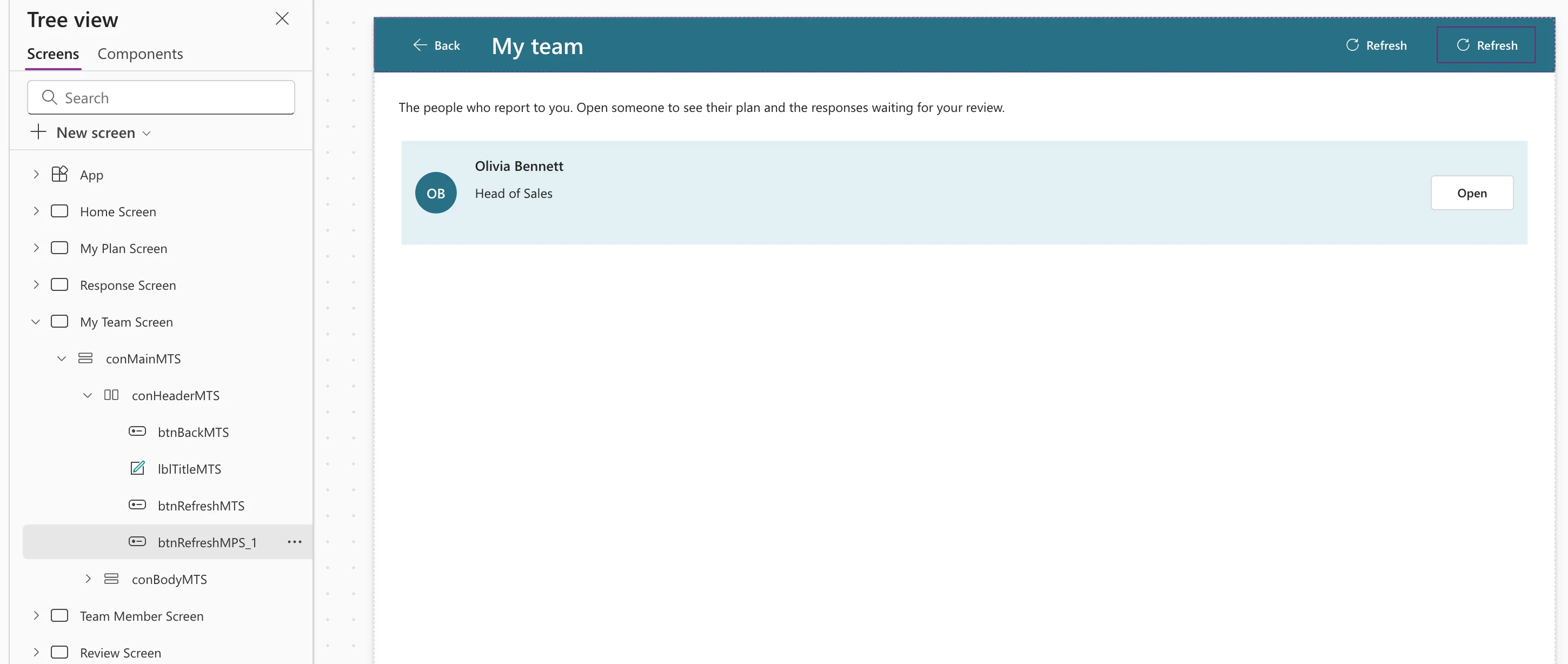
That header already had its own button by then. I pasted this extra copy for the picture and removed it again with Undo (Ctrl+Z).
Common Mistakes
| Mistake | What happens | Do this instead |
|---|---|---|
| Copying a formula between pastes | The next paste fails | Copy the control again before each paste |
| Pasting text from a blog post in Tree view | The same error | Paste formulas in the formula bar, controls in Tree view |
| Editing copied code by hand before pasting | Validation can fail | Paste the code Studio generated |
Troubleshooting
| Symptom | Likely cause | Fix |
|---|---|---|
| There's something wrong with the pasted code | The clipboard holds something other than a control | Copy the control again |
| Paste does nothing at all | The browser blocks clipboard access | Allow clipboard access for Power Apps, as Microsoft's code view article describes |
| The copy lands in the wrong container | Paste goes into the container you pasted on | Use ... → Paste on the container you want, or Reorder |
FAQ
Can I paste code that someone sent me?
Yes, if it's control code that Studio generated. Microsoft's code view article covers copying a control's code to share it outside Studio.
Why does the copy get _1 in its name?
Control names must be unique in an app, so Studio adds a number. Rename the copy for its new screen.
Conclusion
There's something wrong with the pasted code means the clipboard didn't hold control code. Copy the control again right before pasting, especially when you paste formulas in between.
