Fixed: "The specified file cannot be converted to a key" with MySql.Data

The key was good, and MySQL had made it itself, yet the driver said The specified file cannot be converted to a key. It isn't the key, it's the wrapping: MySql.Data reads only one of the two formats that OpenSSL writes, and it isn't the one you get today by default.
What I Was Doing
I was connecting with SslMode=VerifyFull on MySql.Data 26.10.0 and .NET 10, using the client certificate and key MySQL creates in its data folder:
…;SslMode=VerifyFull;SslCa=/Users/you/projects/mysql-connection-test/certs/ca.pem;SslCert=/Users/you/projects/mysql-connection-test/certs/client-cert.pem;SslKey=/Users/you/projects/mysql-connection-test/certs/client-key.pem
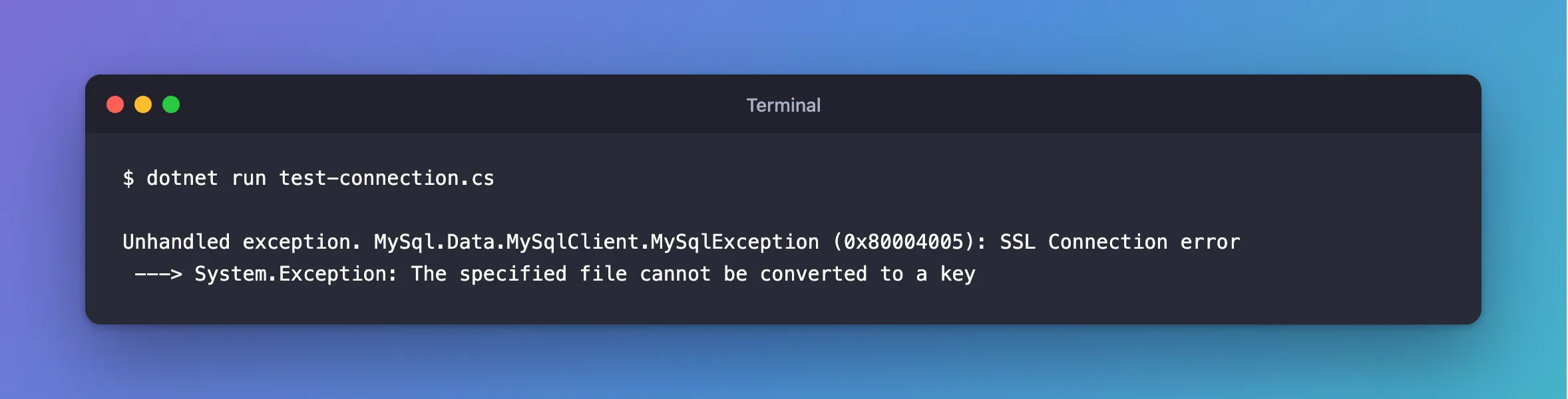
dotnet run test-connection.cs
What I Expected
A connection, or a complaint about the server's name.
What I Got
Unhandled exception. MySql.Data.MySqlClient.MySqlException (0x80004005): SSL Connection error
 ---> System.Exception: The specified file cannot be converted to a key
What I Checked
The first line of the key file:
head -1 certs/client-key.pem
-----BEGIN PRIVATE KEY-----
A key made by OpenSSL 4.1 on my computer, with openssl req -nodes: it starts the same way, and fails the same way.
The same key in the older format. That one worked, which settled it.
Why It Happens
A private key file comes in two formats that look almost the same:
| First line | Format | Who writes it |
|---|---|---|
-----BEGIN PRIVATE KEY----- | PKCS#8 | OpenSSL 3 and later by default, and MySQL's own generated files |
-----BEGIN RSA PRIVATE KEY----- | PKCS#1, also called "traditional" | openssl rsa -traditional |
The driver only accepts the second. Oracle's documentation doesn't say that, so you find out from this error.
The Fix
Convert the key. -traditional writes the older format:
openssl rsa -in client-key.pem -traditional -out client-rsa-key.pem
head -1 client-rsa-key.pem
writing RSA key
-----BEGIN RSA PRIVATE KEY-----
No OpenSSL on your computer? For a key inside a MySQL container, the image has it:
docker compose exec --user mysql mysql openssl rsa -in /var/lib/mysql/client-key.pem -traditional -out /var/lib/mysql/client-rsa-key.pem
docker compose cp mysql:/var/lib/mysql/client-rsa-key.pem certs/client-key.pem
After the Fix
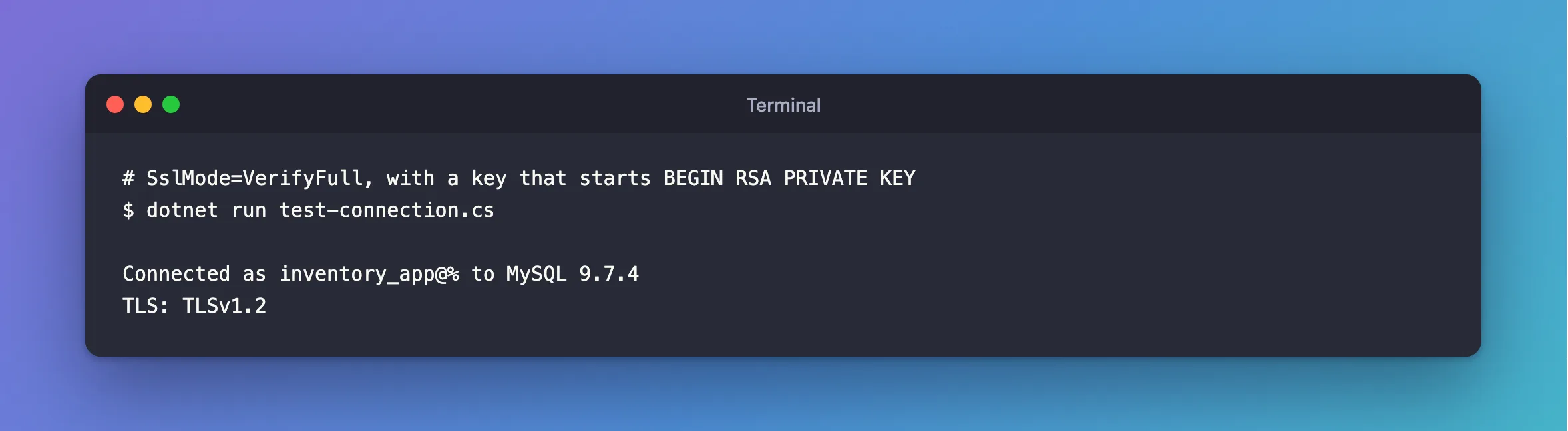
The key is accepted, and the driver moves on to the next check. Here, with the server's certificate carrying the right name as well:
dotnet run test-connection.cs
Connected as inventory_app@% to MySQL 9.7.4
TLS: TLSv1.2
Common Mistakes
| Mistake | What happens | Do this instead |
|---|---|---|
Assuming openssl rsa converts it, as in older guides | On OpenSSL 3 and later, it keeps BEGIN PRIVATE KEY | Add -traditional |
| Editing the first and last lines by hand | The contents differ too, so it still fails | Convert it |
Pointing SslKey at the certificate | Same error | Check you have the key: it starts with BEGIN and has PRIVATE KEY |
Troubleshooting
| Symptom | Likely cause | Fix |
|---|---|---|
The host name does not match the name on the certificate | The key is fine now | The fix |
Failed to read file at the specified location | The path is wrong, or the file can't be read | The fix |
Could not find or decode private key from openssl | The file isn't a key: that's what openssl rsa says when given a certificate | Check the first line |
Conclusion
The specified file cannot be converted to a key means the key starts with BEGIN PRIVATE KEY. MySql.Data needs BEGIN RSA PRIVATE KEY, and openssl rsa -traditional writes it.
Additional Resources
- openssl-rsa documentation — the
-traditionaloption. - Using PEM Certificates in Connector/NET —
SslKey.
