Fixed: UserWarning "The specified dataset source can be interpreted in multiple ways: LocalArtifactDatasetSource, LocalArtifactDatasetSource" in MLflow

Logging a pandas DataFrame read from a CSV file, with that file as its source, made MLflow print UserWarning: The specified dataset source can be interpreted in multiple ways: LocalArtifactDatasetSource, LocalArtifactDatasetSource. It names the same source type twice because MLflow 3.18.0 registers it twice. The dataset it logs is correct, and a warnings filter for this one message keeps your output clean until MLflow fixes it.
What I Was Doing
I was writing How to Log a Dataset in MLflow, with MLflow 3.18.0, pandas 3.1.1 and Python 3.15.2. Its example reads a small CSV file, houses.csv, and records it as an MLflow dataset whose source is that file:
import mlflow
import pandas as pd

mlflow.set_tracking_uri("http://127.0.0.1:8080")
mlflow.set_experiment("datasets-demo")

houses = pd.read_csv("houses.csv")
dataset = mlflow.data.from_pandas(houses, source="houses.csv", targets="price", name="houses")

print("Name:   ", dataset.name)
print("Digest: ", dataset.digest)
print("Profile:", dataset.profile)
print("Schema: ", dataset.schema)

with mlflow.start_run(run_name="log-a-dataset"):
    mlflow.log_input(dataset, context="training")
uv run python log_dataset.py
What I Expected
The four lines the script prints, then MLflow's links to the run.
What I Got
2026/11/19 16:21:35 INFO mlflow.tracking.fluent: Experiment with name 'datasets-demo' does not exist. Creating a new experiment.
/Users/you/source/mlflow-demo/.venv/lib/python3.15/site-packages/mlflow/data/dataset_source_registry.py:148: UserWarning: The specified dataset source can be interpreted in multiple ways: LocalArtifactDatasetSource, LocalArtifactDatasetSource. MLflow will assume that this is a LocalArtifactDatasetSource source.
  return _dataset_source_registry.resolve(
Name:    houses
Digest:  24586459
Profile: {'num_rows': 5, 'num_elements': 15}
/Users/you/source/mlflow-demo/.venv/lib/python3.15/site-packages/mlflow/types/utils.py:440: UserWarning: Hint: Inferred schema contains integer column(s). Integer columns in Python cannot represent missing values. If your input data contains missing values at inference time, it will be encoded as floats and will cause a schema enforcement error. The best way to avoid this problem is to infer the model schema based on a realistic data sample (training dataset) that includes missing values. Alternatively, you can declare integer columns as doubles (float64) whenever these columns may have missing values. See `Handling Integers With Missing Values <https://www.mlflow.org/docs/latest/models.html#handling-integers-with-missing-values>`_ for more details.
  warnings.warn(
Schema:  ['rooms': long (required), 'size_m2': long (required), 'price': long (required)]
🏃 View run log-a-dataset at: http://127.0.0.1:8080/#/experiments/6/runs/257be85c3a7447228d0b2bcab91cd0e0
🧪 View experiment at: http://127.0.0.1:8080/#/experiments/6
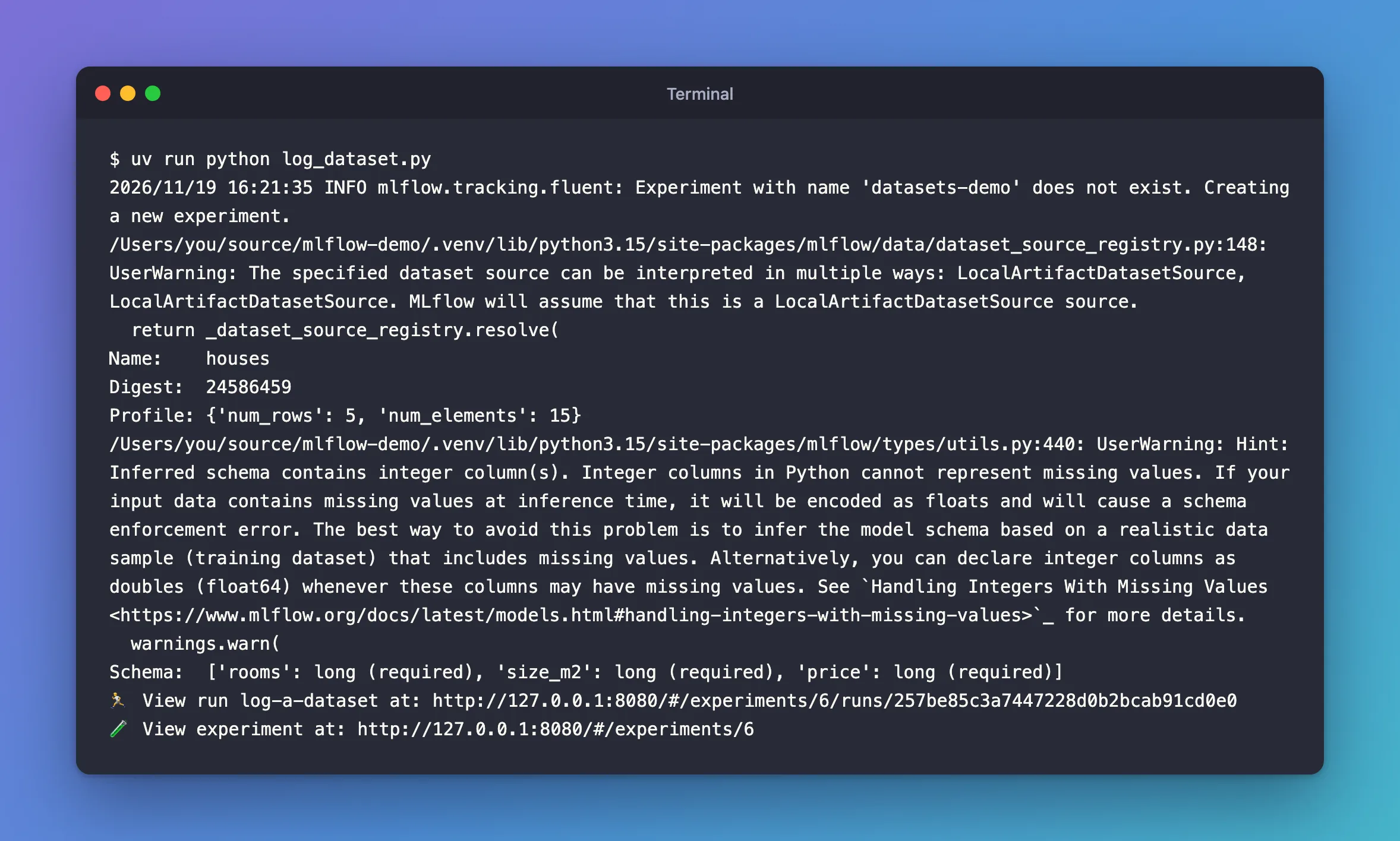
Two warnings. This post is about the first, which appeared when from_pandas() read the source argument. The second, about integer columns, has its own post: Fixed: UserWarning "Hint: Inferred schema contains integer column(s)".
What I Checked
What raises it. Line 148 of mlflow/data/dataset_source_registry.py is where from_pandas() asks MLflow's list of dataset source types which one fits "houses.csv". In MLflow 3.18.0, the registry warns whenever more than one type says yes, and lists each one's class name:
        if len(matching_sources) > 1:
            source_class_names_str = ", ".join([source.__name__ for source in matching_sources])
            warnings.warn(
                f"The specified dataset source can be interpreted in multiple ways:"
                f" {source_class_names_str}. MLflow will assume that this is a"
                f" {matching_sources[-1].__name__} source.",
                stacklevel=2,
            )
Why the same name twice. MLflow builds a dataset source type for each kind of artifact storage it knows, keyed by the start of an address, such as s3 or file. Two of those keys lead to the same local storage, LocalArtifactRepository: an empty key for plain paths and file for file:// addresses. I asked MLflow, through two of its internal modules, which keys use local storage and which source types accept houses.csv:
from mlflow.data.dataset_source_registry import _dataset_source_registry as reg
from mlflow.store.artifact.artifact_repository_registry import get_registered_artifact_repositories
repos = get_registered_artifact_repositories()
print("schemes using LocalArtifactRepository:", [repr(s) for s, r in repos.items() if r.__name__ == "LocalArtifactRepository"])
matches = [s for s in reg.sources if s._can_resolve("houses.csv")]
print("sources that can resolve houses.csv:", [(s.__name__, s._get_source_type()) for s in matches])
schemes using LocalArtifactRepository: ["''", "'file'"]
sources that can resolve houses.csv: [('LocalArtifactDatasetSource', 'local'), ('LocalArtifactDatasetSource', 'local')]
So there are two separate source types, both named LocalArtifactDatasetSource, both of kind local, and each accepts any local path.
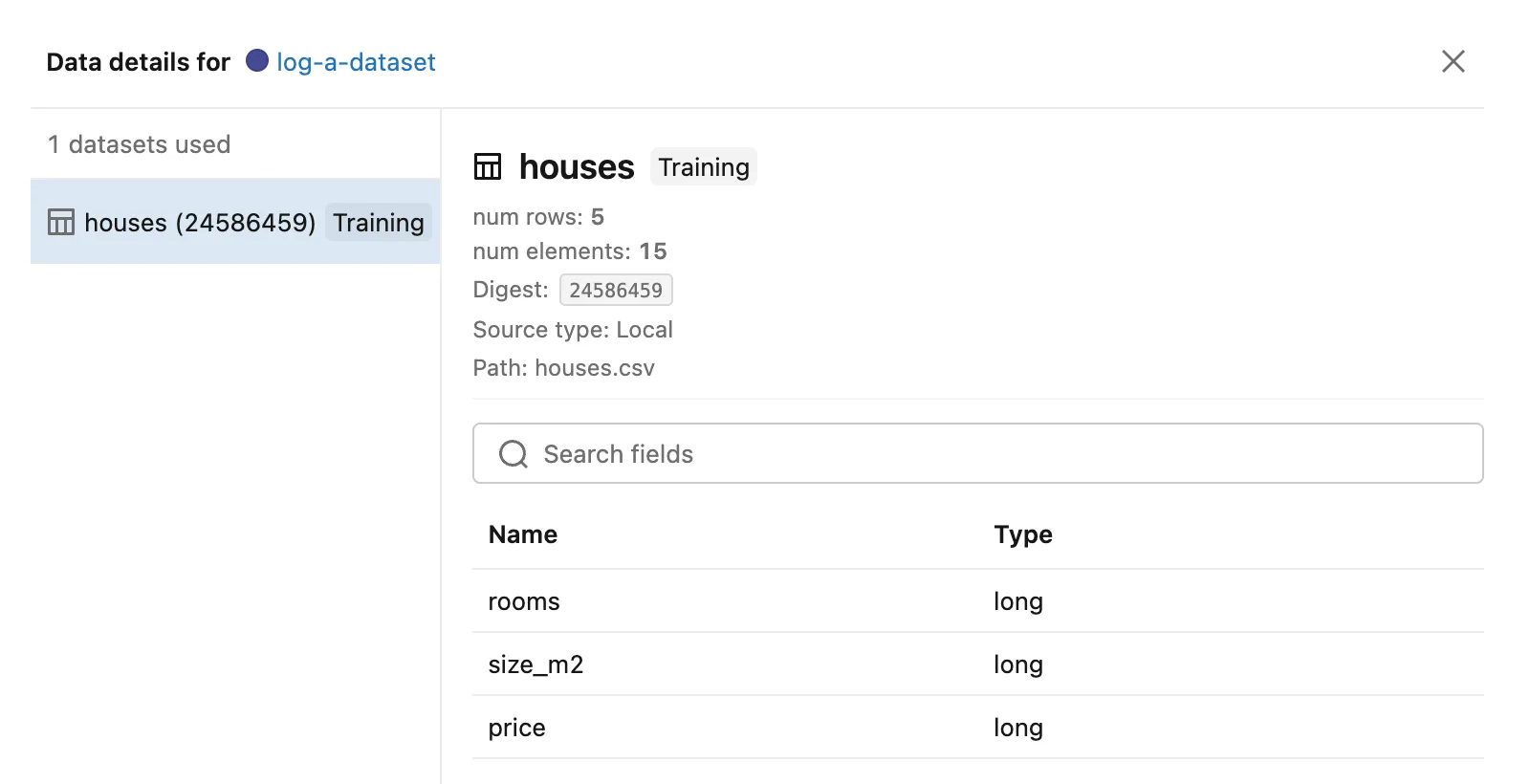
Whether the logged dataset is right. Either type records the same thing: kind local and the path as given. The run's dataset panel shows exactly that:
Other ways to write the path. A pathlib.Path object, a relative path such as data/houses.csv and a full file:///… address all produced the same warning.
MLflow's issue tracker. The bug is mlflow/mlflow#9702, "[BUG] Warning about LocalArtifactDatasetSource being ambiguous with itself", open since September 22, 2023, when it was reported against MLflow 2.7.1. Its reporter wrote: "I can't tell that there's anything I can do in my application code to fix this." A pull request to register local storage once, #26363, was closed without being merged on October 14, 2026, with the comment "Closing because #9702 is over a year old and needs to be re-triaged before we take a fix."
MLflow's documentation. from_pandas() documents source as "a filesystem path, an S3 URI, an HTTPS URL" and more, "or an instance of DatasetSource". The local source types are built while MLflow loads and aren't part of its API reference, so there is no documented way to hand one over and skip the lookup.
Why It Happens
MLflow 3.18.0 registers its local storage under two keys, an empty one and file, and builds a dataset source type for each. Both answer yes for any local path, so the lookup in from_pandas() finds two matches with the same name and warns. It then uses the last match, which records the path exactly as the first would.
The Fix
Tell Python to ignore this one warning before the dataset is created. Add the filter at the top of the script:
import warnings

import mlflow
import pandas as pd

# MLflow 3.18 registers local files under two identical source types and warns about
# it (mlflow/mlflow#9702). Both give the same record, so ignore just this warning.
warnings.filterwarnings(
    "ignore",
    message="The specified dataset source can be interpreted in multiple ways",
    category=UserWarning,
)
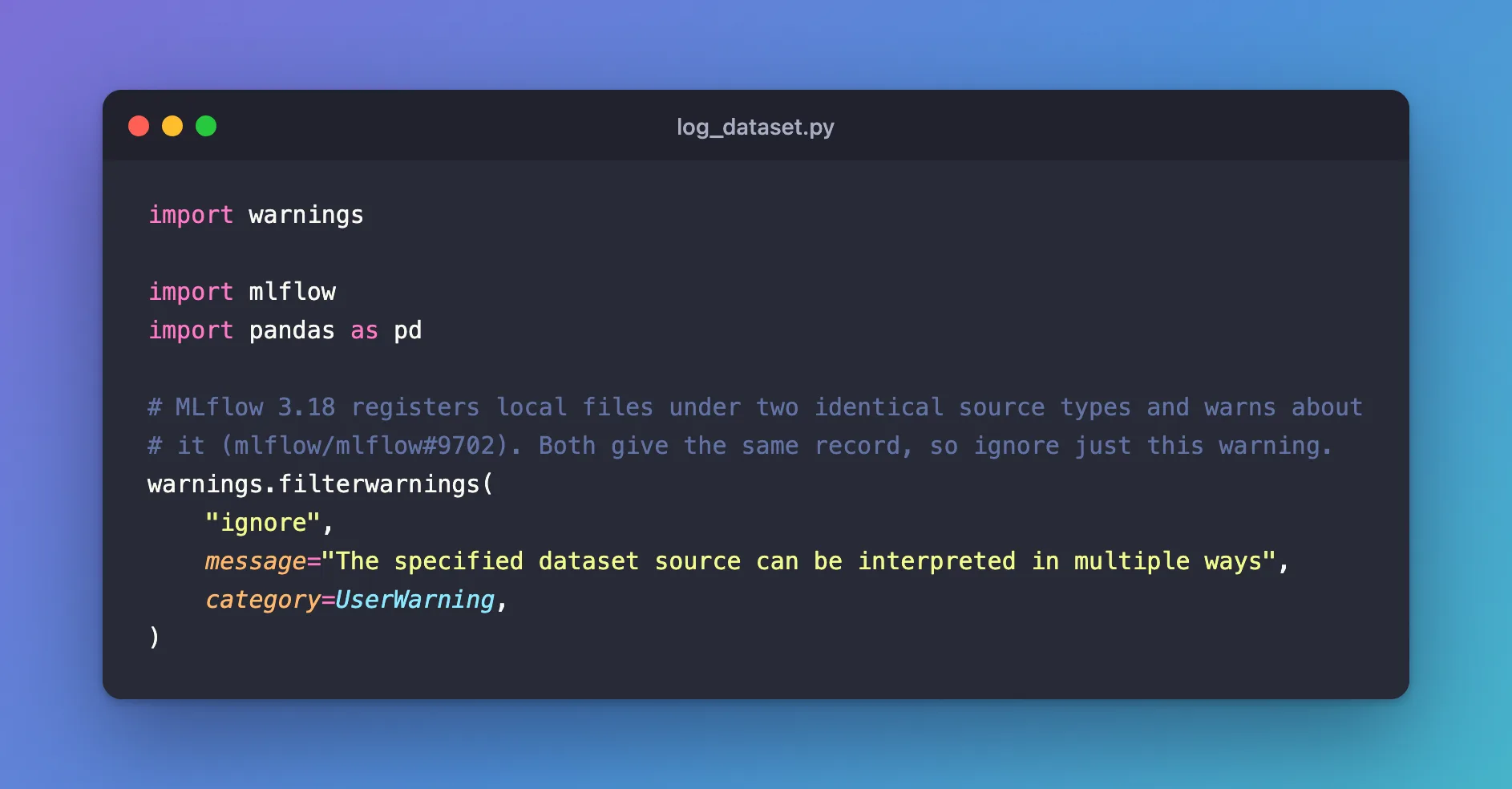
warnings.filterwarnings("ignore", ...)adds a rule to Python's warning filters: matching warnings aren't shown.messageis a regular expression that the start of the warning must match, so the rule catches only this MLflow message.category=UserWarningis the warning's class, from the output above.- The comment names the issue, so the filter can go once a fixed MLflow release is out.
After the Fix
uv run python log_dataset.py
Name:    houses
Digest:  24586459
Profile: {'num_rows': 5, 'num_elements': 15}
/Users/you/source/mlflow-demo/.venv/lib/python3.15/site-packages/mlflow/types/utils.py:440: UserWarning: Hint: Inferred schema contains integer column(s). Integer columns in Python cannot represent missing values. If your input data contains missing values at inference time, it will be encoded as floats and will cause a schema enforcement error. The best way to avoid this problem is to infer the model schema based on a realistic data sample (training dataset) that includes missing values. Alternatively, you can declare integer columns as doubles (float64) whenever these columns may have missing values. See `Handling Integers With Missing Values <https://www.mlflow.org/docs/latest/models.html#handling-integers-with-missing-values>`_ for more details.
  warnings.warn(
Schema:  ['rooms': long (required), 'size_m2': long (required), 'price': long (required)]
🏃 View run log-a-dataset at: http://127.0.0.1:8080/#/experiments/6/runs/d6565b948bca424e941ba7d30e782bf9
🧪 View experiment at: http://127.0.0.1:8080/#/experiments/6
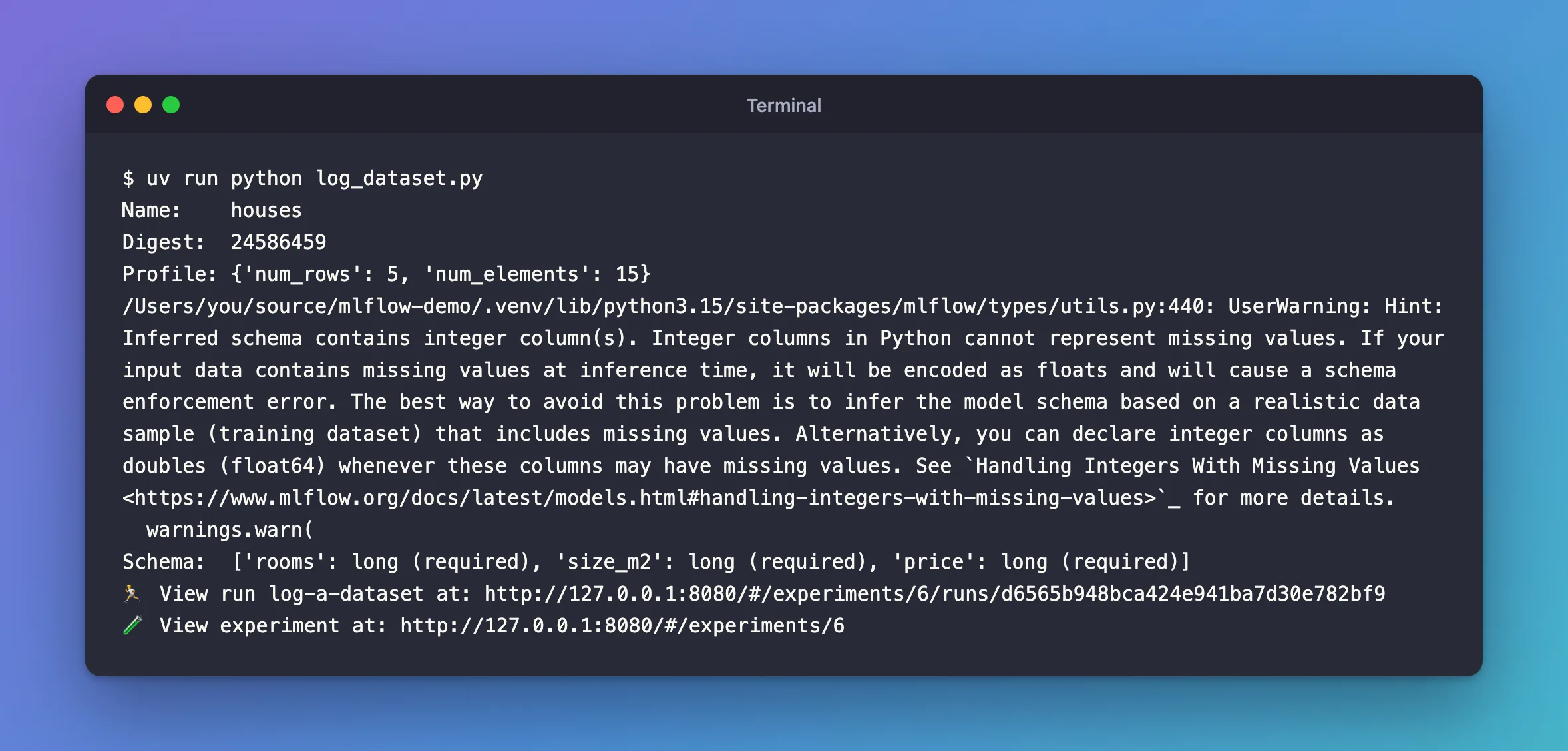
The source warning is gone, and the dataset is unchanged: same digest, 24586459. The experiment already existed, so MLflow no longer says it's creating one. The integer hint that remains has its own fix.
Common Mistakes
| Mistake | What happens | Do this instead |
|---|---|---|
Adding the filter after from_pandas() | The warning has already been shown | Add it before the first from_pandas() |
warnings.simplefilter("ignore") | Every warning disappears, including ones you need | Filter by message and category |
Dropping source to make the warning go | The run records your script as the source instead of the file | Keep source and filter the warning |
Troubleshooting
| Symptom | Likely cause | Fix |
|---|---|---|
| The warning still shows | The filter runs after the dataset is created, or the message has a typo | Put the filter at the top and copy the message's start exactly |
MlflowException: Could not find a source information resolver for the specified dataset source: 42. | source got something that is neither a path nor an address, here a number | Pass a path, a file:// address or a URL such as https://… |
FAQ
Is the dataset logged differently because of the warning?
No. Both matching types are local sources and store the path as you gave it. The run shows Source type: Local and Path: houses.csv either way.
Does an HTTPS source warn too?
No. Only local storage is registered twice. A dataset whose source is an https:// address resolves to a single type, HTTPDatasetSource, without a warning.
When can I delete the filter?
When an MLflow release closes issue #9702. Run your script once without the filter after upgrading, and delete it if the warning is gone.
Conclusion
The specified dataset source can be interpreted in multiple ways: LocalArtifactDatasetSource, LocalArtifactDatasetSource comes from MLflow 3.18.0 registering local storage under two keys, so a local path matches two identical source types. The dataset is recorded correctly either way. A warnings.filterwarnings rule for that one message, placed before the first from_pandas(), hides it until MLflow fixes issue #9702.
Additional Resources
- mlflow/mlflow#9702 — the open issue, with the pull request that was closed.
- mlflow.data.from_pandas — MLflow's reference, including the
sourceargument. - warnings — The warnings filter — how Python matches
messageandcategory.
