Fixed: "The query uses the 'First'/'FirstOrDefault' operator without 'OrderBy' and filter operators" in EF Core

FirstOrDefaultAsync() returned a row, and EF Core logged a warning with it: The query uses the 'First'/'FirstOrDefault' operator without 'OrderBy' and filter operators. This may lead to unpredictable results. The word "first" needs an order to mean anything, and SQL doesn't give you one by itself. An OrderBy or a Where makes the warning go away, and the answer reliable.
What I Was Doing
An endpoint in a .NET 10 Web API read one category, with EF Core 10 and MySQL 9.7, and no conditions:
app.MapGet("/demo/first-noorder", async (InventoryDbContext db) =>
{
    var c = await db.Categories.FirstOrDefaultAsync();
    return Results.Ok(c?.Name);
});
What I Expected
The first category, the one with the lowest ID, without a warning.
What I Got
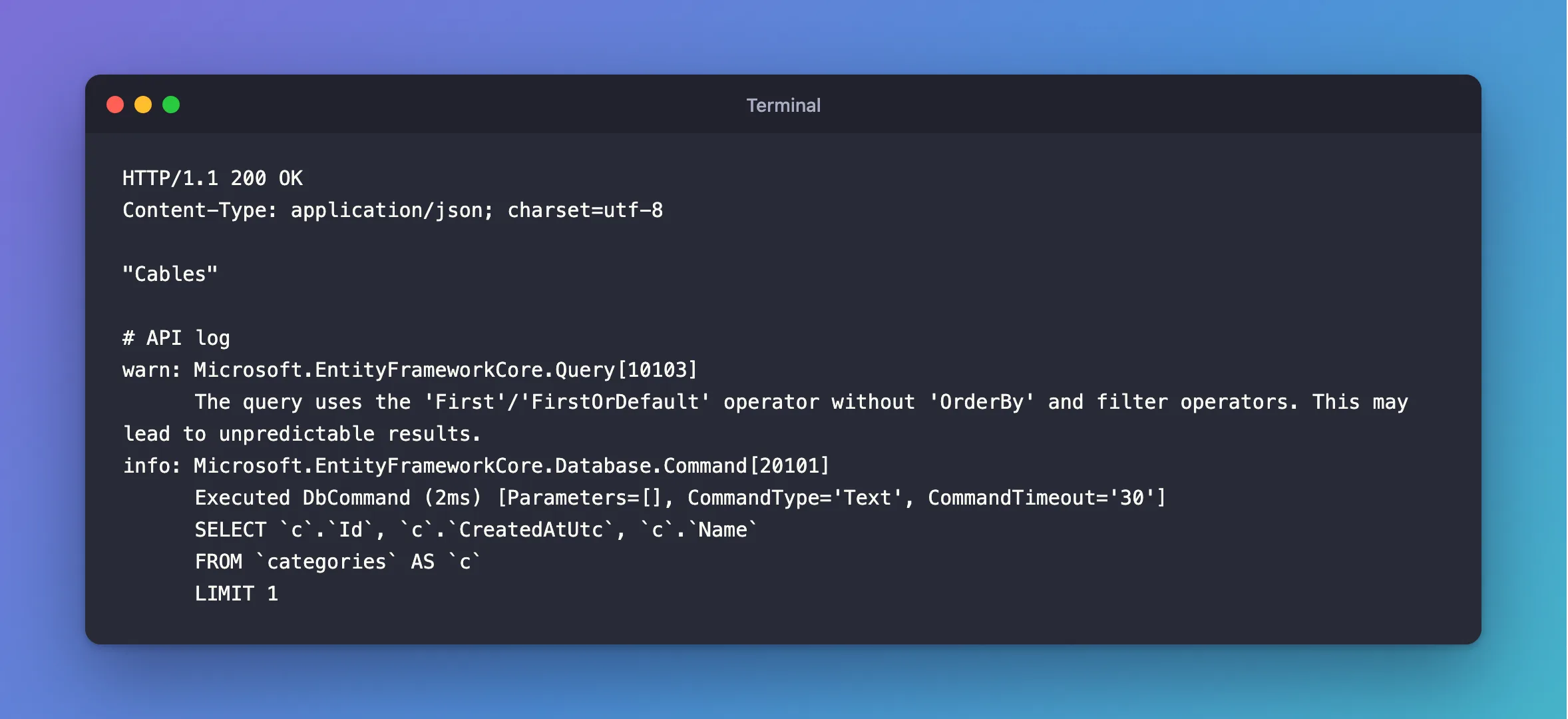
The right-looking answer, and a warning:
HTTP/1.1 200 OK
Content-Type: application/json; charset=utf-8

"Cables"
warn: Microsoft.EntityFrameworkCore.Query[10103]
      The query uses the 'First'/'FirstOrDefault' operator without 'OrderBy' and filter operators. This may lead to unpredictable results.
info: Microsoft.EntityFrameworkCore.Database.Command[20101]
      Executed DbCommand (2ms) [Parameters=[], CommandType='Text', CommandTimeout='30']
      SELECT `c`.`Id`, `c`.`CreatedAtUtc`, `c`.`Name`
      FROM `categories` AS `c`
      LIMIT 1
What I Checked
The SQL. LIMIT 1, with no ORDER BY and no WHERE. That asks MySQL for any one row.
Whether "any row" is really a risk. It is. On the products table, adding one column to a query with LIMIT 3 changed which rows came back, because MySQL chose a different way to read the table; the Skip and Take post shows it. EF Core's pagination page says "relational databases do not apply any ordering by default, even on the primary key."
When EF Core stays quiet. The warning needs both to be missing. With a Where on the key, there's nothing to choose from, so EF Core doesn't warn:
info: Microsoft.EntityFrameworkCore.Database.Command[20101]
      Executed DbCommand (1ms) [Parameters=[@id='?' (DbType = Int32)], CommandType='Text', CommandTimeout='30']
      SELECT `c`.`Id`, `c`.`CreatedAtUtc`, `c`.`Name`
      FROM `categories` AS `c`
      WHERE `c`.`Id` = @id
      LIMIT 1
Why It Happens
First means "the first row of the results". Results only have a first row if something sorts them or narrows them to one. Otherwise, the row you get depends on how the database happens to read the table that day. It's a warning and not an error because the query can still run, and EF Core can't tell whether "any row" is what you meant.
The Fix
Say which row you mean. For the lowest ID, sort:
app.MapGet("/demo/first-ordered", async (InventoryDbContext db) =>
{
    var c = await db.Categories.OrderBy(c => c.Id).FirstOrDefaultAsync();
    return Results.Ok(c?.Name);
});
For one specific row, filter instead, as FirstOrDefaultAsync(c => c.Id == id) does.
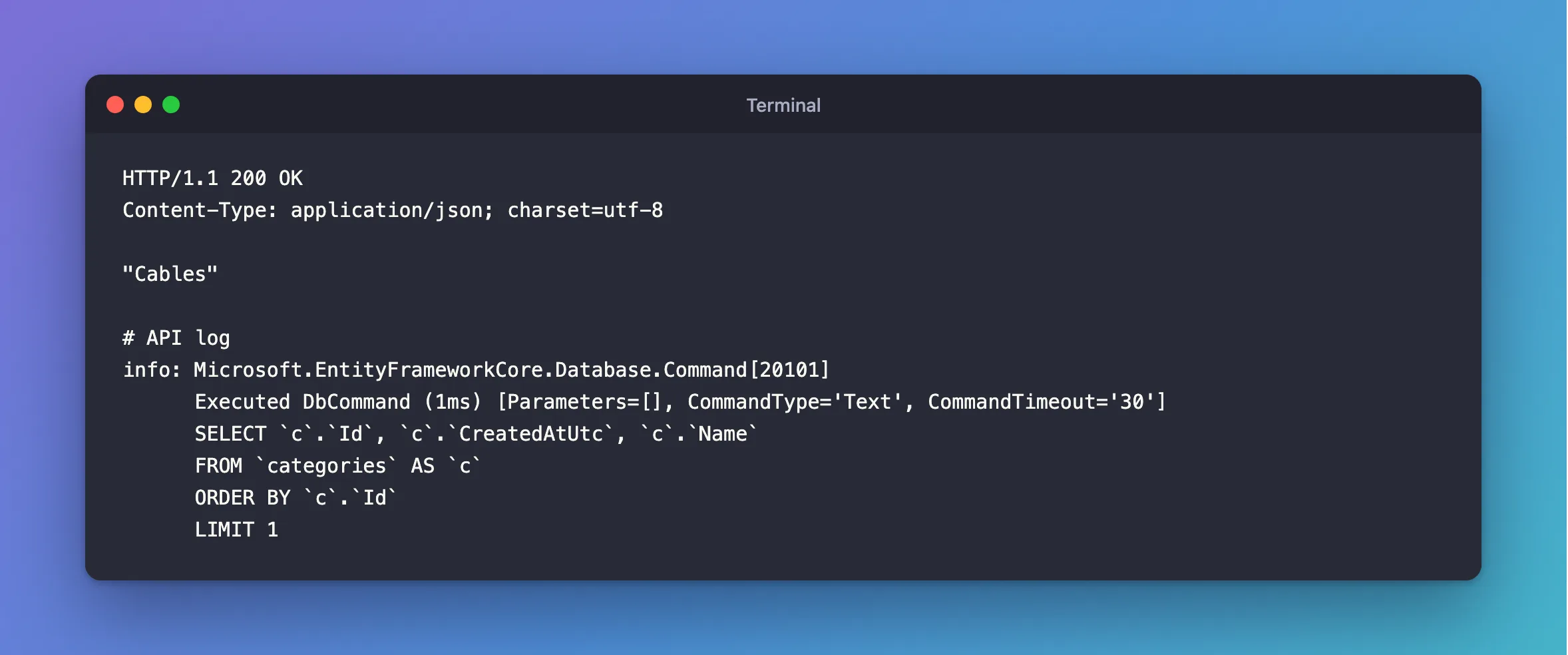
After the Fix
HTTP/1.1 200 OK
Content-Type: application/json; charset=utf-8

"Cables"
info: Microsoft.EntityFrameworkCore.Database.Command[20101]
      Executed DbCommand (1ms) [Parameters=[], CommandType='Text', CommandTimeout='30']
      SELECT `c`.`Id`, `c`.`CreatedAtUtc`, `c`.`Name`
      FROM `categories` AS `c`
      ORDER BY `c`.`Id`
      LIMIT 1
Common Mistakes
| Mistake | What happens | Do this instead |
|---|---|---|
| Assuming "first" means the lowest ID | It holds until MySQL reads the table differently | Sort by what you mean |
Using First to check whether any row exists | It loads a whole row for nothing | Use AnyAsync |
| Hiding the warning in the log configuration | The row can still change | Add the sort or the filter |
Using Single to silence it | It throws when there's more than one row | Use it only when one row is a rule |
Troubleshooting
| Symptom | Likely cause | Fix |
|---|---|---|
warn: Microsoft.EntityFrameworkCore.Query[10103] | First with no OrderBy and no Where | Add one of them |
| A different row comes back than yesterday | No OrderBy | Sort by a unique column |
The warning for Skip or Take instead | The same idea for paging | See that post |
Sequence contains no elements | FirstAsync on an empty result | Use FirstOrDefaultAsync |
FAQ
Why doesn't a Where alone need an OrderBy?
EF Core only warns when neither is there. A Where on a key can match one row at most. A Where on another column can match many, and then you should still sort, even though no warning appears.
Does it matter if the table has one row?
Not today. A table with one row tends to get a second, and the code won't warn you then either.
Conclusion
"The query uses the 'First'/'FirstOrDefault' operator without 'OrderBy' and filter operators" means EF Core sent LIMIT 1 with nothing to say which row. It worked, and it could return a different row later. Add OrderBy to say which is first, or Where to say which one you want.
Additional Resources
- Pagination in EF Core — why results have no default order.
- FirstWithoutOrderByAndFilterWarning — the event in the API reference.
