Fixed: "The provided key is invalid" with MySql.Data

The provided key is invalid sounds like a problem with a key file of yours. It isn't. The server's certificate was signed by a different CA that has the same name as the one in your SslCa file, and MySQL's automatic CAs all have the same name.
What I Was Doing
I had two MySQL servers in Docker, each with the CA it created when it first started. I gave MySql.Data 26.10.0 the first server's ca.pem, and connected to the second, on port 3307:
Server=127.0.0.1;Port=3307;Database=inventory;User ID=inventory_app;Password=…;SslMode=VerifyCA;SslCa=/Users/you/projects/mysql-connection-test/certs/ca.pem
dotnet run test-connection.cs
What I Expected
A refusal, and the message from The certificate authority (CA) does not match. That's what a CA from elsewhere gave me.
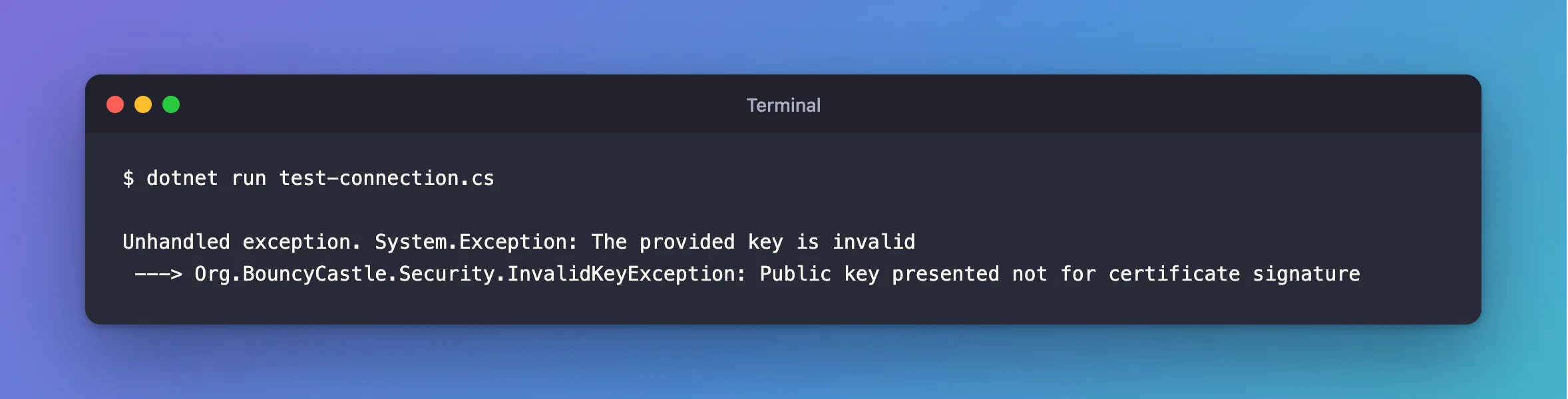
What I Got
Unhandled exception. System.Exception: The provided key is invalid
 ---> Org.BouncyCastle.Security.InvalidKeyException: Public key presented not for certificate signature
What I Checked
The names of both CAs:
openssl x509 -in certs/ca.pem -noout -subject
docker exec inventory-other-mysql openssl x509 -in /var/lib/mysql/ca.pem -noout -subject
subject=CN=MySQL_Server_9.7.4_Auto_Generated_CA_Certificate
subject=CN=MySQL_Server_9.7.4_Auto_Generated_CA_Certificate
Same name, different keys. So the driver got past its comparison of names, and failed when it checked the signature with the wrong key.
The kind of exception. Unhandled exception. System.Exception has no MySqlException around it. In an ASP.NET Core API, that means no retry and a 500, and /health/ready says Unhealthy without saying why.
Why It Happens
The driver checks a certificate in two stages. It compares the issuer's name with your CA's name, which gives The certificate authority (CA) does not match when they differ. Then it checks the signature with your CA's public key, which gives this error when the key is the wrong one. Two CAs with one name get to the second stage.
It's most likely after docker compose down -v. The new volume means a new CA, with the old name.
The Fix
First, decide if the server is really the one you meant. If it isn't, this error is doing its job, so don't change a thing. If it is, copy the CA it uses now:
docker compose cp mysql:/var/lib/mysql/ca.pem certs/ca.pem
After the Fix
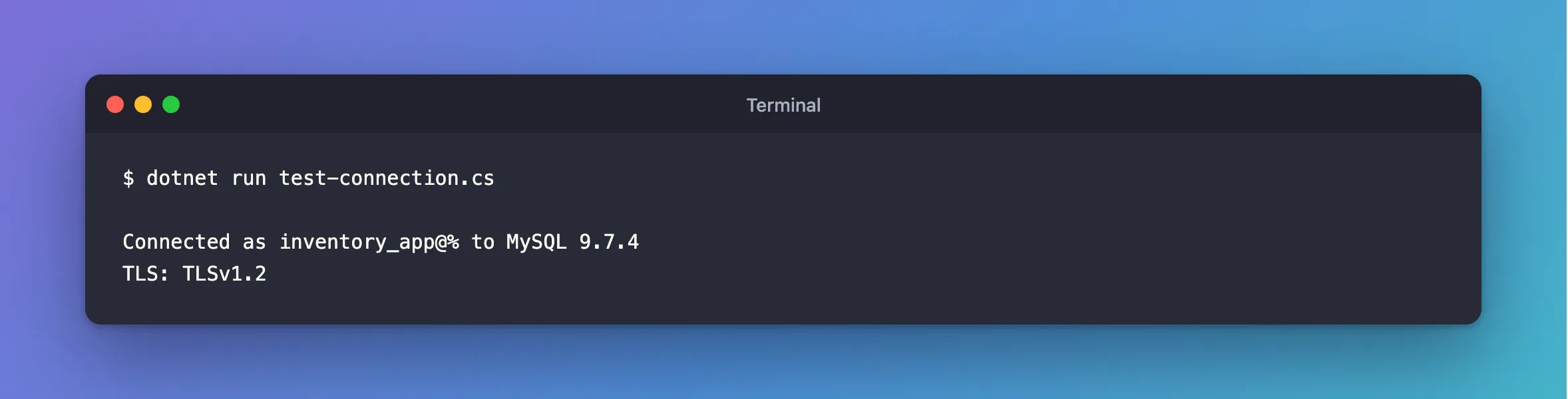
With the CA of the server it connects to:
dotnet run test-connection.cs
Connected as inventory_app@% to MySQL 9.7.4
TLS: TLSv1.2
Common Mistakes
| Mistake | What happens | Do this instead |
|---|---|---|
Looking for a problem with SslKey | This is about the CA | Check SslCa |
Going back to SslMode=Required | Any server can answer | Copy the right CA |
Relying on /health/ready for the reason | It only says Unhealthy | Send a normal request, and read the log |
Troubleshooting
| Symptom | Likely cause | Fix |
|---|---|---|
The certificate authority (CA) does not match | A CA with another name | The fix |
The specified file cannot be converted to a key | This one really is about SslKey | The fix |
| It keeps coming back after restarts | Something recreates the volume | Keep the volume, or give MySQL your own certificates |
Conclusion
The provided key is invalid means the certificate was signed by a different CA with the same name. If the server is the right one, copy its current ca.pem. If it isn't, the check just saved you.
Additional Resources
- Creating SSL and RSA Certificates and Keys using MySQL — where the automatic certificates come from.
- Connector/NET Connection Options —
SslCa.
