Fixed: "The model for context has pending changes. Add a new migration before updating the database." in EF Core

dotnet ef database update printed The model for context 'InventoryDbContext' has pending changes., then No migrations were applied, then Done., and exited with code 0. My new column wasn't in MySQL. That message has two possible causes, and with this provider it won't stop a script, so it's easy to miss.
What I Was Doing
In a .NET 10 Web API with EF Core 10 and Oracle's MySql.EntityFrameworkCore provider, I'd just added a Version property to Product and created a migration for it, AddProductVersion. Then I applied it, with --no-build because I'd built a moment earlier:
dotnet ef database update --project src/Dewiride.Inventory.Data --startup-project src/Dewiride.Inventory.Api --no-build
What I Expected
Applying migration '…_AddProductVersion'., an ALTER TABLE, and a Version column in products.
What I Got
fail: Microsoft.EntityFrameworkCore.Migrations[20409]
      The model for context 'InventoryDbContext' has pending changes. Add a new migration before updating the database. See https://aka.ms/efcore-docs-pending-changes.
The model for context 'InventoryDbContext' has pending changes. Add a new migration before updating the database. See https://aka.ms/efcore-docs-pending-changes.
No migrations were applied. The database is already up to date.
info: Microsoft.EntityFrameworkCore.Migrations[20405]
      No migrations were applied. The database is already up to date.
info: Microsoft.EntityFrameworkCore.Database.Command[20101]
      Executed DbCommand (0ms) [Parameters=[], CommandType='Text', CommandTimeout='30']
      SELECT RELEASE_LOCK('__EFMigrationsLock');
Done.
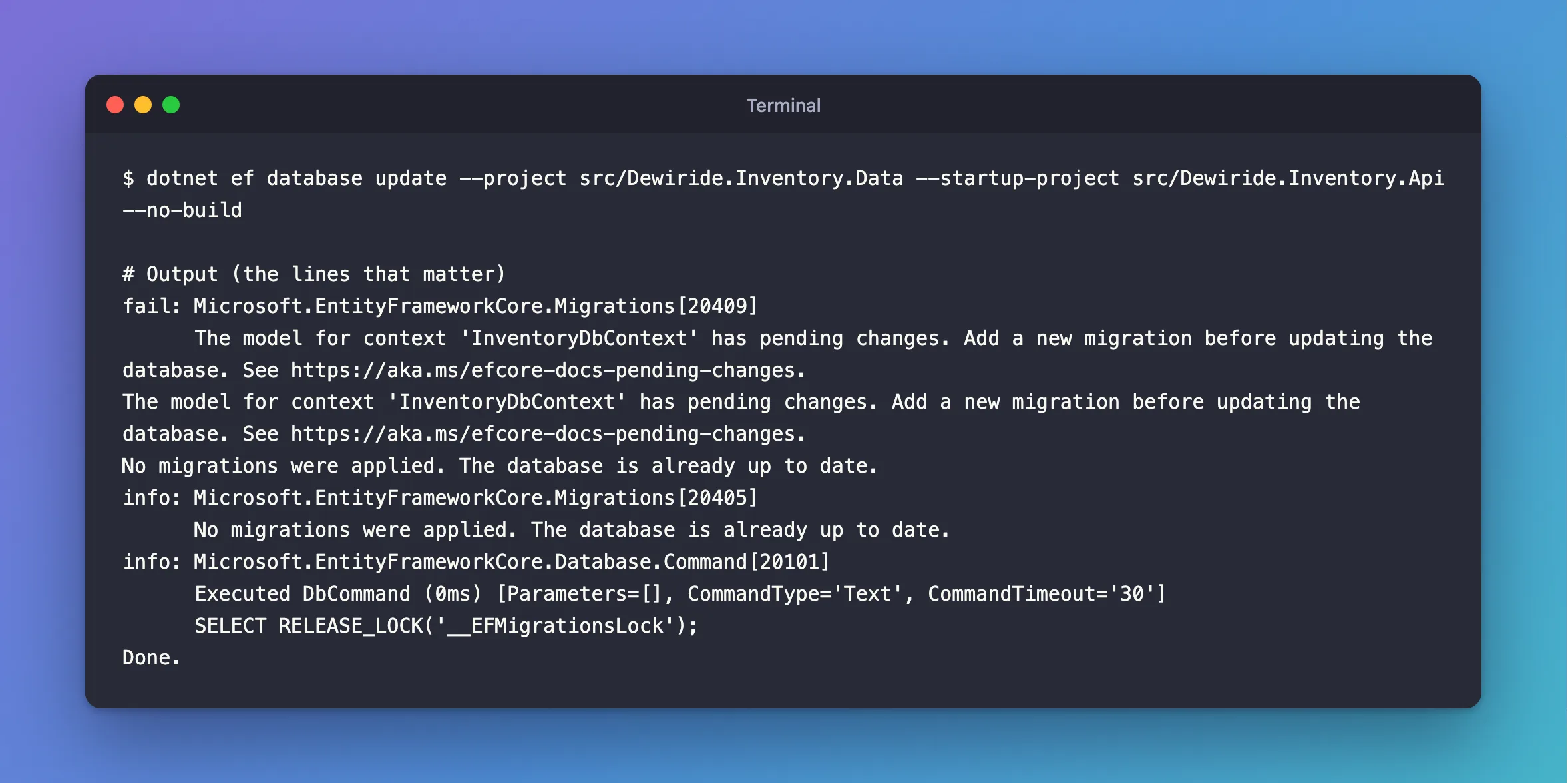
Two messages that seem to disagree: the model has changes, yet "the database is already up to date". And the exit code was 0:
echo $?
0
What I Checked
What the message means. EF Core's breaking changes page for version 9 introduced it: "Starting with EF Core 9.0, if the model has pending changes compared to the last migration an exception is thrown when dotnet ef database update, Migrate or MigrateAsync is called". The page says it's an exception. With Oracle's provider, I got a fail: log line and a clean exit instead, so a script wouldn't notice.
Whether a migration is really missing. I'd created one, so I asked the tools which migrations they could see, again with --no-build:
20261103030957_CreateCatalogTables
20261103031745_AddStockMovements
20261103033027_AddOrders
No AddProductVersion, though the file was in the folder. And has-pending-model-changes with the same flag said:
Changes have been made to the model since the last migration. Add a new migration.
So the tools were reading a DLL from before the migration: it had the new property, but no migration for it. The migration not found post explains why --no-build does that right after migrations add.
Why It Happens
EF Core compares two things before it applies anything: your current model, and the snapshot from the newest migration it can find. If they differ, there's a change no migration captures, and it stops with this message. That difference has two causes:
- You changed the model and forgot
migrations add. The migration doesn't exist. - The migration exists, but the tools can't see it, because they ran on a stale build. That's what happened here.
In both cases, nothing is applied, so "No migrations were applied" is accurate, and "already up to date" only means no known migration was waiting.
The Fix
Check which cause you have. Run the same command without --no-build, so the tools build first:
dotnet ef database update --project src/Dewiride.Inventory.Data --startup-project src/Dewiride.Inventory.Api
If the message comes back after a fresh build, a migration really is missing, so add one first, then update:
dotnet ef migrations add AddProductVersion --project src/Dewiride.Inventory.Data --startup-project src/Dewiride.Inventory.Api
dotnet ef database update --project src/Dewiride.Inventory.Data --startup-project src/Dewiride.Inventory.Api
After the Fix
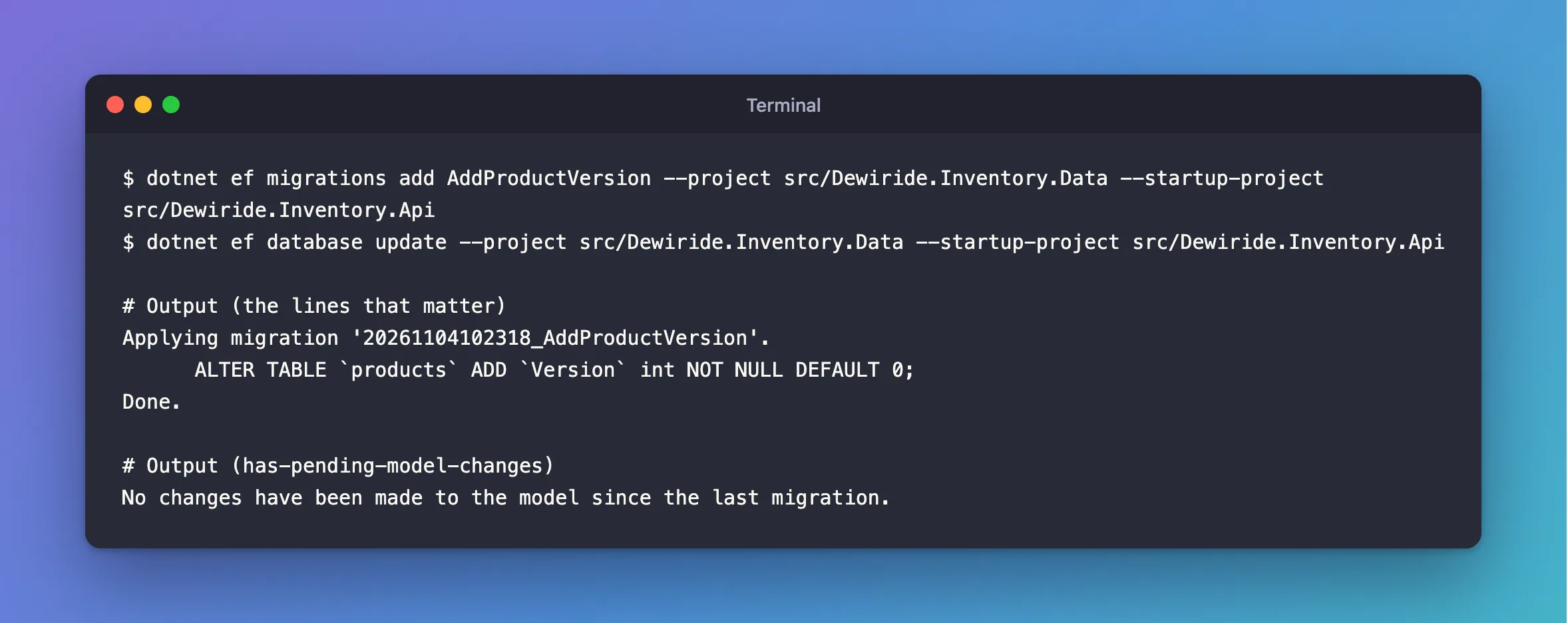
Without the flag, the same command applied the migration:
Applying migration '20261104102318_AddProductVersion'.
      ALTER TABLE `products` ADD `Version` int NOT NULL DEFAULT 0;
Done.
And the check agrees:
No changes have been made to the model since the last migration.
Common Mistakes
| Mistake | What happens | Do this instead |
|---|---|---|
Trusting Done. and exit code 0 in a script | The script carries on with an old database | Run has-pending-model-changes first; it exits with an error |
| Reading "already up to date" as all good | The new column is still missing | Read the fail: line above it |
Turning the warning off with ConfigureWarnings | The check is gone, and the problem stays | Add the migration |
Using --no-build straight after migrations add | The tools can't see the new migration | Build first |
Troubleshooting
| Symptom | Likely cause | Fix |
|---|---|---|
| The message appears after a fresh build | A migration is missing | Run dotnet ef migrations add |
The message appears only with --no-build | The DLL is older than the migration | Build first |
| The message appears though nothing in the model changed | A change in a configuration or convention counts too, or a dynamic value such as DateTime.Now in seed data | Add a migration, or make the value constant |
| No message, and the column is still missing | The migration was applied to a different database | Check the connection string the tools use |
FAQ
Why isn't it an exception here?
EF Core's page describes an exception. In this setup, with EF Core 10.0.14 and Oracle's provider 10.0.12, I got the fail: log line, Done. and exit code 0. Don't rely on either behaviour: check for it yourself in a pipeline.
How do I check before applying?
dotnet ef migrations has-pending-model-changes compares the model with the last migration, without connecting to the database. How to Check for Pending Model Changes in EF Core shows its output.
Conclusion
"The model for context has pending changes" means your model differs from the newest migration the tools can see: either you haven't added a migration, or the tools ran on a build from before you did. With Oracle's provider, it still prints Done. and exits with 0, and nothing is applied. Build, check with has-pending-model-changes, add a migration if one is missing, and update.
Additional Resources
- EF Core 9 breaking changes: pending model changes — why this message exists.
- Managing Migrations — adding migrations and checking for missing ones.
