Fixed: The MLflow Server Upgrades an Old Database on Its Own When It Starts

MLflow's documentation says mlflow server fails against a database with an out-of-date schema, and that you run mlflow db upgrade first. MLflow 3.18.0 didn't fail on a database from MLflow 3.16.0: it migrated the database on its own as it started, before any backup. Backing up and running mlflow db upgrade before the first start puts that step back in your hands.
What I Was Doing
I was writing How to Upgrade an MLflow Tracking Database with mlflow db upgrade. The example is a tracking server folder, upgrade-demo, whose database MLflow 3.16.0 had created, with one run. Its schema version, in the table alembic_version:
sqlite3 mlflow.db "select version_num from alembic_version"
b7e2c1a4d9f3
I upgraded the package with uv add mlflow==3.18.0, then started the server before migrating, to show the error the documentation describes:
uv run mlflow server --port 8092
What I Expected
The server to stop with an error. MLflow's Backend Stores page: "mlflow server will fail against a database with an out-of-date schema. Always run mlflow db upgrade [db_uri] to upgrade your database schema before starting the server."
What I Got
Backend store URI not provided. Using sqlite:///mlflow.db
Registry store URI not provided. Using backend store URI.
2026/11/28 14:16:45 INFO mlflow.store.db.utils: Creating initial MLflow database tables...
2026/11/28 14:16:45 INFO mlflow.store.db.utils: Updating database tables
[MLflow] Security middleware enabled with default settings (localhost-only). To allow connections from other hosts, use --host 0.0.0.0 and configure --allowed-hosts and --cors-allowed-origins.
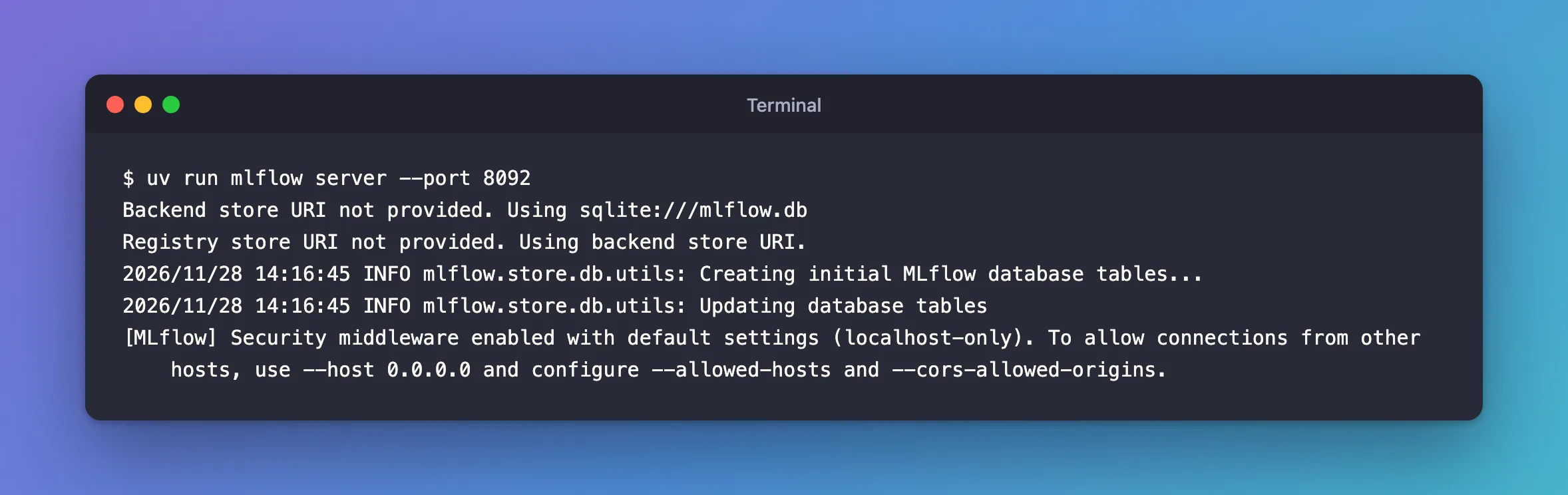
The server started normally. After I stopped it, the schema version had changed:
sqlite3 mlflow.db "select version_num from alembic_version"
f4a9b2c7d1e6
The server had migrated the database to MLflow 3.18.0's schema, without a backup.
What I Checked
What MLflow 3.18.0 does when it opens a database. In mlflow/store/tracking/sqlalchemy_store.py, the store checks for its tables first, and only verifies the schema version afterwards:
        if not mlflow.store.db.utils._all_tables_exist(self.engine):
            mlflow.store.db.utils._initialize_tables(self.engine)
_initialize_tables, in mlflow/store/db/utils.py, is what printed the line I saw, and it runs the migrations:
def _initialize_tables(engine):
    _logger.info("Creating initial MLflow database tables...")
    InitialBase.metadata.create_all(engine)
    _upgrade_db(engine)
_all_tables_exist is true only when every table MLflow 3.18.0 defines is in the database.
Which tables the 3.16.0 database lacked. I compared it, from a backup made before the migration, with the migrated database:
uv run python compare_tables.py
tables in the 3.16.0 database: 59
tables after the upgrade: 71
new tables: issue_categories, job_locks, scheduler_leases, skill_aliases, skill_tags, skill_version_tags, skill_versions, skills, sql_assessment_daily_rollups, sql_span_cost_daily_rollups, sql_trace_metric_daily_rollups, sql_trace_rollup_rebuild_queue
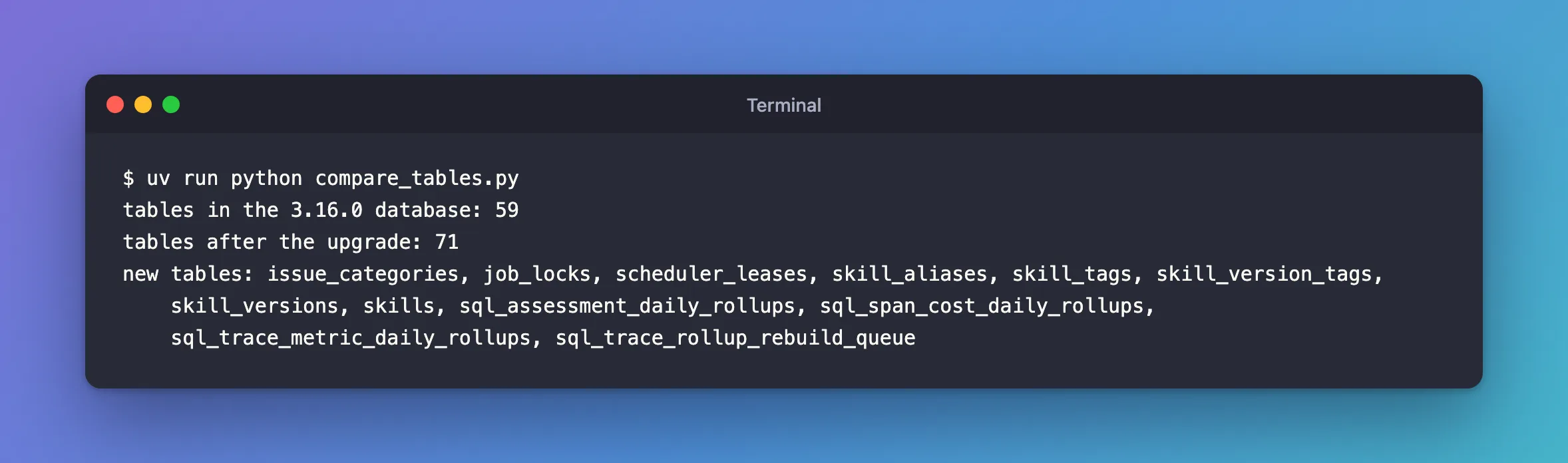
MLflow 3.18.0 defines 12 tables the 3.16.0 database didn't have, so _all_tables_exist was false and the server migrated.
Why It Happens
MLflow 3.18.0 runs the full migration as it starts whenever the database is missing any of its tables, which happens when a new version adds tables. The error the documentation describes, Detected out-of-date database schema, comes from the later version check, _verify_schema, and only when all the tables exist but the version is old. Between MLflow 3.16.0 and 3.18.0, the first case applied. The migration then ran without the backup that MLflow's upgrade guide asks for: "Schema migrations can be slow and are not guaranteed to be transactional. Always take a backup of the database before running the migration."
The Fix
Don't let the first start of a new version be the migration. With the server stopped and the package upgraded, back up, then migrate yourself:
uv run python backup.py
uv run mlflow db upgrade sqlite:///mlflow.db
backup.py is the script from How to Back Up an MLflow Tracking Server. I put the 3.16.0 database back, ran both commands, and only then started the server.
After the Fix
Backend store URI not provided. Using sqlite:///mlflow.db
Registry store URI not provided. Using backend store URI.
[MLflow] Security middleware enabled with default settings (localhost-only). To allow connections from other hosts, use --host 0.0.0.0 and configure --allowed-hosts and --cors-allowed-origins.
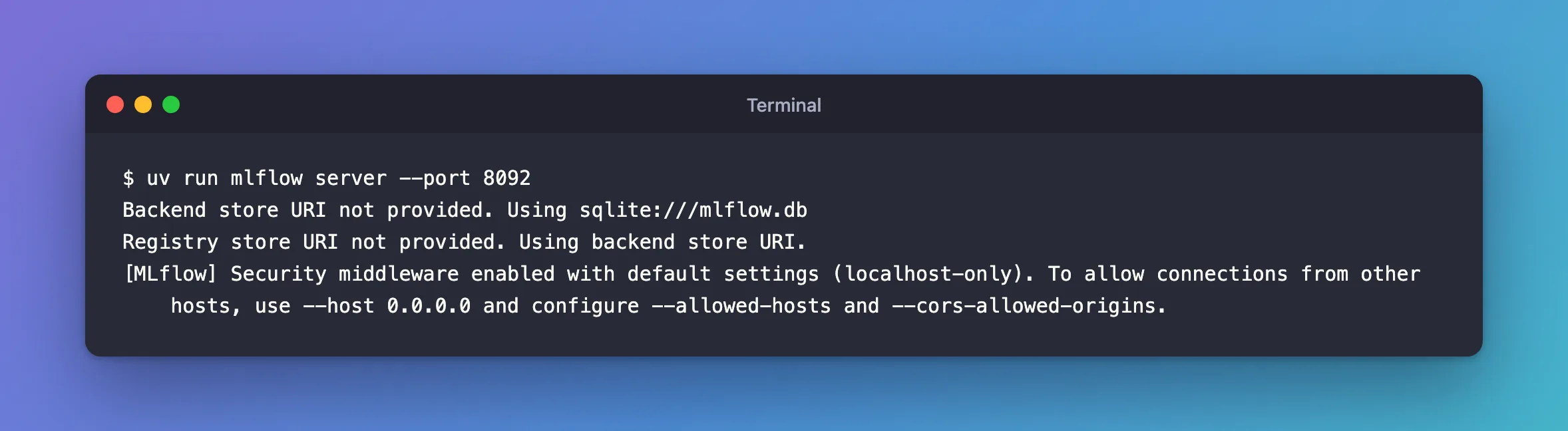
No Creating initial MLflow database tables this time: the database was already migrated, and a backup from before the migration was in backups/.
Common Mistakes
| Mistake | What happens | Do this instead |
|---|---|---|
| Starting a new MLflow version to "see if it works" | It may migrate the database on the spot | Back up and run mlflow db upgrade first |
| Relying on the server to refuse an old database | It refuses only when no tables are missing | Treat every upgrade as needing a migration |
Troubleshooting
| Symptom | Likely cause | Fix |
|---|---|---|
Creating initial MLflow database tables... on an existing database | The new version has tables the database lacks, and it's migrating | Next time, back up and run mlflow db upgrade before starting |
Detected out-of-date database schema | All the tables exist, but the schema version is old | Back up, then run mlflow db upgrade |
FAQ
Is the automatic migration a different migration?
No. _initialize_tables calls _upgrade_db, the same function mlflow db upgrade uses. What's missing is the backup before it, which you'd need to go back if a migration failed halfway.
Conclusion
MLflow 3.18.0 migrated a 3.16.0 database by itself as it started, because the database lacked 12 of its tables, and it did so without a backup. Back up and run mlflow db upgrade before the first start of a new version, and the server starts on a database that's already migrated.
Additional Resources
- How to Upgrade MLflow — the documented upgrade steps.
- Backend Stores — schema migrations and backups.
