Fixed: "The migration 'AddProductVersion' was not found." with dotnet ef --no-build

I created a migration, and the very next command said The migration 'AddProductVersion' was not found. The file was right there in the Migrations folder. The cause was a flag I'd added to save a few seconds: --no-build makes the EF Core tools use the last compiled DLL, and that DLL was older than the migration.
What I Was Doing
In a .NET 10 Web API with EF Core 10 and its local dotnet-ef tool, I added a migration:
dotnet ef migrations add AddProductVersion --project src/Dewiride.Inventory.Data --startup-project src/Dewiride.Inventory.Api
Build started...
Build succeeded.
Done. To undo this action, use 'ef migrations remove'
Then I asked for its SQL, with --no-build, since everything had just been built:
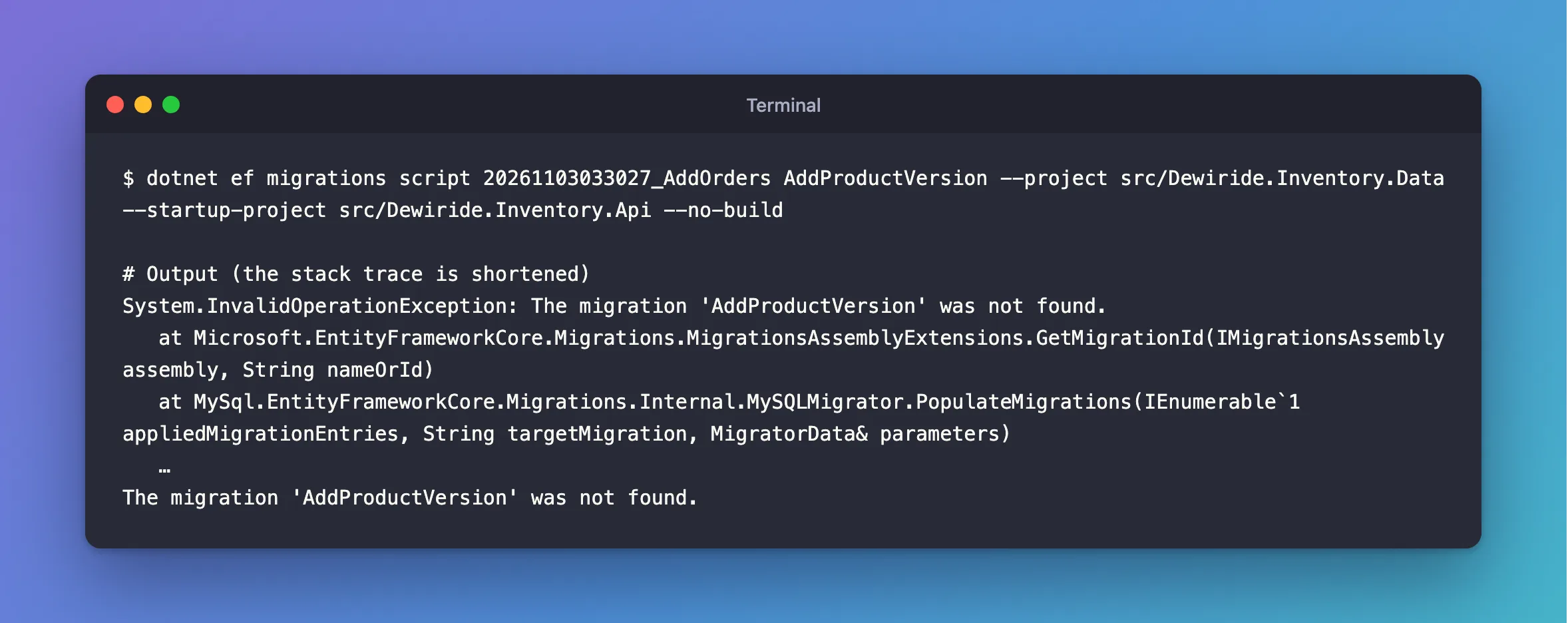
dotnet ef migrations script 20261103033027_AddOrders AddProductVersion --project src/Dewiride.Inventory.Data --startup-project src/Dewiride.Inventory.Api --no-build
What I Expected
The migration's SQL: an ALTER TABLE that adds the column.
What I Got
System.InvalidOperationException: The migration 'AddProductVersion' was not found.
   at Microsoft.EntityFrameworkCore.Migrations.MigrationsAssemblyExtensions.GetMigrationId(IMigrationsAssembly assembly, String nameOrId)
   at MySql.EntityFrameworkCore.Migrations.Internal.MySQLMigrator.PopulateMigrations(IEnumerable`1 appliedMigrationEntries, String targetMigration, MigratorData& parameters)
   …
The migration 'AddProductVersion' was not found.
What I Checked
Whether the migration exists. It did:
20261103033027_AddOrders.cs
20261104102318_AddProductVersion.Designer.cs
20261104102318_AddProductVersion.cs
InventoryDbContextModelSnapshot.cs
What --no-build does. The tool's own help describes it:
dotnet ef migrations script --help
--no-build Don't build the project. Intended to be used when the build is up-to-date.
That's the clue: "when the build is up-to-date". A migration is C# code, and the tools find it inside the compiled DLL, not in the folder. migrations add builds the project before it writes the new file, as the output order shows, so right after it the DLL is out of date.
Whether the same flag broke other commands. It did, more quietly. dotnet ef database update --no-build found no new migration in the old DLL and printed No migrations were applied; the pending changes post shows that one.
Why It Happens
dotnet ef loads your project's compiled assembly and asks it for its migrations. With --no-build, it loads whatever is in bin from the last build. dotnet ef migrations add compiles first and only then generates the migration files, so the migration exists as source code but isn't in any DLL until the next build.
The Fix
Leave --no-build out, so the tools build first:
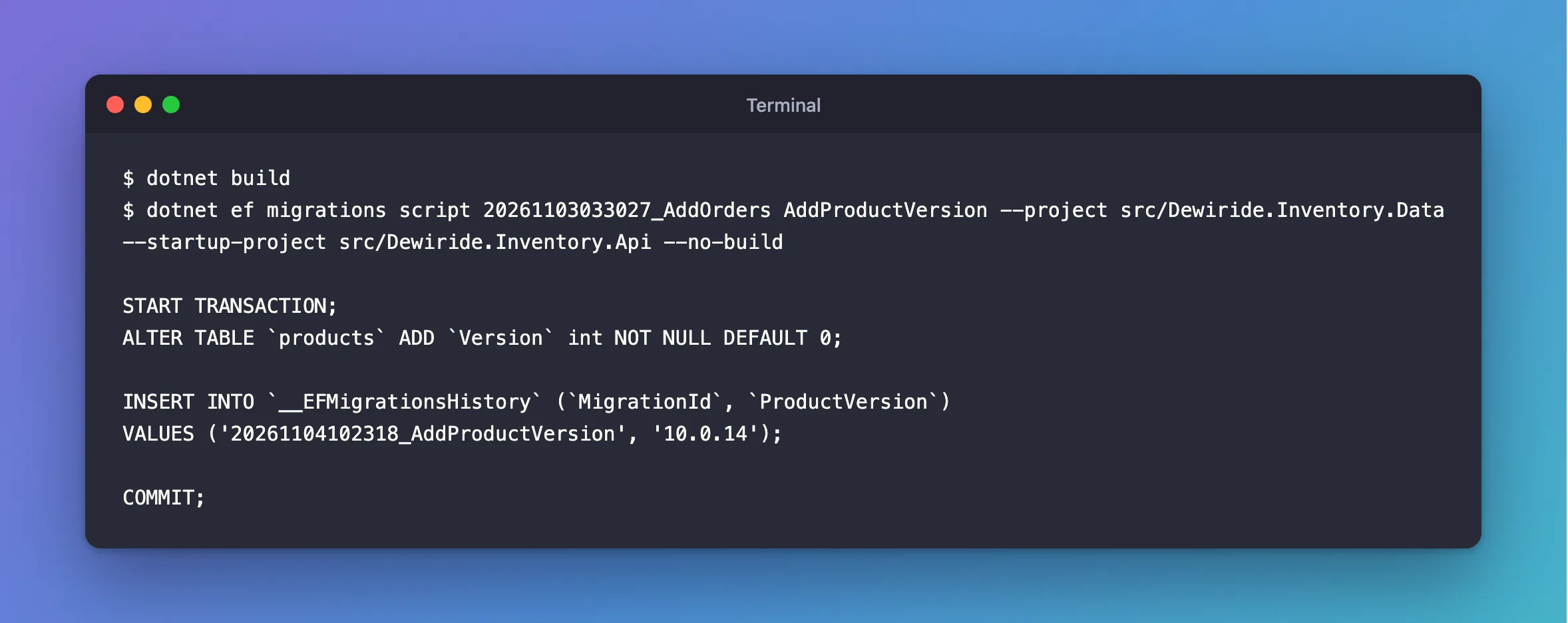
dotnet ef migrations script 20261103033027_AddOrders AddProductVersion --project src/Dewiride.Inventory.Data --startup-project src/Dewiride.Inventory.Api
Or build yourself, and then use the flag:
dotnet build
dotnet ef migrations script 20261103033027_AddOrders AddProductVersion --project src/Dewiride.Inventory.Data --startup-project src/Dewiride.Inventory.Api --no-build
After the Fix
START TRANSACTION;
ALTER TABLE `products` ADD `Version` int NOT NULL DEFAULT 0;

INSERT INTO `__EFMigrationsHistory` (`MigrationId`, `ProductVersion`)
VALUES ('20261104102318_AddProductVersion', '10.0.14');

COMMIT;
Common Mistakes
| Mistake | What happens | Do this instead |
|---|---|---|
Using --no-build right after migrations add | The new migration isn't in the DLL | Build first, or leave the flag out |
Using --no-build after editing a migration or the model | The tools see the old version | Use it only when nothing changed since the last build |
| Creating the migration again because it "wasn't found" | Two migrations with the same purpose | Check the folder, then build |
| Using the flag from another configuration | Debug and Release have separate DLLs | Pass the same --configuration you built with |
Troubleshooting
| Symptom | Likely cause | Fix |
|---|---|---|
The migration 'X' was not found., and --no-build is in the command | The DLL is older than the migration | Build, or leave the flag out |
The migration 'X' was not found., without --no-build | A typo, or the migration lives in another project | Run dotnet ef migrations list and copy the name |
No migrations were applied, and the new one is missing | The same stale DLL, in database update | Build first |
dotnet ef migrations list doesn't show the new migration | The same | Build first |
FAQ
When is --no-build safe?
When the project was built after your last change, such as in a build pipeline that runs dotnet build and then the tools. It saves the time of a second build.
Can I use the migration's short name?
Yes. AddProductVersion and 20261104102318_AddProductVersion both work, as long as the migration is in the DLL.
Conclusion
"The migration 'AddProductVersion' was not found." with the file sitting in the folder means the tools looked in a DLL built before the migration existed. dotnet ef reads compiled code, and --no-build skips the step that would have updated it. Leave the flag out, or run dotnet build first.
Additional Resources
- EF Core tools reference (.NET CLI) — every
dotnet efcommand and option. - Managing Migrations — adding and removing migrations.
