Fixed: The JSON value could not be converted to Expense. Path: $.category

I asked a Microsoft Agent Framework agent for an Expense through a response format, read the JSON the way Microsoft's example does, and got System.Text.Json.JsonException: The JSON value could not be converted to Expense. Path: $.category. The schema had asked for the enum as its name, and the options I read it with expected a number. Using the same options for both fixed it.
What I Was Doing
I was writing the Structured Output tutorial. Its app reads a café receipt into an Expense record, which has an enum property:
record Expense(string Merchant, DateOnly Date, ExpenseCategory Category, string Currency, List<LineItem> Items, decimal Total);

enum ExpenseCategory { Meals, Travel, Office, Other }
RunAsync<Expense> had already worked. Then I added the second way Microsoft's documentation shows, a response format in the run's options, with the JSON read by JsonSerializer, as in its example:
ChatResponseFormatJson format = ChatResponseFormat.ForJsonSchema<Expense>();

AgentResponse textResponse = await agent.RunAsync(
    $"Extract the expense from this receipt:\n{Receipt}",
    options: new AgentRunOptions { ResponseFormat = format });
Expense? fromText = JsonSerializer.Deserialize<Expense>(textResponse.Text, JsonSerializerOptions.Web);
What I Expected
An Expense, like the one RunAsync<Expense> returned a moment earlier from the same receipt.
What I Got
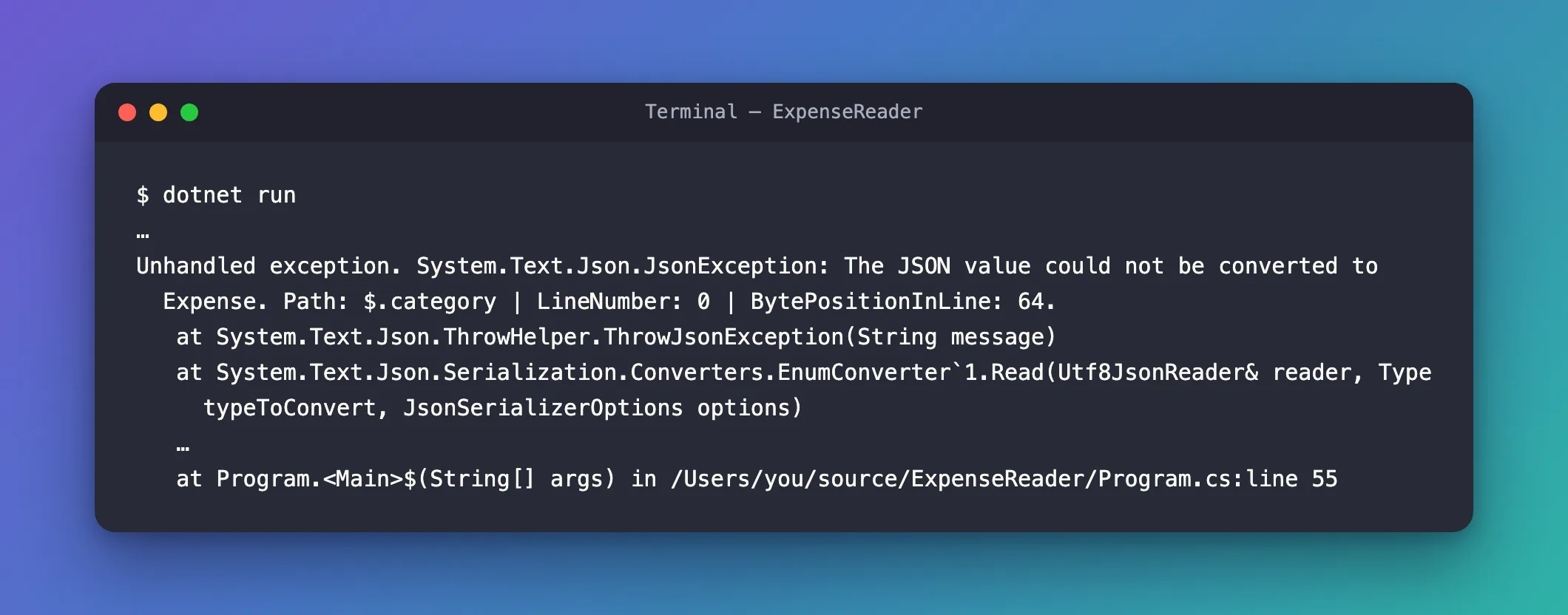
The run worked, and reading its JSON threw:
Unhandled exception. System.Text.Json.JsonException: The JSON value could not be converted to Expense. Path: $.category | LineNumber: 0 | BytePositionInLine: 64.
   at System.Text.Json.ThrowHelper.ThrowJsonException(String message)
   at System.Text.Json.Serialization.Converters.EnumConverter`1.Read(Utf8JsonReader& reader, Type typeToConvert, JsonSerializerOptions options)
   …
   at Program.<Main>$(String[] args) in /Users/you/source/ExpenseReader/Program.cs:line 55
What I Checked
Where it failed. Path: $.category, in EnumConverter`1.Read: the enum property, and nothing else.
What the model wrote. The RunAsync<Expense> run just before had written the category as a name, "category":"Meals", and in JSON of that shape, byte 64 is where that value ends.
What the schema asked for. I printed format.Schema. Its category was {"type":"string","enum":["Meals","Travel","Office","Other"]}: the model was asked for a name, and did as asked.
The options on each side. ForJsonSchema was called without options, so it used Microsoft.Extensions.AI's default, AIJsonUtilities.DefaultOptions. Their reference: Enables string based enum serialization as implemented by JsonStringEnumConverter. The JSON was read with JsonSerializerOptions.Web, whose web defaults are case-insensitive camelCase names and numbers that may be strings, with no string enum converter, so it reads an enum only from a number.
Why Microsoft's example works. Its PersonInfo has a name, an age and an occupation: no enum, so the two sets of options never disagree.
Why It Happens
The schema and the reader used different JsonSerializerOptions. ChatResponseFormat.ForJsonSchema<Expense>() described the enum as a string with the options that write enums as names, the model followed the schema, and JsonSerializerOptions.Web couldn't read a name into an enum.
The Fix
Use one options object for both:
// Build the schema and read the JSON with the same options, so enums are strings both ways.
JsonSerializerOptions jsonOptions = AIJsonUtilities.DefaultOptions;
ChatResponseFormatJson format = ChatResponseFormat.ForJsonSchema<Expense>(jsonOptions);

AgentResponse textResponse = await agent.RunAsync(
    $"Extract the expense from this receipt:\n{Receipt}",
    options: new AgentRunOptions { ResponseFormat = format });
Expense? fromText = JsonSerializer.Deserialize<Expense>(textResponse.Text, jsonOptions);
AIJsonUtilities is in Microsoft.Extensions.AI. Passing jsonOptions to ForJsonSchema changes nothing in the schema, since they were already the default: the printed schema was the same before and after. It makes the pairing visible, so nobody changes one side without the other.
If you only need the object, RunAsync<Expense> avoids the question entirely: it read the same JSON into an Expense without trouble.
After the Fix
From text: CORNER CAFE, 10.5 EUR
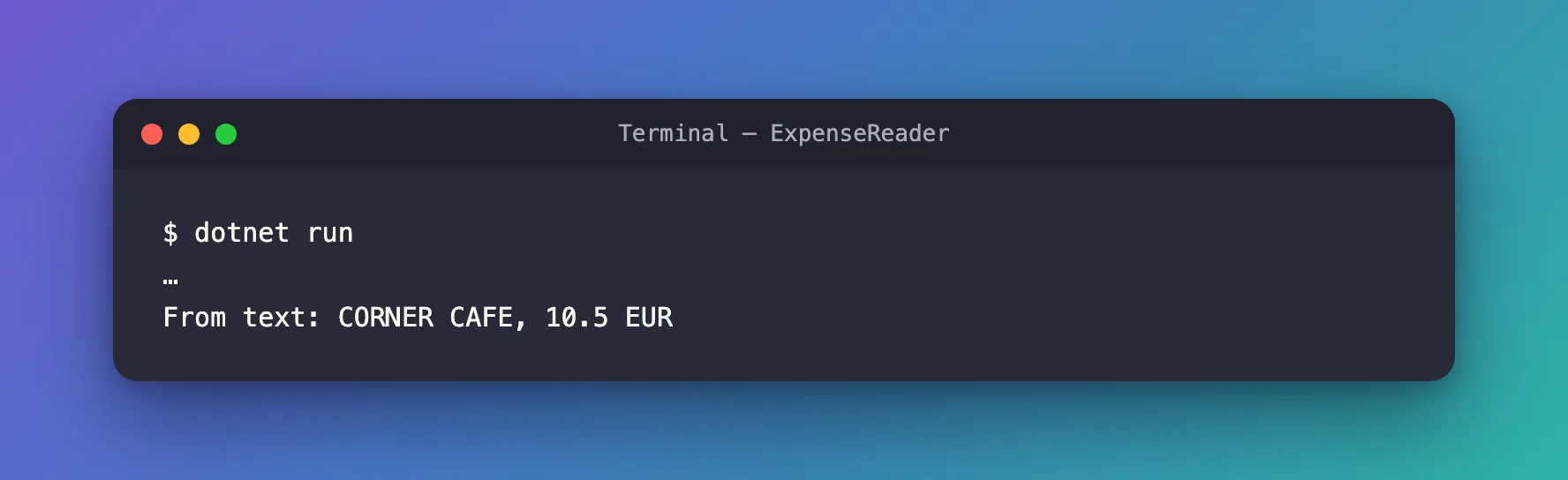
The JSON from the response-format run became an Expense.
Common Mistakes
| Mistake | What happens | Do this instead |
|---|---|---|
| Building the schema with one set of options and reading the JSON with another | The two can disagree, on enums and on anything else they format differently | Use one options object for both |
Copying the example's JsonSerializerOptions.Web for a type with an enum | This exception | Use AIJsonUtilities.DefaultOptions on both sides |
Making the enum a string to get rid of the error | The model can write any category | Keep the enum, and fix the options |
Troubleshooting
| Symptom | Likely cause | Fix |
|---|---|---|
JsonException: The JSON value could not be converted to <type>. Path: $.<enum property> | An enum written as a name, read by options without a string enum converter | Read it with the options that built the schema |
| The error moves to another property after the enum is fixed | That property's format also differs between the two options | The same: one options object for both |
FAQ
Why did RunAsync<T> work?
RunAsync<Expense> made the schema and read the answer itself, so both sides matched. The error only appears when you read the JSON yourself.
Are the enum names safe to send to the model?
They're part of the schema, so the model reads them: choose names that say what each value means, as Meals and Travel do.
Conclusion
The JSON value could not be converted to Expense. Path: $.category came from reading a structured output with different serializer options than the ones that built its schema: the schema asked for enum names, and JsonSerializerOptions.Web reads enums only as numbers. Build the schema with ChatResponseFormat.ForJsonSchema<T>(options) and read the JSON with the same options, such as AIJsonUtilities.DefaultOptions, or let RunAsync<T> do both.
Additional Resources
- Producing Structured Outputs with Agents — response formats and the
JsonSerializerexample. - AIJsonUtilities.DefaultOptions — string enums and the other default settings.
- Web defaults for JsonSerializerOptions — what
JsonSerializerOptions.Webturns on.
