Fixed: The input is not a valid Base-64 string as it contains a non-base 64 character, more than two padding characters, or an illegal character among the padding characters

I passed one part of a JSON Web Token (JWT) to PowerShell's [Convert]::FromBase64String, and it refused with The input is not a valid Base-64 string as it contains a non-base 64 character, more than two padding characters, or an illegal character among the padding characters. The part was base64url, which differs from base64 in two ways, and fixing only one of them isn't enough.
What I Was Doing
I was writing How to Decode Base64url Text in the Terminal, in PowerShell 7.6. I had the payload part of a small test token, {"sub":"zoe","team":"qa?"} once decoded, and gave it straight to .NET's base64 decoder:
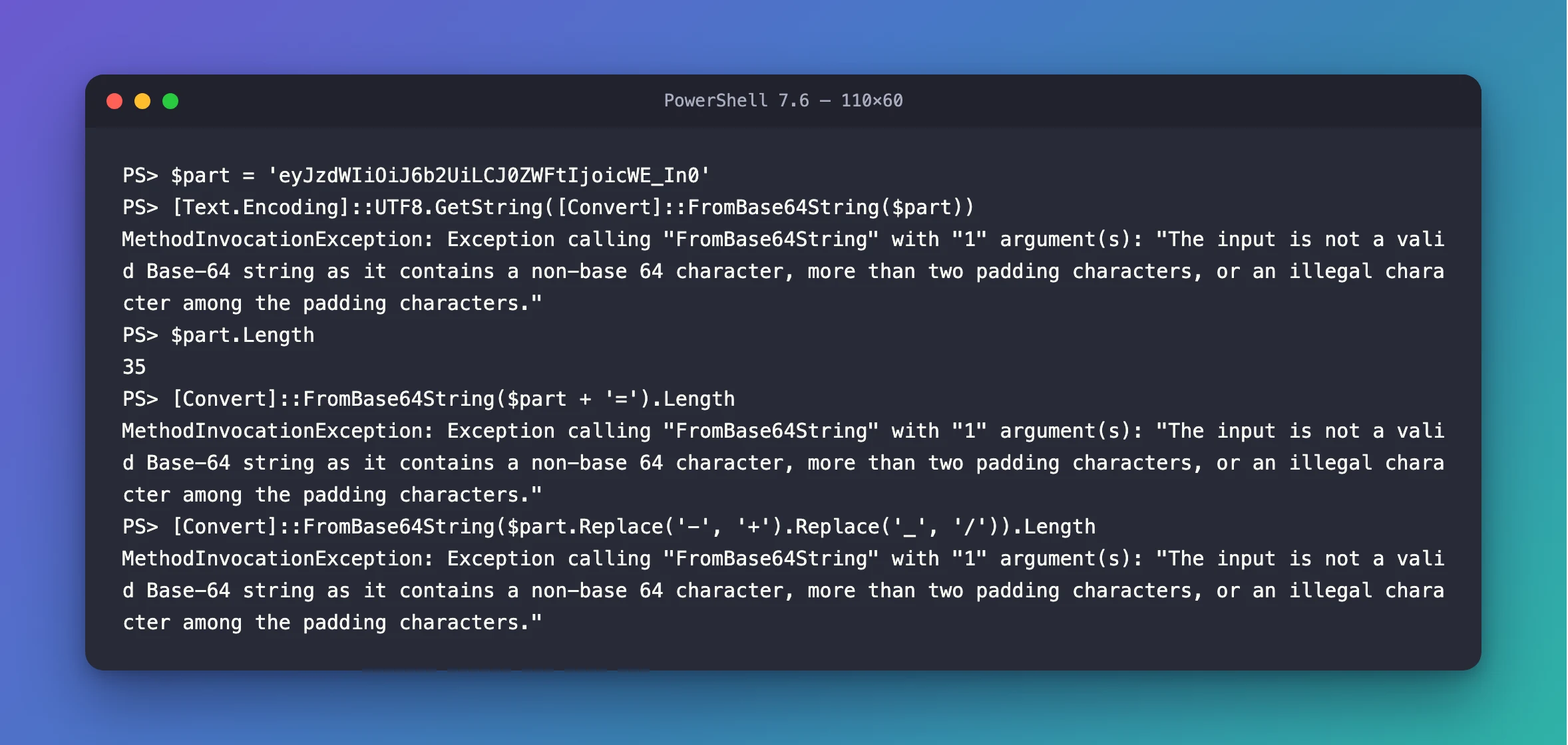
$part = 'eyJzdWIiOiJ6b2UiLCJ0ZWFtIjoicWE_In0'
[Text.Encoding]::UTF8.GetString([Convert]::FromBase64String($part))
What I Expected
The JSON inside:
{"sub":"zoe","team":"qa?"}
What I Got
MethodInvocationException: Exception calling "FromBase64String" with "1" argument(s): "The input is not a valid Base-64 string as it contains a non-base 64 character, more than two padding characters, or an illegal character among the padding characters."
What I Checked
What FromBase64String accepts. Its documentation lists the characters: "The base-64 digits in ascending order from zero are the uppercase characters "A" to "Z", lowercase characters "a" to "z", numerals "0" to "9", and the symbols "+" and "/"." It throws a FormatException when "The length of s, ignoring white-space characters, is not zero or a multiple of 4", or when "s contains a non-base-64 character, more than two padding characters, or a non-white space-character among the padding characters." PowerShell reports that exception as a MethodInvocationException.
The part itself. It contains a _, which isn't on that list, and it's 35 characters long:
$part.Length
35
35 isn't a multiple of 4, so the part also breaks the length rule.
Each problem on its own. Adding the missing = but keeping the _ still fails, and swapping the _ but leaving out the = still fails, with the same message:
[Convert]::FromBase64String($part + '=').Length
[Convert]::FromBase64String($part.Replace('-', '+').Replace('_', '/')).Length
MethodInvocationException: Exception calling "FromBase64String" with "1" argument(s): "The input is not a valid Base-64 string as it contains a non-base 64 character, more than two padding characters, or an illegal character among the padding characters."
MethodInvocationException: Exception calling "FromBase64String" with "1" argument(s): "The input is not a valid Base-64 string as it contains a non-base 64 character, more than two padding characters, or an illegal character among the padding characters."
Why It Happens
JWTs store their parts in base64url, not base64. RFC 4648 defines base64url with - and _ in place of + and /, and RFC 7515, the JWT signing standard, also drops the = padding: its parts use base64url "with all trailing '=' characters omitted". FromBase64String only reads standard base64, so a JWT part breaks both of its rules at once: a - or _ is "a non-base 64 character", and the missing padding makes the length wrong.
The Fix
Swap the two characters back, then pad with = up to the next multiple of 4:
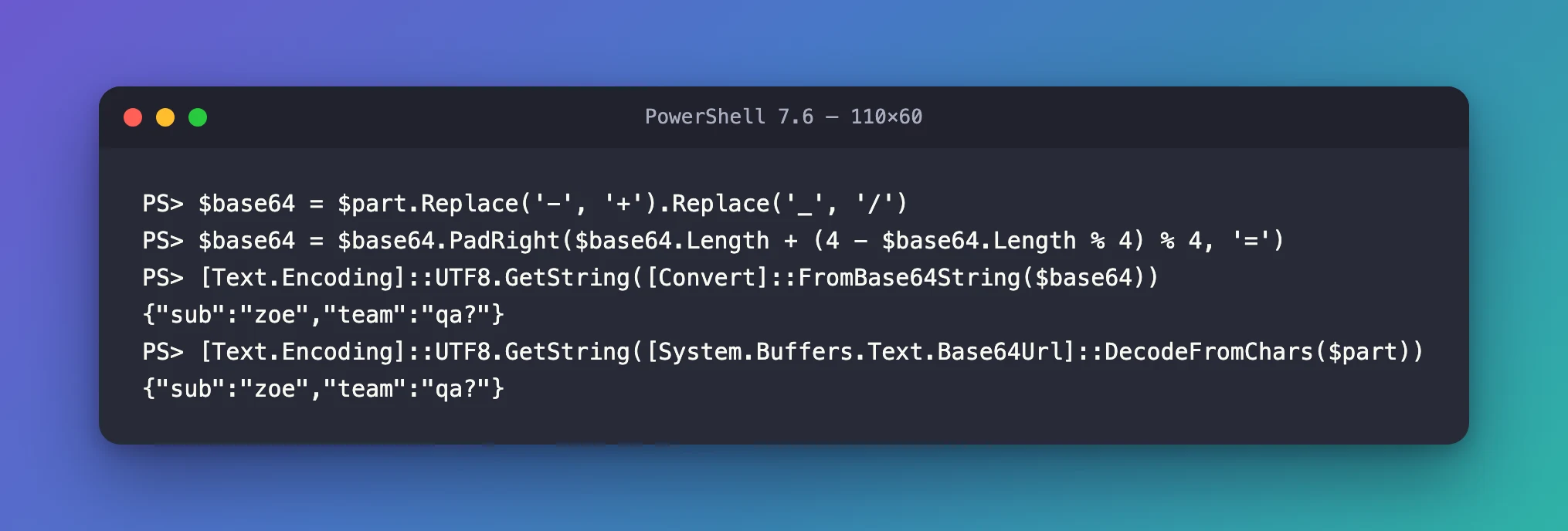
$base64 = $part.Replace('-', '+').Replace('_', '/')
$base64 = $base64.PadRight($base64.Length + (4 - $base64.Length % 4) % 4, '=')
[Text.Encoding]::UTF8.GetString([Convert]::FromBase64String($base64))
(4 - $base64.Length % 4) % 4 works out how many = are missing: here one, because 35 leaves a remainder of 3.
PowerShell 7.5 and later run on .NET 9 or newer, which has a decoder made for base64url. It accepts the part as it is:
[Text.Encoding]::UTF8.GetString([System.Buffers.Text.Base64Url]::DecodeFromChars($part))
After the Fix
Both ways printed the JSON:
{"sub":"zoe","team":"qa?"}
{"sub":"zoe","team":"qa?"}
Common Mistakes
| Mistake | What happens | Do this instead |
|---|---|---|
| Fixing only the padding | The - or _ still fails | Swap the characters too |
| Fixing only the characters | The length still fails | Pad with = too |
Always adding == | Too much padding for some lengths | Pad to the next multiple of 4 |
| Decoding the third part of a JWT as text | It's binary signature data | Decode only the header and payload |
Troubleshooting
| Symptom | Likely cause | Fix |
|---|---|---|
| The error, on a JWT part | Base64url instead of base64 | Swap and pad, or use Base64Url.DecodeFromChars |
| The error, on a whole token | The dots between the parts aren't base64 characters | Split the token at the dots and decode one part at a time |
PowerShell can't find the Base64Url type | Windows PowerShell 5.1 runs on the .NET Framework, and Base64Url arrived in .NET 9 | Use PowerShell 7.6, or the swap-and-pad version |
FAQ
Does the same thing happen in C#?
Convert.FromBase64String is the same .NET method, so yes: its documentation lists the same FormatException, and C# shows it without PowerShell's MethodInvocationException around it.
Why do some JWT parts decode without the fix?
A part with no - or _ whose length is already a multiple of 4 is valid base64 too. The common header eyJhbGciOiJIUzI1NiIsInR5cCI6IkpXVCJ9 is one of them, which is why the error seems to appear at random.
Conclusion
FromBase64String reads only standard base64: +, / and = padding. JWT parts are base64url, with - and _ and no padding, so they fail its checks. Swap the characters back and pad to a multiple of 4, or let .NET's Base64Url.DecodeFromChars do both.
Additional Resources
- Convert.FromBase64String — the characters it accepts and when it throws.
- Base64Url.DecodeFromChars — .NET's base64url decoder.
- RFC 4648, Section 5 and RFC 7515, Section 2 — base64url, and how JWTs leave out the padding.
