Fixed: "The configured execution strategy 'MySQLRetryingExecutionStrategy' does not support user-initiated transactions" in EF Core

As soon as I wrapped two writes in BeginTransactionAsync, the endpoint failed with The configured execution strategy 'MySQLRetryingExecutionStrategy' does not support user-initiated transactions. The message tells you the method to use, and here's the shape of the code it means.
What I Was Doing
I had two writes in a .NET C# Web API that must happen together: add to a product's stock, and record why. EF Core 10.0.14 and Oracle's provider had EnableRetryOnFailure on. So I added a transaction around them, the way the EF Core docs first show it:
var now = clock.GetUtcNow().UtcDateTime;

// Nothing below is permanent until CommitAsync. Leaving this method without
// committing rolls everything back, when "await using" disposes of the transaction.
await using var transaction = await db.Database.BeginTransactionAsync(cancellationToken);
What I Expected
Both writes in one transaction.
What I Got
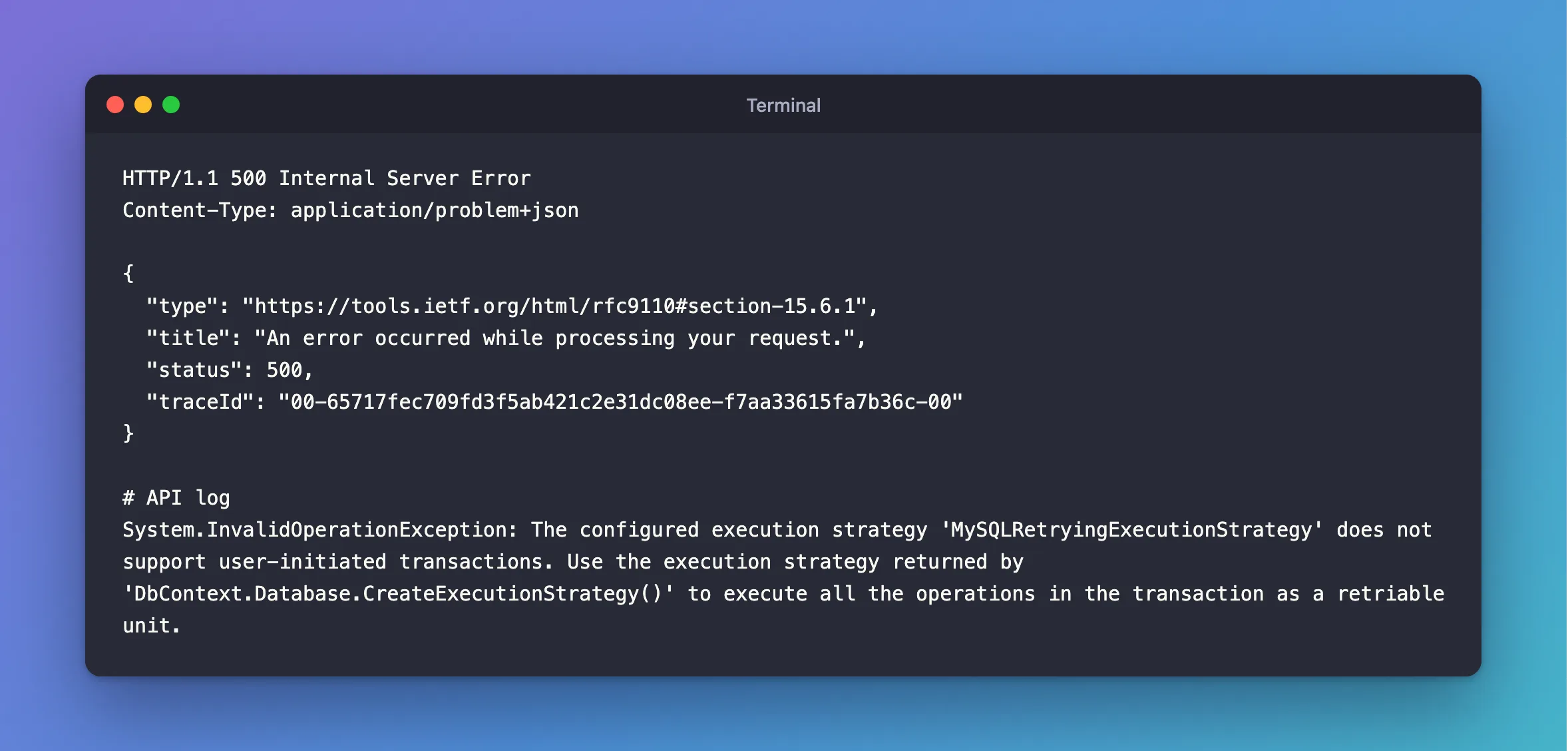
HTTP/1.1 500 Internal Server Error
Content-Type: application/problem+json

{
  "type": "https://tools.ietf.org/html/rfc9110#section-15.6.1",
  "title": "An error occurred while processing your request.",
  "status": 500,
  "traceId": "00-65717fec709fd3f5ab421c2e31dc08ee-f7aa33615fa7b36c-00"
}
System.InvalidOperationException: The configured execution strategy 'MySQLRetryingExecutionStrategy' does not support user-initiated transactions. Use the execution strategy returned by 'DbContext.Database.CreateExecutionStrategy()' to execute all the operations in the transaction as a retriable unit.
What I Checked
Exactly when it fails. A transaction with no statement in it doesn't fail: BeginTransactionAsync followed by CommitAsync works. The error comes from the first statement inside.
The docs. EF Core's connection resiliency page has this error, with the SQL Server name in it, and says why: "if your code initiates a transaction using BeginTransactionAsync() you are defining your own group of operations that need to be treated as a unit, and everything inside the transaction would need to be played back if a failure occurs."
Why It Happens
With a retrying strategy, EF Core retries each statement by itself. Inside a transaction, it can't: if the connection drops, the transaction is gone, and repeating one statement would lose the ones before it. So it refuses, and asks you to mark the whole group as one thing to repeat.
The Fix
Put the whole transaction in a delegate, and give that to the strategy:
var strategy = db.Database.CreateExecutionStrategy();

return await strategy.ExecuteAsync(
    async Task<Results<Created<StockChangeResponse>, NotFound>> (CancellationToken ct) =>
    {
        var now = clock.GetUtcNow().UtcDateTime;

        // Nothing below is permanent until CommitAsync. Leaving this method without
        // committing rolls everything back, when "await using" disposes of the transaction.
        await using var transaction = await db.Database.BeginTransactionAsync(ct);
        // ...the two writes...

        await transaction.CommitAsync(ct);

        return TypedResults.Created(/* ... */);
    },
    cancellationToken);
The page's advice: "The solution is to manually invoke the execution strategy with a delegate representing everything that needs to be executed."
Two things about that lambda:
- It has to state its return type, when it returns more than one kind of result. Without it, you get
CS8031. - It can run more than once. With a
DbContextfrom dependency injection, start it withdb.ChangeTracker.Clear(), or a retry can save a row twice.
After the Fix
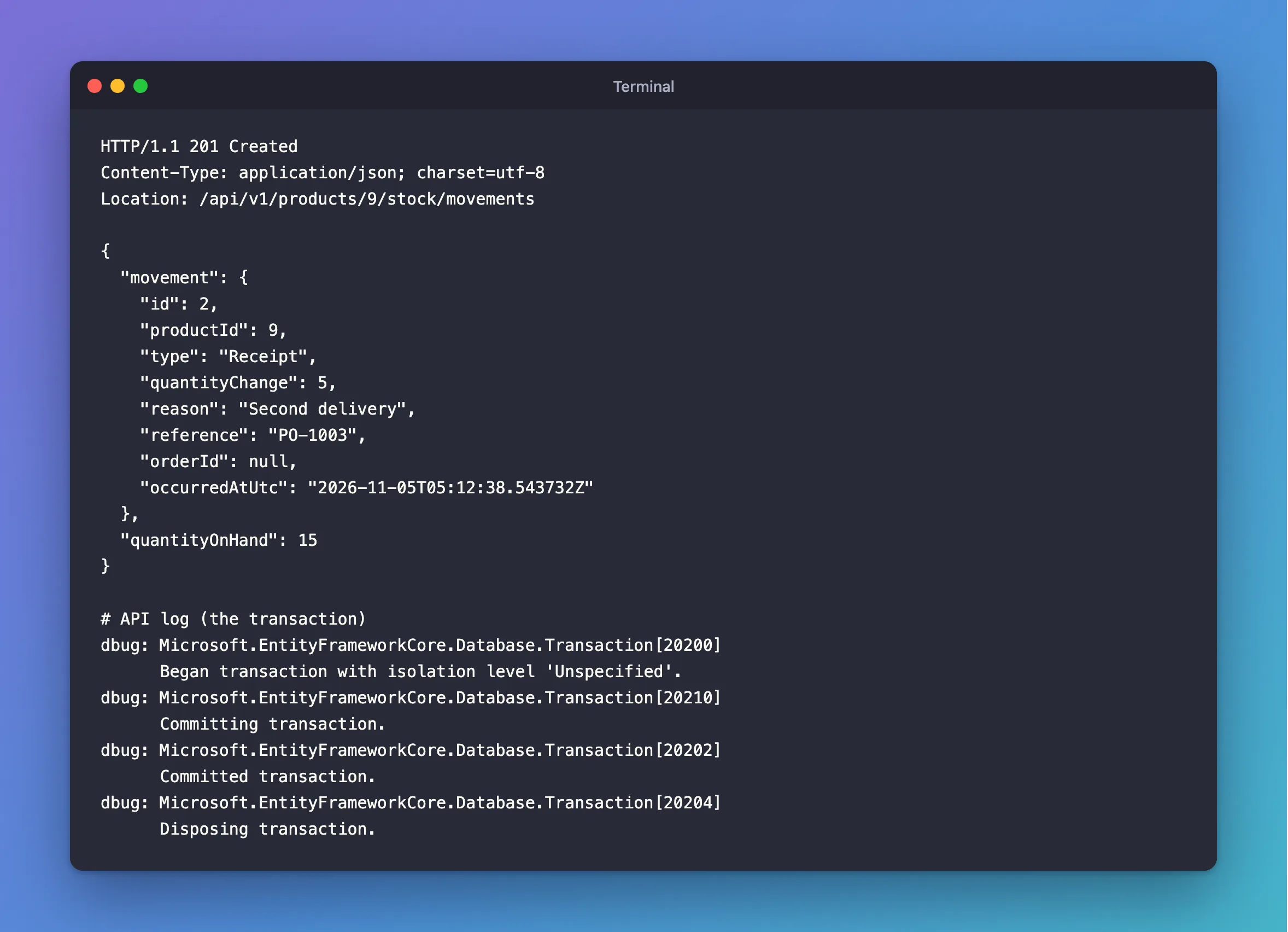
HTTP/1.1 201 Created
Content-Type: application/json; charset=utf-8
Location: /api/v1/products/9/stock/movements

{
  "movement": {
    "id": 2,
    "productId": 9,
    "type": "Receipt",
    "quantityChange": 5,
    "reason": "Second delivery",
    "reference": "PO-1003",
    "orderId": null,
    "occurredAtUtc": "2026-11-05T05:12:38.543732Z"
  },
  "quantityOnHand": 15
}
dbug: Microsoft.EntityFrameworkCore.Database.Transaction[20200]
      Began transaction with isolation level 'Unspecified'.
dbug: Microsoft.EntityFrameworkCore.Database.Transaction[20210]
      Committing transaction.
dbug: Microsoft.EntityFrameworkCore.Database.Transaction[20202]
      Committed transaction.
dbug: Microsoft.EntityFrameworkCore.Database.Transaction[20204]
      Disposing transaction.
Common Mistakes
| Mistake | What happens | Do this instead |
|---|---|---|
| Turning retries off to make the error go away | No retries anywhere | Use ExecuteAsync |
Calling BeginTransactionAsync before ExecuteAsync | The same error | Begin it inside the delegate |
| Keeping non-database work in the delegate | It runs again on a retry, such as a second email | Do it after the commit |
Reusing a scoped DbContext with no ChangeTracker.Clear() | A retry can save a row twice | Clear it first |
Troubleshooting
| Symptom | Likely cause | Fix |
|---|---|---|
Async lambda expression converted to a 'Task' returning delegate cannot return a value | The lambda needs a return type | The fix |
| The message names a different strategy class | Another provider, or your own strategy | The same fix |
The same error with TransactionScope | An ambient transaction counts too | Put it in the delegate |
| Retries never happen | Oracle's provider retries nothing by default | List the error numbers |
Conclusion
A retrying strategy can't replay a transaction it doesn't know about. Call db.Database.CreateExecutionStrategy(), and put BeginTransactionAsync, your work and CommitAsync inside its ExecuteAsync.
Additional Resources
- Connection Resiliency — execution strategies and transactions.
- Using Transactions — transactions in EF Core.
