Fixed: The Adaptive Cards Designer saves the card as version 1.6

I designed an Adaptive Card for Microsoft Teams in the Adaptive Cards Designer, and every copy of it came out as version 1.6, one above the highest version Teams supports. The Designer has no setting for the version, and when I changed it in its payload editor, the copy and the export still said 1.6. The fix is to set the version in your own copy of the card.
What I Was Doing
I was designing a small card for an agent in Microsoft Teams: a Join the book club title, a required name field and a Join button. I built it in the Adaptive Cards Designer at adaptivecards.microsoft.com/designer.html, the designer Microsoft's Agents SDK documentation links to.
Every card names the version of the card format it uses, and Microsoft's design guidance for agents lists the highest version each host supports: 1.5 for Teams and for Microsoft 365 Copilot Chat. The version matters: the card schema says that when a host supports a lower version than the card asks for, the host shows the card's fallbackText instead of the card. The design guidance also says to set the Target version in the Adaptive Cards Designer before finalizing your card layout.
What I Expected
A way to pick version 1.5, and a copy of the card that says "version": "1.5".
What I Got
I found no Target version setting. The Designer's toolbar has New card, Import, Export, a width list (Very narrow, Narrow, Standard, Wide), Undo, Redo, Copy card payload and Preview. With the card itself selected, the Properties pane lists Present right-to-left, Style, Language, Fallback text, Speak, Actions, Templating, Refresh, Layout and Background image, but no version. The Card payload pane, the card's JSON, said "version": "1.6".
So I changed the version in the payload instead. In the Card payload pane, I put the cursor after the 6 on line 4, deleted it and typed 5:
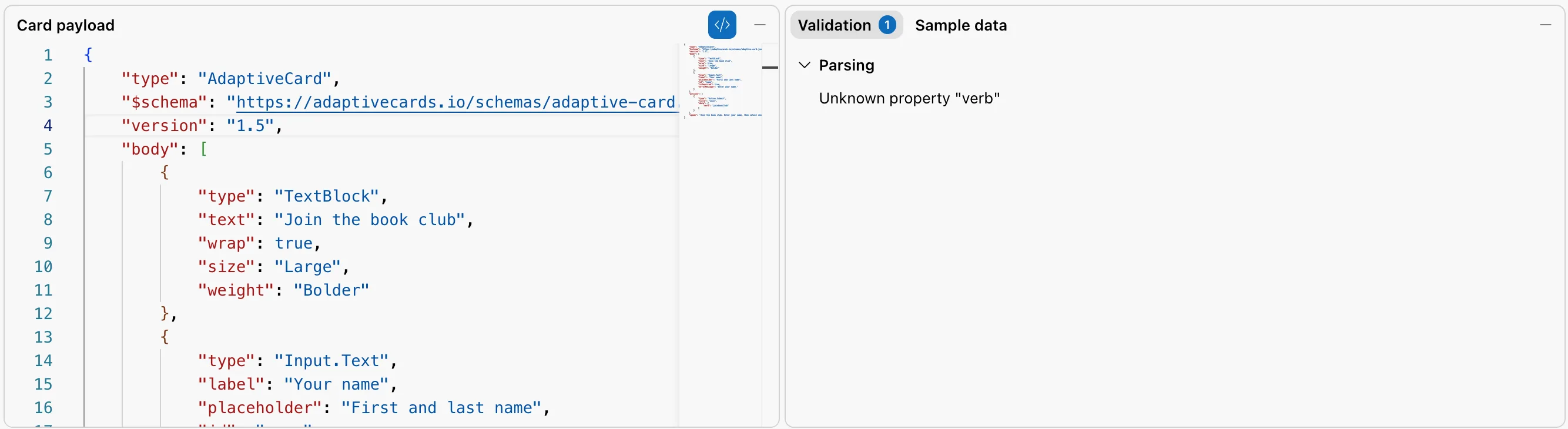
The payload showed 1.5. Then:
- I selected Copy card payload and read what it had copied. It said
"version": "1.6". - I selected Export, which downloaded
adaptive-card.json. It said"version": "1.6"too. - I selected the title in the card and set its Color to Accent. The payload got its new
"color": "Accent"line, and line 4 was back to 1.6:
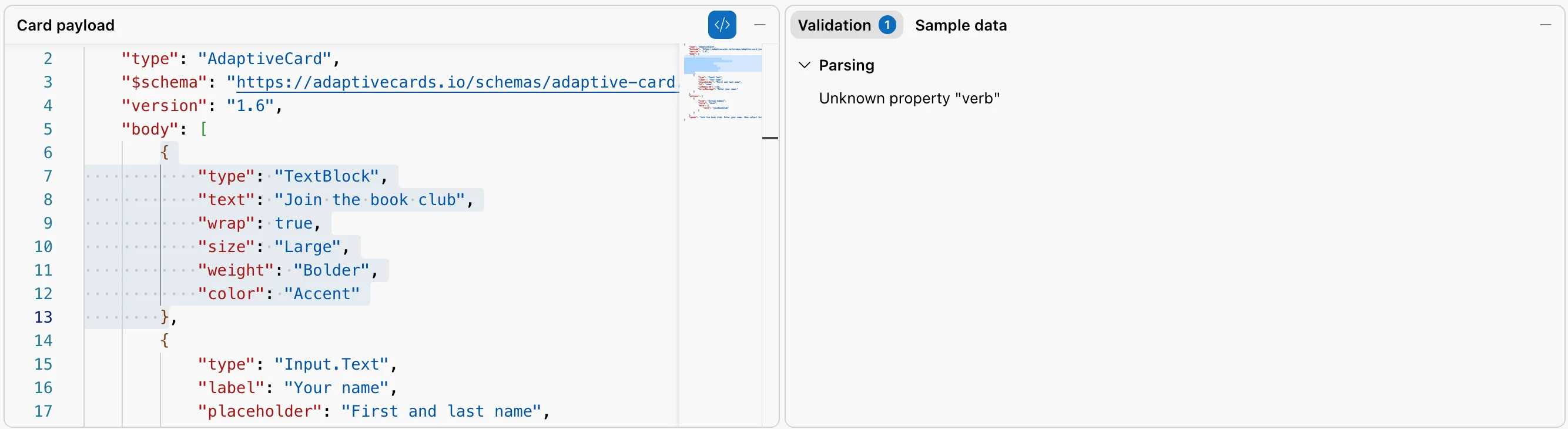
The Validation pane also showed Parsing: Unknown property "verb" once I had typed in the payload. The verb is in the Join button's data, which the Adaptive Card format describes as essentially 'hidden' properties, any you like, so the message doesn't mean the card is wrong.
What I Checked
- The Designer's own controls, all of them, as listed above: none of them sets the version.
- The Designer's output in three places: the payload pane after another edit, Copy card payload and Export. All three wrote 1.6, whatever the payload pane had shown before.
- Microsoft's documentation, for an explanation. The design guidance names the Target version setting, but I found nothing on how this Designer writes the version, so the cause below is what I observed, not something the documentation states.
Why It Happens
The Designer keeps the card in a model of its own, and writes that model out as JSON with version 1.6 whenever it fills the payload pane, copies the card or exports it. A version typed into the payload pane shows there, but the Designer doesn't keep it: the next time it writes the card, it's 1.6 again.
The Fix
Design the card in the Designer, copy or export it, and set the version in your own file, after the Designer is done with it:
{
    "type": "AdaptiveCard",
    "$schema": "https://adaptivecards.io/schemas/adaptive-card.json",
    "version": "1.5",
    "body": [
        {
            "type": "TextBlock",
            "text": "Join the book club",
            "wrap": true,
            "size": "Large",
            "weight": "Bolder",
            "color": "Accent"
        },
        {
            "type": "Input.Text",
            "label": "Your name",
            "placeholder": "First and last name",
            "id": "name",
            "isRequired": true,
            "errorMessage": "Enter your name."
        }
    ],
    "actions": [
        {
            "type": "Action.Submit",
            "title": "Join",
            "data": {
                "verb": "joinBookClub"
            }
        }
    ],
    "speak": "Join the book club. Enter your name, then select Join."
}
Changing the number only tells the host which version the card was written for; it doesn't remove anything from the card. So check that everything you used exists in the version you set. The Adaptive Card schema explorer on Microsoft Learn gives the version that added each element and property: TextBlock, Input.Text, Action.Submit and the properties above are all 1.5 or older.
After the Fix
The file in the project says 1.5:
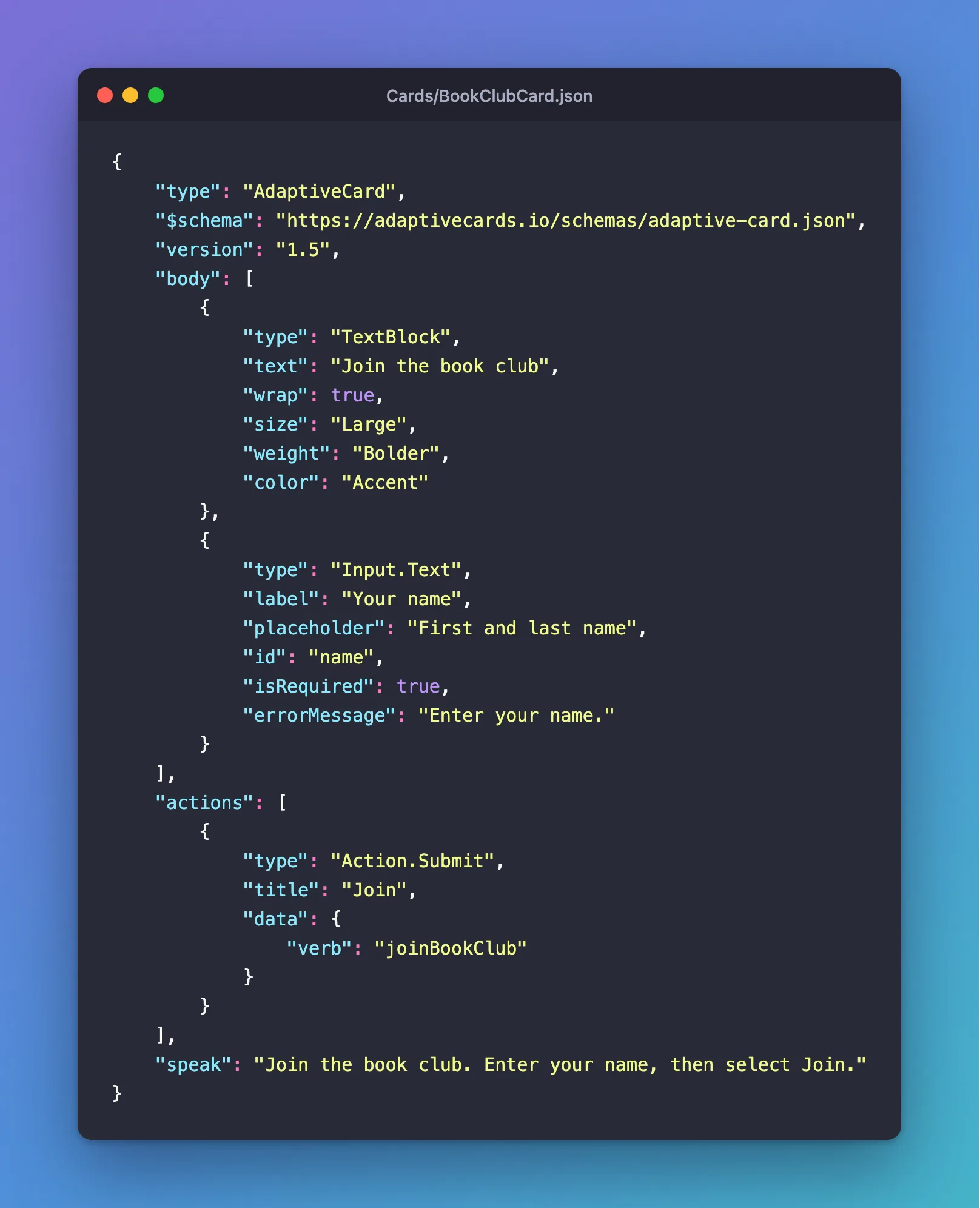
Keep the card file as the one your agent uses. Whenever you copy a changed card from the Designer into it, set the version again.
Common Mistakes
| Mistake | What happens | Do this instead |
|---|---|---|
| Changing the version in the Designer's payload pane | The copy and the export still say 1.6 | Change it in your own file |
| Setting 1.5 on a card that uses newer elements | The host may not draw those elements | Check each element's version in the schema explorer |
| Pasting a new copy from the Designer over your file | The version is back to 1.6 | Set the version again after every paste |
Troubleshooting
| Symptom | Likely cause | Fix |
|---|---|---|
| The copied card says 1.6 | The Designer always writes 1.6 | Set the version in your file |
| Unknown property "verb" in the Validation pane | The Designer flags properties inside data, which can hold anything | Leave it; the card is valid |
| No Target version setting in the Designer | This Designer doesn't have one | Set the version in your file |
FAQ
Which version should my card use?
The highest one every host you target supports. Microsoft's design guidance lists 1.5 for Teams and Microsoft 365 Copilot Chat, 1.6 for Bot Framework Web Chat, and 1.0 to 1.2 for Outlook Actionable Messages.
Is the speak text required?
No, but the Designer's Validation pane asks for it, and with good reason: speak is what screen readers say about the card.
Conclusion
The Adaptive Cards Designer writes every card as version 1.6, whatever you type into its payload pane. When your host supports 1.5, as Teams and Microsoft 365 Copilot Chat do, design the card in the Designer, copy it into a file of your own, set "version": "1.5" there, and check that everything in it exists in that version.
Additional Resources
- Adaptive Cards for agent design — the version each host supports.
- AdaptiveCard element —
version, and thefallbackTexta host shows when it supports a lower version. - Action.Submit —
dataand the other properties of a submit button. - Use adaptive cards in agents — designing a card and sending it from an agent.
