Fixed: Power Apps Text Input Shows Old, Unsaved Text When a Screen Opens Again

A screen loads a saved record into a text input, yet when the screen opens again, the box shows text that was never saved. A text input keeps whatever was typed until its Default changes. If the saved value is the same as last time, nothing resets it. Reset in the screen's OnVisible fixes it.
The Symptom
In the Career Development Plan app, the Response screen loads the employee's saved response and shows it in txtResponseRS, whose Default is locResponse.Response. During testing, text was typed into the box, but saving it failed. Later the same response was opened again. It was Approved, so the box was read-only, but it still showed the unsaved sentences, ending in Test.:
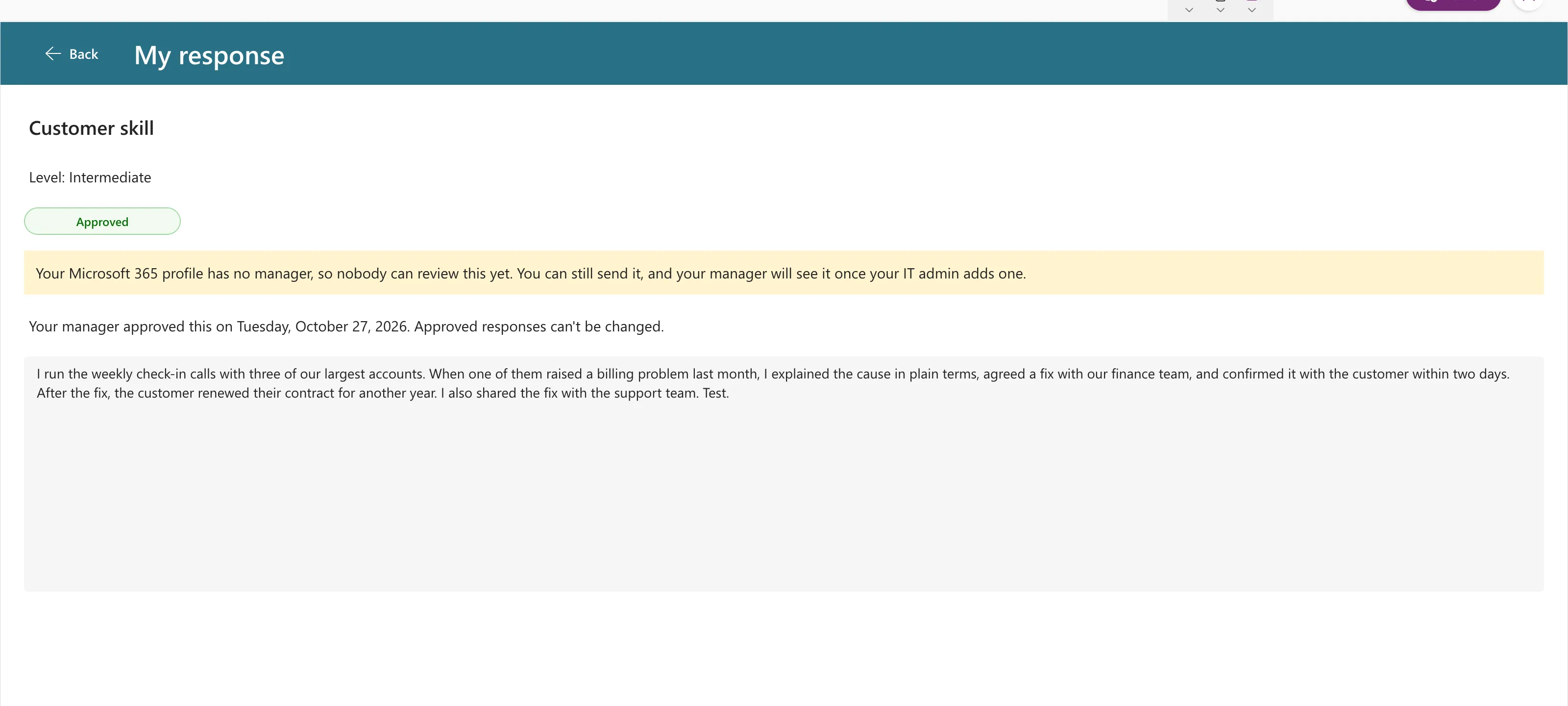
SharePoint had the real response: 316 characters, ending for another year. The box showed 367, with the unsaved part. For a read-only, approved response, that's misleading: the screen shows something the manager never approved.
Why It Happens
Microsoft's Reset reference says: "Input controls are also reset when their Default property changes" (Reset function). The reverse is the catch: when Default doesn't change, the control keeps what was typed.
Here, the screen loaded the same saved response as before, so Default had the same value, and the typed text stayed.
The Fix: Reset in OnVisible
The screen's OnVisible loads the record. Add Reset for the input after the record is loaded, so the box always starts from the saved value (How to Reset a Control to Its Default Value in Power Apps):
UpdateContext(
    {
        locResponse: LookUp(...)
    }
);
// ...
Reset(txtResponseRS);
UpdateContext({locIsLoading: false})
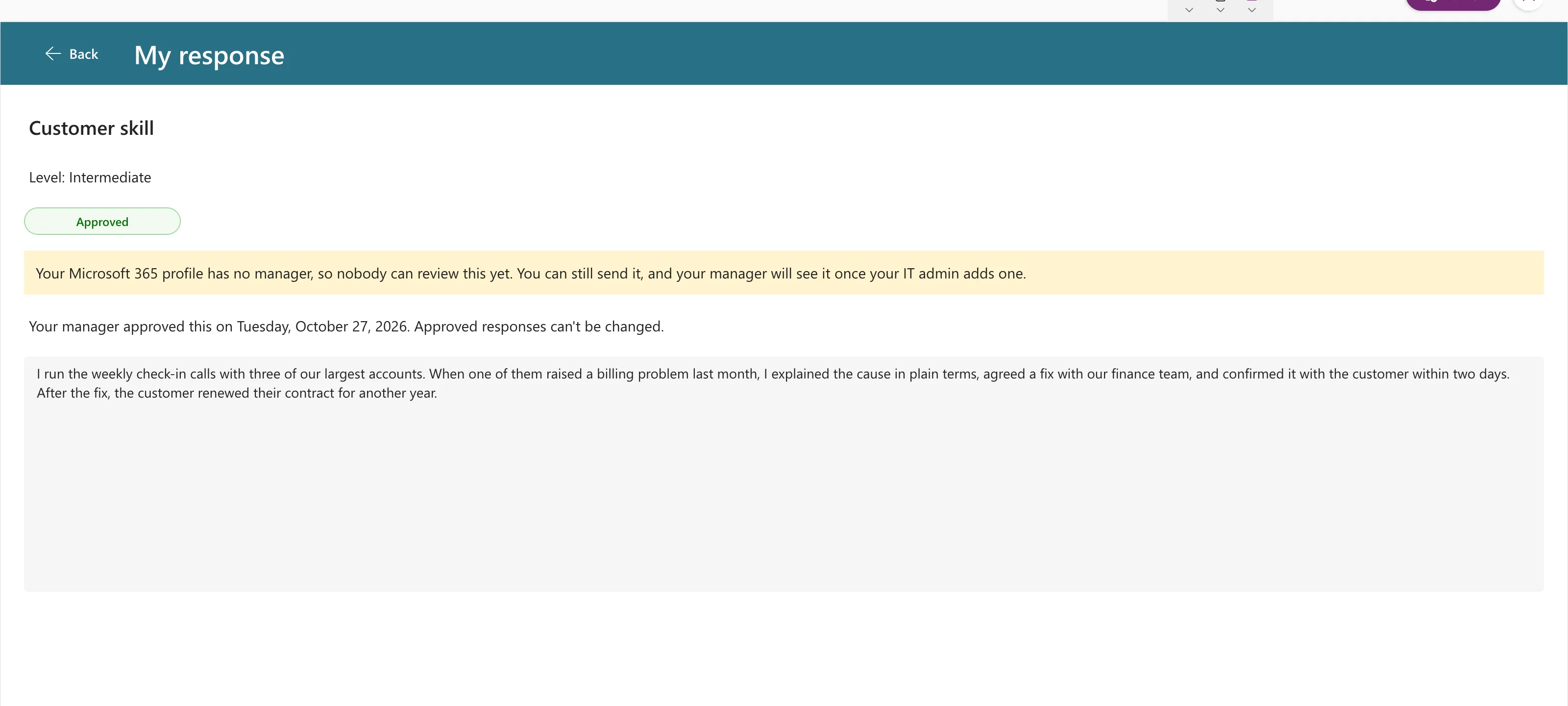
After that, the same response opened with exactly the saved 316 characters:
Common Mistakes
| Mistake | What happens | Do this instead |
|---|---|---|
| Trusting Default to refresh the box | It refreshes only when the value changes | Reset the control when the screen opens |
| Resetting before the record is loaded | The box resets to the old value | Put Reset after the LookUp |
| Resetting after a failed save | The person loses what they typed | Reset when the screen opens, not after an error |
Troubleshooting
| Symptom | Likely cause | Fix |
|---|---|---|
Reset shows an error | The control is inside a gallery or form, out of reach | Reset it from inside that gallery or form, or use ResetForm |
| The box still shows old text | Reset runs before the new value is set | Move it after the UpdateContext that loads the record |
FAQ
Isn't keeping unsaved text useful?
Sometimes, as a draft. But a box that loads a saved record should show what's saved, especially when it's read-only.
Do other input controls behave the same way?
The documentation's rule covers input controls in general: they reset when Default changes or when Reset is called.
Conclusion
A text input keeps typed text until its Default changes. When a screen reloads the same saved value, call Reset on the input in OnVisible, after loading the record, so the box shows what's really saved.
Additional Resources
- Reset function: what resets an input control.
- Text Input modern control: Default and Text.
