Fixed: Teams Send Does Nothing in a New Named Group Chat with One Person

I gave a new Teams chat a group name, added one colleague, typed the first message and selected Send. Nothing happened: no error, no new chat, and the message stayed in the box. A chat with a group name is a group chat, and a group chat needs at least three people.
What I Was Doing
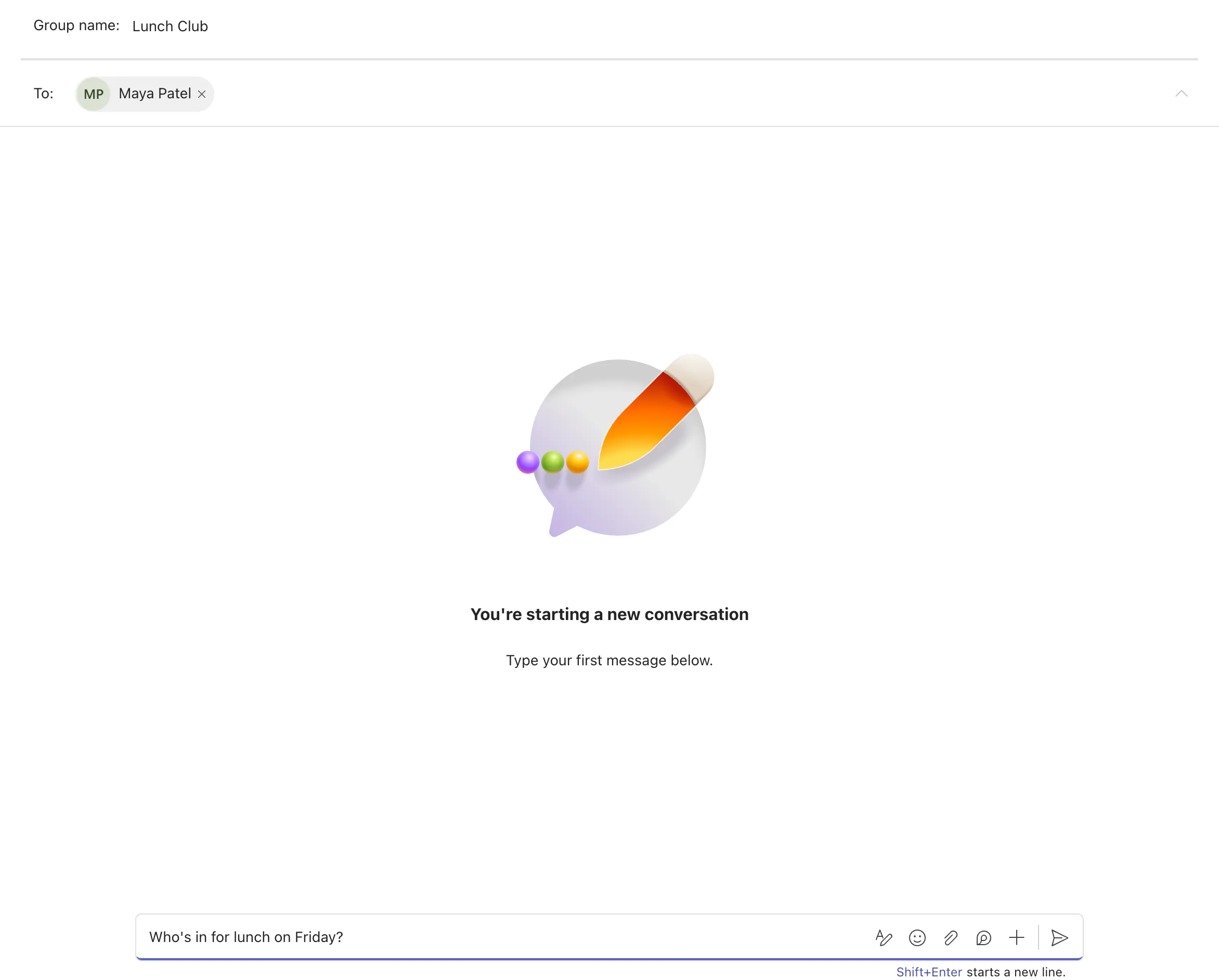
I was setting up a test chat for an agent that works in group chats, as the account Leo Martin, in the new Teams on the web. In Chat, I selected New message, then the chevron at the end of the To line, Add group name and create a new group chat. I named the chat Lunch Club, added Maya Patel, and typed the first message, Who's in for lunch on Friday?:
What I Expected
Send to create a chat called Lunch Club, with the first message in it, and open it.
What I Got
Nothing visible. Eight seconds after Send, the screen was exactly as before: the same group name, the same one person, and the message still in the box. No error, no notice, and no Lunch Club in the chat list:
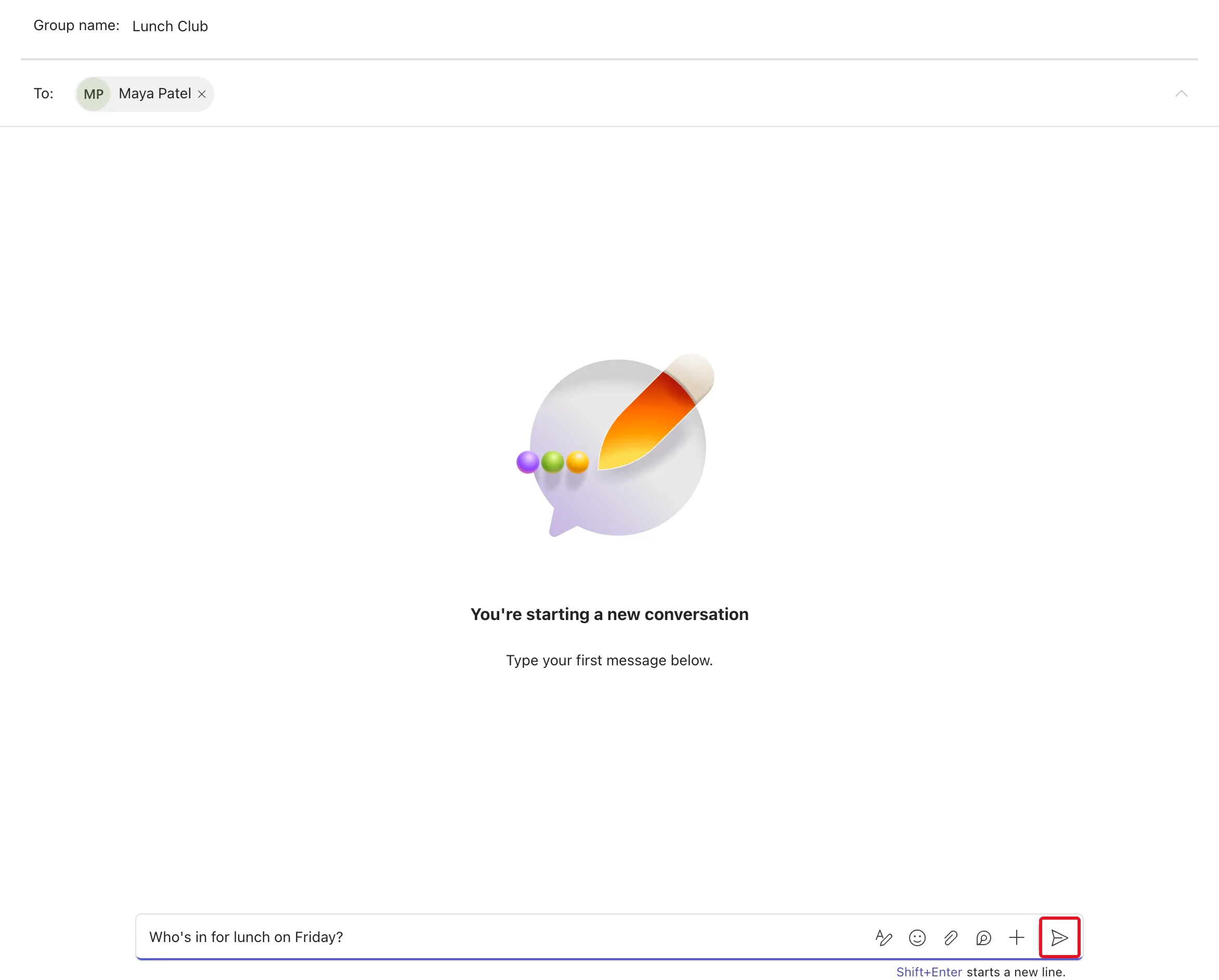
The first time this happened, I had pressed Enter first, then selected Send twice. None of it sent the message.
What I Checked
Teams gave no message to go on, so I looked up how Microsoft defines a group chat. Two places in Microsoft's documentation draw the same line.
The Microsoft Teams JavaScript library, which apps use to open chats, describes openGroupChat like this: "Allows the user to create a chat with multiple users (2+) and allows for the user to specify a message and name the topic of the conversation. If only 1 user is provided into users array default back to origin openChat."
And the documentation for deep links that start a chat says of the chat's name: "topicName: An optional parameter for chat's display name if a chat has three or more users."
So a name belongs to group chats, and a group chat starts at three people: you and at least two others. With one other person, a chat is a one-on-one chat, which has no name.
Why It Happens
Selecting Add group name asks Teams for a group chat. With only one other person in To, there's no group chat to create, and the new Teams doesn't say so: Send quietly does nothing. That's my reading of what I saw, with the documentation above; Microsoft's documentation doesn't describe this screen.
The Fix
Add a second person. I added Olivia Bennett in To, next to Maya:
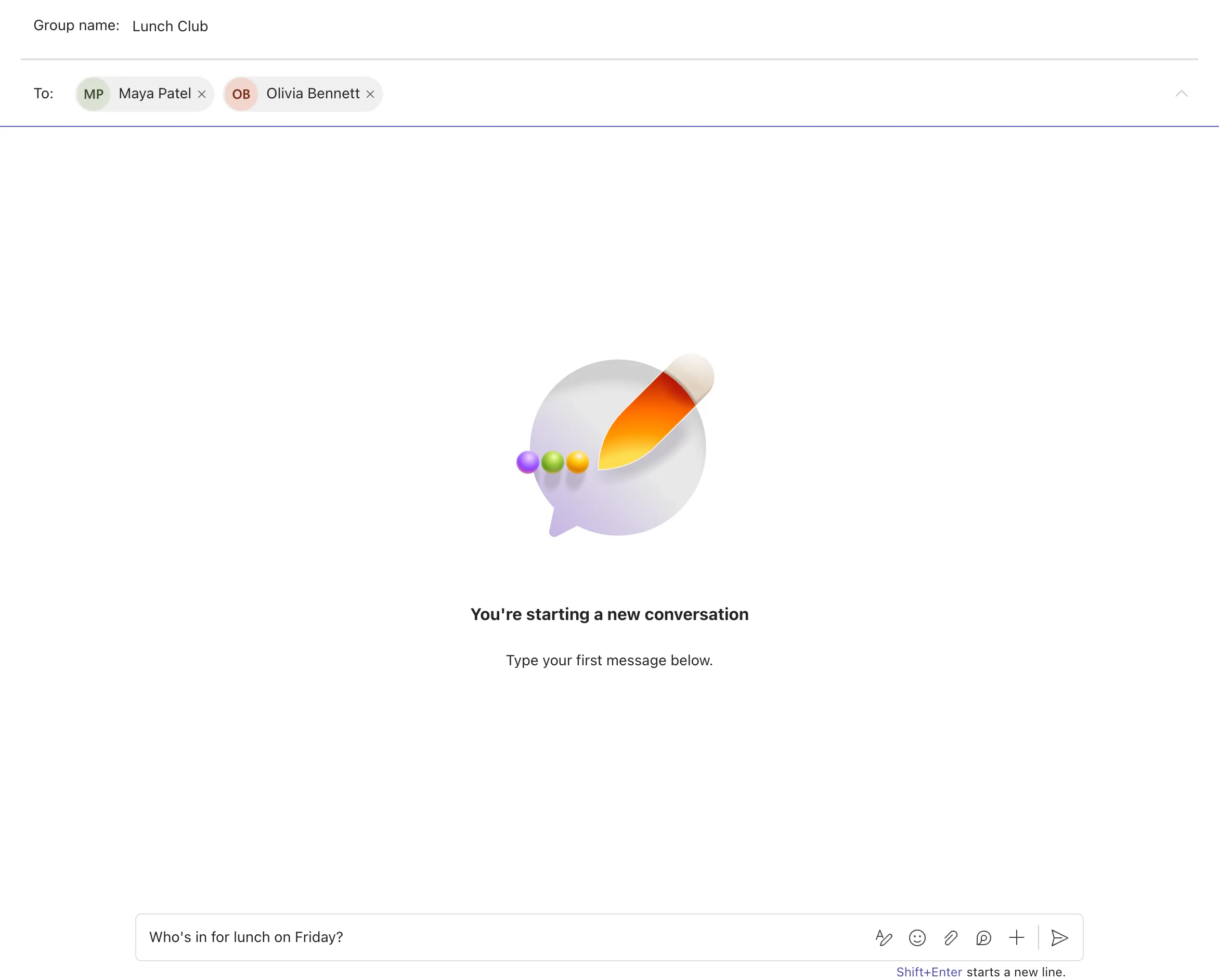
Then I selected Send once more.
After the Fix
The chat was created, but the list on the left now showed Lunch Club twice:
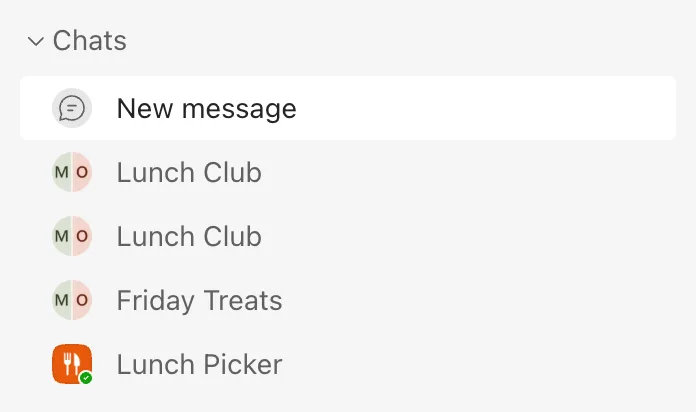
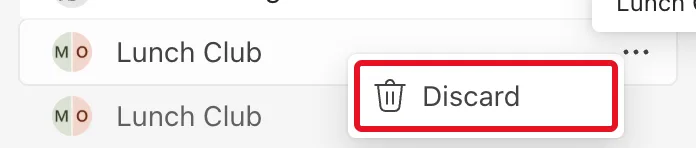
One of them was the real chat. The other was an empty draft left by the first Send: right-clicking it offered a single option, Discard. Right-clicking the real chat offers the usual options, such as Mute, Leave and Hide. I discarded the draft:
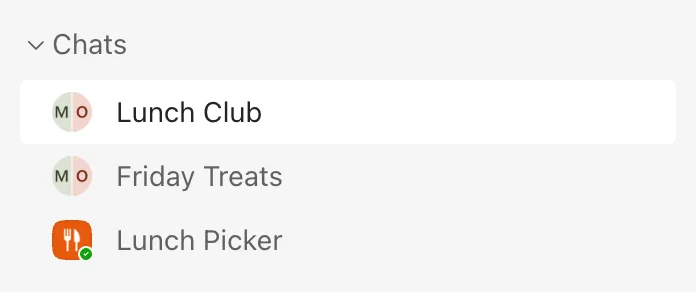
That left one Lunch Club, the real one, with Maya and Olivia in it and the first message sent:
The same thing happened the first time I hit this, with a chat called Friday Treats: one real chat, and one draft with only Discard.
Common Mistakes
| Mistake | What happens | Do this instead |
|---|---|---|
| Naming a chat that has only one other person | Send does nothing, and the message stays in the box | Add at least two people, or remove the group name and chat one to one |
| Selecting Send again and again | Nothing sends, and an empty draft with the same name appears later | Add the second person first, then select Send once |
| Leaving the empty draft in the chat list | Two chats with the same name, and only one of them works | Right-click the one that offers only Discard, and discard it |
Troubleshooting
| Symptom | Likely cause | Fix |
|---|---|---|
| Send does nothing in a new named chat | Only one person in To | Add a second person |
| The chat appears twice in the list | A draft from an earlier Send | Discard the entry whose menu has only Discard |
FAQ
Can I give a one-on-one chat a name?
No. A name belongs to group chats, which start at three people. To talk to one person under a name, add a third person, or use a channel in a team.
How many people can a group chat have?
Microsoft's limits for Teams list 250 people in a chat, and only 200 can be added at the same time.
Conclusion
When Send does nothing in a new chat with a group name, count the people in To: a group chat needs you and at least two others. Add the second person, select Send, and discard the empty draft the first Send left in the chat list.
Additional Resources
- Deep link to Teams chat, on Microsoft Learn: a chat's name needs "three or more users".
- chat module (TeamsJS), on Microsoft Learn:
openGroupChatneeds two or more other users. - Limits and specifications for Microsoft Teams, on Microsoft Learn.
