Fixed: "System.ArgumentException: Argument is whitespace (Parameter 'message')" in Microsoft Agent Framework

I passed a blank question to a Microsoft Agent Framework agent and expected my middleware to answer it. Instead the app crashed with System.ArgumentException: Argument is whitespace (Parameter 'message'), thrown by RunAsync before the middleware ran. The RunAsync overload that takes a string refuses blank text by design, so the check belongs in your code, before the call.
What I Was Doing
I was building a small console app, CityClock, for the Fundamentals tutorial Middleware. Its agent has agent run middleware that answers some questions by itself, without calling the model. My first idea was to answer an empty question that way:
await AskAsync("What time is it in Tokyo?");
await AskAsync("   ");

async Task AskAsync(string question)
{
    Console.WriteLine($"> {question}");
    AgentResponse response = await agent.RunAsync(question);
    Console.WriteLine(response.Text);
    Console.WriteLine();
}
And in the agent run middleware:
// An empty question gets its answer here, and the model is never called.
if (messages.All(message => string.IsNullOrWhiteSpace(message.Text)))
{
    Console.WriteLine("[run]   empty question: answered without the model");
    return new AgentResponse(new ChatMessage(ChatRole.Assistant, "Please ask about a city: Tokyo, London or New York."));
}
What I Expected
The first question answered by the model, and the second by the middleware: Please ask about a city.
What I Got
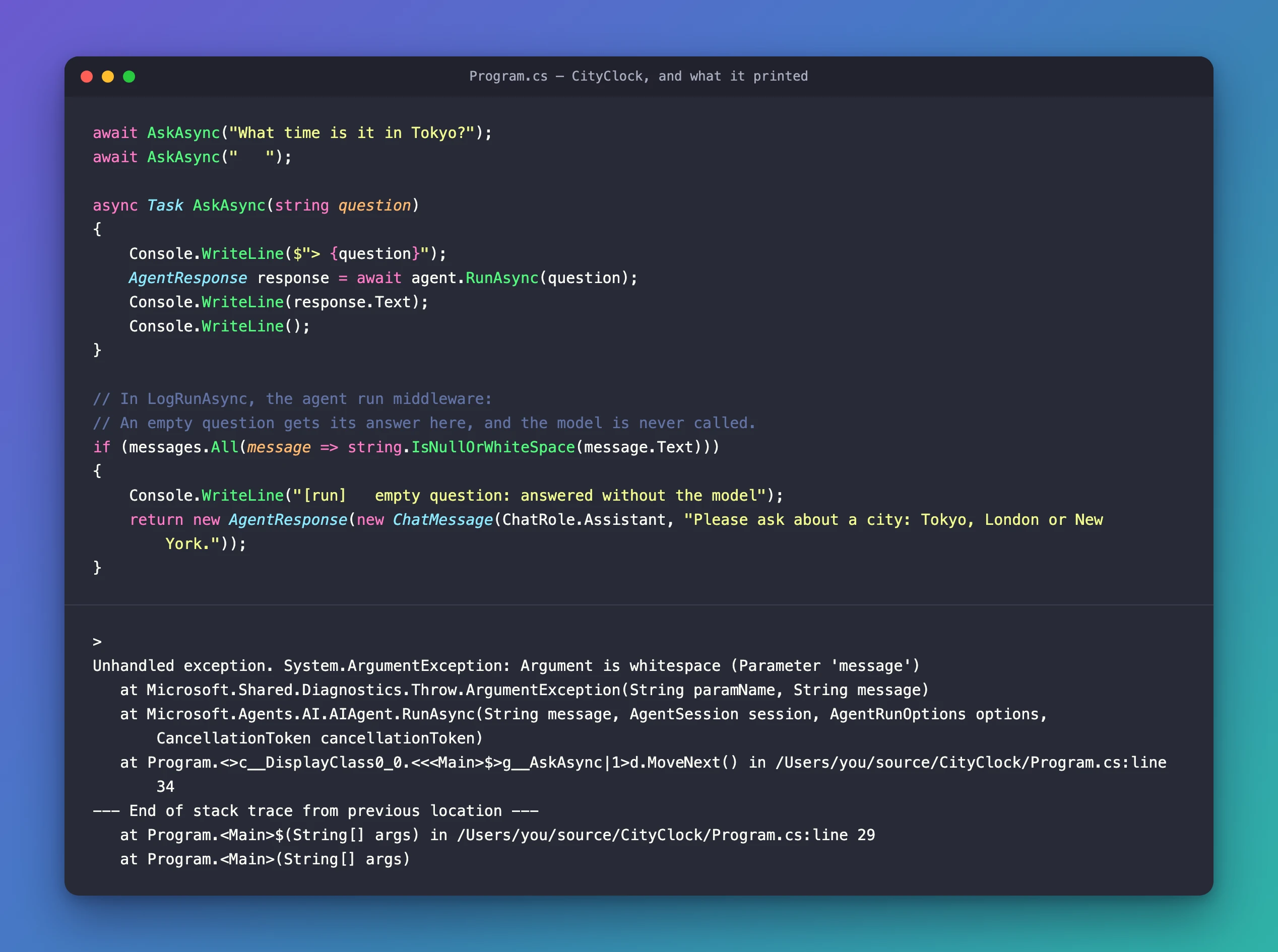
The first question worked. The second crashed the app, and the middleware's line never appeared:
>
Unhandled exception. System.ArgumentException: Argument is whitespace (Parameter 'message')
   at Microsoft.Shared.Diagnostics.Throw.ArgumentException(String paramName, String message)
   at Microsoft.Agents.AI.AIAgent.RunAsync(String message, AgentSession session, AgentRunOptions options, CancellationToken cancellationToken)
   at Program.<>c__DisplayClass0_0.<<<Main>$>g__AskAsync|1>d.MoveNext() in /Users/you/source/CityClock/Program.cs:line 34
--- End of stack trace from previous location ---
   at Program.<Main>$(String[] args) in /Users/you/source/CityClock/Program.cs:line 29
   at Program.<Main>(String[] args)
What I Checked
Where it was thrown. The stack trace ends in AIAgent.RunAsync(String message, …), called straight from my AskAsync. Nothing from the agent's pipeline is in it: the exception came before any middleware ran.
What the method's documentation says. The documentation of RunAsync(string message, …) in Agent Framework 1.28 lists the exception: ArgumentException when the message is null, empty, or contains only whitespace. Its remarks say The provided text will be wrapped in a ChatMessage with the User role before being sent to the agent. The overload that takes a ChatMessage lists only ArgumentNullException, for a missing message.
What each overload does with blank text. I ran both overloads with an empty string and with three spaces, through middleware that answers every run itself. The string overload threw Argument is whitespace (Parameter 'message') both times, even for the empty string. With a ChatMessage, the middleware received the blank message and answered it.
Why It Happens
RunAsync(string) is a convenience method: it checks the text, wraps it in a user message, and only then starts the run. Blank text fails that check, so the run, and with it every middleware, never starts. Middleware is the right place for rules about runs, but it can't see a run that was refused before it began.
The Fix
Check the input before calling RunAsync, where it comes into your app:
async Task AskAsync(string question)
{
    Console.WriteLine($"> {question}");

    // RunAsync refuses an empty question before any middleware runs, so check it first.
    if (string.IsNullOrWhiteSpace(question))
    {
        Console.WriteLine("Type a question first.");
        Console.WriteLine();
        return;
    }

    AgentResponse response = await agent.RunAsync(question);
    Console.WriteLine(response.Text);
    Console.WriteLine();
}
A blank question never needs the model, so it's cheapest to stop it here. If you do want middleware to decide about blank input, pass a ChatMessage instead of a string: agent.RunAsync(new ChatMessage(ChatRole.User, question)) gets through to it.
After the Fix
>
Type a question first.
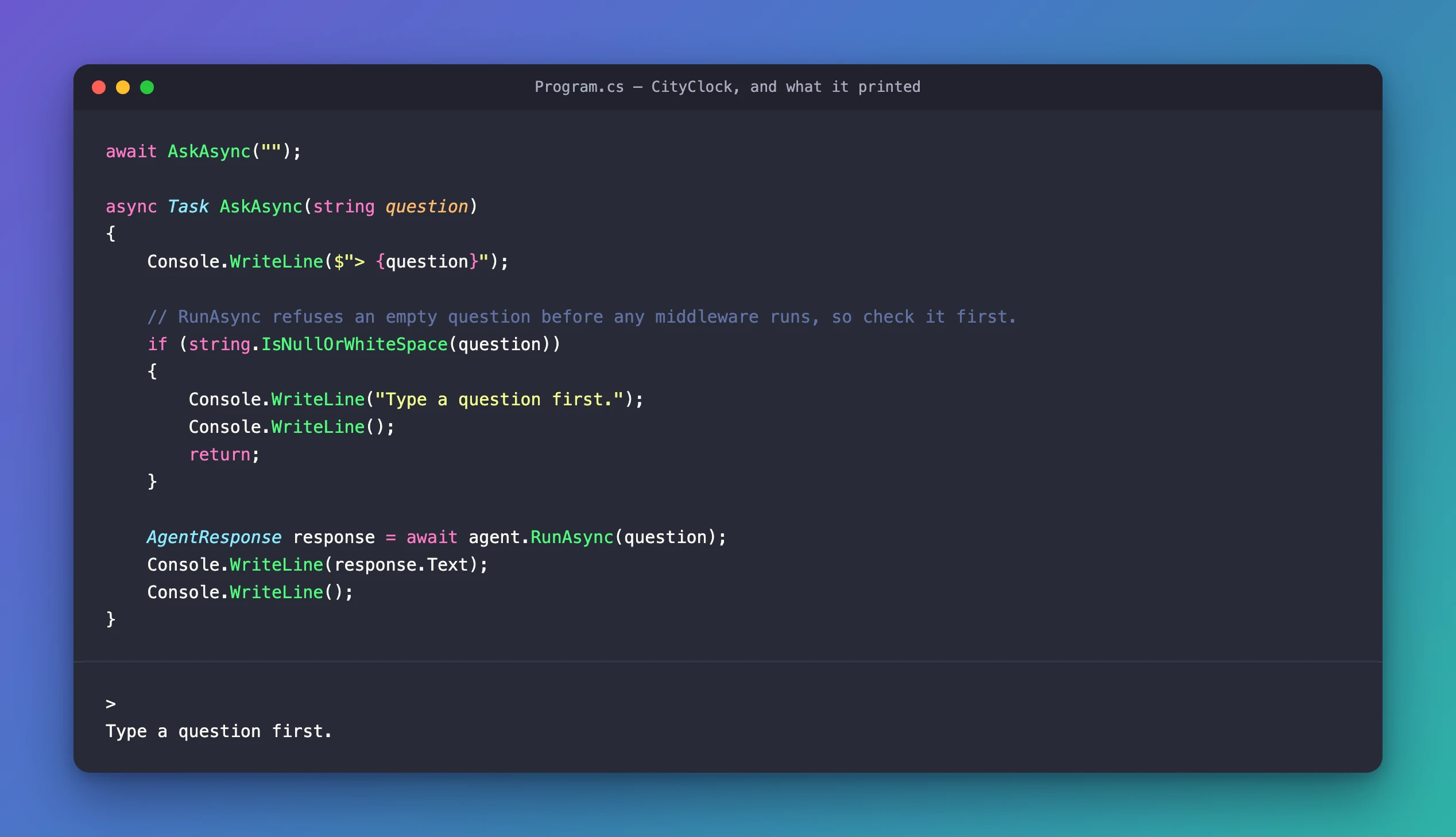
The app no longer crashes, and the questions before it still reach the agent and its middleware as before.
Common Mistakes
| Mistake | What happens | Do this instead |
|---|---|---|
Passing user input straight to RunAsync(string) | A blank input crashes the app with ArgumentException | Check it with string.IsNullOrWhiteSpace first |
| Relying on middleware to handle blank input | The string overload refuses it before the middleware runs | Check before the call, or pass a ChatMessage |
Catching ArgumentException around every run | Real bugs that throw it get hidden too | Check the input instead |
Troubleshooting
| Symptom | Likely cause | Fix |
|---|---|---|
| Argument is whitespace (Parameter 'message') for an empty string | The same check covers null, empty and whitespace | Check the input before RunAsync |
| The middleware's line for blank input never appears | The run never started | Pass a ChatMessage if the middleware should handle it |
FAQ
Does the ChatMessage overload send blank text to the model?
Only if nothing stops it. It skips the string overload's check, so your middleware, or the model, gets the blank message. Stop it in your own code or in middleware, as you prefer.
Why does an empty string say "whitespace"?
That's the message the check uses for all three cases: null, empty and whitespace. The documentation lists them together.
Conclusion
System.ArgumentException: Argument is whitespace (Parameter 'message') comes from RunAsync(string), which refuses null, empty and whitespace text before the run starts, so middleware never sees it. Check the input with string.IsNullOrWhiteSpace before you call RunAsync, or pass a ChatMessage when middleware should decide.
Additional Resources
- Running Agents — the
RunAsyncoverloads and what they accept. - Agent Middleware — what middleware sees, and when.
