Fixed: Sum Returns Blank Instead of 0 for an Empty Table in Power Apps

For a month with no entries, a Power Apps screen showed Total for September 2026: hours, with nothing where the number should be. Sum of a table with no rows returned blank, not 0, and Text turned the blank into empty text. Wrapping the Sum in Coalesce(…, 0) made it read 0.00 hours.
What I Was Doing
I was building the My Overtime screen of the Overtime Timesheet app. It shows one month of a person's overtime, and a text control above the list gives the month's total. The screen keeps the month's entries in a context variable, locEntriesMO, and the total adds up their Hours, leaving out rejected entries (How to Add Up a Column in Power Apps with Sum):
$"Total for {Text(locMonthMO, "mmmm yyyy")}: {Text(Sum(Filter(locEntriesMO, Status.Value <> "Rejected"), Hours), "0.00")} hours"
In Preview, I opened the screen on November 2026 and selected the previous-month button twice, to September 2026: a month with no overtime entries.
What I Expected
Total for September 2026: 0.00 hours, above the message that says there's no overtime that month.
What I Got
The total had no number: Total for September 2026: hours. The message below it was right: You haven't logged any overtime in September 2026.
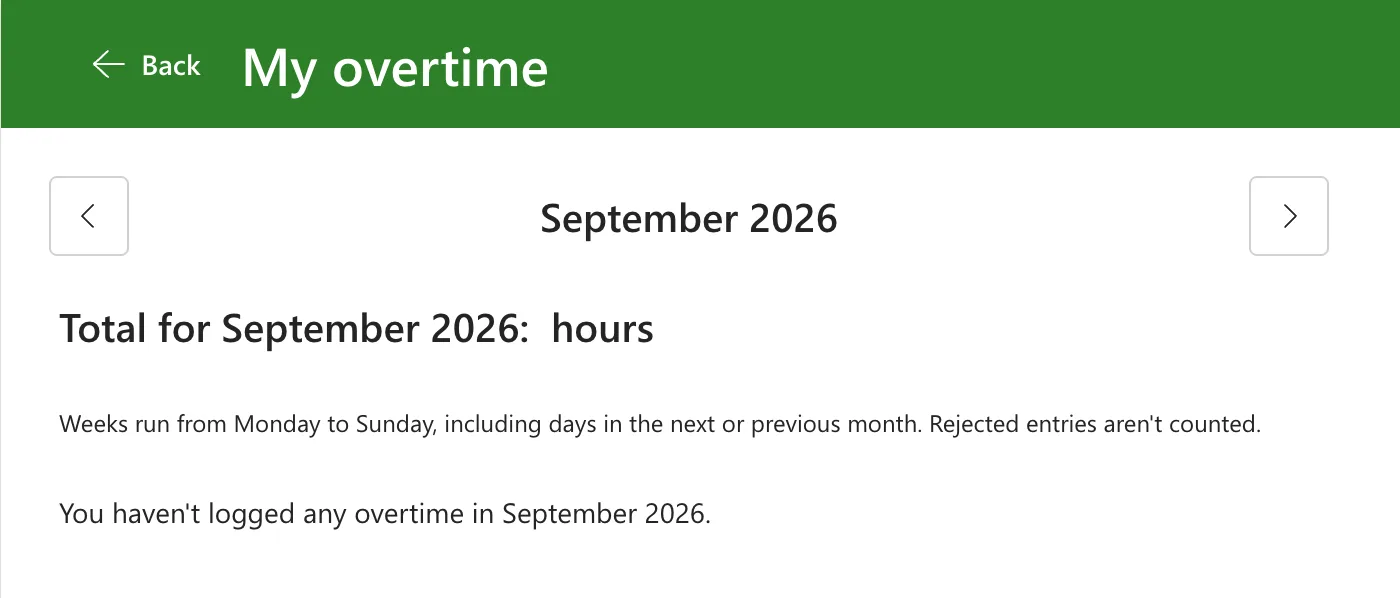
In October and November, the same formula showed 10.00 and 11.00 hours.
What I Checked
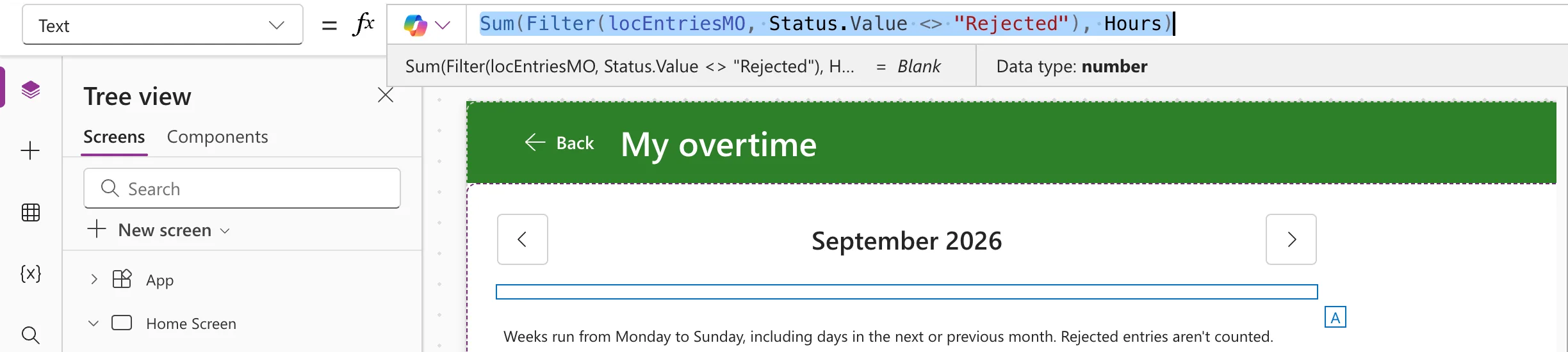
What Sum gave on its own. After closing Preview, Studio still had September's values in its variables. I put the Sum part of the formula on its own in the control's Text and selected it, so Studio's preview strip, under the formula bar, showed its value (How to See What a Formula Returns in Power Apps Studio):
Sum(Filter(locEntriesMO, Status.Value <> "Rejected"), Hours)
The strip read = Blank, with Data type: number, and the control on the canvas was empty:
Microsoft's documentation.
- The aggregate functions reference says Sum calculates the sum of its arguments, but not what it returns for a table with no rows.
- The data types article says All data types can have a value of blank (no value), and Replace possible blank values with non-blank values by using the Coalesce function.
- The Coalesce reference says it evaluates its arguments in order and returns the first value that isn't blank or an empty string.
Why It Happens
In September, locEntriesMO held no rows, so Sum had nothing to add, and it returned blank rather than 0. Text then had no number to format, and the string had nothing between the colon and hours.
The Filter gives the same empty table in a month whose only entries are rejected, so that month's total would have been blank too.
The Fix
Wrap the Sum in Coalesce, with 0 as the value to use when it's blank (How to Replace Blank Values in Power Apps with Coalesce):
$"Total for {Text(locMonthMO, "mmmm yyyy")}: {Text(Coalesce(Sum(Filter(locEntriesMO, Status.Value <> "Rejected"), Hours), 0), "0.00")} hours"
Coalesce returns the total when there is one, and 0 when there isn't, and Text formats either one with two decimal places. With September still loaded, the preview strip read Total for September 2026: 0.00 hours:

Another way
Hiding the total when there are no entries, with !IsEmpty(locEntriesMO) in its Visible, leaves the message on its own for an empty month. It doesn't help a month whose only entries are rejected: those rows are in the list, but the Sum still has nothing to add. Coalesce covers both.
After the Fix
In Preview again, September showed Total for September 2026: 0.00 hours above the message:
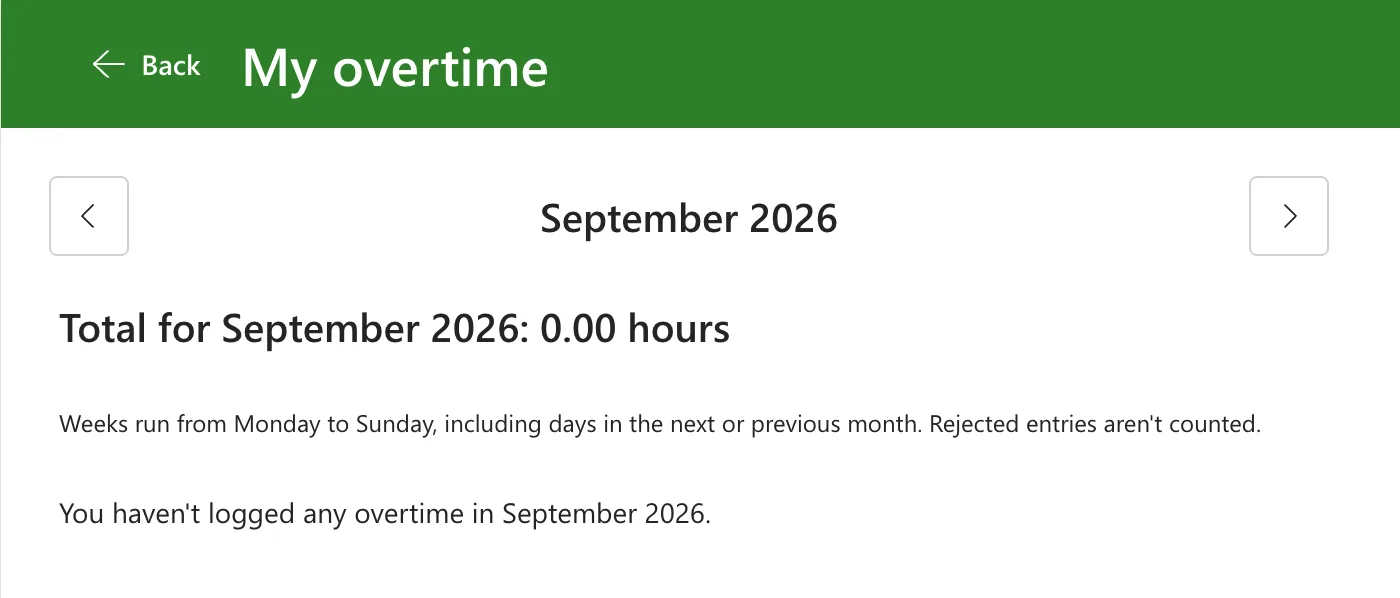
November still showed Total for November 2026: 11.00 hours.
Common Mistakes
| Mistake | What happens | Do this instead |
|---|---|---|
Text(Sum(...), "0.00") on its own | Nothing where the total should be when there are no rows to add | Text(Coalesce(Sum(...), 0), "0.00") |
| Only looking at months that have entries | A blank total shows up first for the person whose month is empty | Look at a month with no rows too |
| Hiding the total for an empty list | A month with only rejected entries still shows a blank total | Coalesce with 0 |
Troubleshooting
| Symptom | Likely cause | Fix |
|---|---|---|
| A total reads : hours with no number | Sum found no rows and returned blank | Wrap it in Coalesce(…, 0) |
| The preview strip shows = Blank for a Sum | The table, after any Filter, has no rows | The same |
| 0.00 in a month that has entries | Every entry that month is rejected, and the total leaves them out | Nothing to fix: the rows show their Rejected badges |
FAQ
Does Sum return blank or 0 when there's nothing to add?
In this app it returned Blank, as the preview strip showed, and Microsoft's reference doesn't say which. Wrapping it in Coalesce gives the same result either way.
Is this a delegation problem?
No. The rows were already in a context variable, the formula had no warning, and the table simply had no rows.
Conclusion
Sum of a table with no rows returned blank, and Text of a blank is empty text, so the total read : hours. Coalesce(Sum(...), 0) gives 0 when there's nothing to add, and the total reads 0.00 hours.
Additional Resources
- Average, Max, Min, StdevP, Sum, and VarP functions: Sum.
- Blank, Coalesce, IsBlank, and IsEmpty functions: Coalesce.
- Data types: Blank: blank values and Coalesce.
